listr2 review
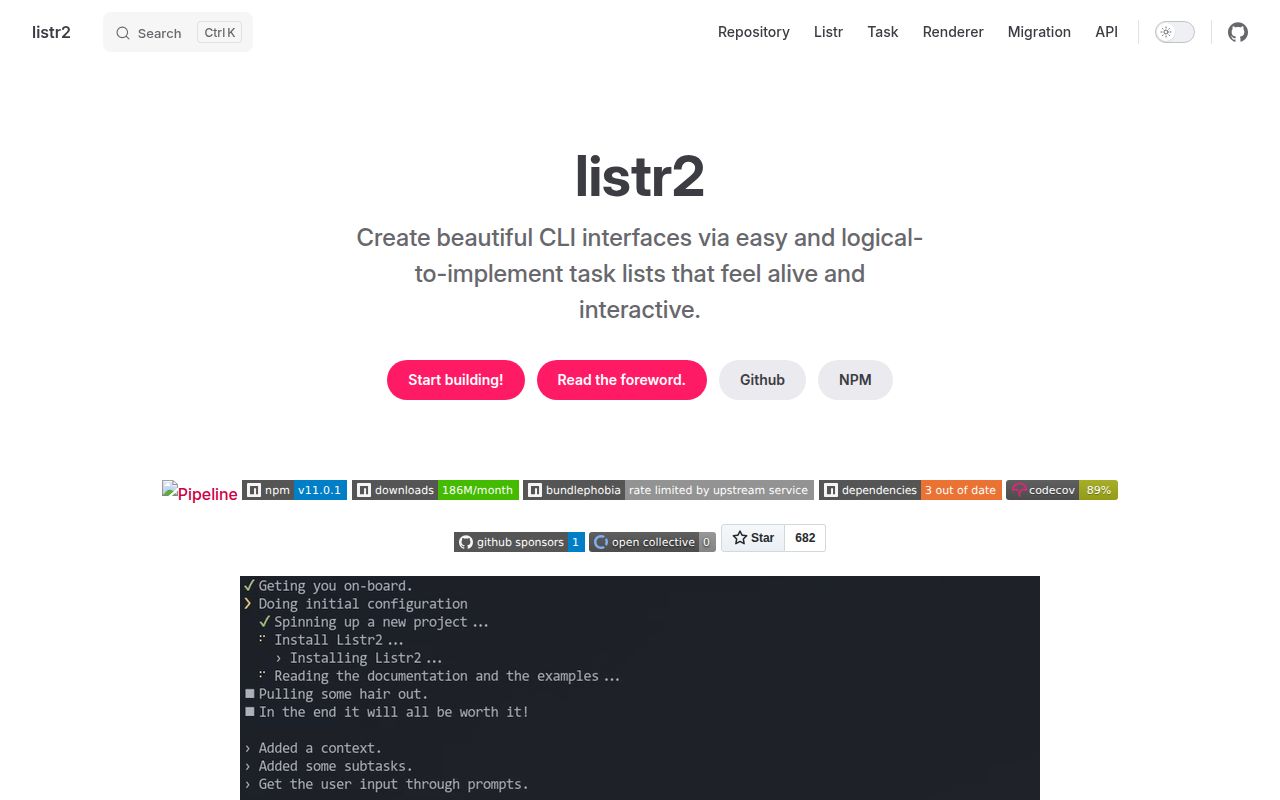
Listr2 runs CLI work as titled tasks with live terminal rendering, shared typed context, concurrency limits, nested lists, retries, skip reasons, rollback handlers, cancellation, prompts, and non-interactive renderers. Version 11 introduced a `CANCELLED` state, runs rollback after interruption, allows streamed output to be reset with `null`, uses partial renderer updates, and simplifies error collection to a boolean. Version 11.0.1 only raises `wrap-ansi` to 10.0.1. Our measured 11.0.0 package was ESM with an exports map, bundled TypeScript declarations, and working `require()` plus ESM imports. It is an orchestration and presentation layer for Node CLIs; it does not make operations transactional or safe to retry.
Our listr2 11.0.0 install took 1 second, used 1 MB across 18 packages, and had 0 audit findings, while its browser bundle failed and Node 22.13.0 is mandatory. Install current 11.0.1 for multi-step Node CLIs whose progress and rollback state users must see; use plain promises or a durable queue when presentation is secondary.
We installed it
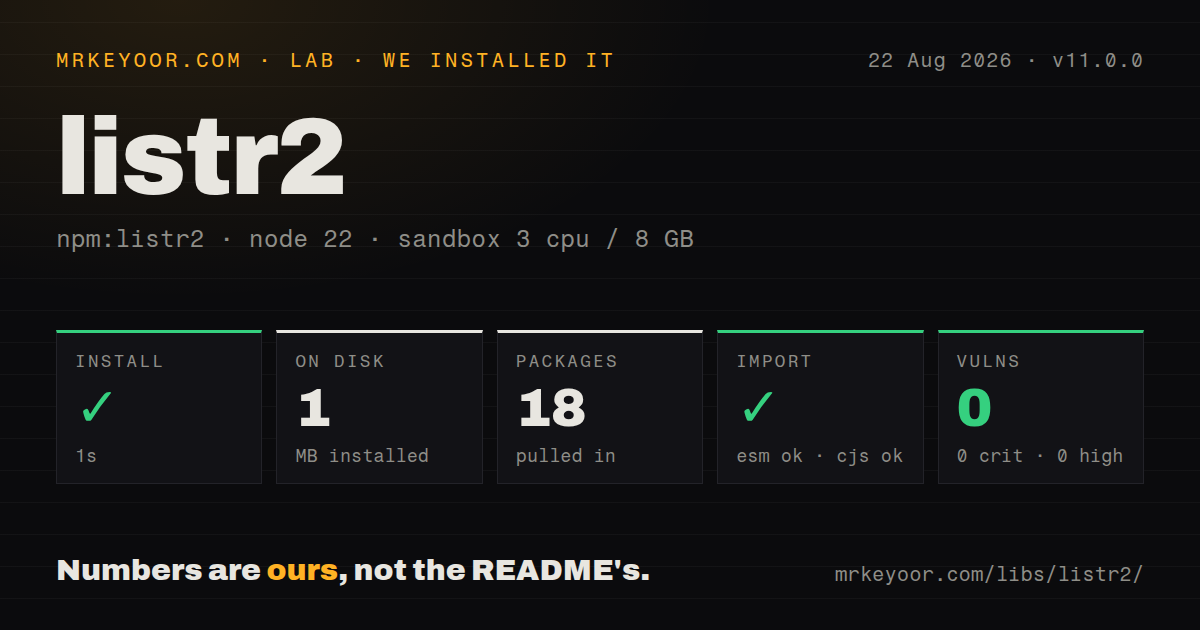
| Install | ✓ · 1s | 18 packages on disk · 1 MB |
| Import | ✓ | ESM import works · require() works · ESM package with exports map |
| Browser | n/a | could not be bundled for the browser (Node-only code, most likely) |
| Types | ✓ | TypeScript types bundled |
| Known vulns | 0 | 0 critical · 0 high · 0 moderate · 0 low (npm audit) |
Answers from our run
Does listr2 install cleanly?
Yes. In a fresh container with an empty cache, npm install listr2 finished in 1 seconds, leaving 18 packages and 1 MB on disk. npm audit reported no known vulnerabilities.
Can listr2 run in a browser?
Not directly: esbuild could not bundle it for the browser in our run, which normally means it depends on Node built-ins. Use it on the server, or find a browser-targeted alternative.
Does listr2 work with both ESM and CommonJS?
Yes. Both import 'listr2' and require('listr2') worked in Node 22 in our run. The package is published as ESM with an exports map.
Does listr2 include TypeScript types?
Yes, type declarations ship inside the package, so no @types install is needed.
listr2 or ora: which should you use?
ora: Choose it when one spinner and a few status messages are enough. Our listr2 11.0.0 install took 1 second, used 1 MB across 18 packages, and had 0 audit findings, while its browser bundle failed and Node 22.13.0 is mandatory.
When should you not use listr2?
Node older than 22.13.0 is in the support matrix. Version 11 declares that exact minimum and npm can reject or warn on older runtimes.
Use it if
- A Node CLI has several visible steps and users need progress, nested status, skip reasons, and failures presented without hand-built ANSI cursor control.
- Independent tasks should run concurrently with an explicit cap while later tasks consume a shared typed context.
- Interrupted deployment or setup steps have compensation functions that should run through a common rollback mechanism.
- The same task graph must render interactively in a TTY and linearly in CI or redirected logs.
- Node older than 22.13.0 is in the support matrix. Version 11 declares that exact minimum and npm can reject or warn on older runtimes.
- The code must run in a browser. Our esbuild browser bundle failed, and the package depends on terminal output behavior and Node's EventEmitter.
- A few sequential commands only need `await` and ordinary logging. Listr2 adds 18 installed packages and a state model that may be harder to debug than the work itself.
- You need durable jobs that survive process death, resume on another machine, or coordinate several workers. Listr2 keeps state in one Node process; use a real queue or workflow engine.
- Rollback is expected to guarantee atomic deployment. A rollback callback is best-effort application code, can fail, and cannot undo an external side effect unless you implement compensation correctly.
Setup reality
We installed listr2 11.0.0 in a clean Node 22 Bookworm container. npm took 1 second and left 18 packages using 1 MB on disk. npm audit reported 0 critical, high, moderate, or low vulnerabilities. The package declares 3 direct dependencies and 0 peers and is 156 KB unpacked. It requires Node 22.13.0 or newer, includes TypeScript declarations, uses ESM with an exports map, and loaded through both our require() and ESM import checks.
No credentials or config file are required. The first real choice is renderer policy: use the default live renderer only when output is an interactive TTY, and choose simple or another non-updating renderer for CI and redirected files. Direct console.log() calls can corrupt a live display; send transient text through task.output, or use the task wrapper for persistent output. Prompt adapters and their prompt libraries are separate installations.
Our attempt to bundle 11.0.0 for a browser with esbuild failed, which matches a Node terminal library. Version 11 also requires custom renderers and error handling to understand CANCELLED. collectErrors is now boolean, Listr.errors is null when collection is disabled, and collected errors no longer clone or expose task context. An upgrade from 10.x must update those assumptions even if the visible task list looks unchanged.
Concurrency starts independent task functions at the same time; it does not protect shared context or remote services. Use a numeric limit, make writes idempotent, and reserve concurrent: true for genuinely unbounded work. Cancellation is cooperative, so pass task.signal into supported APIs. Retries rerun the whole task body. Rollbacks now run on interruption and the process waits for active rollback work, but each handler still needs its own timeout and error reporting. Version 11.0.1 changes only one formatting dependency.
Patterns
Execute two tasks in sequence run-sequential-tasks
import { Listr } from 'listr2';

const tasks = new Listr([
  { title: 'Install', task: () => install() },
  { title: 'Build', task: () => build() },
], { concurrent: false });

await tasks.run();
With the default `exitOnError`, an unhandled task failure rejects `run()` and stops later work.
Carry typed state between tasks share-typed-context
interface Context { artifact?: string }

const tasks = new Listr<Context>([
  { title: 'Package', task: async ctx => { ctx.artifact = await pack(); } },
  { title: 'Publish', task: async ctx => publish(ctx.artifact!) },
]);

const context = await tasks.run();
Seed required values through the list's `ctx` option when conditional execution could leave a later field unset.
Render subtasks under a parent nest-task-list
const tasks = new Listr([{
  title: 'Deploy',
  task: (_ctx, task) => task.newListr([
    { title: 'Upload', task: () => upload() },
    { title: 'Warm cache', task: () => warmCache() },
  ], { concurrent: true }),
}]);
`task.newListr()` shares the parent context and lets the active renderer keep child state under the parent row.
Run at most four deployments limit-concurrency
const tasks = new Listr(
  targets.map(target => ({
    title: `Deploy ${target.name}`,
    task: () => deploy(target),
  })),
  { concurrent: 4, exitOnError: false },
);
await tasks.run();
A number imposes a cap. `concurrent: true` starts every enabled task and can overwhelm a remote API.
Publish transient compiler output update-task-output
{
  title: 'Compile',
  task: async (_ctx, task) => {
    for await (const line of compilerLines()) task.output = line;
    task.output = null;
  },
}
Version 11 clears streamed output when assigned null. Writing directly to stdout can collide with the live renderer.
Display a skip reason skip-task
{
  title: 'Upload source maps',
  skip: ctx => ctx.ci ? false : 'CI credentials are unavailable',
  task: () => uploadSourceMaps(),
}
Return false to continue into the task or a string to mark it skipped and show the reason.
Retry one bounded operation retry-task
{
  title: 'Read release metadata',
  retry: { tries: 3, delay: 1000 },
  task: () => fetchRelease(),
}
Every attempt reruns the complete callback. Writes need idempotency or an application-owned compensation plan.
Compensate for partial setup rollback-task
{
  title: 'Create environment',
  task: async ctx => { ctx.environmentId = await createEnvironment(); },
  rollback: async ctx => {
    if (ctx.environmentId) await deleteEnvironment(ctx.environmentId);
  },
}
Version 11 invokes rollback on interruption and waits for it. The callback can still fail, so log and bound its work.
Inspect failures after continuing collect-errors
const tasks = new Listr(steps, {
  exitOnError: false,
  collectErrors: true,
});
await tasks.run();

for (const failure of tasks.errors ?? []) {
  console.error(failure.path, failure.error);
}
In version 11, `errors` is null when collection is disabled and collected failures no longer carry cloned context.
Pass cancellation into fetch cancel-fetch
{
  title: 'Download',
  task: async (_ctx, task) => {
    const response = await fetch(url, { signal: task.signal });
    await save(response);
  },
}
Cancellation only stops work that observes the signal. An API that ignores it may keep running after the task changes state.
Ask through the Inquirer adapter prompt-in-task
import { input } from '@inquirer/prompts';
import { ListrInquirerPromptAdapter } from '@listr2/prompt-adapter-inquirer';

const name = await task.prompt(ListrInquirerPromptAdapter).run(input, {
  message: 'Project name?',
});
Install both the adapter and `@inquirer/prompts`; the adapter hands terminal control back and forth with the renderer.
Use stable output outside a TTY select-ci-renderer
const tasks = new Listr(steps, {
  renderer: process.env.CI ? 'simple' : 'default',
  fallbackRenderer: 'simple',
});
Exercise TTY and redirected output in tests. Updating terminal frames are a poor fit for most CI log collectors.
Alternatives
| Package | Registry | Pick it when |
|---|---|---|
| ora | npm | Choose it when one spinner and a few status messages are enough. |
| ink | npm | Choose it for a stateful React terminal interface with components, input, and layout beyond a task list. |
| cli-progress | npm | Choose it when numeric progress bars matter more than task orchestration and rollback. |
| p-queue | npm | Choose it for promise concurrency, priorities, rate limits, and pausing without terminal presentation. |
More cli & tooling guides
commander · chalk · typescript · esbuild · yargs · click · the whole shelf →
How this guide is made: grounded in the library's documentation, release notes, changelog, and issue history, on a fixed rubric — not a hands-on install of every release. The 50 most-downloaded entries are additionally install-verified in clean containers. Corrections: contact the desk.