cli-progress review
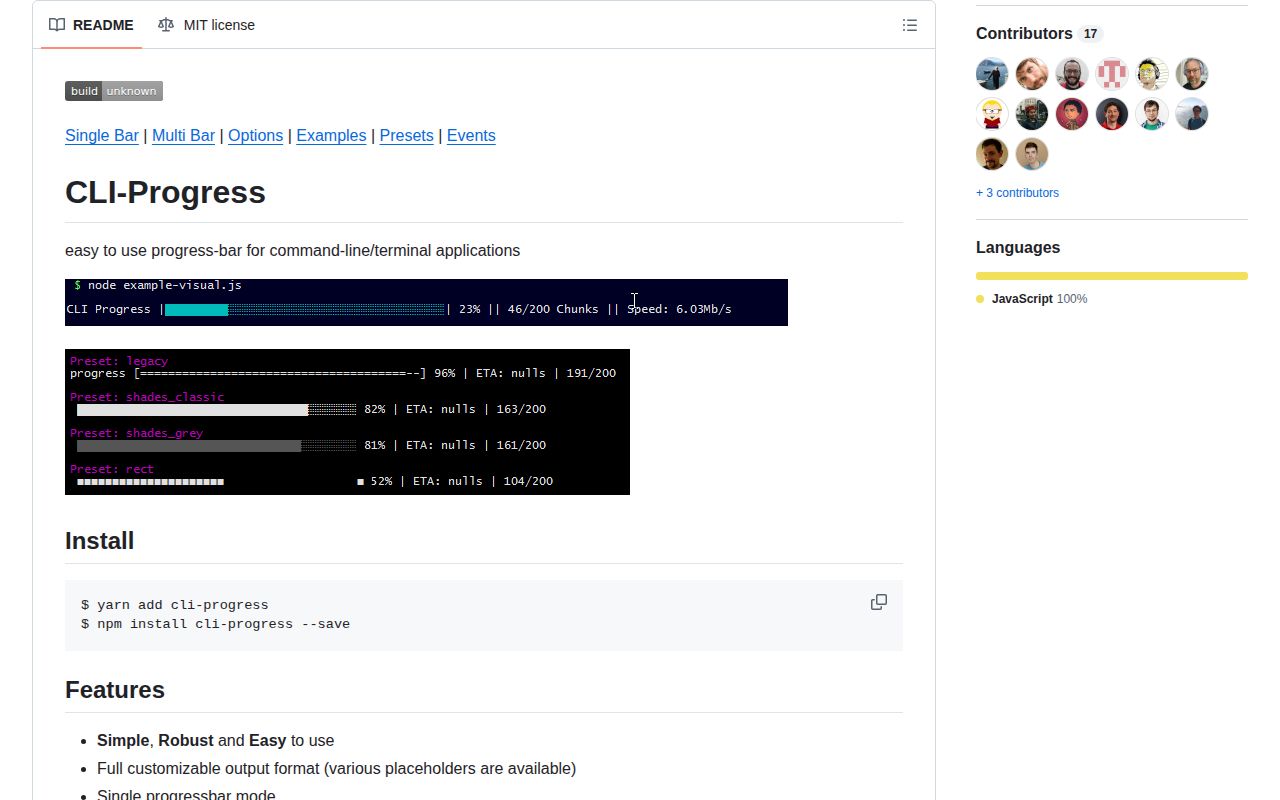
cli-progress 3.12.0 draws determinate progress in Node terminals. A caller supplies the total and advances a SingleBar or one of several MultiBar children; the library calculates percentage, duration and ETA, limits redraw frequency, substitutes payload tokens, and manages cursor-oriented output. The 3.12 release added child-specific bar characters to MultiBar and corrected width trimming. In our Node 22 sandbox, CommonJS and ESM loading worked, while the package supplied no TypeScript declarations and failed a browser-target bundle.
cli-progress 3.12.0 installed in 0.8 seconds and occupied 1 MB in our sandbox, with no audit findings but no bundled types or browser build. It still fits countable Node jobs, especially multiple bars; choose another UI for indefinite work or active TypeScript-first maintenance.
We installed it
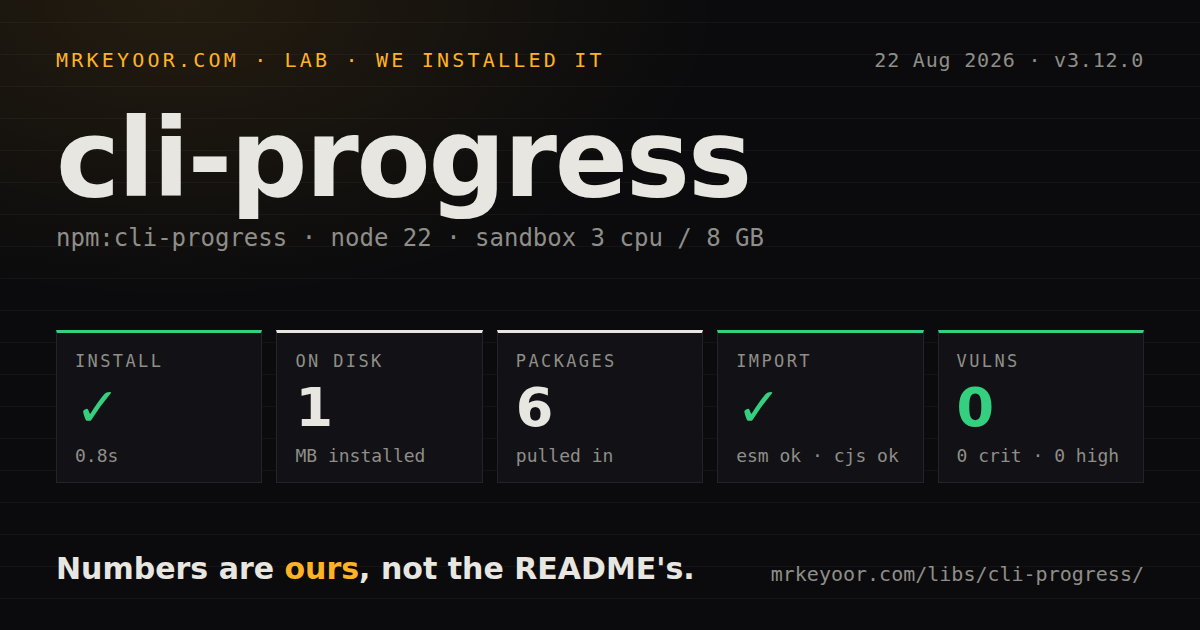
| Install | ✓ · 0.8s | 6 packages on disk · 1 MB |
| Import | ✓ | ESM import works · require() works · CommonJS package |
| Browser | n/a | could not be bundled for the browser (Node-only code, most likely) |
| Types | — | no TypeScript types found |
| Known vulns | 0 | 0 critical · 0 high · 0 moderate · 0 low (npm audit) |
Answers from our run
Does cli-progress install cleanly?
Yes. In a fresh container with an empty cache, npm install cli-progress finished in 0.8s, leaving 6 packages and 1 MB on disk. npm audit reported no known vulnerabilities.
Can cli-progress run in a browser?
Not directly: esbuild could not bundle it for the browser in our run, which normally means it depends on Node built-ins. Use it on the server, or find a browser-targeted alternative.
Does cli-progress work with both ESM and CommonJS?
Yes. Both import 'cli-progress' and require('cli-progress') worked in Node 22 in our run. The package is published as CommonJS.
Does cli-progress include TypeScript types?
No type declarations were found in our install, so TypeScript users need their own declarations.
cli-progress or ora: which should you use?
ora: Use it for work with an unknown duration where an activity spinner is more honest. cli-progress 3.12.0 installed in 0.8 seconds and occupied 1 MB in our sandbox, with no audit findings but no bundled types or browser build.
When should you not use cli-progress?
The operation has no credible total; use a spinner such as ora instead of presenting a false percentage.
Use it if
- A batch command knows the number of files, records, bytes, or jobs it must finish.
- Concurrent terminal work needs several independently updated bars under one renderer.
- CI logs should receive periodic plain progress lines when no TTY is attached.
- The display needs live payload fields such as a filename, rate, phase, or retry count.
- The operation has no credible total; use a spinner such as ora instead of presenting a false percentage.
- Your TypeScript policy rejects separately maintained declaration packages; 3.12.0 does not bundle types.
- The UI runs in a browser; our esbuild browser target failed and the implementation writes through Node streams.
- Recent releases are required; npm dates 3.12.0 to February 2023 and GitHub shows no push after October 2023.
- The program targets the old Windows command prompt; the README supports current PowerShell but excludes that legacy console.
- You expect colors without another dependency; cli-progress provides characters and format hooks, while its color example installs ansi-colors separately.
Setup reality
We installed cli-progress 3.12.0 on fresh Node 22 Bookworm in 0.8 seconds. The result was 6 packages and 1 MB on disk; cli-progress declares 1 direct dependency, no peers, and is 120 KB unpacked. npm audit found 0 known vulnerabilities. It is CommonJS with no exports map, although both require() and ESM import succeeded. The package has no TypeScript declarations, and its engine claim remains Node 4 or newer.
No account, credential, or configuration file is involved. Start SingleBar with a real total, initial value, and any payload tokens referenced by the format. MultiBar creates already-running children and owns their screen updates. Version 3.12.0 accepts per-child character overrides in the fourth argument to create. Finish the container once all children are done; stopping bars independently does not replace final MultiBar cleanup.
The default stream is stderr, which preserves stdout for pipeable command data. A redirected non-TTY gets no scheduled status unless noTTYOutput is true; notTTYSchedule sets that interval in milliseconds. Write messages through MultiBar.log() while bars are active, and terminate each message with a newline as the README requires. Ordinary console writes can land inside the redraw area.
Cursor restoration needs deliberate failure handling. hideCursor does not turn on gracefulExit, whose default is false because it installs SIGINT and SIGTERM listeners. Put stop() in a finally block and retain control over the process exit code. The browser build failed in our sandbox, so this belongs only in Node command code. The fps option caps screen frames, but a hot loop should also batch calls to update to avoid needless calculation.
Patterns
Advance a bar after each completed item track-counted-work
const cliProgress = require('cli-progress');
const bar = new cliProgress.SingleBar({ hideCursor: true });
bar.start(files.length, 0);
try {
  for (const file of files) { await convert(file); bar.increment(); }
} finally { bar.stop(); }
The `finally` block restores terminal state after an exception; the total must represent work that can actually finish.
Load the CommonJS export in an ESM file import-from-esm
import cliProgress from 'cli-progress';
const bar = new cliProgress.SingleBar({ format: '{bar} {value}/{total}' });
ESM import succeeded in our Node 22 test, though 3.12.0 has neither an exports map nor included declarations.
Put a changing filename in the line show-payload-token
const bar = new cliProgress.SingleBar({ format: '{bar} {percentage}% | {file}' });
bar.start(total, 0, { file: 'waiting' });
bar.update(done, { file: 'archive.zip' });
Seed every custom placeholder in `start`; otherwise the first rendered frame can expose an unresolved token.
Track two jobs under one MultiBar render-parallel-bars
const bars = new cliProgress.MultiBar({ format: '{bar} {name} {value}/{total}' });
const images = bars.create(100, 0, { name: 'images' });
const index = bars.create(20, 0, { name: 'index' }, { barCompleteChar: '#' });
images.update(40);
index.increment();
bars.stop();
The fourth `create` argument can override bar characters in version 3.12.0; call the container's `stop` after all children.
Print a status message without tearing the display log-above-bars
bars.log(`retrying ${url}\n`);`MultiBar.log` buffers the line above active bars and requires its trailing newline.
Schedule progress for a non-TTY stream write-ci-lines
const bar = new cliProgress.SingleBar({
  noTTYOutput: true,
  notTTYSchedule: 5000,
  hideCursor: Boolean(process.stderr.isTTY),
});
A redirected stream stays silent by default; this configuration emits one plain update every 5 seconds.
Expand a total as new tasks appear adjust-total
bar.start(queue.length, 0);
while (queue.length) {
  const found = await inspect(queue.shift());
  queue.push(...found);
  bar.setTotal(bar.getTotal() + found.length);
  bar.increment();
}
bar.stop();
Changing the total moves the percentage and can destabilize ETA when discovery adds a large batch.
Throttle updates from a tight loop limit-render-rate
const bar = new cliProgress.SingleBar({ fps: 5 });
bar.start(1_000_000, 0);
for (let i = 0; i < 1_000_000; i++) {
  crunch(i);
  if (i % 1000 === 0) bar.update(i);
}
bar.update(1_000_000);
bar.stop();
`fps` limits redraw frames; batching calls also avoids repeated ETA and formatting work between frames.
Alternatives
More cli & tooling guides
commander · chalk · typescript · esbuild · yargs · click · the whole shelf →
How this guide is made: grounded in the library's documentation, release notes, changelog, and issue history, on a fixed rubric — not a hands-on install of every release. The 50 most-downloaded entries are additionally install-verified in clean containers. Corrections: contact the desk.