esbuild review
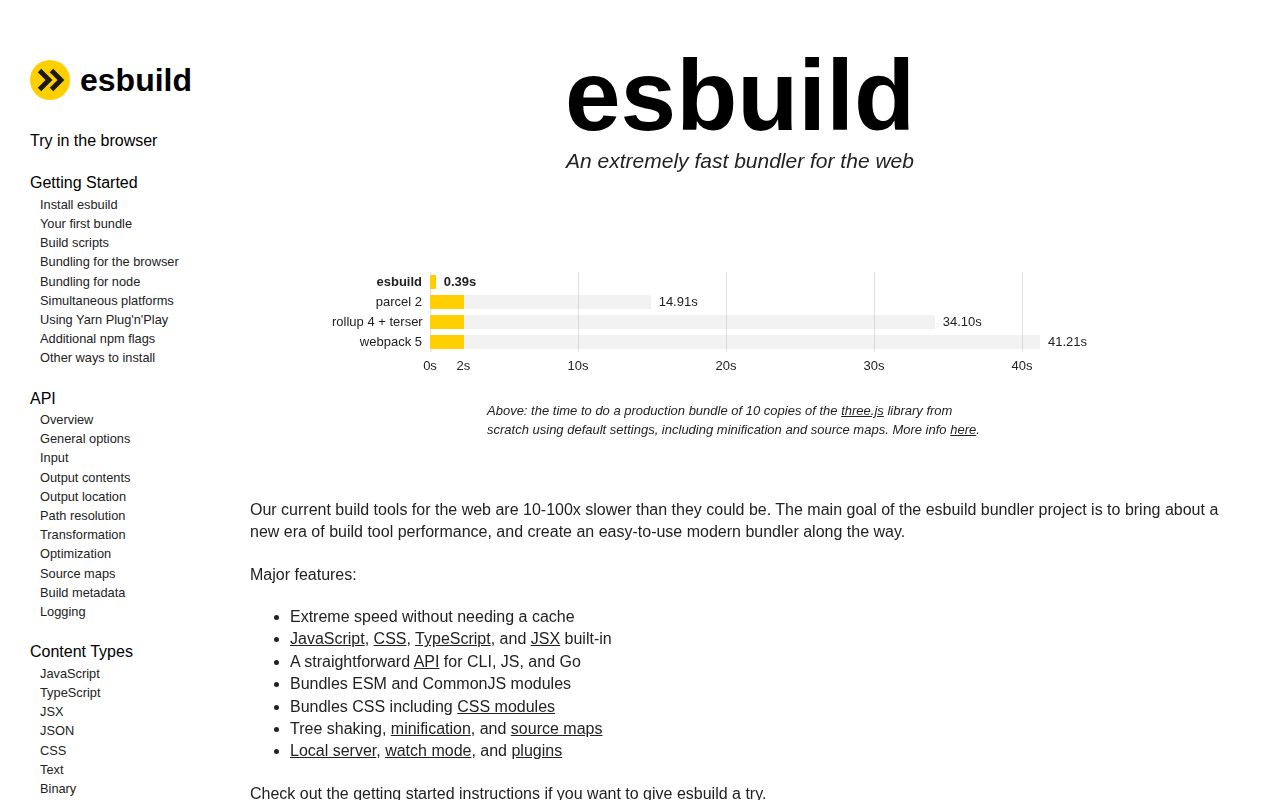
esbuild 0.28.2 is a native Go program exposed through a command line, a JavaScript API, and a Go API. It bundles ESM and CommonJS, strips TypeScript and JSX syntax, processes CSS, lowers syntax for selected runtimes, minifies output, writes source maps, watches files, and serves development assets. This patch repairs wrong output involving top-level await cycles, logical assignments, CSS nesting, and out-of-gamut colors. It also restores input overwrite protection and adds Visual Studio diagnostics.
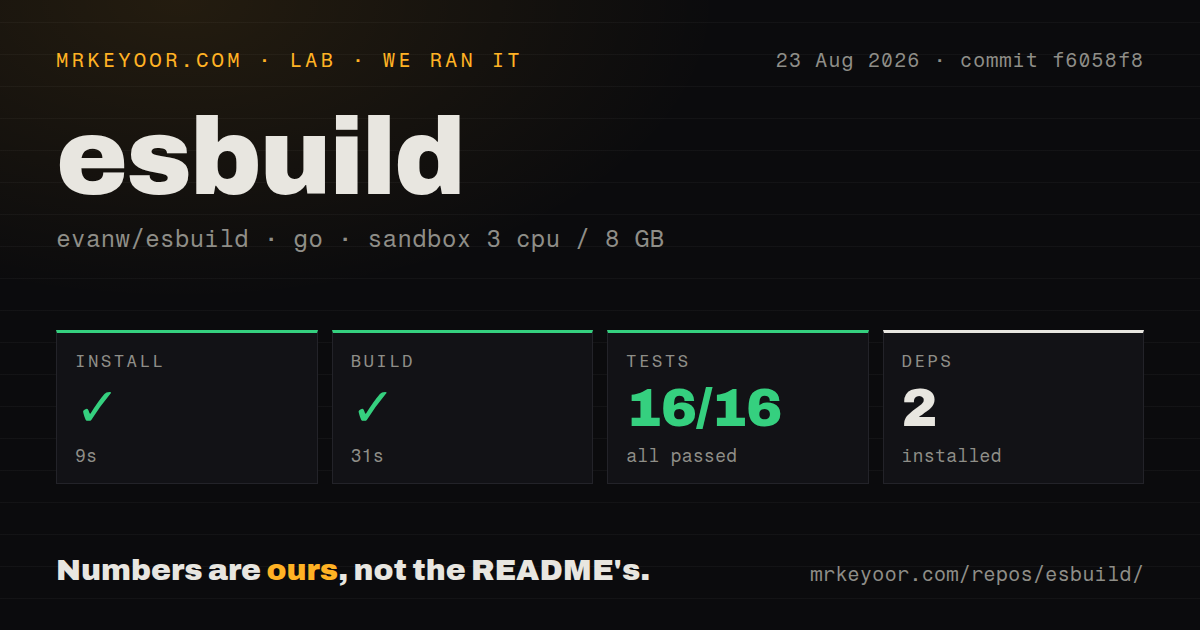
esbuild 0.28.2 installed in 1.2 seconds and used 12 MB in our sandbox, with 0 audit findings and working CommonJS and ESM loading, so it is an efficient build primitive for Node-based pipelines. Skip it when you need built-in type checking, framework HMR, or AST-level plugins.
We installed it
| Install | ✓ · 1.2s | 2 packages on disk · 12 MB |
| Import | ✓ | ESM import works · require() works · CommonJS package |
| Browser | n/a | could not be bundled for the browser (Node-only code, most likely) |
| Types | ✓ | TypeScript types bundled |
| Known vulns | 0 | 0 critical · 0 high · 0 moderate · 0 low (npm audit) |
Answers from our run
Does esbuild install cleanly?
Yes. In a fresh container with an empty cache, npm install esbuild finished in 1 seconds, leaving 2 packages and 12 MB on disk. npm audit reported no known vulnerabilities.
Can esbuild run in a browser?
Not directly: esbuild could not bundle it for the browser in our run, which normally means it depends on Node built-ins. Use it on the server, or find a browser-targeted alternative.
Does esbuild work with both ESM and CommonJS?
Yes. Both import 'esbuild' and require('esbuild') worked in Node 22 in our run. The package is published as CommonJS.
Does esbuild include TypeScript types?
Yes, type declarations ship inside the package, so no @types install is needed.
esbuild or rollup: which should you use?
rollup: Choose it for library packaging that needs fine output control and a broad transformation plugin catalog. esbuild 0.28.2 installed in 1.2 seconds and used 12 MB in our sandbox, with 0 audit findings and working CommonJS and ESM loading, so it is an efficient build primitive for Node-based pipelines.
When should you not use esbuild?
Do not use esbuild as your TypeScript checker. It erases type syntax and can emit JavaScript from code that tsc rejects.
Discussed on
- hnEsbuild – An extremely fast JavaScript bundler679 points
- hnESbuild – A fast JavaScript bundler and minifier in Go355 points
- hnWhy Is Esbuild Fast?320 points
- hnEsbuild 0.9254 points
- hnSome notes on using esbuild246 points
Use it if
- A Node service, command-line program, worker, or small library needs bundling and syntax lowering without a large configuration layer.
- You want TypeScript or JSX transformed quickly while `tsc` runs separately for type errors and declaration files.
- A build tool needs a programmable transform, bundle, watch, serve, or module-loading primitive.
- Multiple browser entry points need shared ESM chunks and the project does not need a framework-specific development server.
- Do not use esbuild as your TypeScript checker. It erases type syntax and can emit JavaScript from code that `tsc` rejects.
- Choose Vite when a browser app needs HTML handling, framework hot updates, environment conventions, and a much larger plugin catalog.
- Choose Rollup or a compiler API if plugins must inspect and rewrite arbitrary syntax trees. esbuild plugins can resolve and load modules but cannot access its internal AST.
- Avoid it when policy requires a stable 1.x contract. The project remains on 0.x and documents that a minor upgrade can include breaking changes.
- The JavaScript API is unsuitable for a browser runtime or a host that cannot run its downloaded executable. Our browser bundle attempt failed, which matches the Node-only wrapper design.
Setup reality
We installed esbuild 0.28.2 in a clean Node 22 Bookworm container in 1.2 seconds. The result was 2 packages and 12 MB on disk, with 0 findings from npm audit. The package declares 0 direct and 0 peer dependencies and is 11,320 KB unpacked. It requires Node 18+, bundles TypeScript declarations, uses CommonJS without an exports map, and loaded through both require() and ESM import in our test.
The wrapper depends on a matching optional package for its native executable. Install dependencies on the operating system and CPU that will execute the build. Copying node_modules between macOS and Linux or between arm64 and x64 commonly leaves the wrapper with the wrong binary. Private mirrors must carry the required @esbuild/* package, and disabling optional dependencies prevents the usual binary selection.
No config file is mandatory in version 0.28.2. CLI flags and JavaScript options cover the same build concepts. The context() API owns watch and serve state, so shutdown code should call dispose() to close file watchers and the long-lived child process. This release fixes a deadlock report reached after certain invalid API calls, but callers still need to await each operation and print esbuild's structured errors.
TypeScript conversion is syntax-only: it does not check assignments, resolve type semantics, or emit .d.ts files. Run tsc --noEmit beside application builds and use tsc or another declaration tool for packages. Set platform, format, target, and package externalization rather than inheriting context-sensitive defaults. Version 0.28.2 again blocks an output path that equals an input unless allowOverwrite is explicitly enabled. Our attempt to bundle esbuild itself for a browser failed, so keep its API in Node tooling.
Patterns
Bundle one Node command bundle-node-cli
npx esbuild src/cli.ts --bundle --platform=node --format=esm --target=node22 --outfile=dist/cli.js`--bundle` follows imports; without it the output keeps them. Set the target to the oldest Node release in production.
Run a build from JavaScript build-with-api
import { build } from 'esbuild';

await build({
  entryPoints: ['src/index.ts'],
  bundle: true,
  platform: 'node',
  format: 'esm',
  target: 'node22',
  outfile: 'dist/index.js',
  sourcemap: true,
});
The promise rejects with structured diagnostics. The JavaScript wrapper sends work to a native child process.
Keep a watch context alive watch-build
import { context } from 'esbuild';

const ctx = await context({
  entryPoints: ['src/app.ts'],
  bundle: true,
  outdir: 'dist',
});

await ctx.watch();
process.on('SIGTERM', () => ctx.dispose());
Watch state belongs to the context. Call `dispose()` during shutdown so the watcher and native service do not remain open.
Serve rebuilt browser files serve-static-build
const ctx = await context({
  entryPoints: ['src/browser.tsx'],
  bundle: true,
  outdir: 'public/assets',
});

const server = await ctx.serve({ servedir: 'public' });
console.log(server.hosts, server.port);
The built-in server rebuilds and serves a directory. It does not supply framework-specific hot updates or HTML transforms.
Minify and write a separate map minify-production-output
await build({
  entryPoints: ['src/app.ts'],
  bundle: true,
  minify: true,
  sourcemap: 'external',
  outfile: 'dist/app.min.js',
});
The single `minify` switch enables syntax, identifier, and whitespace passes. Test pinned upgrades because minifier fixes can change emitted code.
Replace a build constant safely replace-build-constant
await build({
  entryPoints: ['src/app.ts'],
  bundle: true,
  define: {
    __BUILD_MODE__: JSON.stringify('production'),
  },
  outfile: 'dist/app.js',
});
`define` accepts JavaScript expressions, so string values need quotes. `JSON.stringify` creates a valid string literal for this case.
Keep Node packages external externalize-node-packages
await build({
  entryPoints: ['src/server.ts'],
  bundle: true,
  platform: 'node',
  packages: 'external',
  outfile: 'dist/server.cjs',
  format: 'cjs',
});
`packages: external` leaves every bare package import for Node. Use named `external` entries if only selected dependencies should stay out.
Transform a TypeScript string transform-typescript-string
import { transform } from 'esbuild';

const result = await transform('const count: number = 2', {
  loader: 'ts',
  target: 'es2022',
  sourcemap: 'inline',
});

console.log(result.code);
`transform` handles one source string and never resolves imports or verifies that a type annotation is correct.
Split shared ESM chunks split-esm-chunks
await build({
  entryPoints: ['src/home.ts', 'src/admin.ts'],
  bundle: true,
  splitting: true,
  format: 'esm',
  outdir: 'dist',
});
Splitting requires ESM output and an output directory. Entry points and dynamic imports can each create chunks.
Supply a virtual module load-virtual-module
const buildInfo = {
  name: 'build-info',
  setup(api) {
    api.onResolve({ filter: /^virtual:build$/ }, () => ({
      path: 'build', namespace: 'virtual',
    }));
    api.onLoad({ filter: /.*/, namespace: 'virtual' }, () => ({
      contents: `export default ${JSON.stringify({ sha: process.env.GIT_SHA })}`,
      loader: 'js',
    }));
  },
};
Plugins control resolution and loading, not esbuild's internal syntax tree. Never put a secret into generated browser source.
Run type checks before bundling typecheck-before-build
{
  "scripts": {
    "check": "tsc --noEmit",
    "build": "npm run check && esbuild src/index.ts --bundle --outfile=dist/index.js"
  }
}
esbuild removes types even when an assignment is invalid. Keep `tsc` responsible for semantic errors and declaration output.
Alternatives
| Package | Registry | Pick it when |
|---|---|---|
| rollup | npm | Choose it for library packaging that needs fine output control and a broad transformation plugin catalog. |
| webpack | npm | Choose it when a mature loader and plugin system must cover a large, unusual browser application. |
| @swc/core | npm | Choose it for fast syntax transformation inside an existing test runner or bundling pipeline. |
More cli & tooling guides
commander · chalk · typescript · yargs · click · vite · the whole shelf →
How this guide is made: grounded in the library's documentation, release notes, changelog, and issue history, on a fixed rubric — not a hands-on install of every release. The 50 most-downloaded entries are additionally install-verified in clean containers. Corrections: contact the desk.