click review
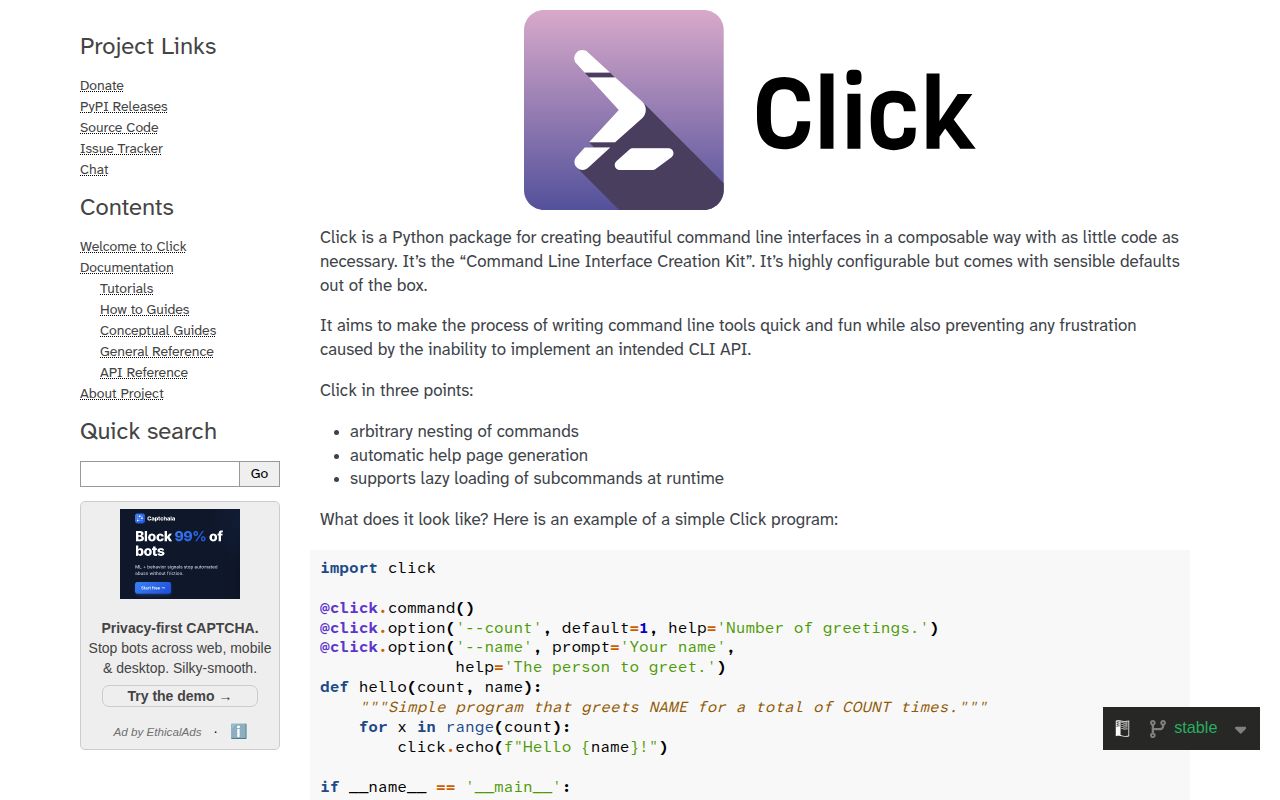
Click 8.4.2 turns Python callbacks into terminal commands through decorators. `option()` and `argument()` declare inputs, `group()` nests commands, and `Context` carries state through a command tree. Click also formats help, validates values, prompts users, integrates environment variables, and converts usage mistakes into predictable exit codes. The 8.4 line tightened parameter typing, added misspelled-command suggestions, and introduced file-descriptor capture in `CliRunner`; 8.4.2 fixes Fish completion, pager streaming, optional-group usage text, and version lookup for packages whose import name differs.
Click 8.4.2 installed in 0.2 seconds as one 1 MB package in our sandbox, imported in 0.17 seconds, and produced zero `pip-audit` findings. Choose it when a Python CLI needs deliberate command structure and in-process parser tests; keep `argparse` for a tiny script or use Typer when annotations should drive the interface.
We installed it
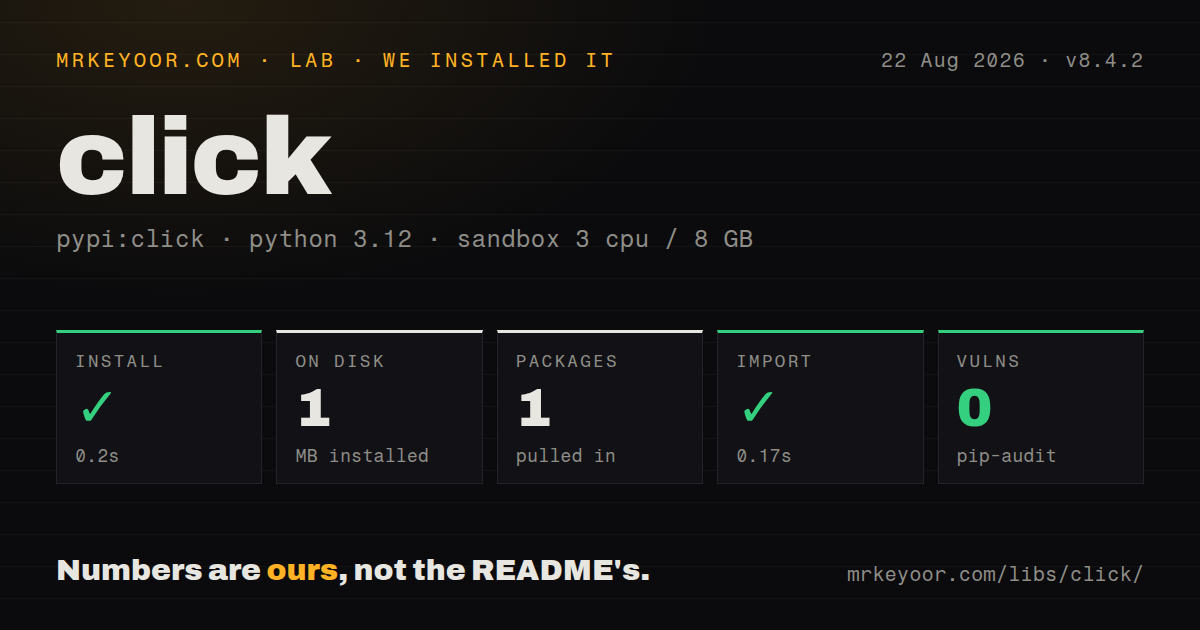
| Install | ✓ · 0.2s | 1 package on disk · 1 MB |
| Import | ✓ | import click in 0.17s · pure Python · py.typed · requires Python >=3.10 |
| Known vulns | 0 | (pip-audit) |
Answers from our run
Does click install cleanly?
Yes. In a fresh container with an empty cache, pip install click finished in 0.2s, leaving 1 package and 1 MB on disk. pip-audit reported no known vulnerabilities.
What does click need to run?
Python >=3.10, and nothing compiled: it is pure Python. In our run import click succeeded in 0.17s, and the package ships py.typed for type checkers.
click or typer: which should you use?
typer: Use it when Python annotations and defaults should generate a Click-backed interface with less decorator code. Click 8.4.2 installed in 0.2 seconds as one 1 MB package in our sandbox, imported in 0.17 seconds, and produced zero pip-audit findings.
When should you not use click?
The script exposes two or three plain flags. Python's built-in argparse avoids another installed dependency and handles that shape well.
Use it if
- A Python application needs nested subcommands and shared context with consistent help and usage errors.
- Parameters require prompts, environment fallbacks, choices, path checks, repeated values, or a custom conversion type.
- Tests should invoke the parser in-process, supply terminal input, and assert stdout, stderr, and exit codes.
- A large CLI needs lazy subcommand imports so unrelated commands do not pay every startup cost.
- The script exposes two or three plain flags. Python's built-in `argparse` avoids another installed dependency and handles that shape well.
- Function annotations should define most of the interface. `Typer` builds that style on Click and writes less decorator code for common commands.
- Other Python code must call the decorated callback as an ordinary function. A Click command object normally runs in standalone mode and can terminate through `SystemExit`; separate the business function first.
- Every positional parameter needs its own generated help line. Click's `argument()` has no `help` parameter, so the command docstring must explain those values.
- The project supports Python 3.9 or earlier. Click 8.4.2 requires Python 3.10 or newer.
Setup reality
We installed Click 8.4.2 without a cache in a fresh Python 3.12 Bookworm container. The install completed in 0.2 seconds, and one package used 1 MB on disk. It is pure Python, declares one direct dependency, requires Python 3.10 or newer, and includes py.typed. pip-audit found zero known vulnerabilities. Importing click worked in 0.17 seconds. The installed metadata did not supply a license value.
Decorator order matters because Python applies the decorator nearest the function first. Follow the documented shape with @click.command() above its parameter decorators. Click derives callback names from option declarations and changes hyphens to underscores, so --dry-run passes a dry_run keyword unless you set an explicit destination. Version 8.4 improves type information for parameters, but the callback signature remains your responsibility.
A group's flags belong before the subcommand: tool --verbose deploy is different from tool deploy --verbose unless deploy declares the same option. Initialize shared dictionaries with ctx.ensure_object(dict) before child commands read them. Lazy loading reduces normal startup work, yet generating --help may still resolve subcommands, so measure and test the help path too. No credentials or config file are required by Click itself.
Invoking the decorated command from Python enters standalone mode, catches Click exceptions, and may raise SystemExit. Call Command.main(..., standalone_mode=False) when embedding it, or keep domain logic in an undecorated function. CliRunner replaces interpreter-wide streams and is unsafe for concurrent test threads. In 8.4, capture='fd' also catches C extensions and subprocess output by redirecting file descriptors 1 and 2. Test prompts, progress bars, color, and piped output separately because terminal detection changes their behavior.
Patterns
Create a prompted command basic-command
import click

@click.command()
@click.option("--count", default=1, help="Number of greetings.")
@click.option("--name", prompt="Your name", help="The person to greet.")
def hello(count, name):
    """Simple program that greets NAME for a total of COUNT times."""
    for _ in range(count):
        click.echo(f"Hello, {name}!")

if __name__ == "__main__":
    hello()
The callback docstring becomes command help, and `click.echo` writes through Click's terminal-aware output layer.
Collect trailing positional values positional-arguments
import click

@click.command()
@click.argument("src")
@click.argument("dsts", nargs=-1)
def copy(src, dsts):
    for dst in dsts:
        click.echo(f"{src} -> {dst}")
`nargs=-1` consumes every remaining argument. Describe those positional values in the command docstring because `argument()` has no `help` option.
Pass group state to a child subcommands
import click

@click.group()
@click.option("--verbose", is_flag=True)
@click.pass_context
def cli(ctx, verbose):
    ctx.ensure_object(dict)
    ctx.obj["verbose"] = verbose

@cli.command()
@click.pass_context
def deploy(ctx):
    if ctx.obj["verbose"]:
        click.echo("deploying loudly")

if __name__ == "__main__":
    cli()
Group options appear before the subcommand name. `ensure_object` creates `ctx.obj` before a child command tries to use it.
Define paired and one-way flags boolean-flag
@click.command()
@click.option("--dry-run", is_flag=True)
@click.option("--color/--no-color", default=True)
def build(dry_run, color):
    click.echo(f"dry_run={dry_run} color={color}")
Click maps hyphenated option names to underscored callback parameters, so `--dry-run` arrives as `dry_run`.
Reject values outside a fixed set choice-option
@click.command()
@click.option(
    "--env",
    type=click.Choice(["dev", "staging", "prod"], case_sensitive=False),
    default="dev",
    show_default=True,
)
def deploy(env):
    click.echo(f"deploying to {env}")
An invalid choice exits before the callback runs. `show_default=True` prints the active default in generated help.
Read a secret without echoing it password-prompt
@click.command()
@click.option(
    "--password",
    prompt=True,
    hide_input=True,
    confirmation_prompt=True,
    envvar="APP_PASSWORD",
)
def login(password):
    click.echo("authenticated")
When `APP_PASSWORD` exists, Click skips the prompt, which lets the command run without a terminal in CI.
Stop before destructive work confirm-destructive
@click.command()
def dropdb():
    click.confirm("Drop all tables?", abort=True)
    click.echo("Dropped.")
With `abort=True`, a negative answer raises Click's `Abort` and returns a nonzero exit status.
Validate paths before the callback validate-paths
@click.command()
@click.argument(
    "config",
    type=click.Path(exists=True, dir_okay=False, readable=True),
)
@click.argument("out", type=click.File("w"))
def render(config, out):
    out.write(open(config).read())
`click.Path` can return `pathlib.Path` through `path_type`; `click.File` treats `-` as standard input or standard output.
Alternatives
| Package | Registry | Pick it when |
|---|---|---|
| typer | PyPI | Use it when Python annotations and defaults should generate a Click-backed interface with less decorator code. |
| fire | PyPI | Use it to expose existing functions or objects quickly when precise help layout and parser control matter less. |
| docopt | PyPI | Use it for a small, stable command whose hand-written usage text should define the parser. |
More cli & tooling guides
commander · chalk · typescript · esbuild · yargs · vite · the whole shelf →
How this guide is made: grounded in the library's documentation, release notes, changelog, and issue history, on a fixed rubric — not a hands-on install of every release. The 50 most-downloaded entries are additionally install-verified in clean containers. Corrections: contact the desk.