mrkeyoor.com_
Tue 01 Sept 16:13 UTC
Automationevaluationupdated 01 Sept 2026

web-access review

Web Access is a Chinese-first Agent Skill that teaches Claude Code and other SKILL.md-capable agents how to choose web tools and drive a logged-in Chrome or Edge session through CDP. An English translation exists through the README language menu, but the repository documentation and issue discussion are primarily Chinese.

Verdict

Our sandbox produced no install, build, or test result for Web Access because its JavaScript skill layout was unsupported and it ships no Dockerfile. Version 2.5.4 is worth reading if you use Claude Code in Chinese and explicitly want an agent inside your current Chrome or Edge session. Choose a separate browser or MCP service when isolation, English-first maintenance, Firefox, or bounded concurrency matters.

We ran it

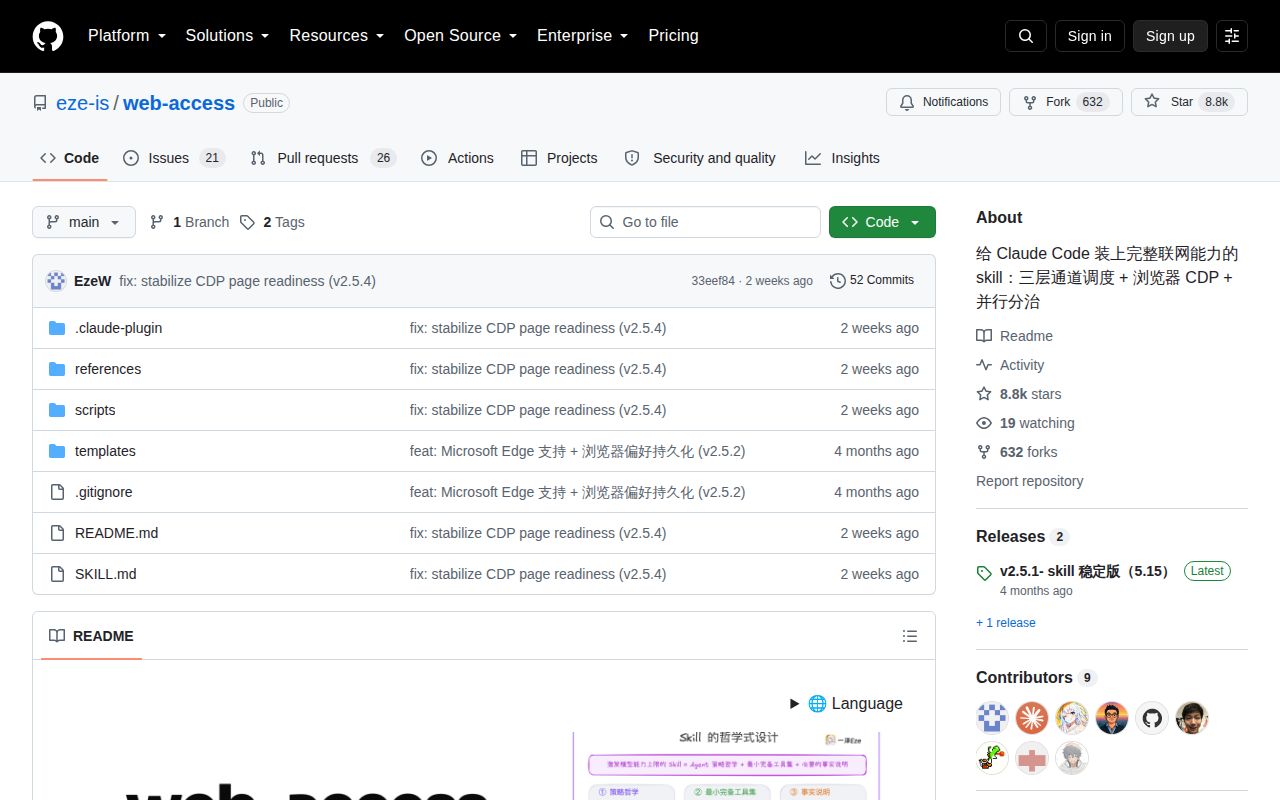
Screenshot of web-access (github.com/eze-is/web-access)

Answers from our run

Did you run web-access yourself?

No. Its code is JavaScript, and it carries no manifest our lab installs from, and no Dockerfile, so there was nothing standard to install, build or test. This review is written from the repository's own documentation.

Who should not use web-access?

Organizations that require English source documentation: the repository is Chinese-first and sends English readers to an external OpenAITX translation.

What are the alternatives to web-access?

Playwright MCP, Chrome DevTools MCP, Browser Use. Version 2.

Setup2/5Needs Node 22, browser debugging consent, and local proxy setup
Docs4/5Detailed Chinese guide; English is an external translation
Community4/58,809 stars with 47 issues and PRs and August activity
Maturity3/5v2.5.4 is active, but isolation and tab limits remain open

Who it’s for

Chinese-reading Claude Code users who want one policy for search, static fetching, and browser work.
Researchers who need an agent to operate pages through an existing Chrome or Edge login.
Developers comfortable granting an agent DOM access, JavaScript execution, screenshots, clicks, and file uploads.
Small teams willing to inspect the skill instructions and local proxy before trusting them with browser state.

Who it’s NOT for

Organizations that require English source documentation: the repository is Chinese-first and sends English readers to an external OpenAITX translation.
Security teams unwilling to connect agents to daily browser profiles: the skill intentionally inherits logged-in sessions and can run JavaScript, click controls, and select local files.
Firefox users or teams requiring an isolated browser backend: version 2.5.4 configures Chrome or Edge, while Firefox and pluggable backends remain open requests.
Unattended high-concurrency research: open issue 161 says the proxy has no tab cap and relies on 15-minute idle cleanup.
Buyers requiring a standard license file: the README and plugin metadata say MIT, but the repository tree has no LICENSE file and GitHub reports no detected license.
Teams that require a reproducible container check before adoption: this repository has no Dockerfile, and our lab could not execute its skill-style JavaScript layout.

Setup reality

We did not run Web Access. Our harness has no supported ecosystem path for this JavaScript skill repository, and no Dockerfile was present, so there are no install, build, or test results to report.

CDP mode needs Node.js 22 or newer plus Chrome or Edge with remote debugging allowed. The installer can copy the skill, but the user must choose a browser, approve its debugging connection, and keep the local proxy available.

The proxy listens on 127.0.0.1:3456 and connects to the user's existing browser state. Managed tabs expire after 15 idle minutes, but version 2.5.4 has no simultaneous-tab limit. The README warns that automated activity can trigger account restrictions and recommends using a secondary account.

Web Access 2.5.4 is an agent policy plus a local CDP proxy

Web Access 2.5.4 combines written instructions with Node.js scripts that connect an agent to Chrome, Edge, or another Chromium browser. The instructions tell the agent when to use search, static fetching, curl, Jina, or the browser. Once browser control is necessary, a local HTTP proxy exposes navigation, DOM evaluation, clicking, scrolling, screenshots, and file selection. This is useful for dynamic pages and private sites that already work in the user's browser.

The main README and SKILL.md are written in Chinese. A language menu links to an English OpenAITX rendering, along with 8 other translations. The English option helps a reader understand the feature list, though the source comments, operating prompts, and most issue reports remain Chinese. Teams that review automation policy in English should budget for their own translation and verify it against the 18,430-byte SKILL.md at the measured commit.

What happened when we ran it

Our harness stopped before execution because it had no supported path for this JavaScript skill layout and found no Dockerfile. It therefore produced no install timing, build outcome, test result, dependency total, or vulnerability audit. That is a limit of this review's sandbox evidence. The correct takeaway is that Web Access needs a manual trial in the exact agent and browser environment where it will hold authority.

The documented path starts with Node.js 22 or newer, then asks Chrome or Edge to allow remote debugging. A dependency script creates config.env, identifies the chosen browser, launches the proxy, and checks its health on port 3456. The proxy can persist between tasks, while a restart may prompt for browser consent again. None of those steps was exercised by our harness, so we cannot claim that version 2.5.4 connected successfully on Linux, macOS, Windows, or WSL2.

Port 3456 gives the agent access to an existing browser session

The proxy binds to 127.0.0.1:3456, which keeps its HTTP interface off the network by default. Its authority is still broad: /eval runs JavaScript in a selected tab, /clickAt sends mouse events, /setFiles supplies local file paths, and /screenshot writes captured images. The skill deliberately uses the daily browser so authenticated sites work without a second login. That convenience places email, social accounts, internal systems, and saved browser state within the agent's possible reach.

An open screenshot path-handling pull request says the measured code writes the requested screenshot path without a directory allowlist and constructs its image content type from an unchecked format value. The proposed fix was still open. Loopback binding reduces remote exposure, but it does not make every local caller or agent decision safe. Review the proxy source, constrain the agent's filesystem rights, and use a separate browser profile for accounts that cannot tolerate an accidental click.

Chrome and Edge support excludes Firefox and isolated backends

Version 2.5.4 accepts Chrome or Edge as stored browser preferences and can discover related Chromium builds. Firefox support remains issue 27. The current design also assumes access to a user's existing profile. Issue 165 asks for pluggable browser backends so ordinary research can use an agent-owned browser and reserve the personal CDP session for work that truly needs a login. That separation does not exist in the measured commit.

Concurrency needs similar care. Managed tabs are tracked and closed after 900,000 idle milliseconds, or 15 minutes, with a cleanup pass every 60 seconds. Issue 161 reports no simultaneous-tab ceiling, even though the skill encourages parallel agents to open separate tabs. A cancelled task can leave tabs until cleanup, and a busy research job can create many before any becomes idle. Set a conservative work pattern and inspect the proxy's managed-tab count instead of treating parallel browsing as free.

August activity is newer than the v2.5.1 release

GitHub recorded the last code push on August 19, 2026, for commit 33eef84, which labels itself version 2.5.4. The latest GitHub release is older: v2.5.1 was published on May 15, 2026. Issue activity continued through August 27, and the repository showed 8,809 stars with 47 combined issues and pull requests. The older release tag is therefore a packaging mismatch, not evidence that development stopped. Main-branch users receive behavior newer than the latest release page describes.

The repository states MIT in the README, SKILL.md, and plugin metadata, yet its tree contains no LICENSE file and GitHub detects no license. That omission is easy for an individual to overlook and hard for a company review to wave through. Web Access is most persuasive as an inspectable set of instructions for a power user who understands the browser authority being granted. Playwright MCP or Chrome DevTools MCP offers a clearer tool boundary when a team prefers a dedicated browser service over a policy file tied to one personal session.

Alternatives

ProjectWhat it isPick it when
Playwright MCP gh↗A Playwright-backed MCP server that exposes browser controls to compatible clients.pick this instead when you want a standard MCP boundary and an automation browser rather than a skill attached to your daily profile.
Chrome DevTools MCP gh↗Google's Chrome DevTools bridge for coding agents that need inspection and browser control.pick this instead when DevTools integration and MCP client support matter more than Web Access's tool-selection instructions.
Browser Use gh↗A Python browser-agent framework built around task automation and controlled browser sessions.pick this instead when browser behavior belongs in application code and you want to manage agent sessions yourself.

What people are saying

  1. [github-trending] eze-is/web-access

Sources

  1. Web Access README
  2. Web Access measured commit 33eef84
  3. Web Access v2.5.1 release
  4. Screenshot path handling pull request
  5. Simultaneous tab limit issue
  6. Pluggable browser backend issue
  7. Firefox support issue

More automation reviews

OpenCLI · Karabiner-Elements · WiiUDownloader · prefect · Telegram-Media-Downloader · rewards-farmer · the whole board →