Our successful npm install covered an Electron fixture
Jev GUI Delegate's measured installation succeeded, but it covered gui_delegate/fixtures/electron/, not the Windows controller that delegates work to TypeSafe Jev. That path contains a deliberately isolated GUI fixture. Treating its install as proof that the whole assistant runs on a fresh machine would be misleading. The distinction matters here because the main application depends on Windows desktop access, Python, a compatible Codex host, and a browser session the repository cannot create for itself.
Our checkout contained 193 files, about 9,028 source lines, and occupied 1.2 MB. The default README and installation guide are primarily Simplified Chinese, with an English overview in the README. The author calls this a personal prototype. Its idea is useful: give a local controller a bounded task and acceptance conditions, let ordinary code handle deterministic actions, and ask Jev for semantic choices only when those choices are needed.
What happened when we ran it
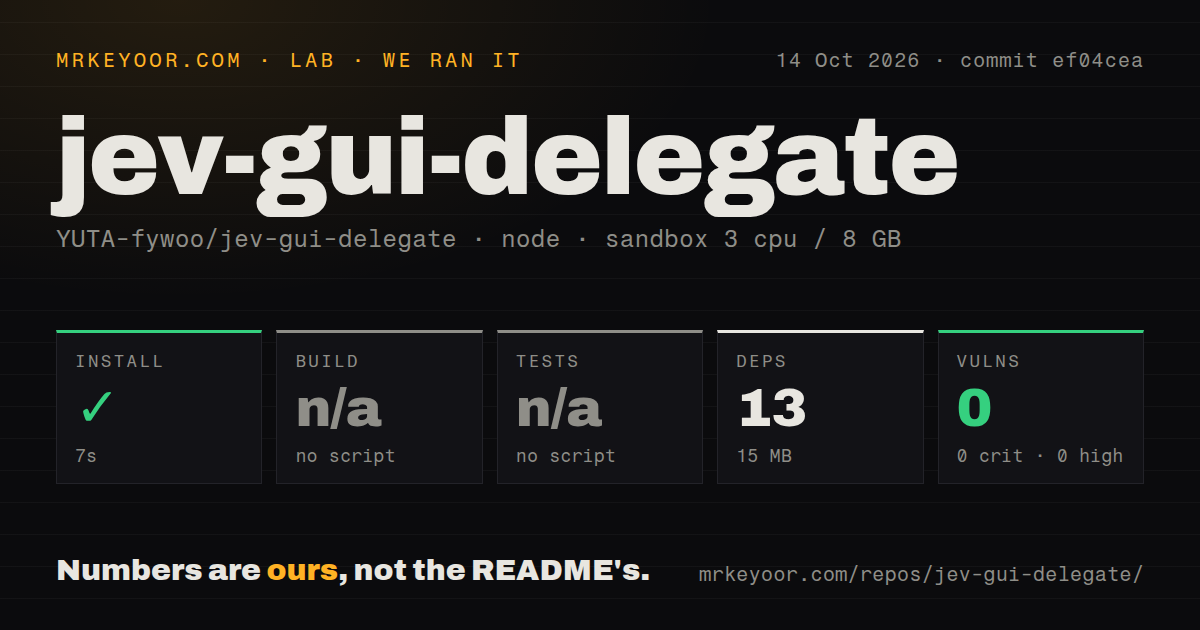
Our sandbox installed commit ef04cea's Electron fixture in 7 seconds, adding 13 packages and using 15 MB. There was no build script or target and no tests script or target, so both steps were skipped. Npm audit reported 0 known vulnerabilities, with 0 critical, high, moderate, or low findings. This result covers the measured npm environment, not the Python controller's dependencies or a complete Windows deployment.
The measurement setup used the lab-node:22 image in an unprivileged container with 3 CPUs, 8 GB of RAM, and no secrets on October 14, 2026. The scan found 0 CI workflow files and no Dockerfile, although a tests directory exists. Skipped npm checks don't mean the repository has no verification code. They mean our selected path supplied no scripts for those steps, leaving us without a measured controller or live GUI result.
The host browser session is a prerequisite you must supply
The 15 MB fixture environment understates the actual adoption work. The installation guide targets Windows x64 with Python 3.12 and Node.js. Its installer sets up the environment, registers an MCP server, generates local browser configuration, and installs a Codex skill. For Chrome, the host must provide the compatible official browser-session API. Registering the MCP server alone doesn't create that session or replace the host's browser integration.
Semantic decisions need your own TypeSafe credential, provided through TYPESAFE_API_KEY or Windows Credential Manager. The documentation separates a local readiness check from live verification that calls the service. That's a useful distinction when diagnosing a machine that appears configured but cannot complete a real task. The installation guide also says the project hasn't completed an end-to-end installation acceptance check on a completely fresh physical computer. Budget time to verify your own machine.
The task contract gives recovery a defined place to stop
The measured 193-file repository includes explicit task schemas and a controller that checks identity, scope, and observed outcomes around actions. A contract names allowed operations, inputs, and success conditions. If a required input is missing or a choice is uncertain, the workflow can return for repair rather than silently inventing a value. That makes it most interesting for repeatable office or browser work whose completion you can actually describe.
The source also distinguishes issuing an action from confirming its result. When a submission's outcome is uncertain, the documented recovery behavior avoids blindly repeating it. That is a worthwhile design choice for forms where duplicate submission would matter. It still needs application-specific acceptance checks: a changed page title or a visible button doesn't necessarily prove the business operation you intended. The controller's constraints reduce the scope you must review, while the task author remains responsible for choosing meaningful success conditions.
Readable controls define its reach
Our 7-second install says nothing about recognizing an unfamiliar desktop. The README says the prototype depends on readable DOM or accessibility information. Canvas interfaces, image-only controls, secure desktops, and host features unavailable through the session API can require assistance. Native GUI execution also needs an interactive Windows desktop. These boundaries make a generic server container or an arbitrary visual application a poor target, regardless of how little the fixture installation consumed.
Model configuration deserves the same care. The checked-in settings pin jev-1.13.0 and mark calibration as false. The README warns against treating historical results as a guarantee after the service version changes, and it says personal calibration evidence isn't shipped. Its synthetic delegation comparisons are interesting evidence about those fixed tasks, not a measured saving on your bill. We didn't reproduce them. Evaluate the work you actually need before adopting a model-call reduction as a purchasing reason.
Recent changes don't settle licensing or deployment readiness
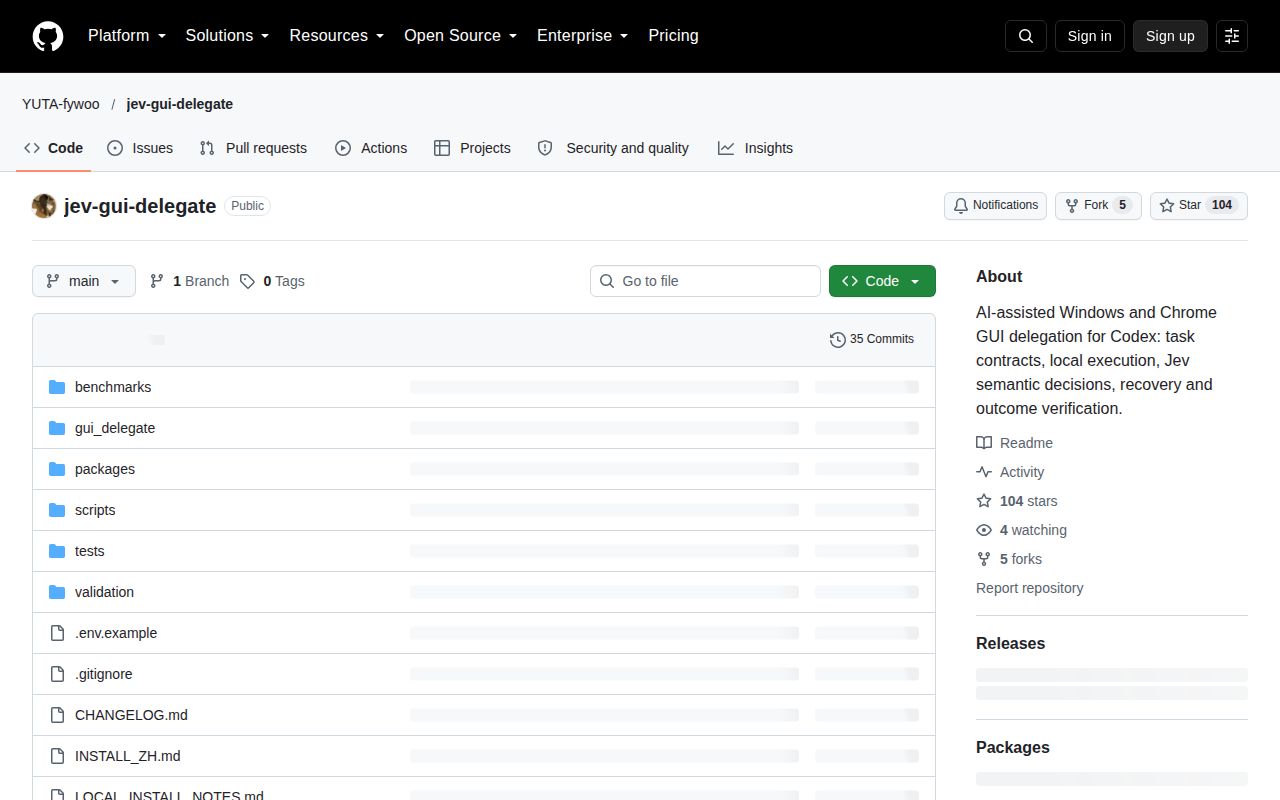
The last push was September 27, 2026. GitHub showed 104 stars and 0 open issues and PRs, with an empty recent issue listing and no latest GitHub release. The README links a versioned Windows package stored in the repository. GitHub reported no detected repository license, and we found no root license file. For company redistribution or incorporation into another product, get permission terms clarified rather than treating visible source as a grant of reuse rights.
I'd trial this for bounded Windows and Chrome tasks with an operator available to resolve gaps. For browser-only work, Playwright MCP supplies an alternative based on structured page observations. For known Windows controls without model judgments, pywinauto gives you a direct scripting route. OmniParser is relevant when screenshot parsing is the requirement, with a different stack to operate. Choose Jev GUI Delegate when the local controller's explicit recovery contract is useful enough to justify validating the host session and your own task outcomes.