Select a product block, then collect matching fields
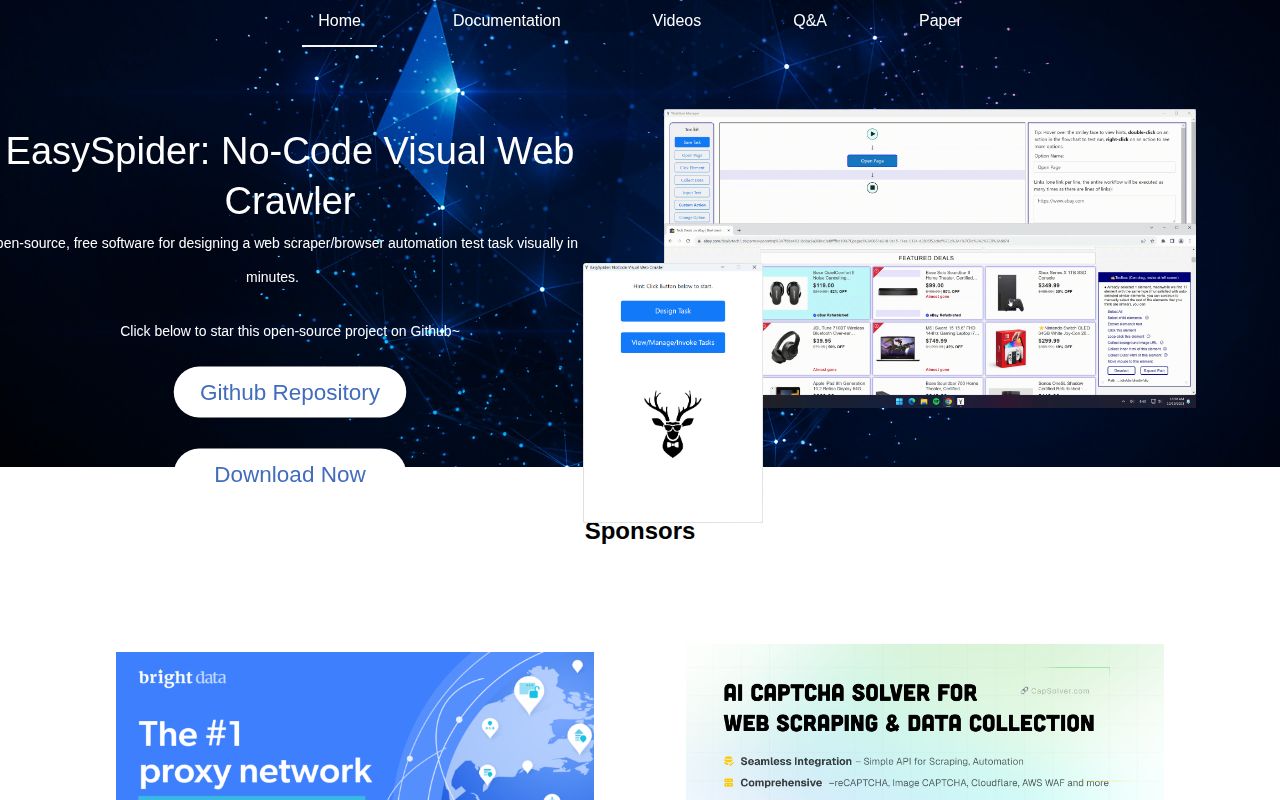
EasySpider's README shows a practical starting point: right-click a product block, select matching blocks, and choose the child elements to collect. A separate example loops through product titles to open detail pages. You design browser actions in a visual flowchart and can execute saved tasks from the command line. The project is Chinese-first, with bilingual README and source instructions plus an English tutorial playlist.
This is attractive when a colleague can recognize the right information on a page but doesn't want to write a scraper. The development checkout is substantial: our scan counted 1,743 files and roughly 117,639 source lines before installation. Owning a customized source version means taking responsibility for an Electron interface, browser extension, and separate execution program, each with its own role.
What happened when we ran it
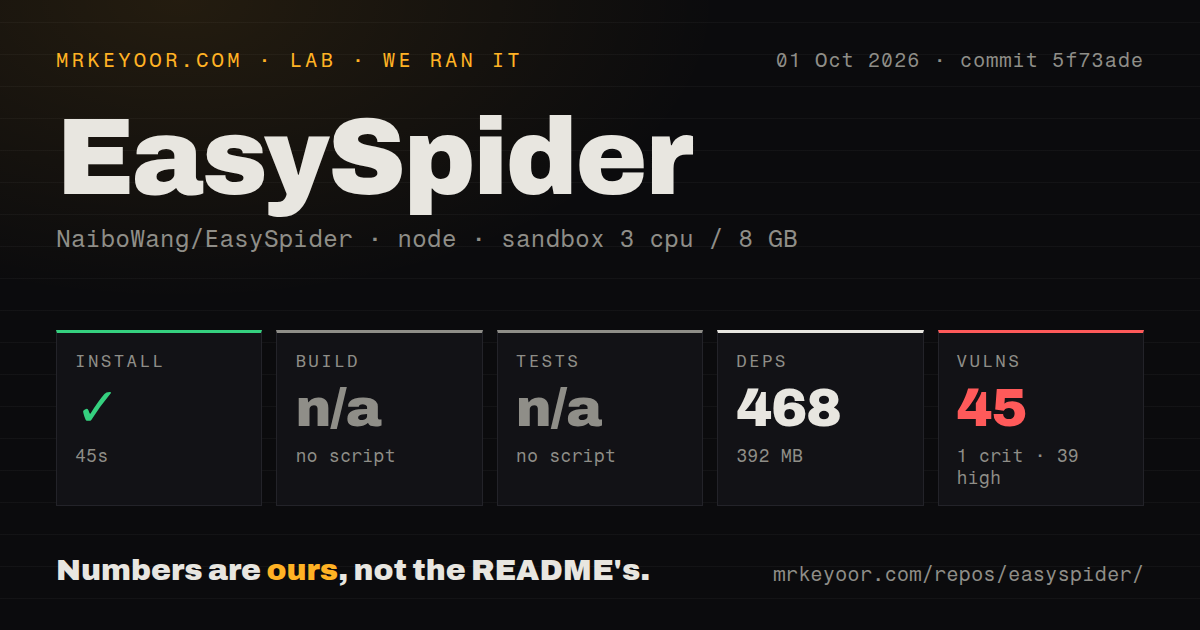
Our run installed EasySpider commit 5f73ade in 45 seconds, adding 468 npm packages and using 392 MB on disk. We ran the Node project under ElectronJS/ on October 1, 2026, in an unprivileged Debian sandbox with 3 CPUs, 8 GB of RAM, the lab-node:22 image, and no secrets. The checkout occupied 96.1 MB. Installation succeeded, but the supplied measurements do not establish that the desktop application launched or collected a working dataset.
The lab found no build script or target and no tests script or target, so it skipped both steps. Neither is a passing result. Npm audit reported 45 known vulnerabilities: 1 critical, 39 high, 3 moderate, and 2 low. The scan found 0 CI workflow files, no Dockerfile, and no tests directory. There is no failing test log to interpret because the sandbox had no test target to run.
Installing the interface doesn't prepare the executor
The source setup guide says the main application can design tasks before the execution-stage program is ready, but cannot execute them. It also requires the browser extension and a ChromeDriver matching the Chrome version. That's the real source-development burden: you need compatible browser assets and an execution program alongside the npm environment.
Our 45-second install therefore buys less certainty than an application smoke test would. The documentation has packaging commands, including npm run package, despite the lab's skipped build target. We didn't measure those commands. Windows source developers also face native-module setup involving Visual C++ tools and Python. Its fallback suggestion to copy browser files from a release package shows how manual source setup can become.
Release packages have specific operating-system limits
Release v0.6.5 specifies 64-bit Windows 10 or Windows Server 2016 and newer, macOS 11.1 or newer, and selected Debian-family Linux systems. It directs users of other Linux distributions toward source compilation. Mac users must choose the right architecture and follow the release's extraction guidance. Those limits matter before downloading: a Windows executable or Linux package is not a promise that every desktop or server environment has a supported path.
The absence of a Dockerfile and the 0 CI workflow files in our checkout make a packaged desktop trial the better starting point for most readers. They don't prove that container execution is impossible: the wiki has a Docker guide, and the release notes discuss remote-driver fixes. They do leave this sandbox without a checked repository container recipe. For unattended deployment, validate your actual browser and executor path instead of assuming the npm install covers it.
Visual pagination can still produce incomplete collections
Open issue 985 describes a Tieba collection where lazy-loaded pagination requires a click anchor and the added click sends the task into a loop. The report concerns EasySpider's task-design behavior, and it has no replies. It's a user's unresolved report, not something reproduced in our sandbox. Still, it identifies a concrete reason to choose code: some pages need more control over scrolling and loop termination than a convenient visual selection supplies.
The 468-package install tells us nothing about collection completeness. Before scheduling a task, check a saved output against the page, including detail-page fields and the final loaded items. The README's tutorials cover login-based collection and custom JavaScript or system actions, so a visual workflow can also grow into something that needs debugging skill. Keep a task's stop conditions understandable to whoever will maintain it.
August security fixes don't settle the dependency audit
The v0.6.5 release notes describe loopback binding and restricted cross-origin access for local services, literal escaping in field substitutions, and safer process handling. A release's security fixes and an audit of its dependencies answer different questions, however, and neither establishes the safety of arbitrary custom task code.
Our audit's 1 critical and 39 high findings are enough for me to withhold an unattended-production recommendation. The supplied summary doesn't identify affected packages or whether those paths are reachable, so it cannot support a claim that a particular task exploits them. For an operational scraper, require dependency triage and an end-to-end check with the exact revision you intend to run.
October pushes show the project is still moving
GitHub records the last push on October 10, 2026, and listed 44,680 stars with 271 open issues and PRs. The latest release was published August 19. Issue and pull-request activity continued in September, including a closed multiple-URL report and related packaging work. That supports ongoing maintenance despite the older release date. The open pagination report and our missing test target still limit how much confidence I'd place in unattended runs.
Scrapy suits a Python developer who wants collection rules in code. Crawlee is a closer Node option for building browser or HTTP crawlers, while Playwright suits teams mainly automating browser interactions. We didn't benchmark those alternatives. EasySpider earns a supervised trial when visual task design saves enough authoring effort to justify checking every output. With 392 MB installed and no completed build or test step from our run, make a verified task the condition of adoption.