Three browser engines use one test model
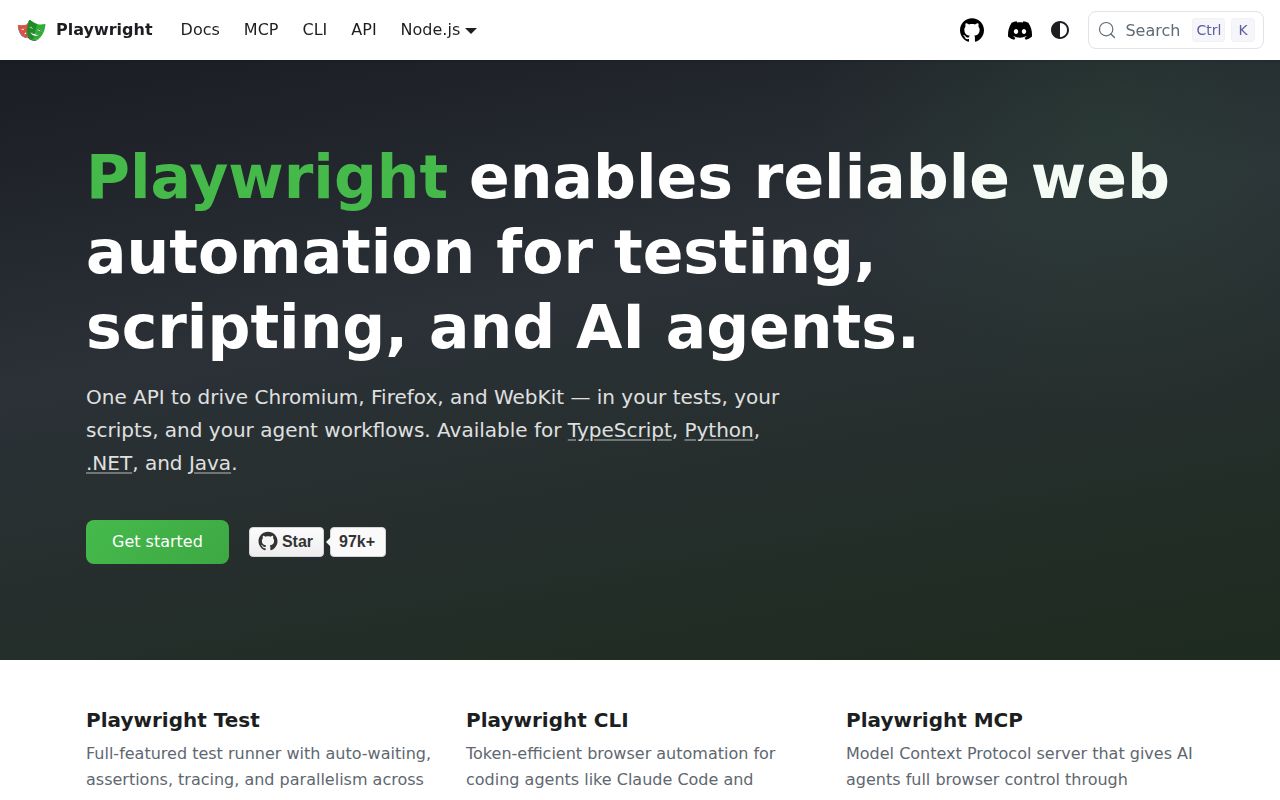
Playwright v1.63.0 gives a web team one API for Chromium, Firefox, and WebKit. Its runner adds isolated browser contexts, parallel execution, web-aware assertions, and traces. The same project can also drive ordinary scripts for screenshots, PDFs, and network interception. That shared model is the reason to choose it: a role-based locator learned in one browser still makes sense when the suite moves to the other two.
The promise has limits that matter in release planning. Playwright supplies its own Chromium, Firefox, and WebKit builds across 3 desktop operating systems. A WebKit run is useful engine coverage, but teams with device hardware, operating-system integration, or vendor-browser requirements still need those environments. The README also points Python, Java, and .NET users to official clients, while this 654,969-line repository is centered on Node and TypeScript.
Automatic waiting removes many hand-written sleeps
Playwright v1.63.0 locators act on what a user can identify: a button role, form label, placeholder, or test ID. Assertions retry until their condition passes or times out, and each test gets a fresh browser context. Those choices remove a common source of flaky code, the fixed sleep that happens to work on a laptop and expires under CI load. They also push test authors toward selectors that survive routine markup changes.
Failure evidence is another practical advantage. A trace can retain DOM snapshots, network requests, console messages, screenshots, and the action sequence. Release v1.63.0 added selectable ARIA and screen snapshots plus richer step data for reporters. The HTML report and Trace Viewer give a developer something more useful than a timeout line, although retaining traces and video across retries has an obvious storage cost.
What happened when we ran it
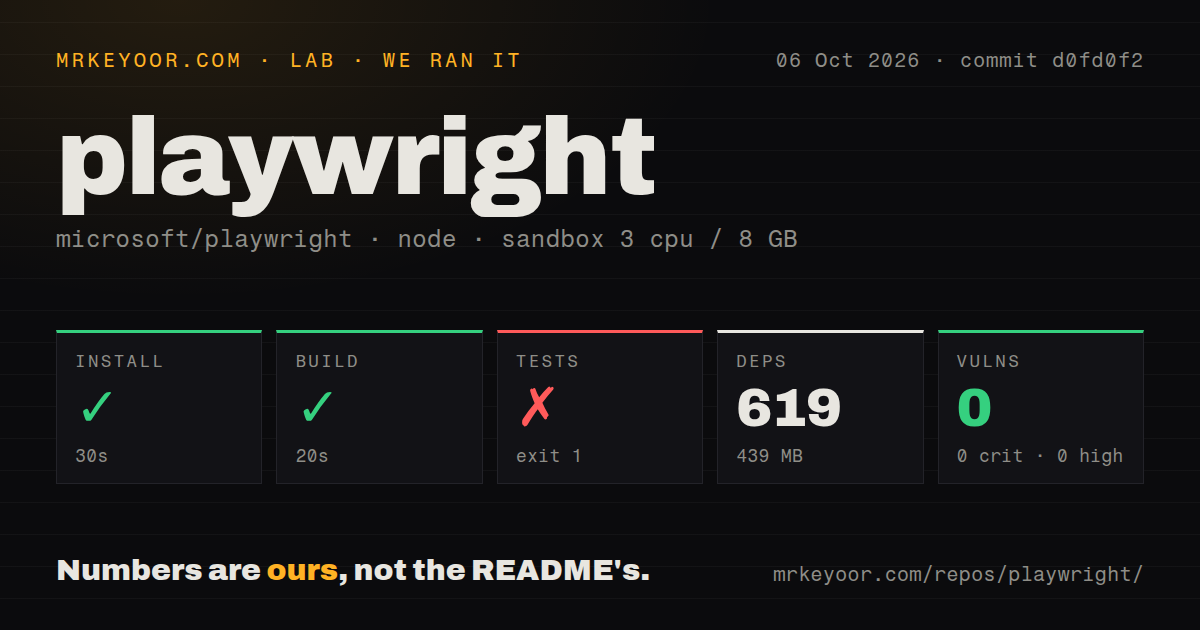
Our sandbox installed commit d0fd0f2 in 30 seconds, adding 619 npm packages and occupying 439 MB on disk. The checkout itself held 3,110 files, roughly 654,969 lines of source, and used 69 MB. The monorepo build then completed successfully in 20 seconds. Npm audit reported 0 known vulnerabilities across critical, high, moderate, and low severity.
The full test command failed after 303 seconds. Its summary recorded 202 failed tests, 2 passes, 1 interrupted test, and 15,192 tests that did not run. One error occurred outside any test. The final named cases were browser-context HAR tests involving routeFromHAR, redirects, fallback behavior, and aborting unmatched requests. The log says the run was interrupted, so the result is clear even though the underlying error is not.
We cannot turn that tail into a diagnosis. It does not say that Node 22, the unprivileged container, a missing browser dependency, or the 8 GB memory limit caused the outside-test error. What we can say is narrower: installation and build worked on 3 CPUs in a fresh Debian container, while the repository's complete test path did not reach a reliable pass.
The 439 MB install is only the starting footprint
The 439 MB application setup is shorter than contributor setup. The README starts test users with npm init playwright@latest, then has them install browser builds. Playwright Test runs headless by default and can reuse saved authentication state. That state needs the same care as a password because it can carry an authenticated session. CI also has to decide which of the 3 engines run on each change and how long to retain failure artifacts.
Repository work is a different commitment. Our checkout had 21 CI workflow files, a tests directory, and npm workspaces, but no Dockerfile. The 619 installed packages did not produce a passing full suite in our generic container. Those 21 workflows cover a broader test setup than the plain npm environment we ran. A new contributor should follow the contribution path and targeted test commands instead of treating that container as a copy of upstream CI.
Same-day code activity comes with 179 open issues and PRs
GitHub showed 97,226 stars and 179 open issues and pull requests on October 7, 2026, and the repository had been pushed that day. Release v1.63.0 arrived on September 4 with test locks, cross-frame locators, reporter changes, and updated browser builds. The combination of a recent release, a same-day push, and newly updated issue threads points to active maintenance rather than a project coasting on its name.
Activity does not make browser differences disappear. Issue 43124 reports a Firefox regression in which a navigated iframe loses its execution context, and issue 43067 reports a Linux WebKit assertion on a cross-site redirect chain. Both were updated on October 6, 2026. These reports are useful buying evidence: the shared API reduces test-code duplication, while browser-specific failures still require someone who can isolate and report them.
Choose Playwright when cross-browser evidence earns the weight
Playwright v1.63.0 is the strongest default in this group for a TypeScript product that treats Chromium, Firefox, and WebKit as release targets. Its 3-engine API, isolated contexts, retrying assertions, and trace viewer solve daily testing problems in one package. The choice is less persuasive for a small Chrome script, a team committed to WebDriver infrastructure, or a component suite tied to the experimental packages that this release stopped updating.
The lab result changes how we would adopt it. Start with the published test package and a small journey through the application, then add browsers and CI projects deliberately. Contributors face the 3,110-file repository and a full suite that left 15,192 tests unrun in our sandbox. Playwright saves browser-test engineering time, but its own source tree asks for a serious browser lab.