The suite changes how DeepSeek Harness handles a task
dsh-routing-suite sits inside DeepSeek Harness rather than beside it. Its router classifies work into reasoning modes, swaps persona sections, changes which tools are visible, and injects reminders close to each user message. The injector manages DSH plugins at runtime, including reload, staging, promotion, removal, and recovery. This is a specialized control layer for one agent host, not a general model router.
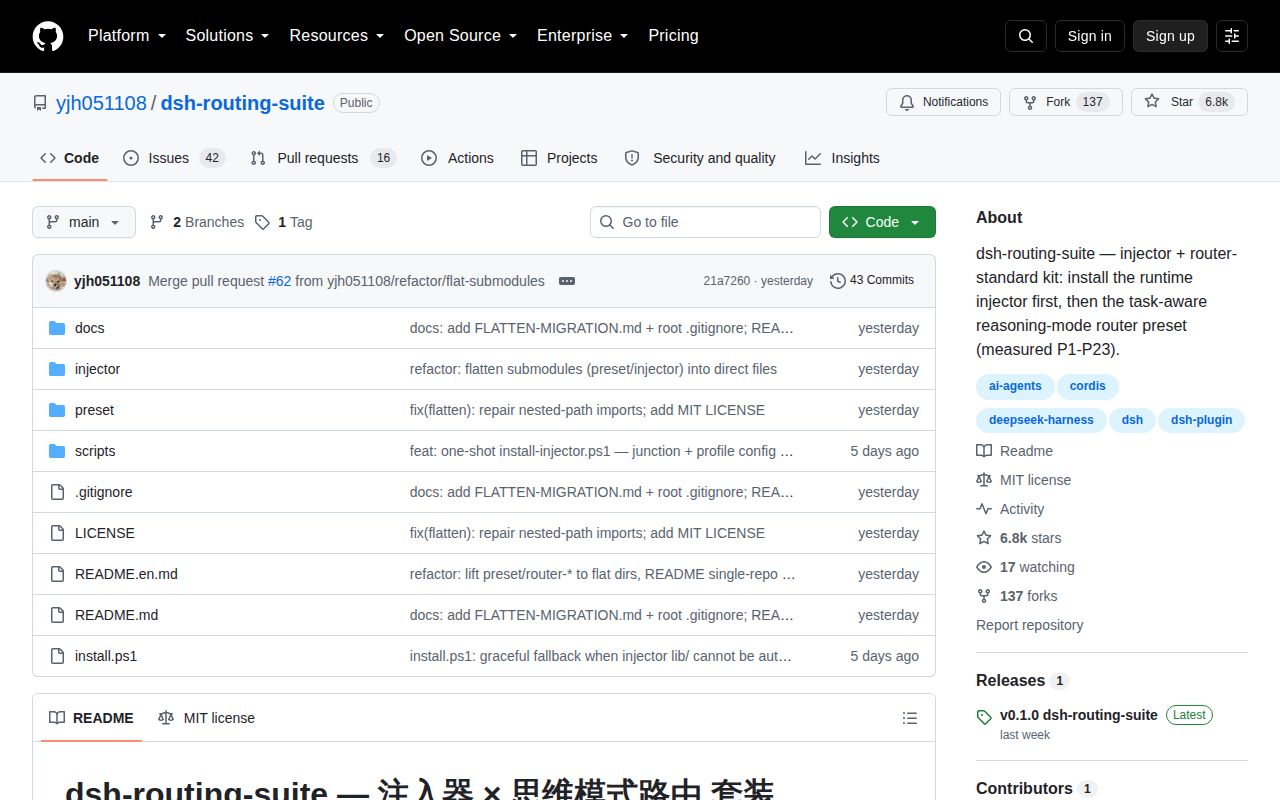
The main README is Chinese, and a complete English translation is stored as README.en.md. Both describe 2 in-tree components: injector/ and preset/. The injector comes from dsh-super-injector v0.3.3, while the preset history points to dsh-router-standard v0.3.0 and later mainline revisions. The suite's latest GitHub release, v0.1.0, still describes 3 submodules, so main has moved beyond that packaged snapshot.
Router Standard uses task categories and model-specific personas; Router Spec favors deeper reasoning. The README says Router Pro is planned and was not included in v0.3.0. That wording matters because the latest suite release still mentions Router Pro in its component table. Anyone installing from a release should check the actual archive rather than assuming the current README and old release describe the same layout.
Its routing evidence is project-run, not our benchmark
The repository includes P1 through P23 experiment documents and publishes several large effects: 96% routing, 100% convergence, 92% to 94% cache hits, and open-task completion moving from 0% to 100% under a three-anchor persona. These are the author's measurements. Our sandbox did not reproduce model behavior, routing accuracy, completion, cache use, or cost, so those figures should be treated as hypotheses for a buyer's own DSH sessions.
The mechanics are specific enough to be interesting. Guidance is appended after a real user message so it sits near the model's next action. Ambiguous work can use a weak persona and let the model classify itself. Tool exposure can begin narrow, then expand after the first call. The preset changes a persona section while trying to retain plan-mode boundaries, rather than replacing the whole assembled prompt.
That approach also creates new failure modes. A static stage description can claim a tool is available even when the runtime schema lacks it. A guide inserted through the wrong event can trigger another request. A persona that helps one model may hurt another. The project documents several of these mistakes and fixes, which is useful, but it also means operators must examine exported sessions instead of trusting status text.
What happened when we ran it
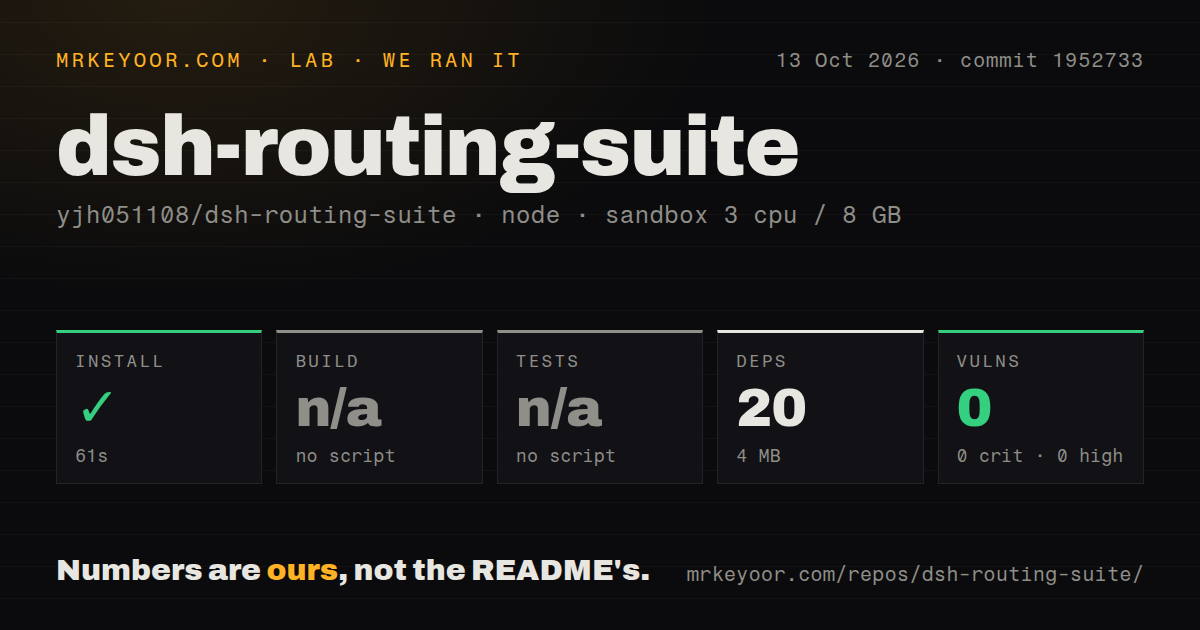
Our run installed 37 npm packages in 12 seconds and left 68 MB on disk. npm audit reported 0 known vulnerabilities at every severity. The repository was 1.1 MB, with 71 files and about 12,134 lines of source. Most of the runnable package sits under injector/, where the package identifies itself as dsh-super-injector 0.3.3.
Build failed with exit code 1 after 6 seconds. The package ran bash scripts/build.sh, which returned: build: cannot locate the dsh checkout (set DSH_CHECKOUT). That message is the full finding. It does not say which package would fail next or whether the code compiles against a correctly selected checkout. It shows that source development requires a second repository in a discoverable location.
No test script or target existed for our harness, so tests were skipped. The scanner also found 0 CI workflow files, no Dockerfile, and no tests directory. The README points to experiments and the injector guide, while current issue 63 says an existing integration test mocks bash into the visible tool list instead of verifying that the real POSIX composition registers it. That is a material coverage gap for the reported bug.
Installation is Windows-first and path-sensitive
The one-shot instructions use install.ps1. Manual installation adds the injector through the DSH web profile, then copies router-standard and router-spec directly under the user's .agent-presets directory. DSH scans one directory level, so copying the parent preset folder creates extra nesting and hides both presets. A restart is required before choosing a router in a new session.
Linux and macOS support is less settled. Issue 45 reports missing dependencies during manual Linux installation, and pull request 68 proposes a Linux install.sh. Issue 63 reports a deeper POSIX problem: the final stage announced bash, but exported request headers showed 61 real tools without it. The reporter recorded 149 steps and 164 tool calls in that session, then had to route shell work through another tool.
The injector has its own setup choices. A release archive includes built output, while a Git install runs a prepare hook and may fetch tsdown. Source building links DSH packages from the checkout named by DSH_CHECKOUT. Runtime state lives under the user's DSH profile, including a registry used to restore injected plugins after restart. These are invasive capabilities, so a disposable profile is the right first trial.
Cost and tool visibility need direct checks
Issue 55 reports API calls and cost increasing by 2 to 3 times after installing the suite, despite a 99% cache hit rate. The README says v0.3.0 moved near-field guidance to agent/pre-step, keeping it in the same request and removing the earlier extra-call path. The issue remained open on 2026-08-25, so operators should compare request counts before and after installation rather than treating either report as the final word.
GitHub showed 6,811 stars, 58 open issues and PRs, and a push on 2026-08-24. Same-day activity on 2026-08-25 included POSIX shell registration, installer fixes, and a Linux installer. That is active maintenance, but much of the activity is correcting real assembly behavior across platforms. A stale v0.1.0 suite release does not prove neglect; it does make release users responsible for reconciling tags with main.
Choose dsh-routing-suite when DeepSeek Harness is already your environment and its experiments address a problem you can measure. Use the upstream standard preset when fewer moving parts matter. LangGraph is a better fit for explicit provider-neutral workflow state, while LiteLLM handles provider and cost routing. This suite earns a lab profile, exported-session inspection, and spending limits before it earns daily work.