Agent changes are visible turn by turn
iCode lets you inspect the files an agent changed before deciding whether to keep them. Its terminal interface includes unified and split diffs, and rollback starts by showing what a selected turn would undo. That makes it interesting for developers who want an assistant to work inside a repository while keeping the resulting edits legible. The useful distinction is control over the work, rather than another place to type a prompt.
The scope is considerable: our checkout contained 2,562 files and about 834,224 source lines. The README describes configurable agents, multiple model profiles, workflow graphs and a shell that accepts full terminal input. You can edit an agent's instructions and tools without writing a new agent implementation. That flexibility suits someone already maintaining a personal coding workflow. It also gives a newcomer more decisions than a single-purpose editing assistant would. The English README explains those screens with screenshots.
What happened when we ran it
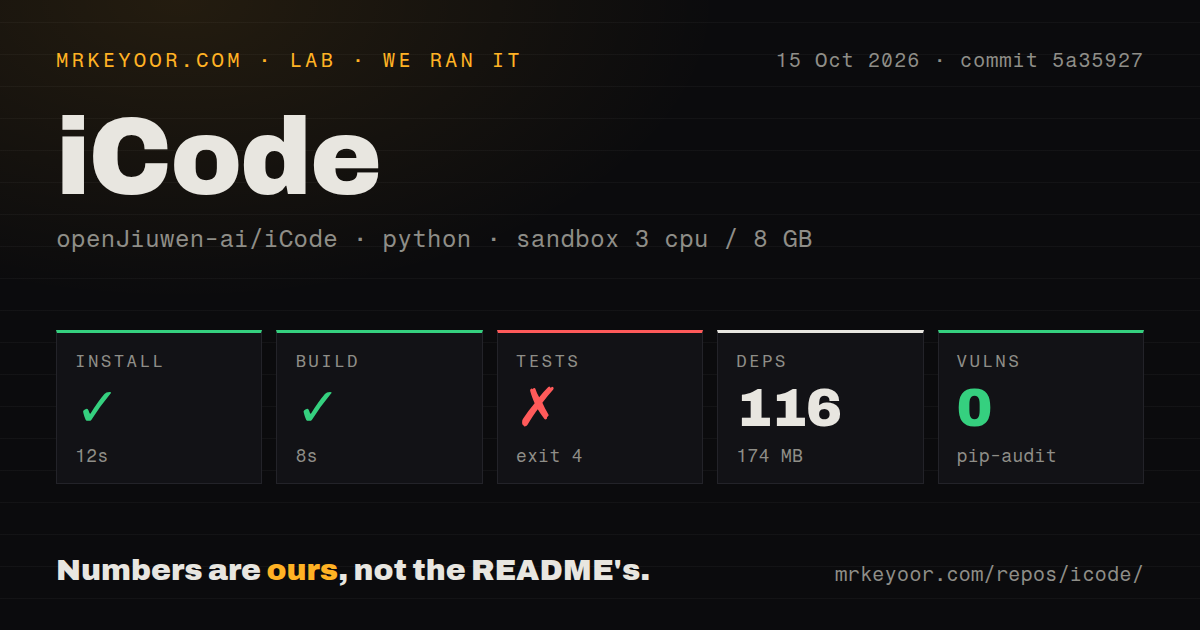
Our sandbox installed iCode at commit 5a35927 in 12 seconds, adding 116 packages and occupying 174 MB on disk. The build succeeded in 8 seconds. We used an unprivileged Debian container on October 15, 2026, with 3 CPUs, 8 GB of RAM and the Python 3.12 Bookworm uv image. These are repository checks, not a measurement of how well a connected model writes code.
The test step failed with exit code 4 after 2 seconds. Pytest reported an unrecognized -n argument, naming pyproject.toml as its configuration file. The supplied log stops at command-line parsing. It does not establish a failing application test, identify a missing package, or show that changing the command would make the suite pass. A contributor needs to resolve that invocation before using this run as evidence about application correctness.
Pip-audit reported 0 known vulnerabilities. Our scan found 5 CI workflow files and a tests directory, with no Dockerfile. Those controls are useful evidence that checks exist, while the failed invocation shows that our fresh environment did not reproduce a green suite. The distinction matters if your adoption process requires a working contributor setup before an agent receives access to company code.
You supply the model and its destination
The first launch ships without model profiles. Pressing F4 opens configuration, where you add the provider and model you intend to use. The source route also documents a separate ripgrep download. Model credentials and endpoint settings therefore sit outside the successful build. Our sandbox had no secrets, so the measured 8-second build says nothing about provider authentication, tool use against a live account, or the quality of a completed coding task.
Privacy depends on those choices. The README says iCode has no telemetry, analytics or crash reporting, while documenting an update check and the destinations you configure. Agents can use MCP servers, hooks and optional web tools. Search defaults to Exa's public service if you enable it without configuring another provider. Read those defaults before treating local execution as a promise that your repository's contents stay on your machine.
The installed footprint of 174 MB looks manageable beside the 39.6 MB checkout, but disk use is only part of adoption. A model endpoint needs an explicit data policy. Shell commands and skill scripts run with your network access, according to the README, so review the tools attached to each agent. This is especially relevant when importing somebody else's agent configuration: instructions and executable tools deserve separate scrutiny.
Rollback and trajectory views make agent work inspectable
F12 opens a trajectory view that separates model activity, tools and waiting. Its timeline includes hooks and individual model calls. That can help explain why a task feels slow or expensive without attributing every delay to the provider. The workflow view similarly shows nodes and token spending. These are documented inspection features, and our run did not validate their accounting against a live model session.
The test failure after 2 seconds limits confidence in the contributor path, even though the interface has thoughtful review controls. Rollback previews file reversions and discards the later conversation. You should still use version control for a durable record and inspect external effects separately. A file preview cannot, by itself, establish what a shell command sent across the network or changed outside the files shown.
Changing formats make upgrades a deliberate job
The README explicitly labels iCode a work in progress and warns that interfaces, file formats and defaults change between releases. That is a concrete reason to pass if you need a stable configuration contract across a large developer fleet. English documentation exists alongside Simplified Chinese pages, and the built-in guide opens with F8. The documentation makes the breadth approachable without removing the compatibility warning.
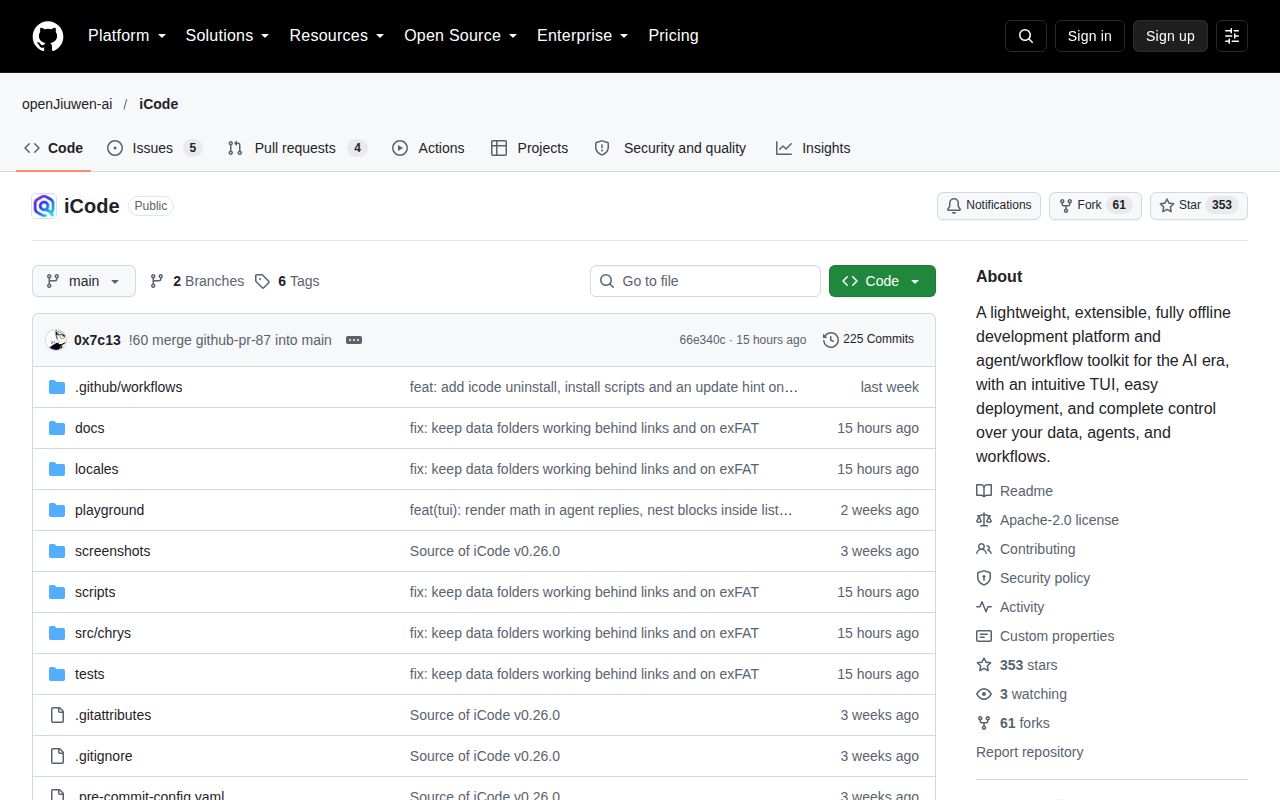
GitHub recorded a push on October 15, 2026, and listed 353 stars with 9 open issues and PRs. Recent merged work includes hook inspection and validation, while release v0.30.0 describes background command controls and clearer diagnostics. The release notes and recent activity support an active-maintenance judgement. They do not establish that our measured commit has a clean test path.
Aider is worth comparing if you mainly want repository editing with Git integration. OpenCode is another choice for a terminal coding agent. iCode earns a trial when its workflow graph, editable agents and trajectory inspection solve problems you already have. Start with a disposable repository and one configured model, then make the rejected pytest invocation part of your acceptance checklist before expanding access.