Everything in the runtime enters through plugins
DeepSeek Harness is a coding-agent runtime that happens to ship with a local web application. Its architecture is built on Cordis, where plugins register services, typed events, and reversible effects in a shared context. Model adapters, tools, session storage, approvals, credentials, telemetry, and the agent loop itself enter through that system.
That makes the project attractive to developers who have outgrown a fixed agent. A model provider can be swapped without rewriting the session engine. Filesystem and subprocess backends can move together to another execution environment. A profile composes bundles, project patches, and user patches into the plugin tree that boots. The running tree can be dumped for inspection.
The cost is conceptual weight. Terms such as profiles, bundles, seams, scopes, waterfalls, durable events, Host and Client faces, and generated remote contracts appear because they map to real extension boundaries. Someone who only wants an agent to edit a repository will get little benefit from learning all of them.
What the default experience includes
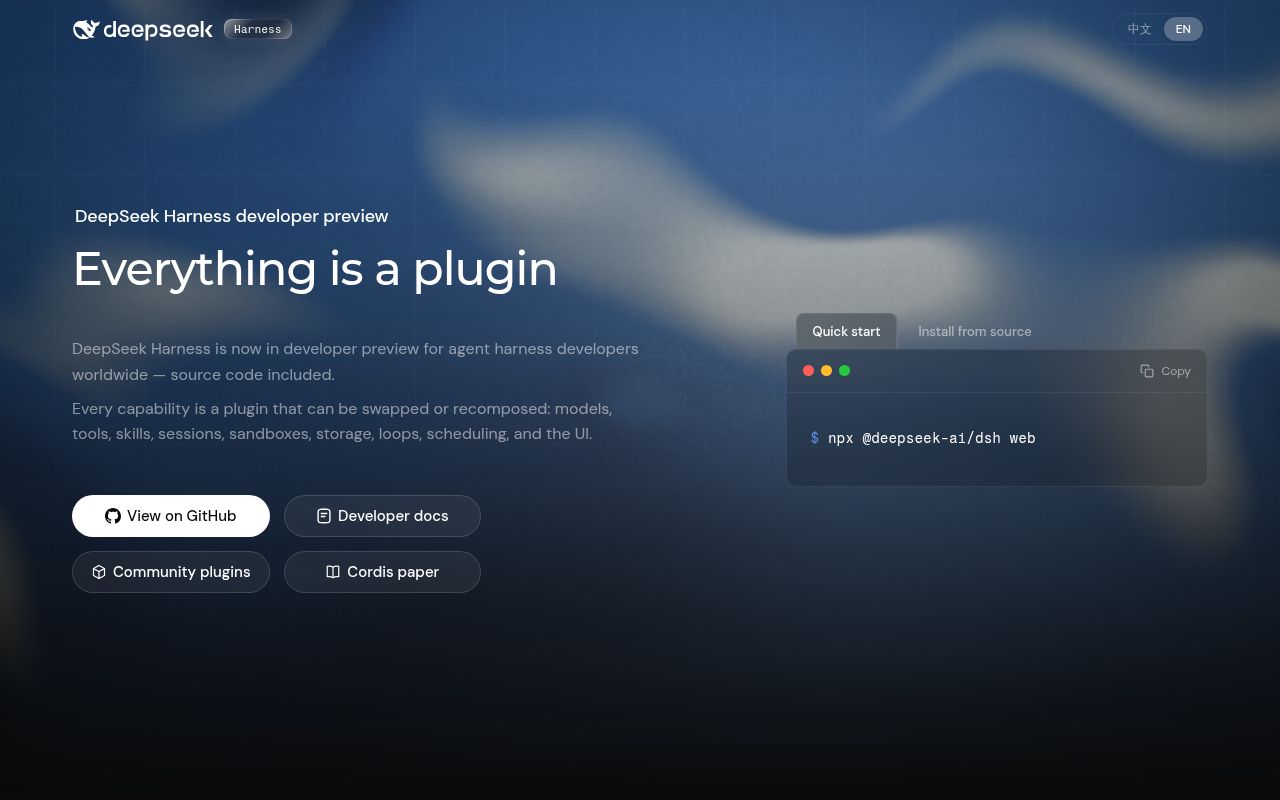
The quickest documented start is npx @deepseek-ai/dsh web. It launches a local server and opens the browser when appropriate. The user adds a DeepSeek API key in settings, chooses a workspace, and starts a session. The agent can read and edit files, run commands, maintain a plan, and delegate work. Other providers and compatible endpoints are documented separately.
A headless profile supports one-shot automation without the web server. Session activity is written as an append-only event log, and the model's history is derived from that log. The architecture document insists that model-visible input must be reconstructable from durable events, which is a sound basis for replay, transcripts, forks, and debugging.
MCP support is present as a client bridge. External server tools register into the same tool service as built-in capabilities. That fits the plugin thesis cleanly, though every added server still expands what the model can call and may introduce credentials or side effects that need separate review.
What happened when we ran it
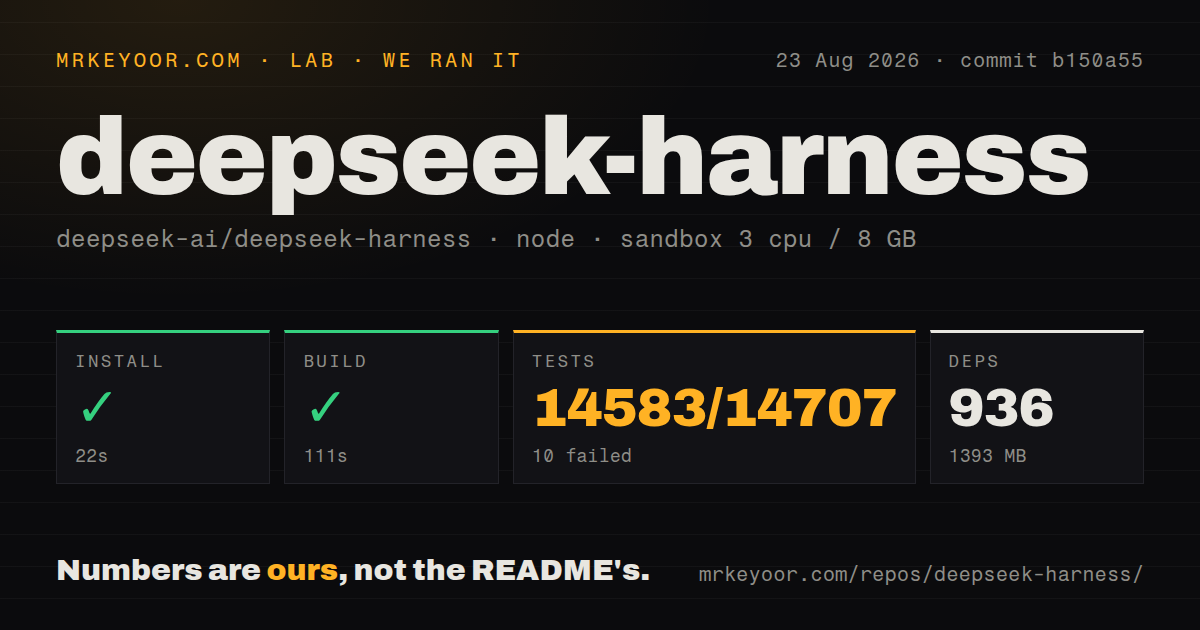
We cloned commit b150a55 into an unprivileged Node 22 container with three CPUs, 8 GB of RAM, and no secrets. The monorepo contained 7,822 files, about 623,075 lines of source, and occupied 50.8 MB. It had 18 CI workflow files, no Dockerfile, and no top-level tests directory.
Pnpm installation succeeded in 22 seconds. It added 936 packages and occupied 1,393 MB on disk. The build completed successfully in 111 seconds. That is a credible source path, though the installed footprint is substantial.
Tests ran for 829 seconds and exited with failure. Vitest reported 14,583 passed, 10 failed, and 114 skipped out of 14,707 tests. At the file level, 859 passed, 4 failed, and 9 were skipped out of 872. The provided tail points to a SQLite schema test named rejects changed columns and non-strict owned tables, but it does not include the assertion message needed to explain the failure. We can say the suite was mostly green and still not call it passing.
Safety contracts are detailed but bounded
Approval requests produce one closed outcome, and only allowed-once grants the action. Rejection, cancellation, a missing answerer, or an error all fail closed. Sessions can use an ask policy or a never policy that rejects requests without prompting. Approval events are logged as pairs, which gives later inspection a record of what was requested and decided.
The process sandbox has read-only, workspace-write, and danger-full-access modes. Linux can use bwrap or Landlock, macOS uses Seatbelt, and Windows uses an ACL restricted-token backend. The documentation is precise about the boundary: these modes govern filesystem effects. Network access and process visibility are outside the sandbox vocabulary. Windows and older Landlock setups may report partial enforcement.
That candor matters. A label such as workspace-write can sound broader than it is unless operators read the subsystem contract. Work that needs network isolation or a stronger process boundary should use a container, microVM, or remote execution seam designed for the whole environment.
The repository also publishes incident write-ups. One resolved post-mortem explains how a benign older-Landlock notice plus a child's nonzero exit was misclassified as sandbox failure. The defect did not weaken confinement, according to the report, but it corrupted availability and diagnosis. The fix tightened evidence rules and added deterministic coverage. That level of engineering documentation is rare and useful.
Preview status should decide the adoption
The README uses unambiguous language: this is a developer preview, it is changing quickly, and compatibility-breaking changes will happen. GitHub's latest-release endpoint returned no release, so evaluators do not have a current tagged artifact there to use as a stability boundary. The repository was pushed on August 21, 2026, and GitHub listed 0 open issues and pull requests when fetched on August 27. The project directs feedback to Discussions, so an empty issue queue is not proof that users have no problems. GitHub showed 198,423 stars, but neither stars nor a recent push supplies the version boundary that a production operator needs.
Documentation is already deep. Architecture maps, tutorials, subsystem contracts, extension cookbooks, generated API descriptions, bilingual pages, and post-mortems give contributors far more than a quick start. The development guide also explains its two TypeScript build faces, generated contracts, hooks, CI lanes, and real-API tests.
DeepSeek Harness makes sense for teams whose requirement is a replaceable agent runtime and who can absorb breaking changes. A curious agent-platform engineer will find plenty worth studying. A team seeking a stable daily assistant should wait for tagged releases and a clean repeatable test result, or select a narrower tool whose public interface has settled.