DSH Desktop packages upstream Harness without becoming official
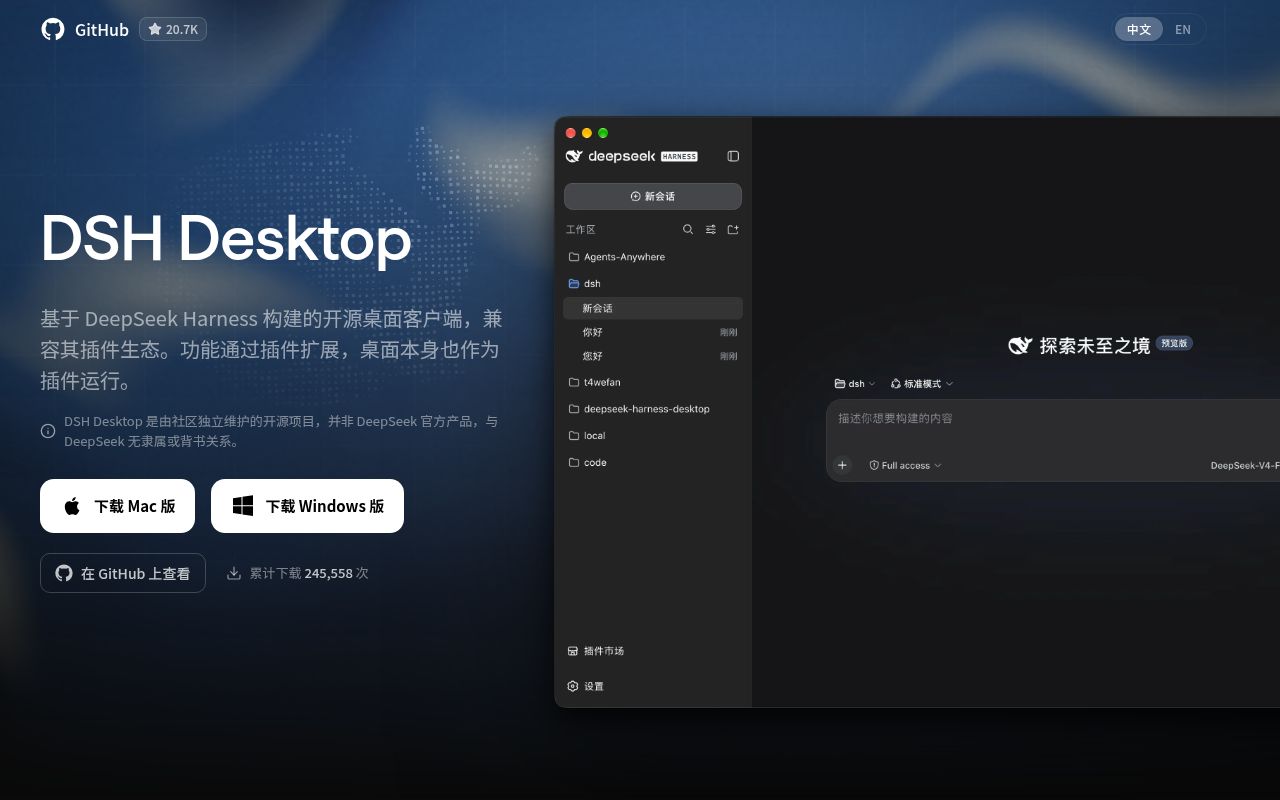
DSH Desktop combines a pinned DeepSeek Harness version with a native application shell. Upstream supplies the core agent, local web interface, host service, models, tools, sessions, and plugin runtime. This project adds Windows and macOS installers, windows, tray controls, terminal access, profiles, startup and recovery handling, updates, and desktop-facing settings. The shell itself joins the runtime as a plugin.
The README is Chinese first and links an English version; release v2.0.3 also includes English notes. It is unusually careful about identity. DSH Desktop is independently maintained, has no DeepSeek affiliation or endorsement, and says no upstream DeepSeek employee currently participates in its maintenance or governance. Contributor names inherited through fork history do not change that relationship.
What happened when we ran it
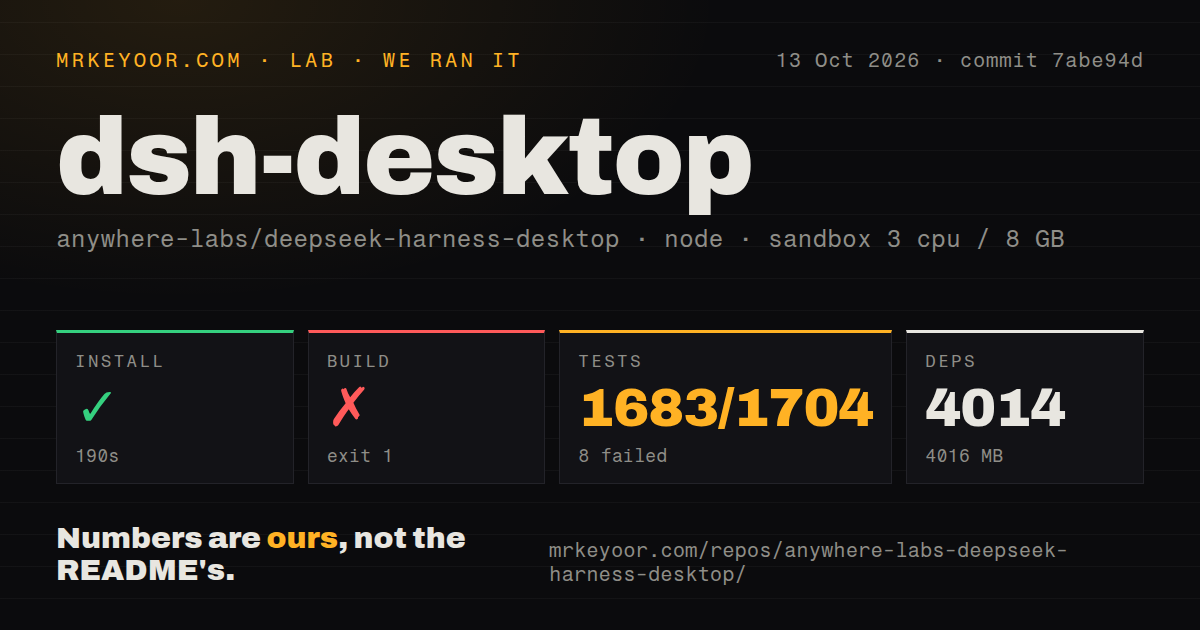
Our sandbox cloned commit 3e6314a with 3 CPUs and 8 GB of RAM. The 61.4 MB checkout contained 8,329 files and about 685,599 lines of source. Installation completed in 47 seconds, adding 1,352 packages and using 1,011 MB. The build then succeeded in 25 seconds, a credible source result for the measured commit.
Vitest returned exit code 1 after 36 seconds. It reported 770 passed tests, 1 failed, and 5 skipped out of 776. The failing case in tests/lifecycle-events.spec.ts checks that stale run evidence is replaced while current evidence remains within a cap. The excerpt names the test and line but omits the assertion, so no narrower cause is supported.
The Yarn monorepo has 1 CI workflow and no Dockerfile or top-level tests directory in our scan. It also contains a pinned deepseek-harness submodule that keeps its own pnpm workspace. Source contributors therefore work across the desktop wrapper and a specific upstream revision, while installer users receive that combination as one application.
Installers remove Node.js, not provider and plugin decisions
Formal downloads cover Windows x64 and macOS Universal. The README says installer users need no additional environment: the application starts and manages the local Harness service, opens its interface, and exposes tray and window controls. That is the product's clearest advantage over cloning upstream and running commands. Linux users do not receive the same path.
An agent still needs a model. The precise provider configuration comes from DeepSeek Harness and whichever plugins a profile installs. A plugin can contribute models, tools, interfaces, workflows, or desktop integration. Installation convenience moves those pieces behind a graphical market; it does not make their code, credentials, network calls, or requested access trustworthy. Review the source and publisher before adding an extension.
Profiles help separate configurations and recovery state, but they are not operating-system sandboxes. The desktop plugin API can inspect and switch profiles and install, update, or remove plugins in the current one. The project documents boundaries on which desktop capabilities third-party plugins receive. Those boundaries should be tested against the exact pinned upstream and market adapter used in an organization.
LAN mode gives nearby users control without authentication
The web service listens on loopback by default. Enabling the browser option opens the ready local URL in the system browser without changing its exposure. LAN access is a separate beta setting. The README warns that it adds no authentication and that anyone on the same local network can open DSH and operate the computer. That is a decisive reason to leave the switch off in offices, hotels, campuses, and shared homes.
Remote phone control appears in the README with a coming-soon badge. It should be treated as a hope, not an available capability or committed delivery. Independent community plugins offer other remote paths, but installing one changes the security model and support chain. A request that can trigger local agent tools needs authenticated transport, explicit approval boundaries, and revocation before convenience matters.
Update checks carry an X-DSH-Desktop-Installation-Id header containing a locally generated persistent random UUID. The README says it is not derived from hardware and is omitted from installer download requests and redirects. Privacy-sensitive users should still include the updater, plugin market, model provider, and every extension when reviewing outbound traffic.
Version 2.0.3 arrived on the repository's thirteenth day
The requested GitHub URL now redirects to anywhere-labs/dsh-desktop, and the API reports that canonical repository was created August 13, 2026. By August 26 it had 20,701 stars, 224 combined open issues and pull requests, and another push that day. That is extraordinary early attention, but only 13 days of history under this repository identity. Fork-inherited history may explain part of its apparent scale.
Release v2.0.3 was also published August 26. Its notes mention Windows fixes, more detailed logs when pnpm blocks certain plugin installations, a first-launch setup guide, window modes, and the unauthenticated LAN option. Windows and macOS assets are signed application-sized downloads, while upgrades from v2.0.0 can run through the tray.
Fast fixes are welcome in software wrapping a moving upstream runtime. They do not replace a long compatibility record across operating-system updates, Harness revisions, plugin combinations, database recovery, and auto-updates. Pin releases in managed deployments and keep a rollback copy of user state. The one failed lifecycle-evidence test in our run lands in exactly the area where desktop recovery needs predictability.
DSH Desktop makes sense for someone already committed to DeepSeek Harness who wants a native shell and accepts community ownership. It is not evidence that DeepSeek supports the configuration, and it is not a generic requirement for running Harness. The 25-second successful build lowers the cost of inspection. The young repository, broad plugin authority, persistent updater identifier, and open LAN mode make a cautious, loopback-only trial the right first step.