One desktop joins cloud and local models
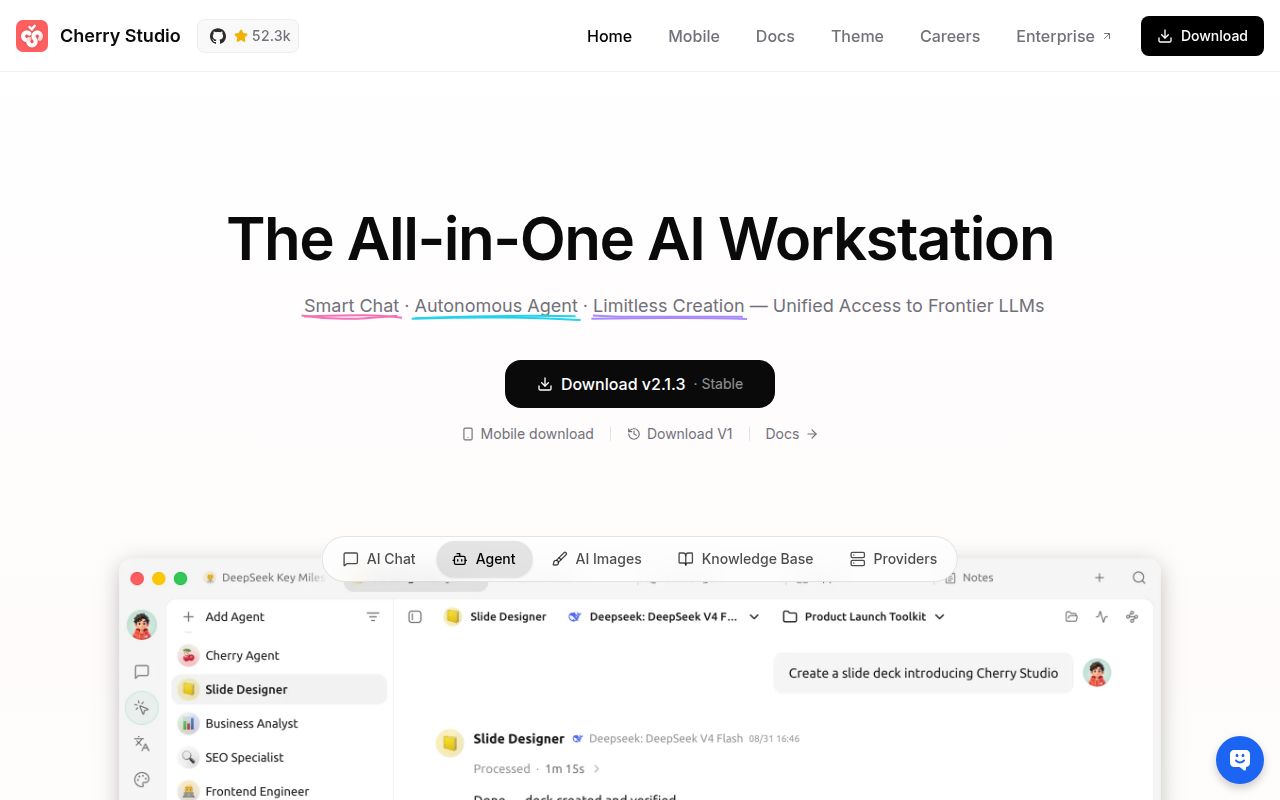
Cherry Studio gives Windows, macOS, and Linux users one interface for OpenAI, Gemini, Anthropic, other web services, Ollama, and LM Studio. You can create assistants, keep topics, translate text, search across the app, and compare multiple models in the same conversation. That bundle makes sense when your current AI setup is a row of provider tabs beside a separate local-model client.
The README claims more than 300 preconfigured assistants and accepts text, images, Office files, and PDFs. WebDAV handles file management and backup, while Mermaid rendering and code highlighting keep technical answers readable. Convenience does not merge the privacy boundaries. A prompt sent to Ollama stays on a different path from one sent to a cloud account, even when both conversations sit in the same window.
Packaged v2.1.3 downloads avoid the source toolchain
Release v2.1.3 includes x64 and arm64 builds for Windows, macOS, and Linux. Windows gets installers and portable executables, macOS gets DMG and ZIP files, and Linux gets AppImage, DEB, and RPM packages. That is the route implied by the README's claim that ordinary users need no environment setup. It is also the sensible first trial for someone evaluating the application rather than changing its code.
Source work is a different proposition. The measured checkout contained 9,633 files, about 1,482,173 lines of source, and occupied 94 MB before installation. It is a pnpm workspace with 23 CI workflow files and a tests directory. The developer guide asks contributors to use the pinned Node and pnpm versions, copy .env.example, and start Electron through pnpm. Windows developers must enable symlinks before cloning.
What happened when we ran it
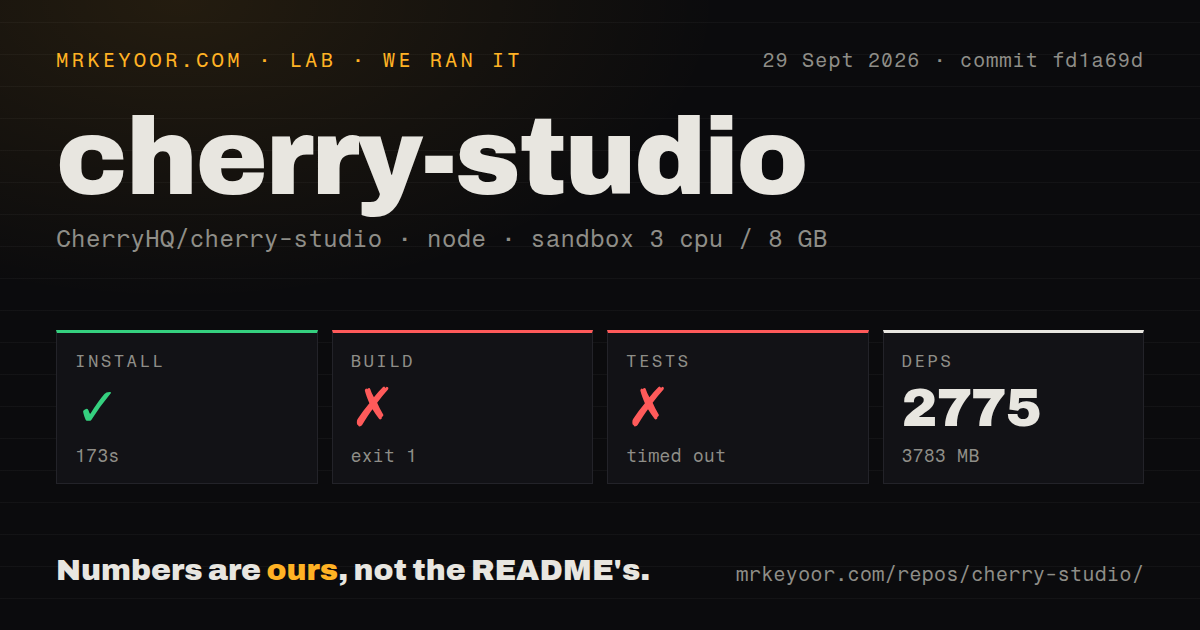
Our sandbox installed commit fd1a69d in 173 seconds. Pnpm added 2,775 packages and brought disk use to 3,783 MB inside a fresh Debian container with 3 CPUs, 8 GB of RAM, Node 22, no secrets, and no elevated privileges. Installation succeeded. Those figures describe repository setup only. We did not measure chat latency, model quality, document accuracy, or the packaged application's memory use.
The build failed after 87 seconds with exit code 1. The node typecheck could not find @cherrystudio/remote-protocol/agent, @cherrystudio/remote-protocol/failure, the package root for that protocol, and @cherrystudio/remote-transport. The errors appeared in remote access services, shared AI code, data types, and IPC schemas. The log does not identify why those modules were unavailable, so a missing package, build-order problem, or system dependency would be speculation.
Tests continued until the 900-second limit and then timed out. The tail shows several ModelService reconciliation cases passing, including cases for custom Ollama, OpenAI, and ComfyUI models. It also shows chunks large removal filters and deletes failing while the wider suite was still running. There is no final test count in the supplied log, which means those passing lines cannot be turned into a pass rate or a near-success claim.
Remote access in v2.1.3 still leaves mobile apps on the roadmap
The v2.1.3 notes add encrypted LAN pairing with a compatible mobile client, letting that client import providers and use desktop agents. They also warn that legacy devices must pair again under the new identity protocol. This is useful remote access, especially if the desktop already holds the model setup, but it does not make Cherry Studio a standalone mobile app.
Android and iOS remain Phase 1 entries in the README roadmap. The same roadmap lists an MCP marketplace, OCR, text-to-speech, notes, a plugin system, and multi-window support. Treat those entries as direction, not as present-day buying reasons. The features you can count on are the ones documented in the current desktop release, including its MCP server, assistants, file support, search, translation, and local-model connections.
AGPL-3.0 and edition limits matter for company use
The community edition uses AGPL-3.0, and CherryHQ says commercial use is allowed when you comply with that license. The project also offers a separate commercial license for organizations that need an exemption. That choice deserves review before a company modifies or redistributes the client. A public repository and a commercial deployment can coexist, but the license terms still set the conditions.
The edition table draws another boundary. Central model management, employee accounts, role-based access, shared knowledge bases, and managed backup belong to the enterprise product. The community edition's server row is empty. Version 2.1.3 is therefore a broad personal desktop client, while the team control plane described by CherryHQ is a separately sold product with a private deployment path.
September 30 activity shows maintenance, with a large queue
GitHub recorded 52,269 stars, 1,682 open issues and pull requests combined, and a last push on September 30, 2026. Release v2.1.3 had shipped six days earlier. The 1,682 figure mixes issues and pull requests, and it shows the review load around a very large project. On September 30, maintainers closed issue 21208 about a startup race in device connection setup, while issue 21209 reported a new sidebar hover loop.
The current release, same-day push, and same-day issue movement point to active maintenance. They do not cancel our source result at commit fd1a69d: 3,783 MB of installed files, a failed 87-second build, and no complete test result after 900 seconds. Try the packaged app if its provider breadth saves you daily friction. Contributors and downstream packagers should demand a green run on the exact revision they plan to ship.