prettier review
Prettier 3.9.6 parses a supported file and prints a canonical layout, replacing most hand-written spacing and wrapping choices with one repeatable result. Built-in parsers cover JavaScript, TypeScript, JSON, CSS, HTML, Vue, Angular, GraphQL, Markdown, and YAML; plugins add other languages. It is a formatter, so it will not find an unsafe expression or enforce application policy. Version 3.9.6 adds TypeScript import defer syntax, preserves quotes on methods named new, and publishes the official Yuku plugin. The programmatic API remains asynchronous in version 3, including format and configuration lookup.
Prettier 3.9.6 installed as 1 dependency-free package in 0.6 seconds and used 10 MB in our sandbox, with 0 audit findings. Add it when the team wants one enforced print result; skip it when hand-controlled layout is a product requirement.
We installed it
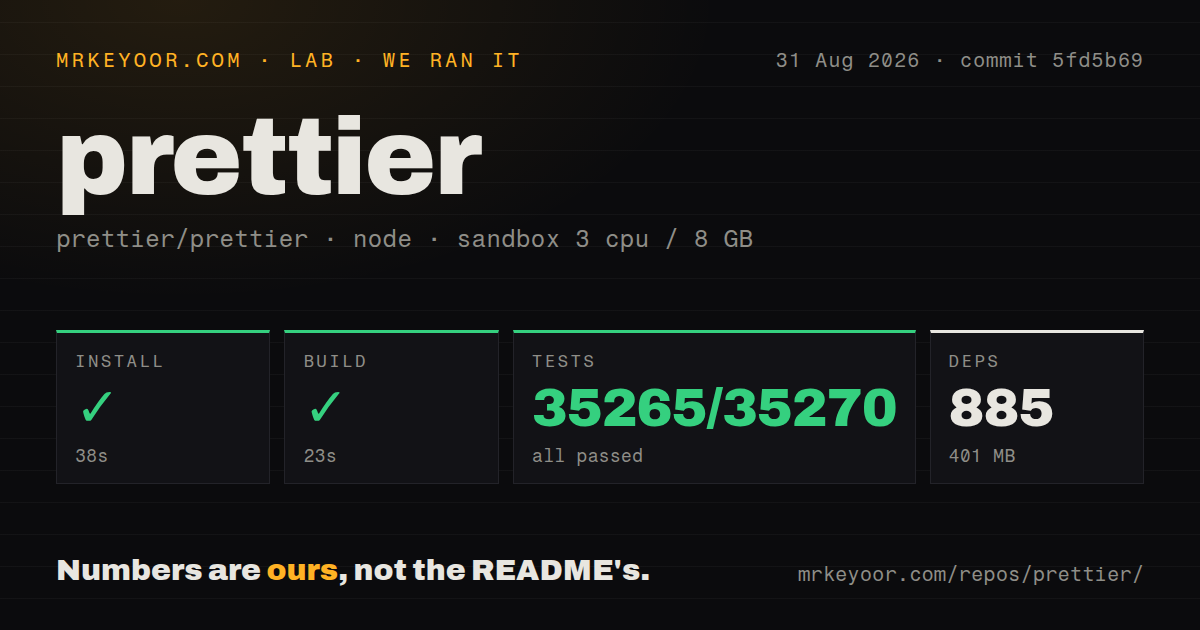
| Install | ✓ · 0.6s | 1 package on disk · 10 MB |
| Import | ✓ | ESM import works · require() works · CommonJS package with exports map |
| Browser | 26.3 KB | gzipped (79.9 KB minified), bundled with esbuild |
| Types | ✓ | TypeScript types bundled |
| Known vulns | 0 | 0 critical · 0 high · 0 moderate · 0 low (npm audit) |
Answers from our run
Does prettier install cleanly?
Yes. In a fresh container with an empty cache, npm install prettier finished in 0.6s, leaving 1 package and 10 MB on disk. npm audit reported no known vulnerabilities.
How much does prettier add to a browser bundle?
26.3 KB gzipped (79.9 KB minified) when the whole package is bundled for the browser with esbuild. Importing only part of it is usually smaller.
Does prettier work with both ESM and CommonJS?
Yes. Both import 'prettier' and require('prettier') worked in Node 22 in our run. The package is published as CommonJS with an exports map.
Does prettier include TypeScript types?
Yes, type declarations ship inside the package, so no @types install is needed.
prettier or @biomejs/biome: which should you use?
@biomejs/biome: Choose it when its supported languages fit and one fast binary should handle both formatting and linting. Prettier 3.9.6 installed as 1 dependency-free package in 0.6 seconds and used 10 MB in our sandbox, with 0 audit findings.
When should you not use prettier?
House style requires exact control over line breaks, alignment, or syntax-specific layout that Prettier deliberately does not expose
Discussed on
- hnA Prettier JavaScript Formatter498 points
- hnPrettier 1.0270 points
- hnPrettier 2.0 – Opinionated JavaScript formatter207 points
- hnWhy is Prettier rock solid?205 points
- hnSpeeding up Prettier locally and on your CI with dprint201 points
Use it if
- Code review spends time on whitespace, wrapping, quote style, or trailing commas that a printer can settle automatically
- Editors, staged-file hooks, and CI should all use the same repository-pinned formatter and ignore file
- One repository contains several supported languages and needs a single formatting command across them
- The team accepts Prettier's limited options and will isolate the first whole-repository reformat from functional changes
- House style requires exact control over line breaks, alignment, or syntax-specific layout that Prettier deliberately does not expose
- Hand-arranged tables, matrices, generated blocks, or documentation must keep their current whitespace across most files
- The requirement is correctness or security linting; Prettier reparses and prints code but does not replace ESLint or a type checker
- A library would place the formatter in production dependencies for its consumers; formatting belongs in the authoring toolchain
- Browser code needs a tiny formatter widget; our full import measured 79.9 KB minified and 26.3 KB gzipped before language plugins are added
Setup reality
We installed Prettier 3.9.6 in a fresh Node 22 Bookworm sandbox with no cache. npm completed in 0.6 seconds and left exactly 1 package using 10 MB. Prettier declares 0 direct and 0 peer dependencies; the package is 9,876 KB unpacked and MIT licensed. npm audit found 0 known vulnerabilities. It includes TypeScript declarations, uses CommonJS with an exports map, supports require and ESM import, and declares Node 14 or newer.
Pin Prettier as a dev dependency and commit one config plus .prettierignore. Its lookup walks upward from each file, so a monorepo can pick up a parent config unexpectedly. Run the first prettier --write change alone because it can touch nearly every supported file. Generated output, vendored sources, snapshots with meaningful whitespace, and build directories belong in the ignore file.
Version 3 returns promises from format, resolveConfig, getFileInfo, and other JavaScript API calls. Await them and pass filepath when parser inference or overrides matter. Plugins must be loaded explicitly in API and standalone use, and version 3 no longer searches plugin names the same way old wrappers expected. Pin plugin versions beside Prettier and test editor resolution from the workspace.
Our esbuild check of a full-package browser import produced 79.9 KB minified and 26.3 KB gzipped. Standalone browser use also needs the chosen parser plugin and, for JavaScript-family parsers, the estree plugin. In CI use --check, which leaves files untouched and exits nonzero on drift. Reserve --write for developer commands and controlled formatting jobs.
Patterns
Apply the repository's format everywhere format-project
npx prettier --write .--write edits matching files in place. Keep the first repository-wide formatting diff separate from behavior changes.
Set the few choices the printer allows config-file
{
  "semi": true,
  "singleQuote": true,
  "trailingComma": "all",
  "printWidth": 100
}
printWidth guides line wrapping and does not impose a hard 100-character ceiling on every printed line.
Reject unformatted files without editing them check-in-ci
npx prettier --check .
# exits 1 and lists unformatted files
--check leaves the workspace unchanged and returns a nonzero status when any selected file would be rewritten.
Exclude generated paths and one syntax node ignore-code
# .prettierignore
dist/
coverage/

// in code, skips the next node:
// prettier-ignore
const matrix = [
  1, 0,
  0, 1,
];
A prettier-ignore comment applies to the next parsed node, while .prettierignore removes whole paths from CLI traversal.
Turn off lint rules that conflict with printing eslint-integration
npm i -D eslint-config-prettier

// eslint.config.js
import prettierConfig from 'eslint-config-prettier';
export default [
  // ...your configs,
  prettierConfig,
];
eslint-config-prettier disables conflicting rules. It does not run the formatter or report formatting drift by itself.
Await formatted source in application code api-format
import * as prettier from 'prettier';

const formatted = await prettier.format('const x  =  1', {
  parser: 'babel',
});
Prettier 3 format returns a promise. Provide parser directly or use filepath where parser inference and overrides are needed.
Wrap Markdown with a narrower setting per-filetype-overrides
{
  "printWidth": 100,
  "overrides": [
    {
      "files": "*.md",
      "options": { "proseWrap": "always", "printWidth": 80 }
    }
  ]
}
Overrides are matched using the file path. API callers must supply filepath for these per-language settings to apply.
Format only files staged for commit pre-commit-hook
npm i -D husky lint-staged

// package.json
"lint-staged": {
  "**/*": "prettier --write --ignore-unknown"
}

// .husky/pre-commit
npx lint-staged
--ignore-unknown lets images and unsupported file types pass instead of making a mixed staged set fail.
Infer a parser for piped source format-stdin
prettier --stdin-filepath src/App.tsx < src/App.tsxstdin has no filename of its own. --stdin-filepath enables parser inference, ignore checks, and matching configuration overrides.
Show which config applies to a file locate-config
npx prettier --find-config-path src/components/Button.tsxConfiguration lookup walks parent directories. This command exposes a surprising monorepo or home-directory config before files are changed.
Check whether Prettier will process a path inspect-file
import * as prettier from 'prettier'

const info = await prettier.getFileInfo('src/generated.ts', {
  ignorePath: '.prettierignore',
})
console.log(info.ignored, info.inferredParser)
getFileInfo is asynchronous in version 3 and reports both ignore status and the inferred parser.
Format TypeScript in a browser bundle browser-standalone
import * as prettier from 'prettier/standalone'
import * as typescript from 'prettier/plugins/typescript'
import * as estree from 'prettier/plugins/estree'

const output = await prettier.format(source, {
  parser: 'typescript',
  plugins: [typescript, estree],
})
Standalone does not discover plugins. TypeScript printing needs both its parser plugin and estree, which adds to the browser payload.
Alternatives
| Package | Registry | Pick it when |
|---|---|---|
| @biomejs/biome | npm | Choose it when its supported languages fit and one fast binary should handle both formatting and linting. |
| dprint | npm | Choose it for a formatter host with separately pinned language plugins and different layout choices. |
| eslint | npm | Choose it for JavaScript correctness and policy rules; enable formatting rules only when exact rule-level control is required. |
More cli & tooling guides
commander · chalk · typescript · esbuild · yargs · click · the whole shelf →
Related reading
How this guide is made: grounded in the library's documentation, release notes, changelog, and issue history, on a fixed rubric — not a hands-on install of every release. The 50 most-downloaded entries are additionally install-verified in clean containers. Corrections: contact the desk.