consola review
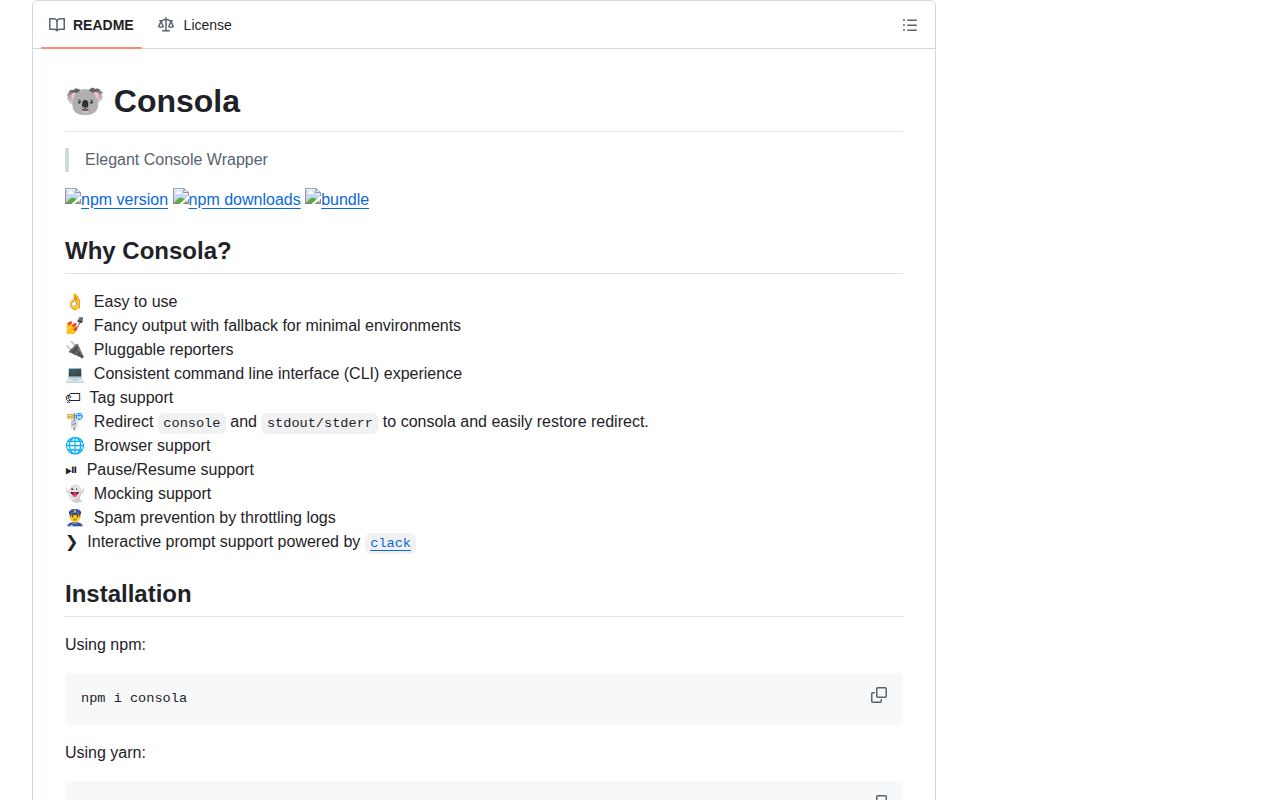
Consola 3.4.2 is a terminal logger for Node tools, with distinct methods for status, success, warning, error, boxes, and prompts. It can attach tags, replace reporters, intercept console or standard streams, hold output, and substitute test doubles for its methods. Browser, CI, and test environments may receive simpler reporters. Version 3.4.2 exports the tree-formatting helpers and corrects boxes whose title is wider than the message. Our sandbox loaded the ESM package through both require() and import, with its own TypeScript declarations.
Consola 3.4.2 installed in 0.5 seconds as 1 package and measured 2.5 KB gzipped in our browser build, making it a low-cost choice for human-facing CLI output. Choose a structured logger when machines or ingestion pipelines are the intended readers.
We installed it
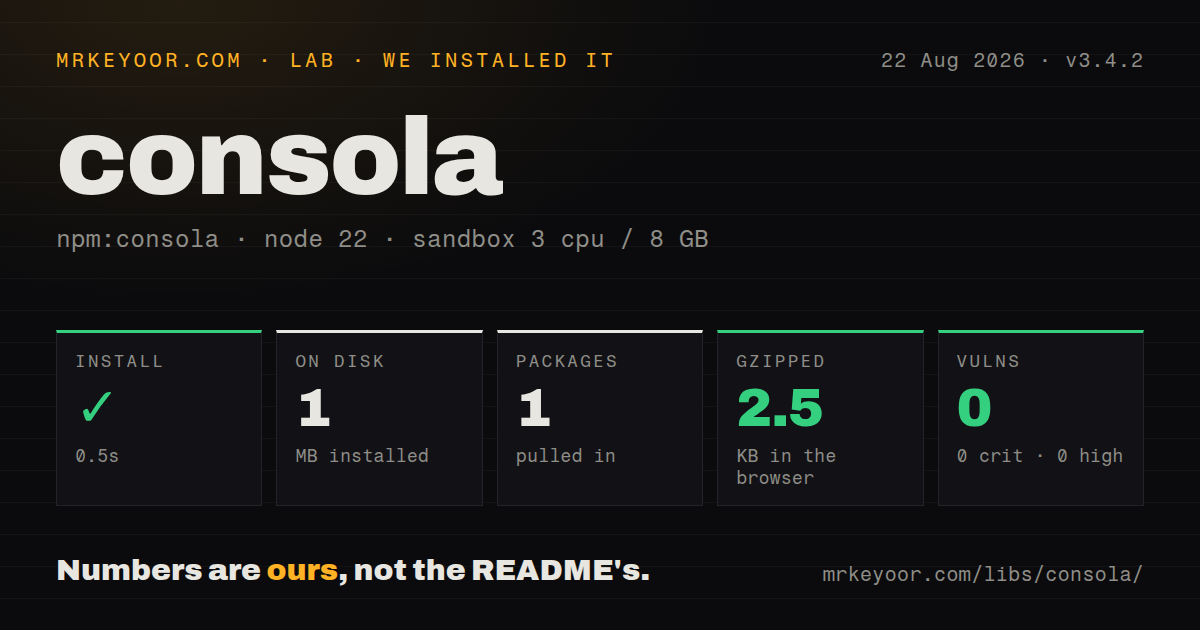
| Install | ✓ · 0.5s | 1 package on disk · 1 MB |
| Import | ✓ | ESM import works · require() works · ESM package with exports map |
| Browser | 2.5 KB | gzipped (6.3 KB minified), bundled with esbuild |
| Types | ✓ | TypeScript types bundled |
| Known vulns | 0 | 0 critical · 0 high · 0 moderate · 0 low (npm audit) |
Answers from our run
Does consola install cleanly?
Yes. In a fresh container with an empty cache, npm install consola finished in 0.5s, leaving 1 package and 1 MB on disk. npm audit reported no known vulnerabilities.
How much does consola add to a browser bundle?
2.5 KB gzipped (6.3 KB minified) when the whole package is bundled for the browser with esbuild. Importing only part of it is usually smaller.
Does consola work with both ESM and CommonJS?
Yes. Both import 'consola' and require('consola') worked in Node 22 in our run. The package is published as ESM with an exports map.
Does consola include TypeScript types?
Yes, type declarations ship inside the package, so no @types install is needed.
consola or pino: which should you use?
pino: Use it for high-volume JSON logs, redaction, bindings, and transport workers. Consola 3.4.2 installed in 0.5 seconds as 1 package and measured 2.5 KB gzipped in our browser build, making it a low-cost choice for human-facing CLI output.
When should you not use consola?
Production services require JSON records, redaction, child bindings, or transport workers; those policies are outside Consola's reporter defaults
Discussed on
Use it if
- A CLI needs consistent status, warning, success, and interactive prompt output
- Tests must inspect logger calls without scraping a whole process stream
- A developer tool needs tagged child loggers or a small custom reporter
- One tool targets Node and browsers and can accept target-specific terminal presentation
- Production services require JSON records, redaction, child bindings, or transport workers; those policies are outside Consola's reporter defaults
- Reusable code cannot risk process-wide mutations; wrapConsole, wrapStd, and wrapAll remain active until restored
- Ctrl+C must always abort a prompt; Consola normally resolves the initial or default value unless cancellation is configured to reject
- Local, CI, test, and browser output must be identical; environment detection intentionally changes the selected reporter
- The only requirement is opt-in namespaced diagnostics inside a dependency; debug has a narrower activation model
Setup reality
We installed Consola 3.4.2 in a clean Node 22 sandbox in 0.5 seconds. The result was 1 package and 1 MB on disk, and npm audit reported 0 known vulnerabilities. Consola declares 0 direct dependencies and 0 peer dependencies and is 440 KB unpacked. It supports Node 14.18 or Node 16.10 and newer. Both require() and ESM import worked, and TypeScript declarations are bundled.
Our full browser import measured 6.3 KB minified and 2.5 KB gzipped. The exports map also has consola/basic, consola/browser, and consola/core. Export conditions choose a Node or browser reporter, while CI and test detection can switch to plain output. Tests that assert colors or spacing can therefore pass locally and fail elsewhere. CONSOLA_LEVEL controls Node builds, but the README excludes browser and core builds from that environment setting.
No credentials or configuration file are required. Set level on a createConsola instance when visibility cannot depend on ambient state. addReporter keeps the current outputs, while setReporters replaces them. Prompt cancellation has five documented outcomes: a default value, undefined, null, a symbol, or a rejected promise. Destructive commands should choose rejection and handle it explicitly.
Global helpers need disciplined cleanup. wrapConsole, wrapStd, and wrapAll patch shared output until their matching restore call. pauseLogs queues messages until resumeLogs releases them. Put both operations inside try and finally. mockTypes also applies again on derived tagged loggers, so a singleton mock can spread farther than one test expects.
Patterns
Print status at the matching level print-build-status
import { consola } from 'consola';
consola.start('Building');
consola.success('Build finished');
consola.warn('Fallback config loaded');
The default level is 3, so debug and trace calls remain hidden until the level is raised.
Keep settings on a private logger create-private-logger
import { createConsola } from 'consola';
const log = createConsola({ level: 4, fancy: false });
log.debug('configuration loaded');
A separate instance keeps another module from replacing this logger's level or reporters.
Attach a subsystem tag tag-subsystem
const dbLog = consola.withTag('database');
dbLog.info('connection ready');
withTag inherits parent options and reruns an active mock callback for the derived instance.
Add JSON output add-json-reporter
consola.addReporter({
  log(entry) { process.stdout.write(`${JSON.stringify(entry)}\n`); },
});
addReporter preserves existing reporters; setReporters replaces the complete list.
Reject a cancelled confirmation confirm-dangerous-action
const approved = await consola.prompt('Delete release?', {
  type: 'confirm', initial: false, cancel: 'reject',
});
Without cancel: 'reject', Ctrl+C resolves the configured initial or default value instead of throwing.
Prompt for one deployment target choose-target
const target = await consola.prompt('Deploy target', {
  type: 'select',
  options: [{ value: 'staging', label: 'Staging' }, { value: 'production', label: 'Production' }],
});
A cancelled select follows the chosen cancel policy, so handle its fallback value or rejection.
Replace methods in Vitest mock-log-methods
beforeEach(() => consola.mockTypes(() => vi.fn()));
it('reports success', () => {
  finishJob();
  expect(consola.success).toHaveBeenCalledWith('done');
});
Create the mocks before every test because the singleton otherwise retains call history.
Intercept console calls temporarily capture-console
consola.wrapConsole();
try { console.info('captured'); } finally { consola.restoreConsole(); }
wrapConsole changes a process global, so restore it even when the wrapped operation throws.
Intercept console and standard streams capture-streams
consola.wrapAll();
try { process.stderr.write('captured'); } finally { consola.restoreAll(); }
Parallel code can observe wrapAll because it changes shared console and stream behavior.
Queue logs during a redraw pause-terminal-output
consola.pauseLogs();
try { await redrawScreen(); } finally { consola.resumeLogs(); }
Messages stay queued until resumeLogs runs, and a missed call hides later output on that instance.
Choose the plain reporter use-basic-entry
import { consola } from 'consola/basic';
consola.info('plain terminal output');
The basic subpath keeps the logger API without the normal fancy terminal presentation.
Preserve message-shaped fields log-raw-object
consola.log.raw({ message: 'payload field', args: ['payload value'] });The raw method stops message and args from being treated as Consola's internal log-object fields.
Alternatives
| Package | Registry | Pick it when |
|---|---|---|
| pino | npm | Use it for high-volume JSON logs, redaction, bindings, and transport workers |
| winston | npm | Use it when one process routes several formats to several destinations |
| debug | npm | Use it for namespace-controlled diagnostics inside reusable packages |
| ora | npm | Use it when a single spinner is the main terminal interaction |
More cli & tooling guides
commander · chalk · typescript · esbuild · yargs · click · the whole shelf →
How this guide is made: grounded in the library's documentation, release notes, changelog, and issue history, on a fixed rubric — not a hands-on install of every release. The 50 most-downloaded entries are additionally install-verified in clean containers. Corrections: contact the desk.