winston review
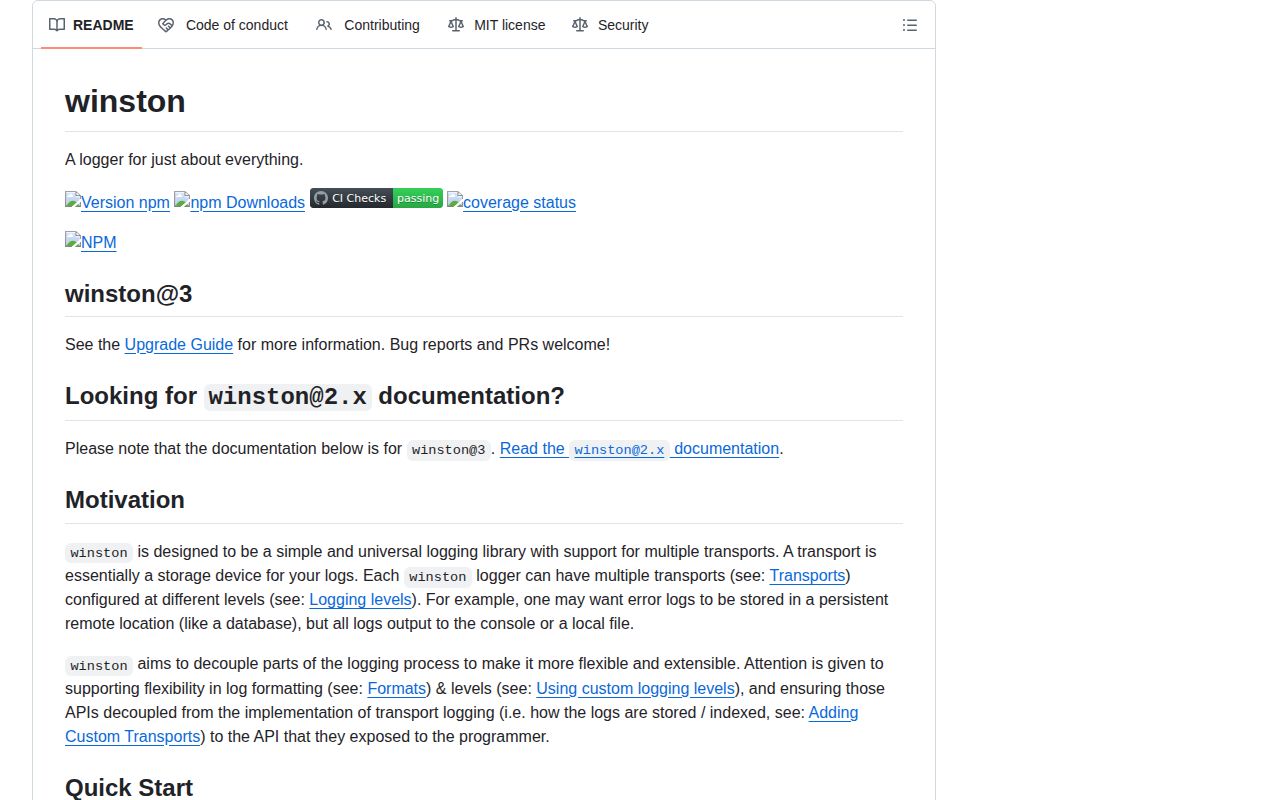
Winston 3.19.0 is a Node logger built around mutable info objects, ordered format transforms, and output transports. One logger can write JSON to stdout, route errors to a file, and send selected records to a remote backend with different levels and formats. It also supports child metadata, custom levels, process exception handlers, timers, and third-party transports. Version 3.19.0 makes File transport emit finish only after buffered data drains and preserves Error.cause through child loggers. Our browser bundle failed, matching the library's Node-specific files, streams, and process handling.
Winston 3.19.0 installed in 1.4 seconds and left 29 packages using 4 MB on our box, with 0 audit findings, and its browser build failed. Install it when in-process multi-transport routing is a requirement; choose Pino for stdout-first JSON services and write a tested redaction format before any sensitive metadata reaches Winston.
We installed it
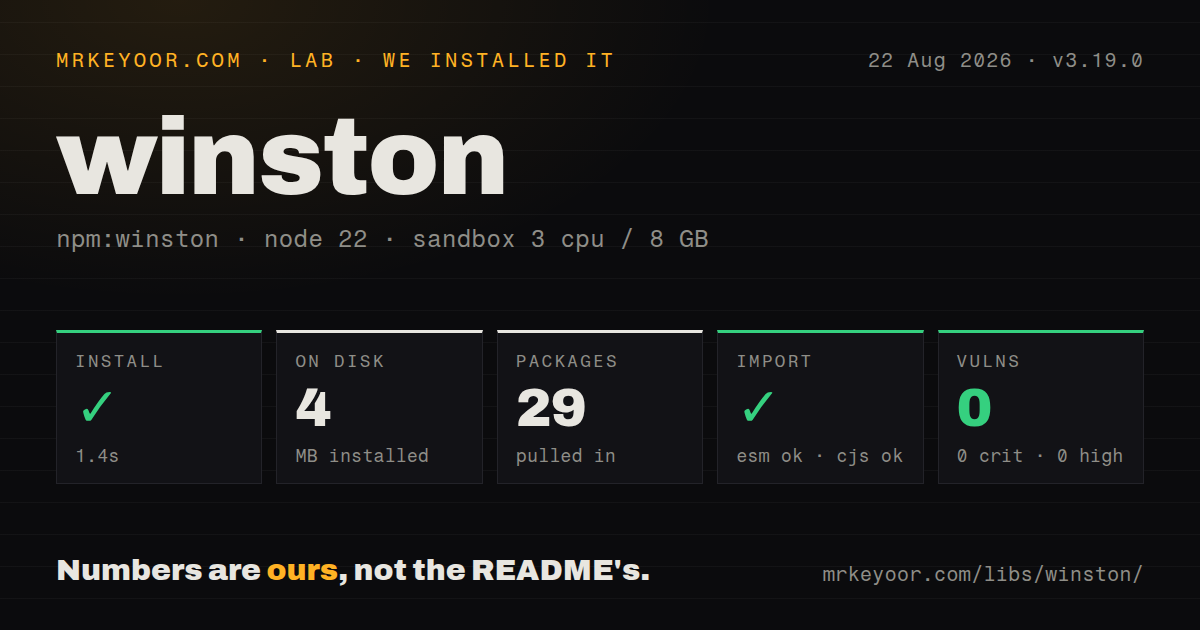
| Install | ✓ · 1.4s | 29 packages on disk · 4 MB |
| Import | ✓ | ESM import works · require() works · CommonJS package |
| Browser | n/a | could not be bundled for the browser (Node-only code, most likely) |
| Types | ✓ | TypeScript types bundled |
| Known vulns | 0 | 0 critical · 0 high · 0 moderate · 0 low (npm audit) |
Answers from our run
Does winston install cleanly?
Yes. In a fresh container with an empty cache, npm install winston finished in 1 seconds, leaving 29 packages and 4 MB on disk. npm audit reported no known vulnerabilities.
Can winston run in a browser?
Not directly: esbuild could not bundle it for the browser in our run, which normally means it depends on Node built-ins. Use it on the server, or find a browser-targeted alternative.
Does winston work with both ESM and CommonJS?
Yes. Both import 'winston' and require('winston') worked in Node 22 in our run. The package is published as CommonJS.
Does winston include TypeScript types?
Yes, type declarations ship inside the package, so no @types install is needed.
winston or pino: which should you use?
pino: Use it when the core job is low-overhead JSON to stdout and processing can move outside the request path. Winston 3.19.0 installed in 1.4 seconds and left 29 packages using 4 MB on our box, with 0 audit findings, and its browser build failed.
When should you not use winston?
The service only emits newline-delimited JSON to stdout; Winston installed 29 packages for routing and formatting that such a process may never use
Use it if
- A Node process needs several log destinations with independent thresholds or representations
- Existing code and vendor integrations already implement the winston-transport contract
- Uncaught exceptions and unhandled rejections need dedicated transports plus an explicit exit policy
- Log records must be transformed, filtered, colorized, or serialized before each destination receives them
- The service only emits newline-delimited JSON to stdout; Winston installed 29 packages for routing and formatting that such a process may never use
- Any logger code enters a browser bundle; our esbuild browser attempt failed on the Node-oriented package
- Built-in path redaction is required; Winston has no field-path option and expects a custom format to remove secrets
- The application subclasses Logger and depends on child(); the README warns that this combination can bind this incorrectly
- Every log call needs an awaitable delivery receipt; Winston's documented completion signal ends and flushes the whole logger
Setup reality
We installed Winston 3.19.0 in our fresh Node 22 sandbox in 1.4 seconds. It left 29 packages using 4 MB, while npm audit found 0 known vulnerabilities. Winston's package is 396 KB unpacked with 11 direct dependencies, 0 peers, bundled TypeScript declarations, and an MIT license. The engines field accepts Node 12 or newer. The disk footprint is modest, but the 29-package tree is material for a service that only needs console JSON.
Winston is CommonJS with no exports map. require() and ESM import both worked on our box. The browser-targeted esbuild run failed, so keep logger modules out of client entry points. Create an application logger with at least 1 transport. The shared default logger begins with none, and the README warns that logging to it without transports can increase memory usage. Rotation is not built into the File transport; install and configure a separate transport such as winston-daily-rotate-file.
Formats execute in order and can mutate or reject the same info object. splat must precede the formatter that renders placeholders. colorize must run before the output it should color. json, simple, or printf normally finalizes the record. Returning false drops it. Winston has no built-in nested path redactor, so write a format before JSON serialization and test representative metadata, Errors, arrays, and nested request objects. Redacting only top-level password and token fields is rarely enough.
Transports buffer, especially files and network sinks. During shutdown, call logger.end() and wait for finish rather than calling process.exit immediately. Version 3.19.0 fixes File so finish follows drained data, which makes that event usable for process shutdown. exceptionHandlers exit by default unless exitOnError is false or a predicate says otherwise. A process corrupted by an uncaught exception is usually safer to flush and restart; logging it does not make continued execution correct.
Patterns
Write structured logs to stdout create-json-logger
const winston = require('winston');
const logger = winston.createLogger({
  level: 'info', defaultMeta: { service: 'orders-api' },
  format: winston.format.combine(winston.format.timestamp(), winston.format.json()),
  transports: [new winston.transports.Console()]
});
Create 1 application logger with a transport; Winston's shared default logger starts with 0 transports.
Give a file its own threshold route-error-file
const logger = winston.createLogger({ transports: [
  new winston.transports.Console({ level: 'info' }),
  new winston.transports.File({ filename: 'errors.log', level: 'error', format: winston.format.json() })
] });
Both logger and transport thresholds apply; the stricter effective level decides whether the file receives a record.
Build a readable console line format-console
const consoleFormat = winston.format.combine(
  winston.format.colorize(), winston.format.timestamp(),
  winston.format.printf(({ timestamp, level, message }) => `${timestamp} ${level} ${message}`)
);
Formats mutate 1 info object in order, so colorize must precede the formatter whose text should contain colors.
Enable printf placeholders interpolate-message
const logger = winston.createLogger({
  format: winston.format.combine(winston.format.splat(), winston.format.simple()),
  transports: [new winston.transports.Console()]
});
logger.info('imported %d rows from %s', 4210, 'orders.csv');
Without format.splat before simple, the 2 placeholders remain literal text.
Create a request child logger bind-request-meta
function requestLogger(requestId) { return logger.child({ requestId }); }
requestLogger('req-451').warn('slow query', { elapsedMs: 812 });
Version 3.19.0 preserves Error.cause through child loggers; Logger subclasses still carry a documented child() warning.
Drop records marked private filter-record
const dropPrivate = winston.format(info => info.private === true ? false : info);
const format = winston.format.combine(dropPrivate(), winston.format.json());
Returning false prevents every later format and transport using this pipeline from seeing the record.
Redact before JSON serialization redact-meta
const redact = winston.format(info => {
  const copy = { ...info };
  if ('token' in copy) copy.token = '[redacted]';
  return copy;
});
const format = winston.format.combine(redact(), winston.format.json());
This removes 1 top-level key only; nested credentials require a deliberate recursive or path-based policy.
Define domain-specific levels custom-levels
const levels = { fatal: 0, error: 1, warn: 2, info: 3, audit: 4 };
const logger = winston.createLogger({ levels, level: 'audit', transports: [new winston.transports.Console()] });
logger.audit('role changed', { userId: 42 });
Lower numbers mean greater severity, and Winston creates a method for each configured level.
Route uncaught process failures handle-process-errors
const logger = winston.createLogger({
  transports: [new winston.transports.Console()],
  exceptionHandlers: [new winston.transports.File({ filename: 'exceptions.log' })],
  rejectionHandlers: [new winston.transports.File({ filename: 'rejections.log' })],
  exitOnError: true
});
Handled uncaught exceptions exit by default; choose the exit policy instead of inheriting it accidentally.
Wait for buffered transports flush-shutdown
await new Promise((resolve, reject) => {
  logger.once('finish', resolve);
  logger.once('error', reject);
  logger.end();
});
Version 3.19.0 makes File finish wait for drained data; process.exit before this promise can lose records.
Add a separate rotation transport rotate-files
const DailyRotateFile = require('winston-daily-rotate-file');
logger.add(new DailyRotateFile({
  filename: 'application-%DATE%.log', datePattern: 'YYYY-MM-DD', maxFiles: '14d', zippedArchive: true
}));
winston-daily-rotate-file is another install; test its error event and 14-day retention on the target filesystem.
Record elapsed operation time time-operation
const timer = logger.startTimer();
try { await rebuildIndex(); timer.done({ message: 'index rebuilt' }); }
catch (error) { timer.done({ message: 'index failed', level: 'error', error }); throw error; }
done emits a normal log record with duration metadata, so its configured level and transports still apply.
Alternatives
| Package | Registry | Pick it when |
|---|---|---|
| pino | npm | Use it when the core job is low-overhead JSON to stdout and processing can move outside the request path |
| consola | npm | Use it for readable CLI and development logs with a smaller reporter model |
| loglevel | npm | Use it for a compact leveled logger that can also run in browser code |
More infra guides
semver · boto3 · opentelemetry-api · @opentelemetry/api · psutil · distro · the whole shelf →
How this guide is made: grounded in the library's documentation, release notes, changelog, and issue history, on a fixed rubric — not a hands-on install of every release. The 50 most-downloaded entries are additionally install-verified in clean containers. Corrections: contact the desk.