Choose the desktop download before choosing a source checkout
Open Zed's README and the first practical choice is a desktop download for macOS, Linux, or Windows. Take that route if you want to edit code. Our source checkout pulled 1,613 packages and never finished its build within the sandbox limit. Maintaining a fork asks considerably more of you than trying the packaged editor. Start with the download unless changing Zed itself is part of your job.
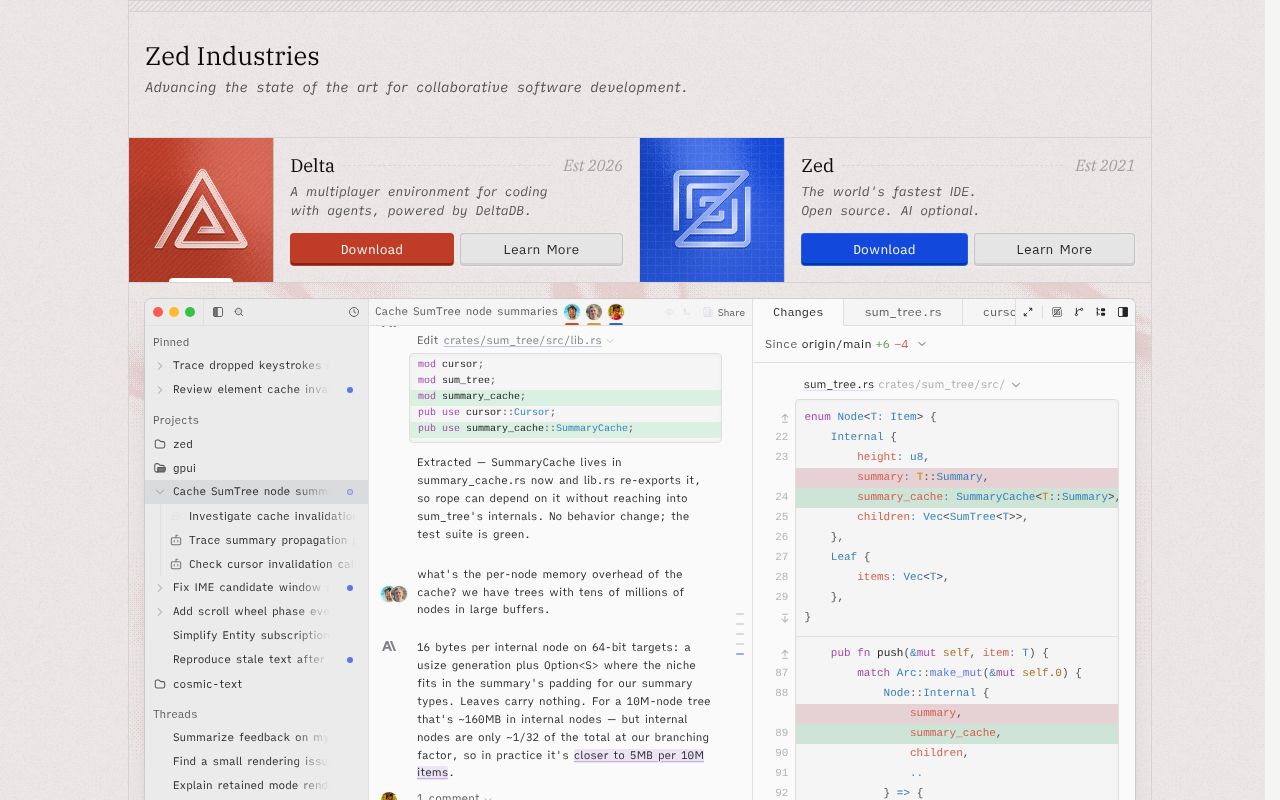
Zed's useful pitch is shared editing inside the editor you already work in. Its collaboration documentation describes simultaneous changes, visible cursors, shared projects, and voice chat. A teammate can work beside you without making screen sharing the whole session. The account requirement matters, though, and sharing grants collaborators access to the local filesystem within that project. Choose the shared folder as carefully as you choose the person joining it.
What happened when we ran it
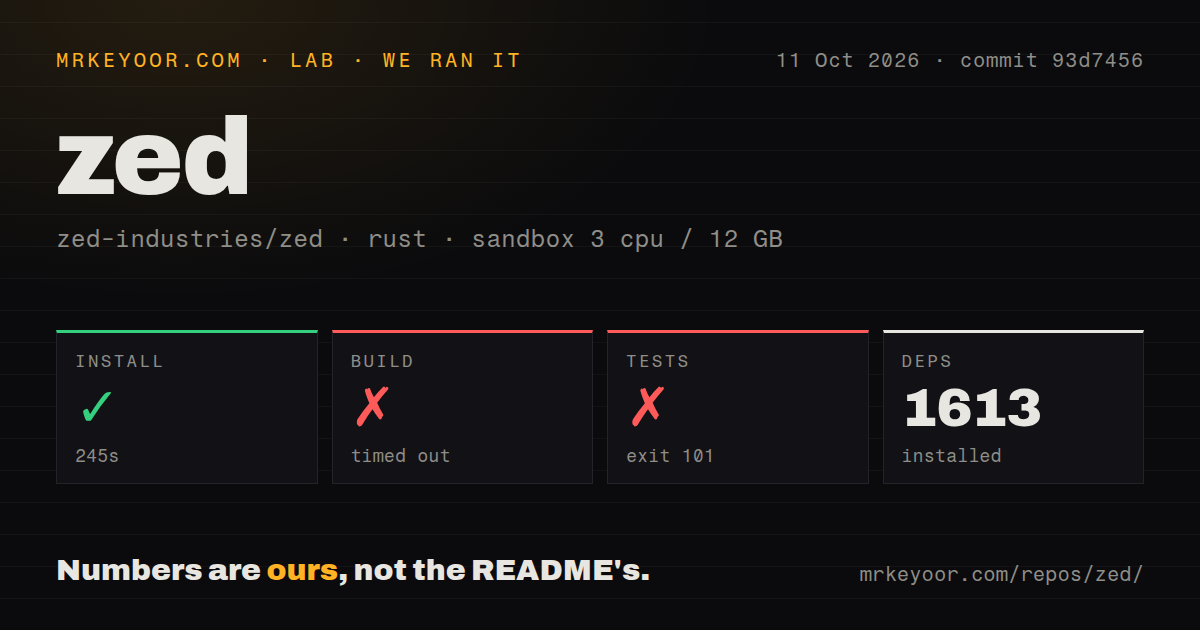
Our run installed Zed's dependencies in 245 seconds, adding 1,613 packages, but the build timed out after 900 seconds. We cloned commit 93d7456 on October 11, 2026, into a fresh, unprivileged Debian container with 3 CPUs and 12 GB of RAM, using lab-rust:1. The container held no secrets. Those conditions describe a source-build attempt, not a measured desktop launch or an editor responsiveness comparison.
The test command failed after 578 seconds with exit code 101. Its log tail shows CXX include paths under the webrtc-sys build output, followed by cc-rs reporting that a C++ compiler command exited with status 1. Cargo then warned that the build had failed while other jobs were still finishing. No underlying compiler diagnostic survives in the supplied tail. It doesn't identify a missing package, a memory shortage, or a failing assertion.
The checkout contained 4,097 files, roughly 1,774,380 source lines, and occupied 89 MB. Our scan found 48 CI workflow files and a compose file, but no Dockerfile or tests directory. Absence of a directory named tests doesn't establish absence of testing in a Rust workspace. The recorded result is narrower: dependency installation worked, the build exceeded its cap, and the test command failed during native compilation. We cannot give you a passing test count.
Linux support still depends on your graphics stack
Zed's Linux platform guidance calls for a Vulkan-compatible GPU and system-wide glibc for its distributed binaries. That is worth checking before moving your daily workspace. The 12 GB available in our sandbox says nothing about graphics compatibility. A remote shell, an older enterprise distribution, and a desktop with supported drivers pose different questions even when all of them can run Rust tools.
The Linux source guide tells contributors to install rustup and run the system-library helper, then use Cargo. The root README links to that guide rather than listing the platform packages itself. Follow the linked instructions before treating a successful dependency download as a ready development environment. Our 245-second install was only the completed first step, and the supplied log cannot tell us whether a different package set would fix the later compiler failure.
Collaboration needs sign-in, and AI needs a model connection
Zed's collaboration access rules require sign-in and warn about project filesystem access. That makes it a sensible choice for trusted pairing, while giving security teams a concrete boundary to review. The sandbox had 3 CPUs and no secrets, so it provides no evidence about authenticated collaboration, call quality, or shared editing under real network conditions. Those features need a separate trial with your actual team.
The AI configuration routes include hosted models, provider API keys, supported subscriptions, gateways, and local models. Zed's own agent can use MCP servers, and external agents run through their own processes and configuration. You can turn AI off. Choose a provider and its data boundary deliberately if you enable it. Our 1,613-package install doesn't verify a model connection or tell you whether generated edits deserve acceptance.
The browser version is unavailable, and licensing is mixed
The README explicitly lists web support as unavailable. If your workstation is a locked-down browser session, Zed's desktop focus is a reason to walk away today. Its licensing also deserves a direct reading: the source is primarily GPL-3.0-or-later, with Apache-2.0 components where marked. A company planning to distribute a modified editor should review those component licenses rather than interpret GitHub's generic license classification as permission to do anything.
The 900-second timeout matters most to contributors, packagers, and teams carrying patches. For ordinary editing, I'd start with the official download and check the language tooling your project requires. Choose VS Code when your workflow already depends on its extensions. Helix fits terminal users who want modal editing with built-in language-server support. Neovim makes more sense when existing Vim plugins and scriptable configuration are central to your work.
October activity shows maintenance, while source setup remains demanding
Zed's last push was October 11, 2026, and GitHub showed 91,599 stars with 3,027 open issues and PRs. Recent activity includes an October 11 report about the project panel staying closed for new SSH remote projects. The report names the affected workflow, so it is more useful than treating the combined queue as a bug count. Release v1.23.2, published October 7, added JSONL table previews and fixed several editing and agent defects.
That activity earns Zed a desktop trial for developers who want shared editing and integrated agent work. It doesn't erase the 578-second failed test command or make a private fork cheap to maintain. Before adopting a fork, get a complete build on your intended machine and resolve the native compiler failure there. Before switching editors, pair on one real project and check its language tooling. Those are separate decisions, and each needs its own evidence.