Choose Neovim when you want to own the editor's behavior
Open Neovim's configuration and you're deciding how your editor works: which commands you use, which plugins run, and how code navigation behaves. The README describes a Vim fork built around extensibility, with an embedded terminal, asynchronous jobs, and APIs that other programs can call. That makes it attractive if you already think in Vim commands and want your working environment to follow your habits. Expect to make those choices yourself.
Our checkout contained 3,908 files, roughly 387,165 lines of source, and occupied 61.7 MB. Those figures describe the repository, including its runtime and documentation, rather than the space an installed editor needs. Neovim is a substantial project to contribute to, even if your daily interaction is a terminal window and a configuration file. The distinction matters when deciding whether to download a released editor or work directly on its source.
What happened when we ran it
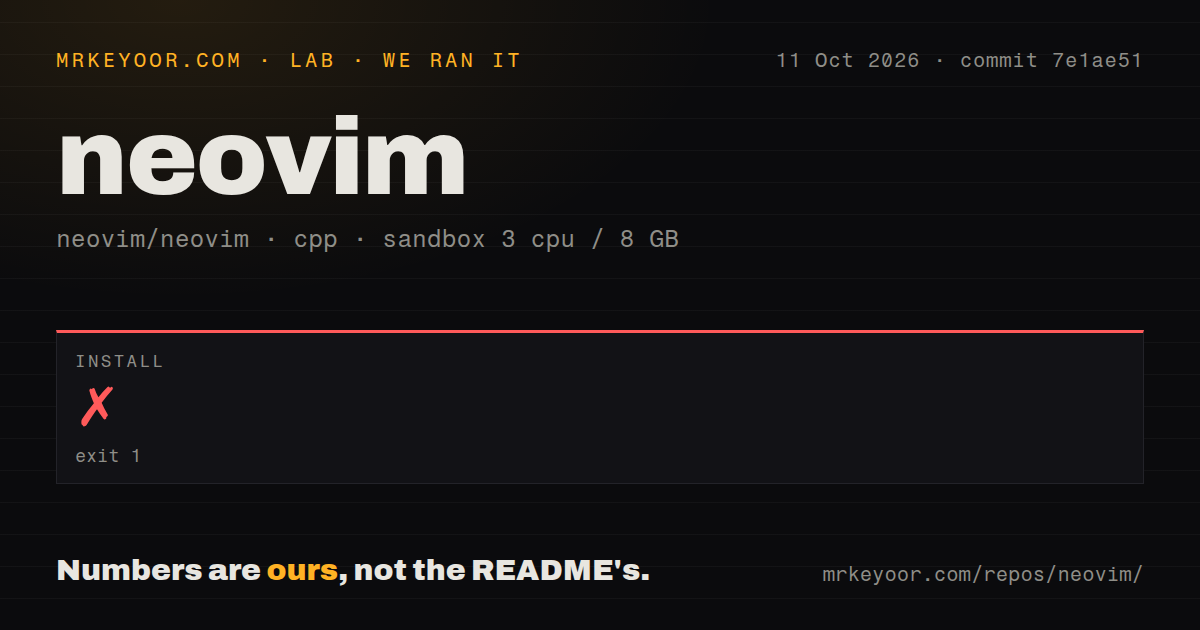
Our Neovim install failed with exit code 1 after 3 seconds at commit 7e1ae51. CMake reported that it could not find a Lua 5.1-compatible interpreter, then stopped with configuration incomplete. The log points to CMakeLists.txt:195 and the CMake output file. It also shows GNU Make was found and the requested build type was Release. The concrete blocker was interpreter discovery. The log doesn't establish why that discovery failed or which remedy would succeed.
We cloned and ran the project on October 11, 2026, in a fresh Debian sandbox with 3 CPUs and 8 GB of RAM, using image lab-cpp:1. The container had no secrets or elevated privileges. Our scan found 24 CI workflow files and a tests directory, with no Dockerfile. The supplied measurements contain no successful build or test result. These findings support a narrow conclusion: this source-install attempt stopped during configuration, before we could assess the editor in use.
Released packages avoid the source-build route we tried
The README points ordinary users toward prebuilt Windows, macOS, and Linux packages, alongside distribution package managers. Its source instructions explicitly start after dependencies are installed and link to BUILD.md. That is fair documentation, though copying the short Make commands alone isn't a complete setup procedure. For someone who wants an editor rather than a development checkout, I'd start with a stable package. Our failed source attempt gives no evidence that those packages fail.
A Lua 5.1-compatible interpreter was the requirement CMake couldn't resolve in our run. Installing the editor and configuring its behavior are separate jobs, and adding plugins introduces further requirements of their own. Basic local editing doesn't need a hosted account or API key. The migration docs point out that Python providers and clipboard features may need extra software. Keep those additions deliberate: a configuration copied from someone else's machine can depend on programs you haven't installed. Neovim's migration guide names those boundaries.
Code navigation needs language servers you supply
Neovim includes an LSP client, which lets the editor ask a separate language server for definitions, references, completion, and other code information. The LSP quick start tells you to obtain those servers separately, define their configuration, and enable it with vim.lsp.enable(). This is useful control if your projects need different server commands or settings. It's a poor fit if you expect opening a file to produce a fully configured development environment without further decisions.
The 3-second install failure tells us nothing about completion responsiveness or language-server reliability. We didn't reach an editor session through the measured path. Judge the documented architecture on its own terms: you own the server choice and the rules for attaching it to a project. Before moving your daily work, try the navigation and formatting you actually depend on in a representative repository. A working editor executable won't settle whether your chosen server understands that repository correctly.
Vim compatibility has exceptions, and maintenance is current
The README promises compatibility with most Vim plugins. The migration guide is more specific: you can load an existing Vim configuration, but it may need changes. It names the removed ttymouse option as an example and shows how to guard settings for each editor. Neovim also follows XDG directory conventions, with different configuration locations on Windows. If a shared Vim setup must behave identically everywhere, staying with Vim avoids introducing these documented differences.
Neovim's 24 CI workflow files show automated-check infrastructure exists, though they don't substitute for a passing result from our sandbox. The last push was October 12, 2026, and issue and PR discussions were updated that day. GitHub listed 1,963 open issues and PRs combined. Release v0.12.6 was published on October 9. Together, the push date and discussion activity show current maintenance. Read the release instructions and breaking-change notes before upgrading a configuration you rely on.
Pick your editor by the configuration work you want
Helix is worth considering if you want a terminal modal editor centered on multiple selections, with language-server support and Tree-sitter editing built in. Its selection model is a reason to try it before transferring Vim habits. VS Code suits someone who prefers graphical controls, integrated debugging, and extensions. They assign different work to the editor and its user, which is the practical decision here.
Our source attempt ended at the Lua 5.1 interpreter check, so I wouldn't choose that route merely to start editing. Neovim earns a place on your shortlist when you want to shape commands and language tooling around your own workflow. Start with a released package and a small configuration, then add what a real task requires. If maintaining those choices feels like another project you don't want, choose the editor that already behaves closer to what you need.