The MIT repository gives you an editor core to change
Cloning microsoft/vscode gets you Code - OSS, the MIT-licensed source behind Visual Studio Code. Microsoft's downloadable editor adds its own customizations and uses a separate product license. That distinction matters before you choose a distribution: being allowed to change the source doesn't give your fork all the services attached to Microsoft's download. The project README makes the separation explicit.
Our checkout contained 20,338 files and occupied 296.7 MB before installation. There's a substantial editor here, with navigation, debugging, and built-in language extensions. The README gives a useful example: json handles coloring, while json-language-features supplies richer language support. That separation gives contributors a place to look for a specific behavior without assuming every language feature lives in the editor core.
What happened when we ran it
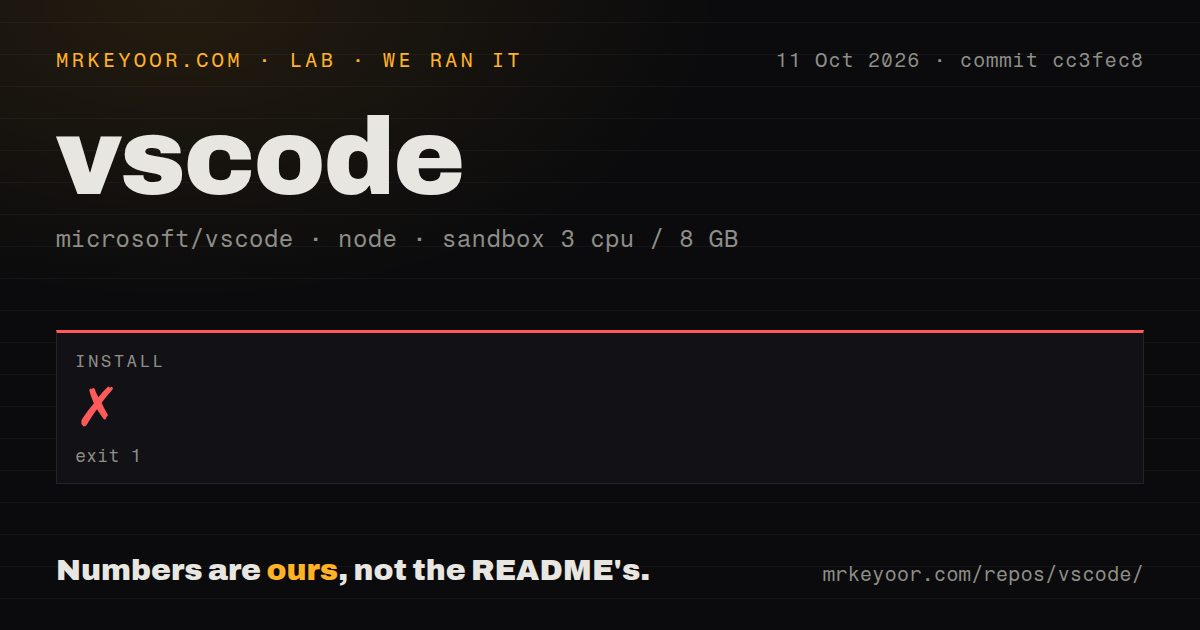
Our npm install of commit cc3fec8 failed with exit code 1 after 271 seconds on October 11, 2026. We ran it in a fresh Debian sandbox with 3 CPUs, 8 GB of RAM, no secrets, and no elevated privileges. The failing step was node-gyp rebuild inside /work/repo/node_modules/native-keymap, version 3.3.9. Installation never reached a successful completion, so this run leaves build and test status unverified.
The log reports Node v24.19.0 and node-gyp v12.4.0, although the sandbox image was labeled lab-node:22. It ends with a configure-stage stack trace and gyp ERR! not ok. Those lines identify the failing native package and the actual runtime. They don't identify the underlying error. The supplied tail doesn't show which prerequisite or configuration check failed. Resolving this needs the earlier error text before choosing a fix.
Source development requires native tools beyond npm
The contributor guide calls for Python and a C/C++ toolchain alongside Git and Node. Its Debian instructions name X11, keyboard-file, secret-storage, and Kerberos development libraries. The top-level README sends contributors to that guide instead of spelling out those prerequisites. Follow that link before treating the repository like a JavaScript app whose entire setup lives in a package manifest.
Use the checkout's .nvmrc to choose Node, and read the instructions for your operating system. Our 3-CPU, 8 GB sandbox is a specific environment, not a promise about your workstation. The README offers Dev Containers and Codespaces routes for source development, but we didn't measure either route. A team adopting the core should assign someone to maintain that development environment alongside its editor changes.
A fork cannot assume access to Microsoft's Marketplace
Microsoft's FAQ says alternative products built from Code - OSS aren't permitted to access the Visual Studio Marketplace. Extension licenses also vary, including proprietary licenses for Remote Development extensions. That's a concrete reason to stop before replacing an organization's official VS Code distribution with a fork. An MIT license on the editor core doesn't settle where you obtain extensions or whether you may use them.
For someone who wants an editor rather than a source-development job, our 271-second failed install makes community binaries worth considering. VSCodium distributes builds without Microsoft's branding and telemetry configuration. It uses Open VSX and warns that some extensions are restricted to official VS Code builds. Check your required extensions there before switching. Keeping familiar editor behavior is useful only if your debugger and language tools can come with you.
Turning off editor telemetry leaves extensions to review
Microsoft documents telemetry.telemetryLevel set to off as the way to disable the packaged editor's telemetry. The FAQ also says extensions can collect usage data independently of that setting. For a company with strict data rules, checking this switch is only part of approval. Review the extensions you permit and their reporting controls, particularly when the editor connects to remote development or AI services.
The roughly 4,599,429 source lines in our checkout don't make every connected service open source. Microsoft's FAQ says the Copilot backend remains closed source even as related editor code becomes available. Core editing requires no sign-in, while Copilot service access requires an account and plan access. Decide whether you need local editing, hosted assistance, or a modified editor core before taking on the repository's maintenance burden.
October activity shows maintenance, with specific defects still open
The repository was pushed on October 12, 2026, and release 1.141.0 was published on October 7. GitHub listed 193,594 stars and 21,710 open issues and PRs. Recent activity includes a proposed Git fix for syncing after an upstream branch disappears. Those dated changes support a judgment of active maintenance, though the combined queue count tells you little about any particular bug's severity.
Our scan found 15 CI workflow files and a tests directory, but no Dockerfile. Those are repository signals, not passing results from our sandbox. Meanwhile, open issue 340985 reports Linux agent-host watches exhausting inotify when .claude/worktrees contains dependency trees, despite workspace exclusions. It's a reporter's finding, which we didn't reproduce. Teams using that exact layout should investigate it before adopting the agent-host workflow.
Neovim and Zed offer different editing workflows
Neovim is the alternative I'd consider for a terminal-centered workflow, with Vim plugin compatibility and APIs for customization. Zed targets a graphical editor with multiplayer work. Neither choice preserves the VS Code extension collection automatically. Choose between them by how you edit and collaborate, then check the language tooling you actually need, rather than treating editor popularity as compatibility evidence.
Before taking ownership of a 20,338-file editor, write down the change that requires a fork. If an extension can supply it, start there. If you need to alter the workbench itself, Code - OSS gives you the source and contributor guidance, but budget for resolving the native setup failure we encountered. For ordinary project work, choose a packaged distribution and spend your development time on your own code.