The server can act anywhere your Windows user can
Windows-MCP gives an MCP client a working set of desktop actions. It can click, type, scroll, drag, press shortcuts, launch applications, inspect UI elements, take screenshots, run PowerShell, manipulate files, terminate processes, read the clipboard, and edit the Registry. That range is the reason to choose it over a browser-only server. It is also the reason to treat installation as granting keyboard access to the machine.
The project uses Windows UI Automation rather than requiring a vision-specific model. A client can request a quick screenshot or a fuller Snapshot with element identifiers and scrollable regions. Browser DOM mode filters out browser chrome in Chrome and Edge, with an IAccessible2 fallback for Firefox. The approach gives models named controls where applications expose them, while vision remains optional for interfaces whose accessibility data is thin.
All tools are enabled until you narrow the list
The default tool set includes PowerShell, Registry, Process, FileSystem, and Clipboard. The README warns that Windows-MCP has full system access and can perform irreversible operations. For local stdio use, keep the client and server under the same Windows account. Remote access supports bearer authentication, IP allowlists, TLS, OAuth 2.0 with PKCE, host-header checks, and an explicit CORS origin list.
The server accepts a whitelist such as Screenshot, Click, and Snapshot, or an exclusion list that removes PowerShell and Registry. A visible control indicator and physical-input takeover help a person interrupt desktop actions after 10 seconds of inactivity, but the README calls that best effort. It does not cancel a PowerShell process already running or undo an earlier side effect.
What happened when we ran it
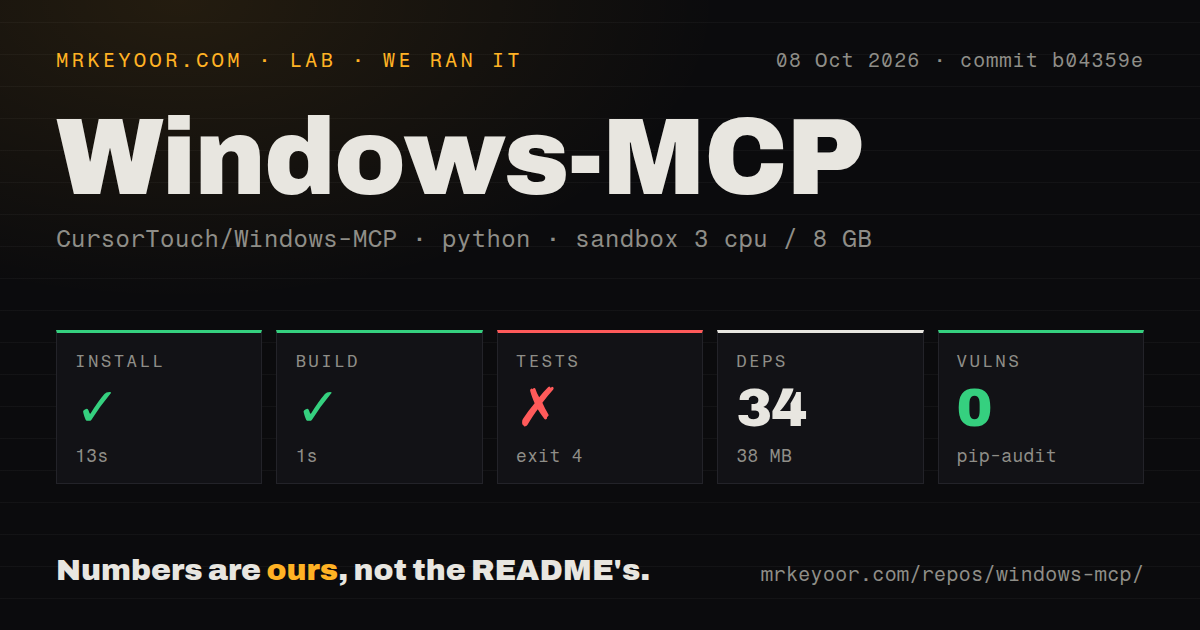
Our sandbox installed 34 packages in 13 seconds and used 38 MB on disk. The checkout at commit b04359e contained 163 files, about 38,934 source lines, and occupied 3.2 MB. It ran in a fresh unprivileged Debian container with 3 CPUs, 8 GB of RAM, Python 3.12, and no secrets. Pip-audit reported 0 known vulnerabilities.
The build completed in 1 second. The test command failed after 1 second with exit code 4, before pytest could run the suite. The final log says tests/conftest.py imported types from windows_mcp.tree.views, then raised ModuleNotFoundError: No module named 'windows_mcp'. The log does not say why the package was unavailable, so blaming packaging, the container, or Python 3.12 would go beyond the evidence.
This run did not exercise Windows UI Automation because the supplied lab was Debian. It measured installation, the build step, dependency audit, and failed test collection. It did not measure click accuracy, screenshot latency, or behavior on Windows 7 through 11. The repository has 2 CI workflow files and a tests directory, but commit b04359e did not give our fresh container a runnable test suite.
Store-packaged Claude needs manual executable paths
The easiest documented path is uvx windows-mcp serve, followed by an MCP client entry. The README includes configurations for Claude Desktop, Claude Code, Codex CLI, Gemini CLI, Perplexity Desktop, Qwen Code, and Autohand Code. WSL clients must cross back into Windows with powershell.exe because Linux cannot provide the Windows APIs.
Claude Desktop installed from the Microsoft Store is a special case. MSIX virtualizes application data, and its Electron process may not inherit the normal system path. Automatic directory installation can point at a location that does not exist. The workaround uses uv and an absolute path such as the user's .local\bin\windows-mcp.exe or uvx.exe. Open issue 370 records the same failure mode.
The README lists Windows 7 through 11 while requiring Python 3.13 or newer. Open issue 407 says Python 3.13 cannot run on Windows 7 and asks whether that operating system is still supported. Until that conflict is resolved, Windows 7 is not a dependable target.
Accessibility trees help until one application blocks the walk
Snapshot and WaitFor can traverse UI Automation trees across top-level windows. Some applications expose accessibility providers that become slow or unresponsive. The project lets you name processes such as Code.exe or Cursor.exe in WINDOWS_MCP_EXCLUDE_PROCESSES, preventing traversal before any UI Automation call enters those windows. The README calls this a mitigation rather than a complete fix.
That setting grew from a concrete risk: open issue 383 reports an Electron accessibility walk hanging VS Code while it hosted the MCP client. Excluding the host protects known applications, but an unlisted window can still stall capture. Screenshot mode skips the UI tree and is the better first call when the agent mainly needs pixels. Open issue 453 reports misleading window metadata and coordinate guidance on that fast path in v0.8.7.
Windows-MCP also admits several limits. It cannot select a precise subsection of paragraph text through the accessibility tree, its Type tool is not meant for programming inside an IDE, and it is not intended for games. English is the preferred Windows display language; the README advises disabling the App tool on other languages.
Version 0.8.7 is active, with desktop-specific bugs still open
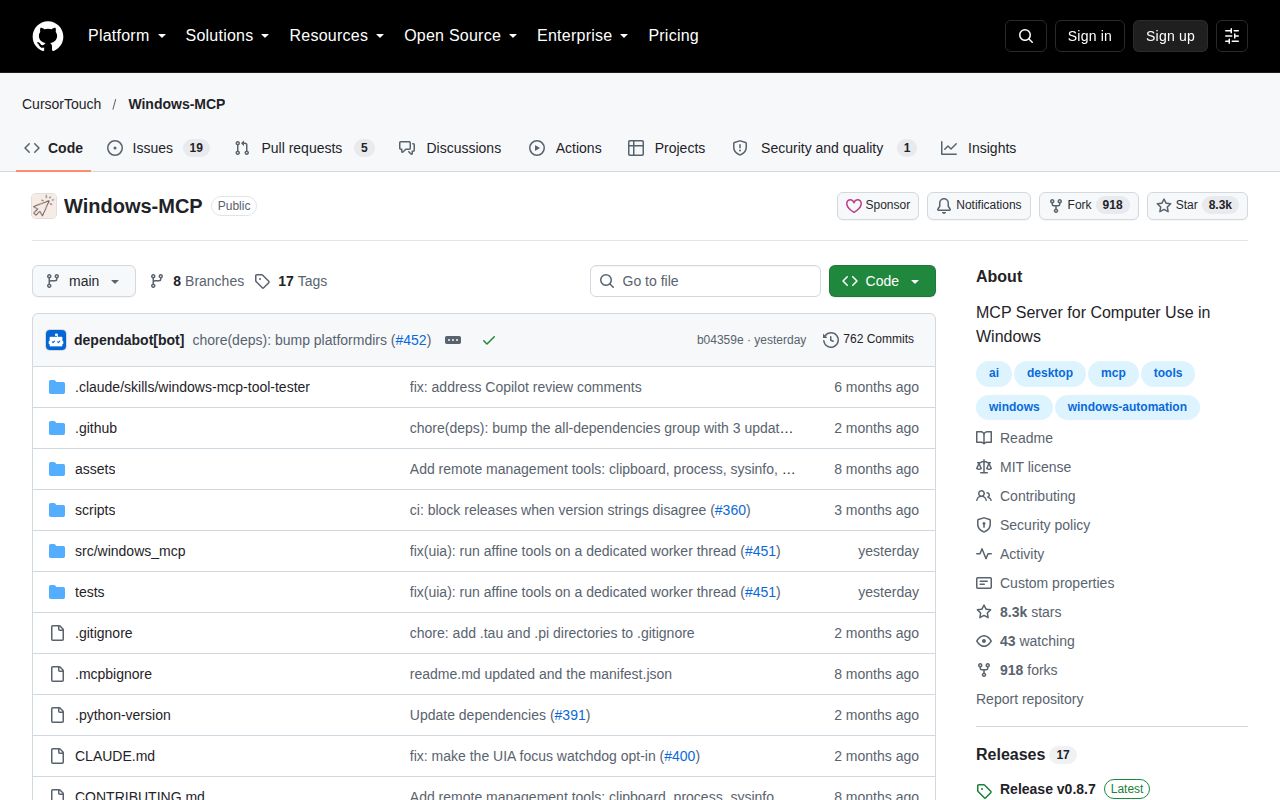
GitHub showed 8,269 stars and 24 open issues and pull requests on October 8, 2026. The API list split that queue into 19 issues and 5 pull requests. The last push landed October 7, and v0.8.7 arrived September 30 with fixes for repeated accessibility ancestors, foreground-window verification, malformed coordinates, and dependencies.
The project is a credible choice when an agent needs native Windows applications and a person can supervise. Start with stdio, whitelist only the tools required, and keep destructive tools out unless the job demands them. Our failed collection run means teams should reproduce the suite in their supported Windows environment before making it a release gate.