The catalog turns a vague prompt into a specific design brief
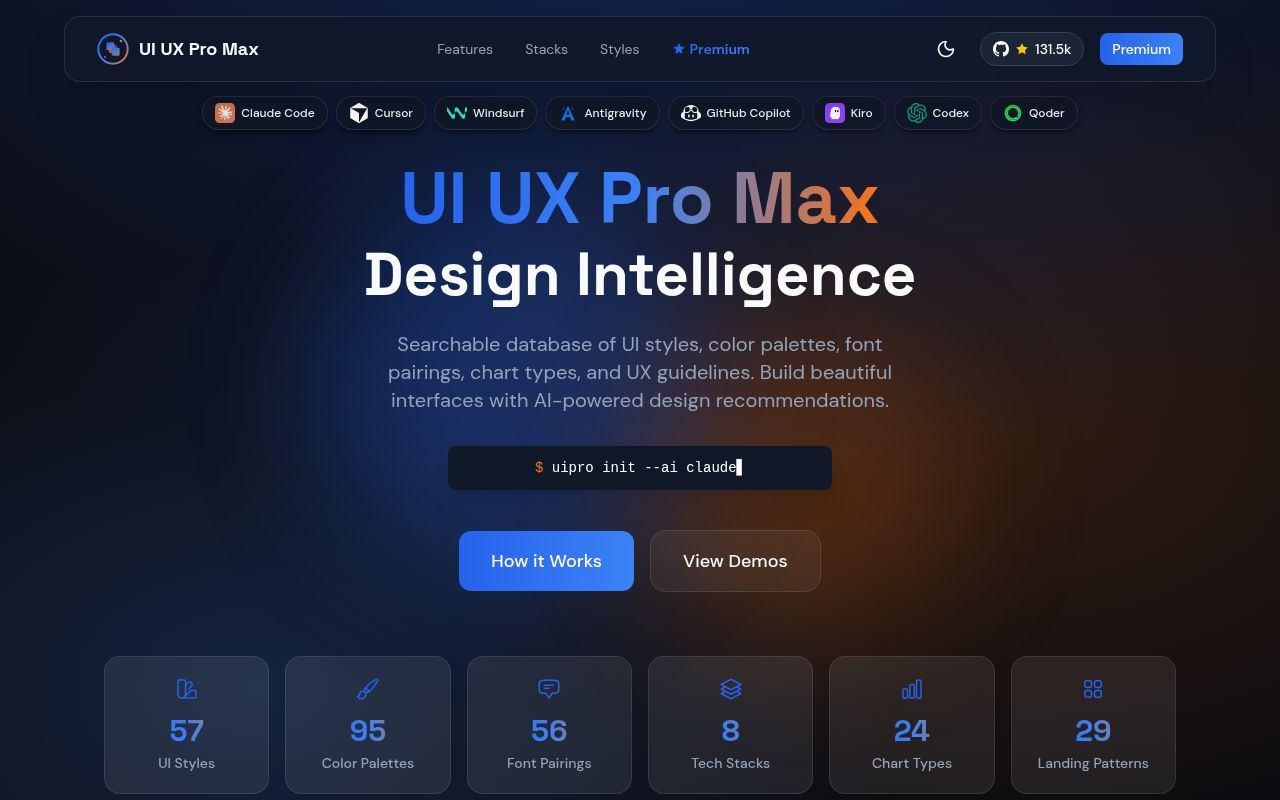
UI UX Pro Max gives a coding agent named choices before it starts drawing boxes. Its catalog has 192 product types, 79 searchable styles with 50 active by default, 192 palettes, 74 font pairings, and 34 landing-page patterns. A generated brief can specify page structure, color roles, typography, interaction ideas, patterns to avoid, and a delivery checklist. That is much more useful than asking an agent to make a dashboard look professional.
The search layer uses BM25 ranking rather than placing the entire catalog into every prompt. It includes 119 UX guidelines and advice for 22 stacks, including React, Next.js, Vue, Svelte, SwiftUI, Flutter, JavaFX, and WPF. Teams can persist a MASTER.md design system with page overrides, giving later agent sessions a stable source instead of a newly invented palette for each screen.
What happened when we ran it
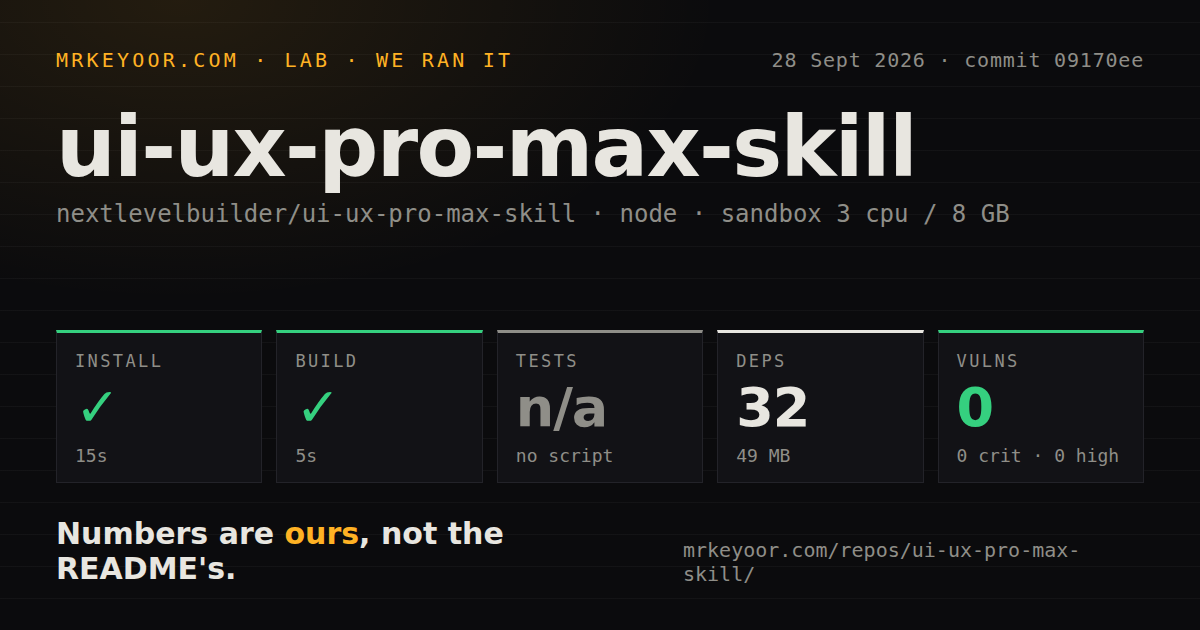
Our sandbox tested commit 09170ee inside the repository's cli/ directory. Bun installed 32 packages in 15 seconds, and the result occupied 49 MB. The build completed in 5 seconds. npm audit found 0 known vulnerabilities. The container had 3 CPUs, 8 GB of RAM, Node 22, no secrets, and no elevated privileges. We measured repository setup only. We did not score an interface generated from its advice.
No test script or target was available to the lab, so the test step was skipped. The repository contains a tests directory and 6 CI workflow files. The README also lists contributor commands for data verification, type checks, asset synchronization, and CLI smoke work. Those are useful project signals. Our path still ended with a passing install and build, plus no runnable package test target.
The checkout held 681 files, about 45,298 lines of source, and used 21.8 MB before installation. There was no Dockerfile, which fits a skill installer rather than a hosted service. The 49 MB installed footprint is modest for a developer tool, and the clean audit removes one obvious objection. Teams that require one standard verification command in every JavaScript package will still have to define their own test gate.
Python performs the search after Bun installs the CLI
The Node/Bun installer exposes a command named uipro from the ui-ux-pro-max-cli package. It can place files for Claude Code, Codex, Cursor, Windsurf, Gemini CLI, GitHub Copilot, and other assistants. Local and global installs are supported, as are dry-run, offline, update, and uninstall commands. The README warns that the old uipro-cli package is stale, so a package-name mistake can leave you with commands that differ from the current docs.
Catalog search and design-system generation use Python 3 after installation. The scripts depend only on the standard library and make no network calls, which is a sensible local setup. A Node-only workstation still gains another runtime. Claude.ai web users face a separate boundary: the repository exceeds its 200-file upload ceiling, and the project publishes no compact manual-upload ZIP. Claude Code marketplace and CLI installs are the supported routes.
It generates the brief, while visual QA stays with you
A catalog match cannot see whether your page hierarchy works for its users. Open issue 446 includes before-and-after screenshots from a user who said the skill reduced polish and weakened the layout. Issue 263 reports misplaced chips, long text, and important information pushed below the first screen. These are user reports rather than results from our sandbox. They still show the failure mode: extra design instruction can produce a worse page.
The checklist covers contrast, focus, reduced motion, responsive widths, text reflow, icons, and interrupted interactions. These are useful prompts for an agent, not proof that the rendered page passes keyboard navigation, zoom, screen-reader, overflow, or performance checks. Run the result at the documented 375, 768, 1,024, and 1,440 pixel widths, then test real interactions. The skill can name what to inspect. A person must decide whether it works.
The open edition stops before asset and Figma production
The open repository focuses on UI guidance, search, and generated design-system files. Its premium comparison reserves image generation, logos, corporate identity, banners, presentation slides, and custom icon work for the paid product. That division is clear. It also means the open edition will not solve the asset problem that often makes an AI-built site look generic, even when colors and spacing follow one brief.
Figma-first teams should test their workflow before standardizing on the skill. The README documents code-agent installation and file-based design systems, but no Figma import or export path. Open issue 270 asks about Figma MCP support and remains open. UI UX Pro Max can supply a written starting point for designers and engineers, but it does not document synchronization between their two sources of truth.
A September 27 push shows activity despite an August release
The repository was pushed on September 27, 2026, and an issue was updated on September 28. GitHub listed 82 combined open issues and pull requests, split by API search into 39 issues and 43 pull requests. The latest tagged release was v2.15.0 from August 13. Open issue 457 reports that npm publishing failed after that release because the workflow's registry authentication was rejected. Recent code activity argues against abandonment, while the package-release gap deserves verification before an update.
UI UX Pro Max is a good choice when the alternative is an unbounded prompt and a generic first draft. Its 5-second build, 0 audit findings, and small installed size make evaluation easy. The value comes from turning taste into project files and checklists. Keep the final call with a human who can compare the interface to the product, inspect it in a browser, and reject a catalog recommendation that does not fit.