Local models still leave a web-search exception
Anarlog's provider guide says chat web search sends the search query to a hosted research endpoint even when Transcription and Intelligence use local models. If meeting content must stay on your computer, check that feature separately from the two model settings.
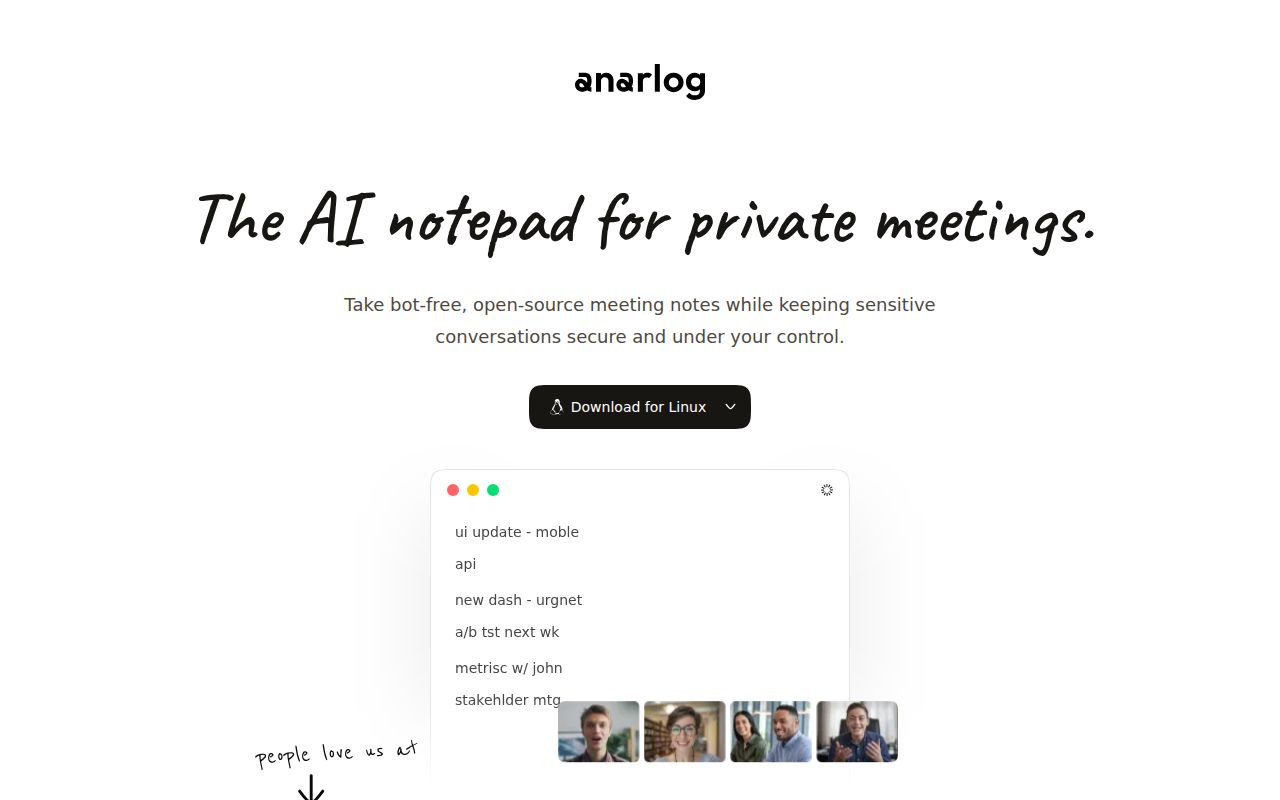
The README describes device audio capture without a bot joining the meeting, local SQLite storage for notes and transcripts, local files for recordings and attachments, and Markdown export. Those are documented capabilities. Our sandbox run assessed dependency installation, not the desktop workflow.
What happened when we ran it
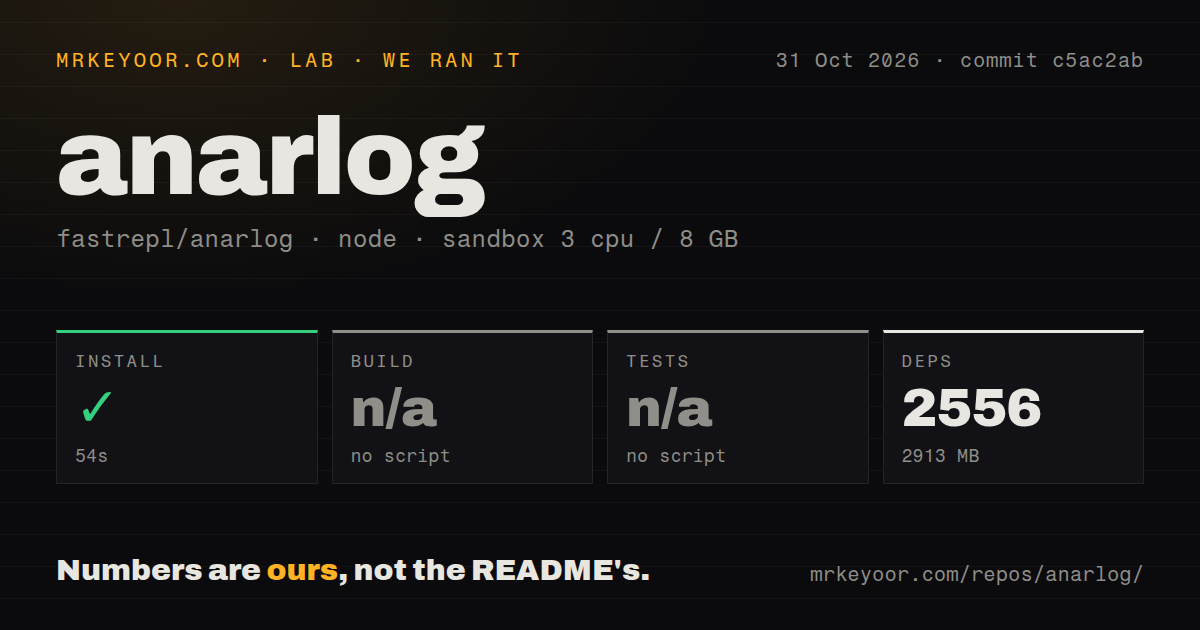
Our sandbox completed Anarlog's pnpm installation in 54 seconds on October 31, 2026, recording 2,556 dependencies and 2,913 MB on disk. The measured checkout was c5ac2ab. It contained 7,232 files, about 890,359 source lines and 495.1 MB before dependency installation.
Build and tests were skipped because the harness found no script or target for either. The scan detected monorepo workspaces and 33 CI workflow files, but no tests directory or Dockerfile. These discovery results do not establish that the project has no validation commands. We have no passing build or test result to report, and the workflow count does not establish that any check succeeded.
The recorded sandbox configuration had 3 CPUs, 8 GB RAM and image lab-node:22. The image label does not establish the actual Node version. No security-audit result was supplied.
We did not establish desktop startup, microphone capture or meeting transcription. We have no measured transcription accuracy, speaker-label accuracy or summary quality. The 2,913 MB footprint describes this development environment, not the desktop download or a minimum disk requirement.
Check both AI selections
The provider guide separates Transcription, which converts audio into text, from Intelligence, which uses text for summaries, titles and chat. Changing one selection does not change the other. A local transcription selection therefore does not establish that summaries run locally.
According to the guide, a hosted Transcription provider receives audio, while a hosted Intelligence provider receives the text and other context needed for its request. With your own API key, requests go from the desktop application to the configured base URL. The provider's pricing, retention and training policies apply.
The guide also says an unavailable selected local model or server produces a connection error instead of sending the request to Anarlog Cloud. We did not verify that behavior. Chat web search has a separate documented route through Anarlog's hosted research endpoint, currently using Exa. Returned search text can become context for the selected Intelligence model.
These statements describe the supplied documentation. They are not a network audit of desktop_v1.4.34 or the measured checkout.
Check local transcription against your hardware
The provider guide lists Soniqo's streaming and batch models for Apple Silicon. Apple Speech has macOS and language requirements, and the on-device model-file option is also listed for Apple Silicon. The availability of Windows and Linux downloads does not establish parity with those built-in Mac options.
For local summaries and chat, the guide lists compatible models served through LM Studio, Ollama or Unsloth. Model availability and hardware suitability still need checking on the intended machine.
A useful trial is to select the intended language and providers, record a short representative conversation, inspect names and speaker changes, and check the saved note and export. This is a suggested evaluation, not an example we executed.
Source development needs a native toolchain
The README describes a Tauri desktop application with a React and TypeScript interface and Rust backend. The website is a separate application, so a successful pnpm installation covers only part of desktop development.
The supplied instructions require Node.js 22 or later, pnpm 11.1.1, Rust 1.94.0, Process Compose and Tauri system dependencies. Apple Silicon compilation additionally requires Xcode's Metal Toolchain. The README says local desktop and website development can start without secrets; optional hosted services require configuration. We did not execute these instructions end to end.
Anarlog previously used the Hyprnote and char names. The README distinguishes this community meeting notetaker from the team's current char product. The community application is MIT-licensed, while source-visible enterprise components are commercially licensed. Check the boundary before redistributing code.
The supplied GitHub metadata records a last push on October 31, 2026. The supplied release record identifies desktop_v1.4.34, published on October 29, 2026 at 07:44:18 UTC. These records show a recent push and a published release. They do not establish support reliability or desktop behavior in our sandbox.
Choose an alternative by the output you need
Buzz documents offline transcription, microphone input and TXT, SRT and VTT exports. Try it if your main deliverable is a transcript or subtitles. Its README also lists AI summary plugins.
Meetily describes meeting capture, local transcription and AI summaries. Its README recommends Ollama for local summaries and also lists hosted providers. Check that selection rather than treating its broad local-processing language as a guarantee for every configuration. We measured neither alternative against Anarlog, so we have no speed or accuracy winner.
Documentation receives 4 out of 5 under the rubric in the score explanation because the supplied material describes provider destinations, hardware limits and development prerequisites. That rating assesses documented coverage. It does not establish that the instructions work end to end. Setup ease, community support and product maturity remain unassessed.
Before a sensitive meeting, inspect both AI selections and decide whether to use chat web search. Then validate capture, transcript quality and export on the machine you intend to use.