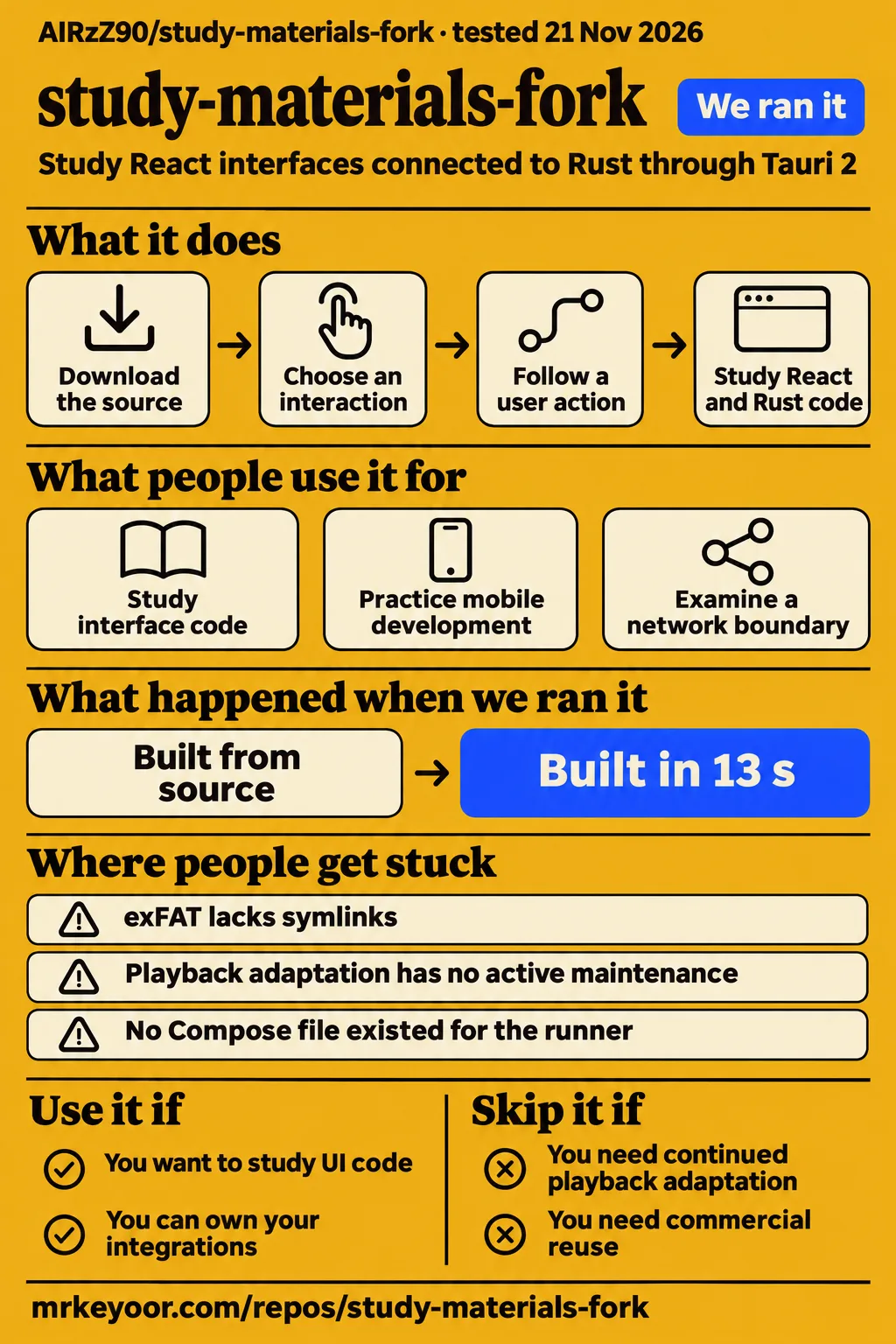
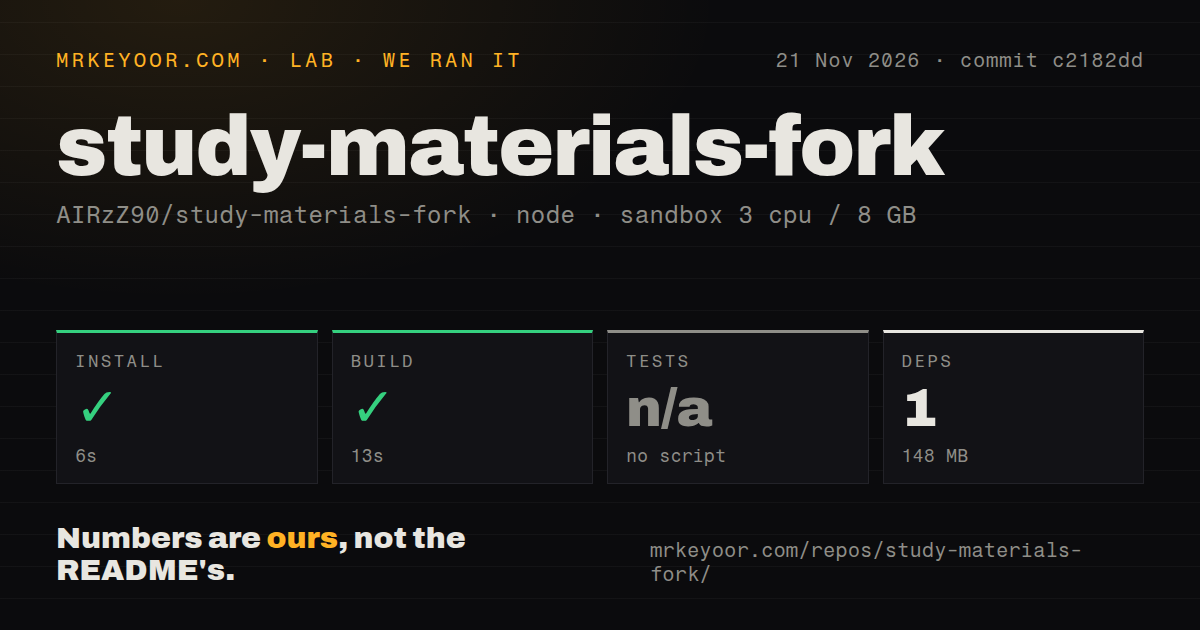
Our source install took 6 seconds and the build took 13 seconds, but our attempt to run the application stopped at a missing-Compose check. Use AIRzZ90/study-materials-fork to study HGhub's interface code if you can work with Chinese documentation and own your changes. Skip it if you need a maintained content service or commercial reuse: the README limits active maintenance to interface work and describes a noncommercial licence.
What you can do with study-materials-fork
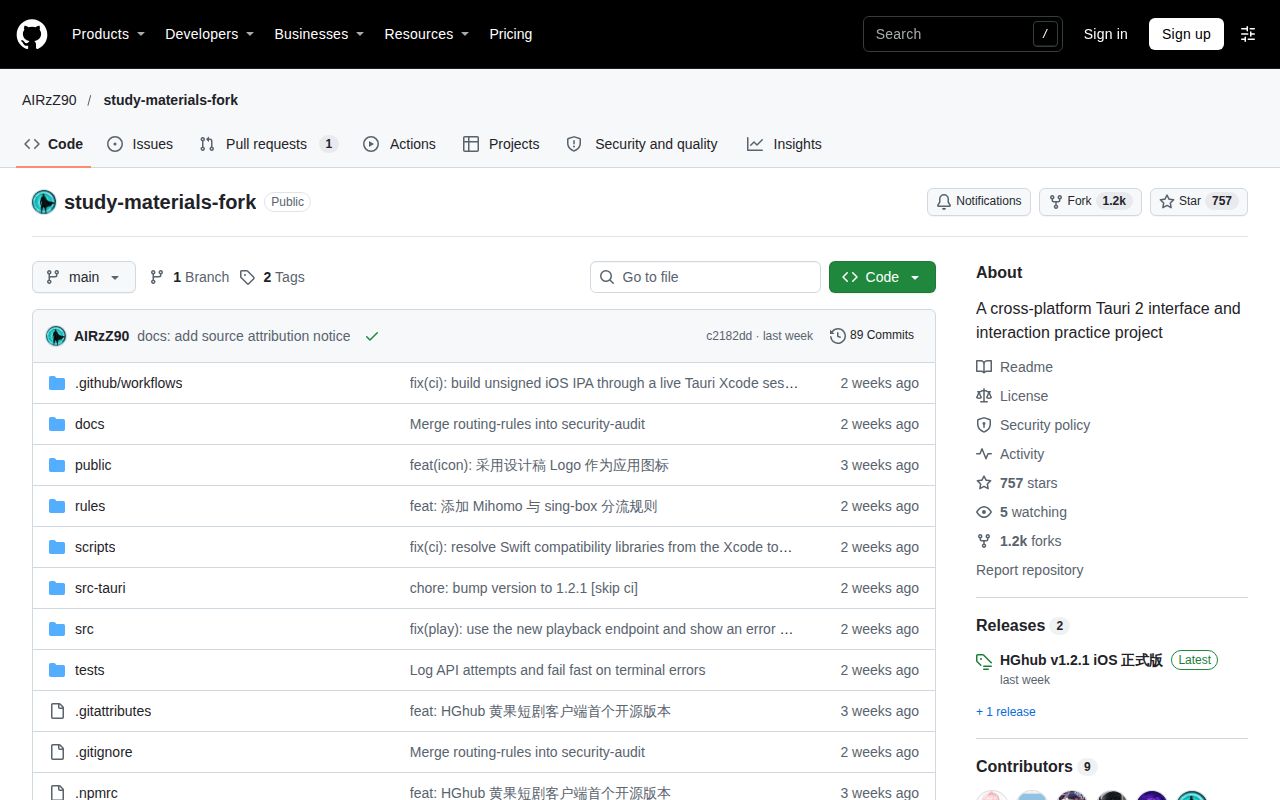
HGhub is a Rust and Tauri 2 interface project with a React frontend, rather than a collection of course notes, according to its README. Tauri puts a web interface inside a native application. Here, the documented stack includes TypeScript, Vite and Tailwind CSS for the interface, hls.js for streaming playback, and reqwest with rustls for network requests.
That makes the repository interesting if you're learning how an interface talks to native code. The directory guide assigns components, state and interaction work to src/, while src-tauri/ contains native capabilities and Rust code. scripts/ holds development utilities, and docs/ holds technical explanations. You can follow a user action across those boundaries instead of starting with an empty application.
Choose a specific interaction to examine before you download it. Studying a component or a network boundary is a tractable task; adopting responsibility for an outside content source is a different commitment. The README explicitly separates this code from content hosting and says the maintainer has no official affiliation with external sites or their rights holders.
What people use study-materials-fork for
The concrete community action we found was downloading source: on X, SSkkdu asked how to proceed, and Grok replied with GitHub's Code > Download ZIP route. That is an AI-generated instruction in a discussion, not a report that someone successfully ran AIRzZ90's application.
There is an owner distinction you should keep: the linked GitHub card names onlyonexhj/study-materials-fork. A matching repository name doesn't make that download AIRzZ90's copy. If you want the code reviewed here, start at the AIRzZ90 URL printed above. If you want the source from that X conversation, follow that conversation's destination and check its owner.
The useful development purpose comes from HGhub's own description: personal practice with Tauri 2 and mobile development. Its author says increasing attention won't expand the maintenance scope or create a support commitment. For a learner, that is a reasonable boundary. For someone hoping to hand ongoing integration work to the maintainer, it changes the decision before the first command.
What happened when we ran it
Our November 21, 2026 run at commit c2182dd recorded a successful install in 6 seconds and build in 13 seconds. A separate November 22 application attempt stopped at its safety check, before it could demonstrate an application workflow.
The stopping point is specific. The runner expected a Compose file, which describes services for Docker to start together. It reported none of compose.yaml, compose.yml, docker-compose.yaml or docker-compose.yml existed. The failure text calls this an unsafe repository, but the stated rule is simply that a Compose file is required. A Tauri desktop project's failure to satisfy that rule is a mismatch with this runner, not a diagnosis of broken playback.
| Check | Recorded result | What you can conclude |
|---|---|---|
| Source installation, November 21 | Succeeded in 6 seconds | The recorded pnpm install step completed |
| Source build, November 21 | Succeeded in 13 seconds | The recorded build step completed |
| Tests, November 21 | No test script or target; skipped | There is no passing test-suite result from this run |
| Dependency inventory | 1 dependency recorded; 148 MB on disk | These are the harness inventory and footprint, not a native app size |
| Application safety check, November 22 | FAILED: a Compose file is required | Application execution stopped at a prerequisite check |
| Cleanup, November 22 | teardown: ok | The runner reported successful cleanup |
The source sandbox was configured with 3 CPUs, 8 GB RAM and image label lab-node:22. That label records configuration, not the actual Node or operating-system version. The checkout had 147 files, about 10,609 source lines and a size of 1.8 MB. The scan also found five CI workflow files, a tests directory and monorepo workspaces, with no Dockerfile. Those are repository scan observations, not results from executing CI.
The application attempt's introductory entry says it deployed with its own Docker Compose. Its failed safety step contradicts that description, so the step result controls our conclusion. Cleanup then reported “teardown: ok”. Calling this a successful deployment would discard the only recorded execution outcome.
Where people get stuck: source, frontend and native app are different steps
The README gives separate commands for frontend development, desktop development and the frontend build: pnpm dev, pnpm app:dev and pnpm build. Downloading the source gets you to the beginning of that process.
Its stated prerequisites are Node.js 22, pnpm 10, Rust 1.90 or newer and the Tauri development environment for your platform. Mobile and macOS work also need their platform SDKs and toolchains. A successful Node build therefore shouldn't become a claim that you can produce every native package on the same machine.
| Situation | Documented route or boundary |
|---|---|
| You want to edit the web interface | The README points to pnpm dev |
| You want the desktop application in development | It points to pnpm app:dev and the platform's Tauri environment |
| Your checkout is on exFAT | It says to preserve node-linker=hoisted in .npmrc because that filesystem lacks symlinks |
| A third-party data or playback endpoint changes | The maintainer excludes active adaptation of those paths from the stated maintenance scope |
The exFAT note still warns that some native build steps can encounter filesystem restrictions. Don't turn the hoisted setting into a promise that every platform build will work there. It is a documented accommodation for one filesystem property.
For ongoing repairs, the README accepts issues and pull requests on any topic, but says reading and responses will be infrequent and handled case by case. A contribution being accepted doesn't restore active maintenance of that area. If your project depends on a parsing or playback adapter, budget for owning that adapter yourself.
macOS downloads are named HGhub 1.2.1
The macOS release asset listing includes HGhub 1.2.1 packages for arm64, x64 and universal architectures. Those filenames explain why a search for study-materials-fork can lead to an application with a different name.
| Architecture label | Listed disk image |
|---|---|
| arm64 | HGhub_1.2.1_arm64.dmg |
| x64 | HGhub_1.2.1_x64.dmg |
| universal | HGhub_1.2.1_universal.dmg |
The same listing includes .app.tar.gz archives. These are release downloads, whereas Code > Download ZIP retrieves repository source. Pick the route that matches your task: editing code calls for the source, while evaluating a packaged application calls for a release asset and a target machine.
The current README itself uses the heading HGhub and links to Minireel/HGhub as the place for the project's authoritative information. That establishes a stated reference point; it doesn't document every change made between copies. Keep the owner, release tag and filename together in your notes so a later bug report identifies the actual artifact.
Chinese documentation explains a narrow maintenance promise
The README is written in Chinese, including its requirements, licence explanation and support boundaries. The README checked here contains no English counterpart. For an English reader, translating those sections is part of evaluating the project, before working through code or installation commands.
The most consequential passage says future active maintenance covers UI/UX, interaction details and user experience. It excludes active follow-up on upstream data acquisition, parsing and playback adaptation, and makes no promise that external interfaces will keep working. That is more useful than a generic “actively maintained” label because it names what the author intends to maintain.
The repository's public description calls it a cross-platform interface and interaction practice project. Read that literally. “Cross-platform” describes its development scope; the platform SDK note still applies, and the named support boundary still applies after a release asset appears.
Security defaults include strict filtering and a weaker fallback
The security document says strict security mode is enabled by default. It describes HTML cleaning with DOMPurify, restrictions on remote navigation, and checks on network destinations and redirects. DOMPurify removes unsafe markup before an application inserts HTML into a page.
That document also says compatibility mode relaxes aggressive tag, private-network and navigation guards while retaining basic script and event cleaning. It documents --no-strict, related command-line aliases and HGHUB_STRICT=0, plus a settings switch. I wouldn't use that switch as the first response to a network failure: it changes several protections together.
There is a named compatibility issue worth knowing before you change it. The document says strict mode rejects NAT64/DNS64 synthetic addresses and mixed public/private DNS answers. It specifically warns that an IPv6-only carrier network relying on DNS64 can lose direct media or API access. Its suggested routes are a trusted proxy with normal public DNS resolution, or consciously accepting the relaxed mode's tradeoff.
For accounts, the document permits password login and registration only at https://huangguoai.com and https://huangguoai.ai, and says a remote mirror list cannot expand that trust boundary. It binds tokens to the site origin and clears login state when you switch sites.
A separate note says media and log capacity limits and plaintext token storage still need work. Those are the author's documented boundaries, not findings from a security audit by this publication. If you only want to examine UI code, keep that task separate from entering credentials into a running client.
Growth measures attention to a repository
Trendshift reports 585 added stars and 908 added forks over its November 11 to November 22, 2026 window. It also reports zero merged pull requests in that window. Neither a fork nor a star tells you whether its owner opened the application, played a video or kept using it.
Those numbers can help explain why you're encountering this repository. They can't answer whether it suits your project. For that decision, the maintainer's UI-only scope is more informative than the growth curve, particularly if you need continued adaptation to external interfaces.
Nor should zero merged pull requests become a diagnosis of abandonment. GitHub's repository metadata lists a last push on November 12, 2026, while the README explicitly describes limited, discretionary responses to contributions. The dated push and the written support policy answer different questions. Neither gives you a response-time guarantee.
study-materials-fork vs Tauri and mpv
Choose Tauri for starting your own native interface, or mpv for command-line media playback, rather than treating HGhub as the default for either task. These are alternatives to particular goals, not interchangeable clients for the same outside service.
| Your goal | Candidate | Why it belongs in the comparison |
|---|---|---|
| Read an existing React/native interface implementation | AIRzZ90/study-materials-fork | Its README maps interface code to src/ and native code to src-tauri/ |
| Start an application with your own interface and integrations | Tauri | Its README documents frontend integration and a Rust backend |
| Play media without adopting HGhub's interface project | mpv | Its README describes a command-line player supporting many formats, codecs and subtitle types |
Tauri's README directs new developers to platform prerequisites and create-tauri-app. That route asks you to build the features you want, but you choose the integrations and the source you carry forward. HGhub is more relevant when its existing interaction implementation is the thing you want to study.
mpv solves the playback side of a different problem. Its README's description is precise: a command-line media player. It doesn't establish a substitute for HGhub's external-site integration, and this comparison makes no claim about which application uses less memory or plays a particular stream better.
Questions people ask
To download the source linked on X, Grok's reply says to open GitHub's green Code menu and select Download ZIP; that conversation links to onlyonexhj's repository, not AIRzZ90's.
How do I download the study-materials-fork source linked on X?
Follow the destination in the conversation, then choose Code > Download ZIP. In the same conversation, Grok also offers SSkkdu a git clone route. For this review's checkout, use AIRzZ90/study-materials-fork instead. A source archive is code, whereas the HGhub files under Releases are packaged artifacts.
What do I need for local development?
The README lists Node.js 22, pnpm 10, Rust 1.90 or newer and your target platform's Tauri environment. macOS and mobile development need the corresponding SDKs and toolchains. These are the documented requirements, separate from the sandbox image label in our measurement.
Can I use the current code commercially?
The README describes current versions as PolyForm Noncommercial 1.0.0 and explicitly prohibits commercial uses. It says v1.0.1 and earlier were MIT licensed and that previously obtained permissions aren't withdrawn, while new versions from v1.1.0 use the newer licence. Read the licence attached to the exact revision you intend to use rather than carrying an old permission assumption into current code.
What we have not tested yet
Our source steps establish install and build outcomes for c2182dd; the stopped application attempt provides no desktop or mobile usage result. We have not tested the macOS packages, native startup, signing prompts, updates, English interface availability, playback, login or the external sites. The README's Chinese language is an observed documentation fact, not proof of the runtime interface language.
We also have no measured startup latency, memory under playback, sustained-use result, accessibility assessment or comparison workload for Tauri and mpv. The 148 MB figure is the source environment's recorded footprint, not application memory consumption. No passing tests can be inferred from a tests directory or CI workflow files.
The security discussion reports what the project documents. We did not audit its implementation or reproduce strict-mode behavior, credential handling, DNS filtering or proxy behavior. Claims in its regression notes aren't our lab results.
Finally, the X origin story concerns a different owner's link. We haven't established code equivalence, ownership history or the story's allegations, and we found no relevant video demonstration of AIRzZ90's client in the material checked. The next useful application result would identify an exact HGhub release and target platform, then record native startup and a lawful playback task without changing security defaults to hide failures.