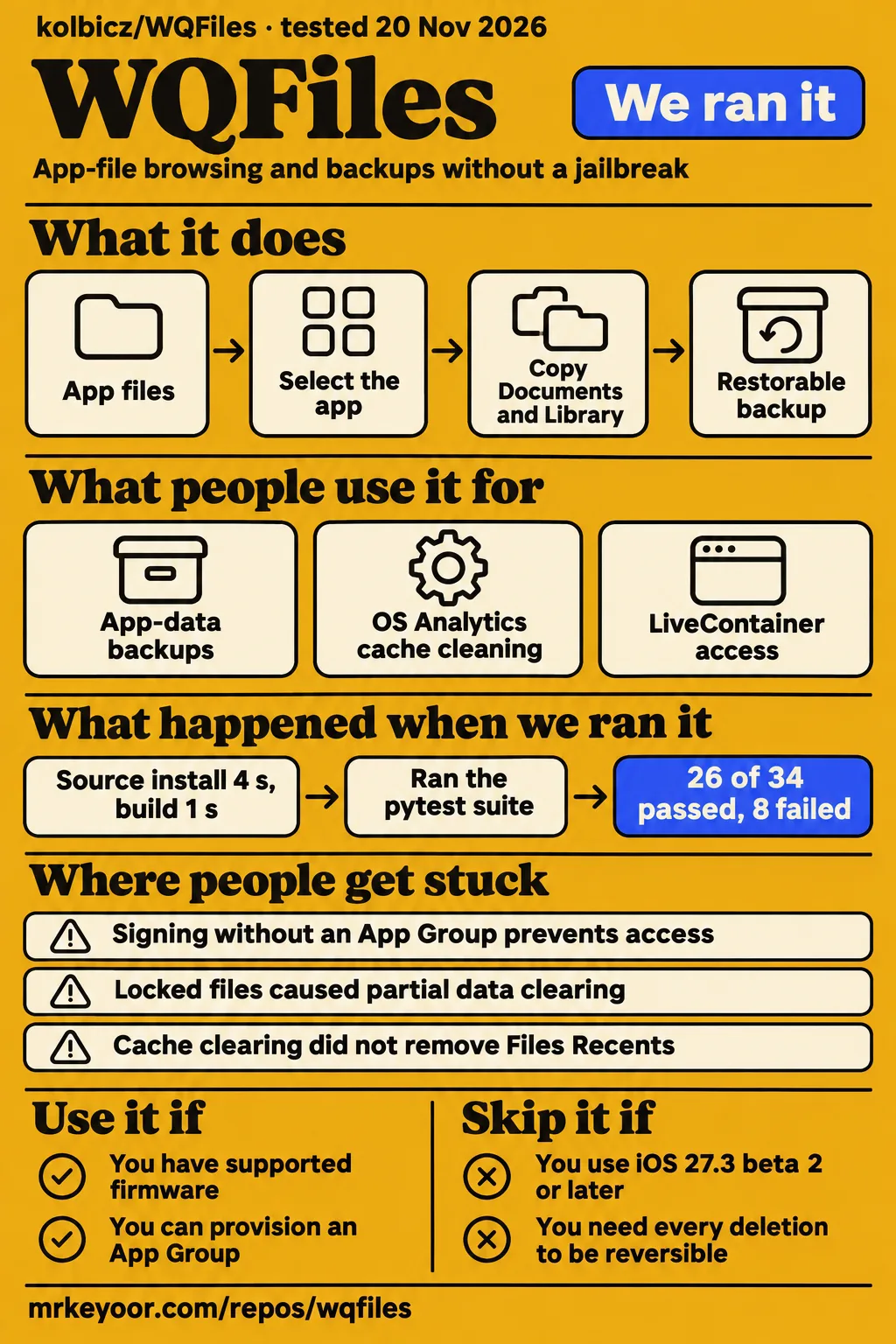
Use WQFiles if you need app-file browsing or backups on supported firmware and can provision an App Group. Skip it if you need other-app access on iOS 27.3 beta 2 or later, or require every deletion to be reversible. The WQFiles README identifies both the firmware cutoff and the signing requirement, while its recovery rules distinguish ordinary file backups from cache cleaning.
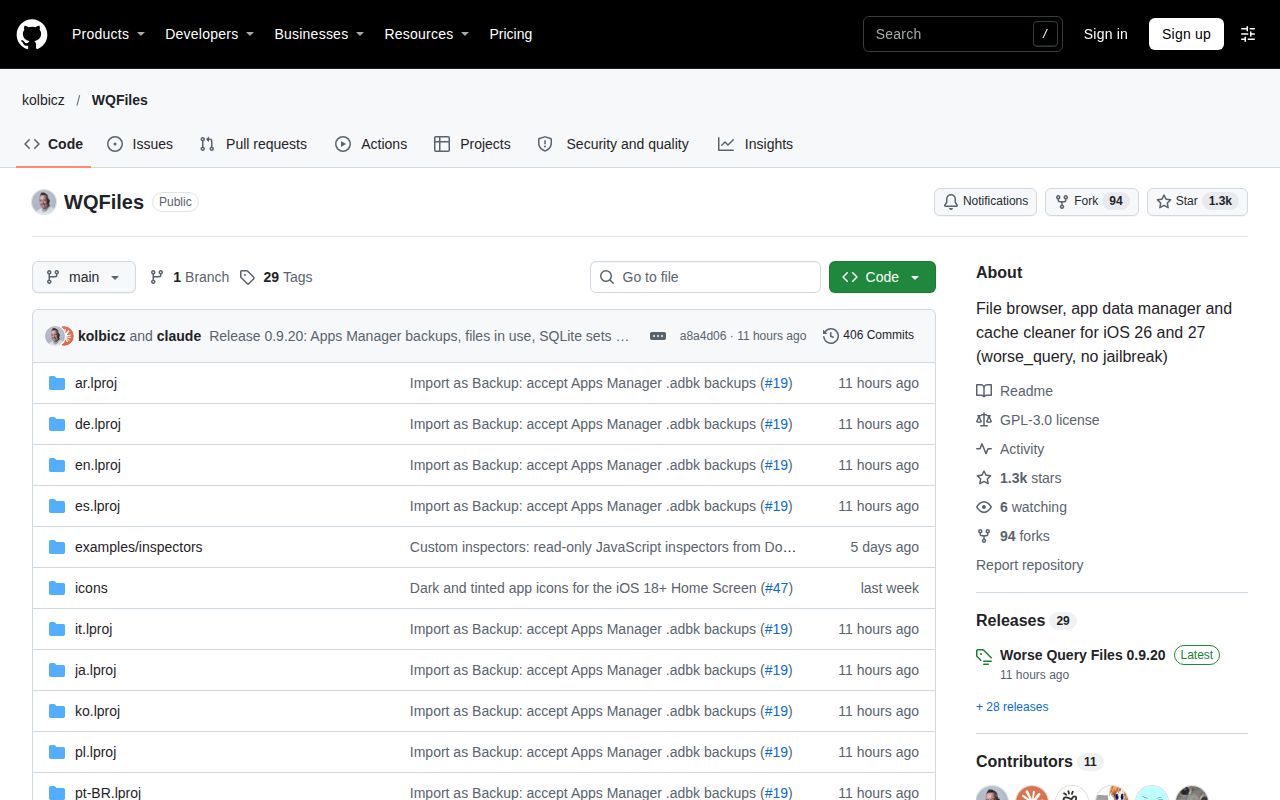
Worse Query Files, usually called WQFiles, is a file browser, app-data manager and cache cleaner for iOS 26 and 27. Its name refers to worse_query, the technique it uses to reach other apps' containers without a jailbreak or kernel exploit. A container is the folder iOS assigns an app for its files. WQFiles labels those folders so users can work with app names rather than long identifiers.
What people use WQFiles for
Users have reported cache cleaning, app-data backups and successful LiveContainer access, alongside failed purchase transfers and an unsuccessful attempt to clear Files Recents. These reports concern particular devices and revisions. They help separate the jobs people actually attempted from the broader feature list, especially when a successful cleaner operation appears beside an empty Apps screen in the same report.
| Who used it | What they did | What happened |
|---|---|---|
| The iPhone SE 2 video presenter | Ran the cleaner on iOS 27.0.1 | WQFiles displayed 891 MB reclaimable and completed cleaning; Discord recreated cache files when opened. |
| water-pump111 in issue #1 | Used OS Analytics cache cleaning on iOS 27.2 | Reported working cleaning while the Apps section remained empty. |
| water-pump111 in issue #8 | Retested backups and scanning in v0.7 | Reported working backups, faster scanning and most app names and icons loading. |
| esterTion and ManuelKoegler in issue #65 | Retested LiveContainer access | Both confirmed success with v0.9.17 build 105 after earlier attempts failed. |
| braless in issue #19 | Tried restoring purchase data from another phone | Reported that restoration did not work; the maintainer explained device and account binding. |
| dandgage on r/LiveContainer | Tried clearing cache to remove Files Recents | Reported that clearing cache did not help; the thread contains no solution. |
The video follows cleaning with a concrete app check: the presenter opens Discord and observes new cache files. That sequence distinguishes deleting a cache from preventing its return. The 891 MB figure is WQFiles' reclaimable-space reading on that iPhone SE 2. Discord rebuilding files is a separate observation, and both details belong to the presenter's demonstration rather than our repository run.
What you can do with WQFiles
WQFiles documents app-file browsing, Documents and Library backups, cache cleaning, and file editing in the project README. Browsing lets you inspect a container, copying preserves supported data, and clearing changes what the target app finds next time it opens. The app exposes these as different operations, with different backup behavior, rather than a single interchangeable cleanup action.
On iOS 26, the README lists access to app, extension, daemon and App Group containers. It hides System Data and system groups, and the cleaner has no crash-log section there. App bundle access also depends on firmware: the README says iOS 26 and 27.0.1 do not allow it. Those documented differences explain why a screen from another version can show categories absent on your phone.
What happened when we ran it
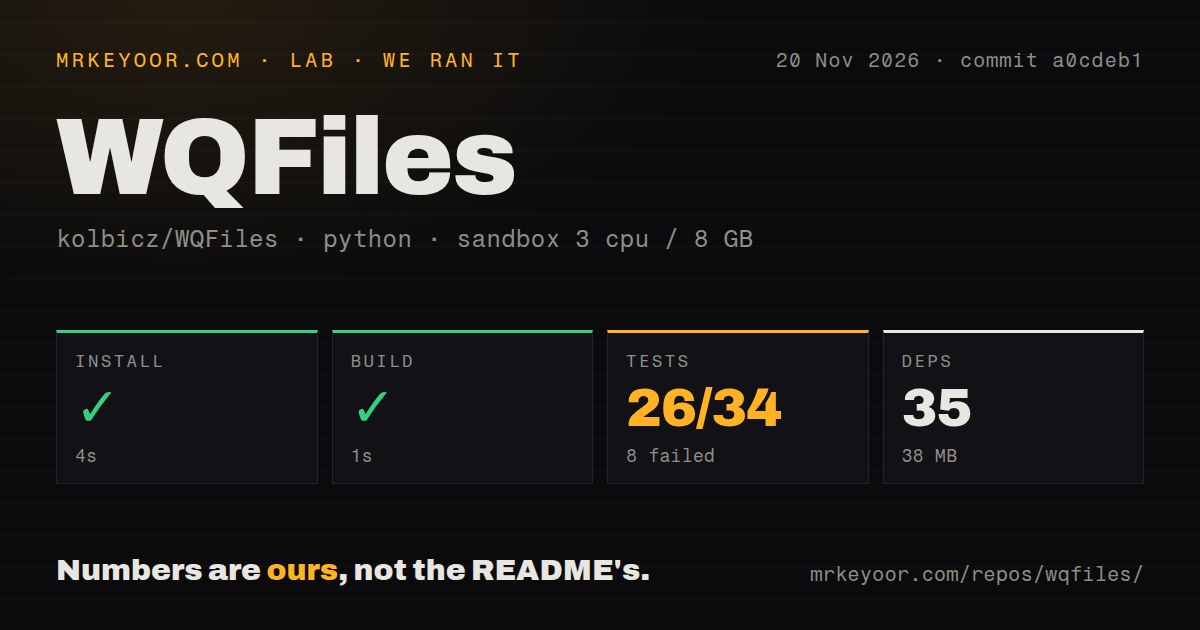
Our November 20, 2026 run at commit a0cdeb1 recorded 26 passing tests and 8 failures out of 34. Installation and the build step succeeded before the test command exited 1. These are our sandbox measurements, recorded separately from the community device reports and the cache-cleaning video. The checkout contained 150 files, approximately 4,711 source lines and 4.3 MB of repository data.
| Step or observation | Our recorded result |
|---|---|
| Installation | Succeeded in 4 seconds; 35 dependencies; 38 MB on disk |
| Build step | Succeeded in 1 second |
| Tests | Exit 1 in 2 seconds; 26 passed, 8 failed of 34 |
| Sandbox configuration | 3 CPUs, 8 GB RAM; image label ghcr.io/astral-sh/uv:python3.12-bookworm |
| Checkout | 150 files, approximately 4,711 source lines, 4.3 MB |
| Repository signals | No CI workflow files detected, no Dockerfile, tests directory present |
The failing test log records staged-build assertions returning 127 rather than 0. Named cases cover minimum-OS compilation, default output location, executable and non-executable preflight runners, explicit preflight skipping, and publishing a validated ZIP. Both runner=False and runner=True skip subcases appear. The tail names build.sh: line 47: plutil: command not found; the navigation lifecycle case ends with FileNotFoundError: [Errno 2] No such file or directory: 'xcrun'. Its final line also records 6 passing subtests.
The separate workflow safety check failed because none of compose.yaml, compose.yml, docker-compose.yaml or docker-compose.yml existed. Its run summary nevertheless claimed Docker Compose deployment, including ports bound to 127.0.0.1; the prerequisite failure contradicts that summary, so it supports no deployment result. The teardown record says “ok”. The sandbox image label records configuration, not actual runtime or operating-system versions. The README specifies macOS, Xcode and Python 3 for host regression checks; GitHub identifies the application as Objective-C, while the harness classified its checks as Python.
Where people get stuck: signing, group selection and files in use
Issue #65 traces failed access on supported firmware to LiveContainer's App Group selection, while issue #42 describes a different shared-cache problem. An App Group is a shared-storage entitlement assigned during signing. The distinction matters because an installed app can open successfully while lacking the entitlement, selecting the wrong group folder or encountering files another app still uses.
| Symptom and reporter | Explanation in the discussion | Resolution or next action |
|---|---|---|
| LiveContainer rejects every folder, ManuelKoegler and esterTion, issue #65 | WQFiles prepared a different group folder from the one its access token covered. | Both confirmed v0.9.17 build 105 worked. |
| Access broke after another worse_query app was installed, liruirui1218, issue #42 | Shared App Group access-cache state blocked WQFiles. | The reporter cleared group data; v0.9.4 added Reset Access Cache. |
| Empty Apps list on iOS 27.2, water-pump111, issue #1 | Cleaning worked while app discovery failed. | The maintainer closed it as working since v0.8. |
| Partial clearing with Operation not permitted, issue #8 | The maintainer identified locked-file flags as the likely cause. | v0.9 included the flag-clearing fix; further failures need a Log. |
| App Backups becomes untappable after returning, control0forver, issue #70 | A navigation-bar band intercepted taps on the reporter's iOS beta. | v0.9.19 contains the tap fix; the oversized band can remain visible. |
| Truecaller files resist deletion or replacement, maintainer reply on X | Truecaller was using the files. | The maintainer suggested disabling Truecaller and promised a clearer error. |
In issue #65, resetting the cache did nothing for ManuelKoegler, and subsequent builds still failed before build 105. Later logs exposed LiveContainer's stand-in folder and the real App Group folder mismatch. The Truecaller reply concerns another condition entirely: files in use by a particular app. Log therefore supplies a more useful starting point than treating every refusal as the same sandbox-access failure.
Signing needs an App Group, even when the app opens
The README says Sideloadly does not add the required App Group. WQFiles uses whichever group the signer assigns, and the top of Log shows its name or “No App Group”. Downloading the IPA and reaching its start screen are separate steps from receiving the entitlement that worse_query needs for other-app access.
AltStore and SideStore with an Apple ID create the group automatically, according to the README. Certificate signing instead requires a provisioning profile containing an App Group; wildcard profiles cannot contain one. LiveContainer's build-105 correction addresses which folder WQFiles uses after signing. Firmware compatibility, entitlement provisioning and group selection are three distinct requirements, even though each can surface as an access problem.
Backups follow operation-specific recovery rules
The README distinguishes regular-file backups from app-data clearing and cache cleaning. Before an ordinary file overwrite or deletion, WQFiles copies its contents to Backups and offers restoration to the original location. Apps can back up Documents and Library before clearing data. The temporary folder, tmp, is discarded during clearing and is absent from app backups.
Close the target app before backup, restore or clearing, as the README instructs. Those operations are not filesystem snapshots while another app keeps writing; locks are advisory, and in-place file saves are not crash-atomic. For SQLite editing, WQFiles works on a copy, checks its integrity and rejects write-back if the source changed. The README requires force-quitting the target app before opening and saving that database.
Purchase restoration has another dependency: issue #19 says purchases tied to another device or account may not carry over. Import as Backup turns supported exported app data into a restorable backup, but purchase state remains the target app's responsibility. The presence of copied files and the recognition of an account's purchases are different outcomes in that discussion.
English is available, and scan results persist
The README lists English and a Language setting used from the next start. WQFiles follows the device language unless the user selects another language. Its scan behavior is also documented: Apps and Cache Cleaner retain their last results across launches, while Pause Scan and Resume Scan preserve progress rather than starting the task again.
Pulling to refresh starts a new measurement while the previous result stays visible with its timestamp. The README says workers pause when iOS backgrounds the app and continue on return; opening the relevant screen after termination resumes an interrupted task. Explicitly paused tasks stay paused. Saved sizes can include earlier measurements, so the timestamp and refresh action are part of interpreting the displayed storage figures.
WQFiles vs iCleaner, Cyanide, GestaltX and Apps Manager
The WQFiles README recommends Cyanide for iOS 17 and 18; the other alternatives enter the discussion through cache cleaning, MobileGestalt customization or existing backup archives. These comparisons concern different jobs. A firmware recommendation answers a compatibility question, whereas importing an Apps Manager archive answers how to reuse data already stored in another tool's format.
| Alternative | Why it comes up | Decision for you |
|---|---|---|
| iCleaner | The video presenter compares cache cleaning with a jailbreak workflow. | WQFiles documents cleaning without a jailbreak on supported firmware. |
| Cyanide | The project README recommends it for iOS 17 and 18. | Use that recommendation for those versions. |
| GestaltX | The WQFiles wiki describes MobileGestalt presets and customization controls. | Consider it when those controls are the intended task. |
| Apps Manager | Issue #19 requests reuse of its .adbk backups. | WQFiles v0.9.20 imports app data, excluding App Group data and encrypted keychain items. |
The maintainer's documented import path is Apps, select the app, Import as Backup, then choose the .adbk file. The resulting message lists omitted material. That change added compatibility with an existing archive format; it did not add the separately requested single-file backup creation option. The thread distinguishes those requests rather than treating import and backup storage format as the same feature.
What the other reviews get wrong
Silzee and Senumy describe Sideloadly installation, but the project README says that signer does not add the required App Group. Silzee's installation steps therefore need the entitlement requirement beside them. An installed icon alone does not answer whether WQFiles received the group its main access function requires.
OneJailbreak says clearing app data or caches asks for a backup first. The current README instead distinguishes the Documents and Library backup offer from cache cleaning without file-by-file backups. The iPhone SE 2 tutorial's promise that all data can always be restored also exceeds those rules, including tmp deletion and the excluded portions of .adbk imports.
The WQFiles wiki's broad iOS 27.3 table label and SQLite guarantee need narrower wording. The README names beta 1 as the last supported 27.3 beta and beta 2 as patched. Its SQLite description specifies a working copy, integrity checking, conflict rejection and closing the target app. Those are defined safeguards rather than a promise that changes can never be overwritten.
FAQ
WQFiles requires supported firmware and an App Group, and its recovery rules depend on the operation. Those three facts answer different first-use decisions: whether the technique works on the installed build, whether signing preserved access, and what data a backup contains. The questions below also separate community-confirmed fixes from the README's platform requirements and the video's storage reading.
Does WQFiles work inside LiveContainer?
Two affected users confirmed success with v0.9.17 build 105 in issue #65. Their earlier attempts included failed cache resets and unsuccessful builds. The later fix addressed the difference between LiveContainer's stand-in App Group folder and the real folder covered by access tokens, giving that discussion a specific resolution rather than a general endorsement of every configuration.
Has Apple patched WQFiles, and which iOS builds still work?
The README names iOS 27.3 beta 2, build 24C5049d, as patched. It lists support through 27.3 beta 1, build 24C5037i, and iOS 26.0 to 26.7.2. Its maintainer-tested devices include an iPhone 16 Pro Max, iPhone 17 Pro Max, iPad Air 5 and iPhone 14 Pro on the individual versions shown in its device table.
Why does WQFiles fail its sandbox check on iOS 27.0.1?
Issue #65 identifies a LiveContainer group-selection failure, while issue #42 identifies shared access-cache state. The firmware version alone does not distinguish those conditions. In the latter report, clearing shared group data restored access; the maintainer then added Reset Access Cache in v0.9.4 so users could repair that state through WQFiles.
Why is the Apps list empty or showing UUIDs instead of app names on iOS 27.2?
Early reports describe both discovery and labeling failures: issue #1 was closed as working since v0.8, while v0.7 testing in issue #8 reported most names and icons loading. These are different symptoms and revisions. The README directs users toward Log entries for enumeration and identity failures rather than equating an empty screen with an empty device.
Can WQFiles clear the Files app's Recents list?
Cache clearing did not remove Files Recents for dandgage on r/LiveContainer, and that thread contains no solution. WQFiles also has its own recent-file interface, which the README describes separately. Removing an entry from WQFiles' recent list and erasing the Files app's recently opened list are different tasks; the Reddit report concerns the latter.
Why does WQFiles open on iOS 18 but remain unusable?
The README explicitly excludes iOS 18 and older, saying worse_query does not exist there and recommending Cyanide for iOS 17 and 18. Opening WQFiles therefore does not supply its missing access technique on those versions. The documented behavior is a notice instead of scanning, rather than an invitation to solve the problem through cache resets or another group selection.
How much storage can WQFiles cache cleaning actually free?
The iPhone SE 2 demonstration shows 891 MB reclaimable, followed by cleaning and Discord rebuilding cache files. The displayed figure belongs to that device and app collection. It describes WQFiles' estimate before cleaning, while the later Discord observation describes files returning during use; those are separate parts of the demonstration rather than one lasting-savings measurement.
How can I clear caches and manage app files without a jailbreak?
WQFiles documents both operations through worse_query on supported builds in the project README. Installation also requires an App Group supplied by the signer. After matching those requirements, the app exposes separate file browsing, app backup and Cache Cleaner operations, each with its own behavior. Choosing the specific operation matters because a regular file deletion and cache cleaning follow different backup rules.
What we have not tested yet
Our work here did not include a physical iPhone or iPad installation, a reproduced LiveContainer fix, backup restoration, before-and-after device storage measurement or SQLite editing. A successful repository build step is not evidence of a working signed iOS artifact, and the missing host commands do not identify an application defect. Those device operations remain the practical gaps behind the unassessed ratings.
We have not compared alternatives side by side, audited network behavior or security, measured scanning under sustained load, or checked translated interface quality. The community reports and single-device video do not establish average recovery, lasting storage savings or cross-device reliability; the Bilibili 14G title is not a controlled measurement. A useful next device exercise would pair a successful access check with backup and restoration of disposable app data before changing files that need to be kept.