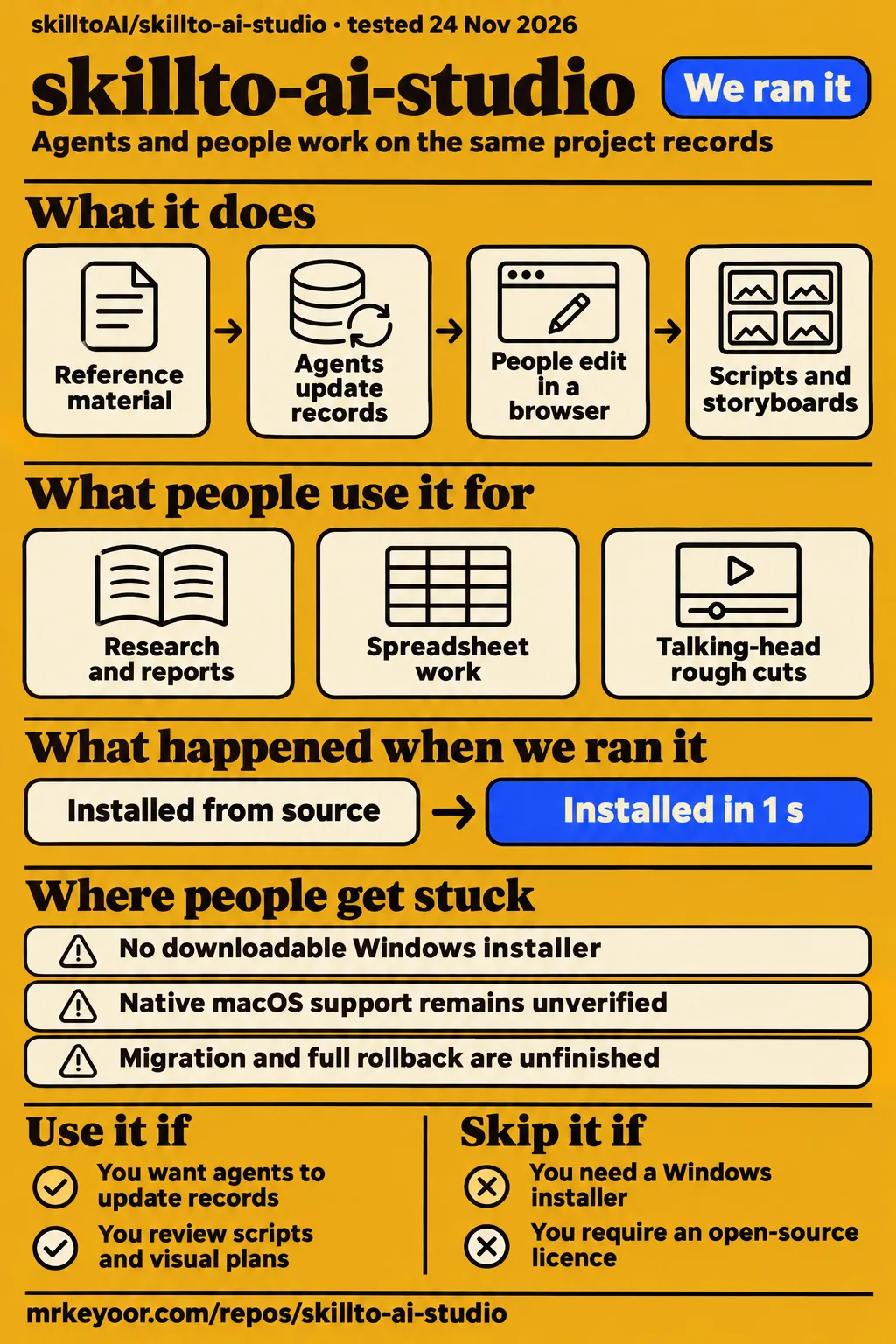
Our npm install and test steps each passed in 1 second, but the app launch stopped at a missing Compose file. Use Skillto.ai Studio for a technical evaluation if you want an agent and a browser user to work on the same records. Skip it if you need a downloadable Windows installer or a project-wide open-source licence: the README explicitly says neither is available.
What you can do with skillto-ai-studio
Skillto.ai Studio documents a shared workspace where agents update records through MCP and people edit those same records in a browser. MCP, the Model Context Protocol, lets an AI assistant call tools outside its chat window. Here, those tools connect the assistant to a Personal Server that stores project data. The README describes knowledge bases, tables, scripts and storyboards as places where the work ends up, ready for human review.
That is the reason to consider this project. If your current workflow involves asking an assistant for research, copying its answer into a document, then separately maintaining a shot list, a shared set of editable records could reduce that copying. This is a judgment about the documented design, rather than a measured saving. The useful question is whether you want the assistant to change a working record that you can inspect afterward, rather than leave another answer in chat.
The README separates a parent skill that routes work from specialized skills for research, media analysis, tables, reports, rewriting and visual planning. It also describes Creator MCP for binding assets to workflows, validating them, running authorized generation jobs and retrieving results. These names describe different jobs: choosing a workflow, changing local records and requesting generation are separate parts of the system. Installing one entry point should not be your acceptance test for all three.
What people use skillto-ai-studio for
AIchanyi's X overview describes research, spreadsheet work and video preparation, but presents no completed customer project. The distinction matters if you are choosing a tool for paid work: an explanation of how a workflow should operate is useful for designing an evaluation, while a finished deliverable would help judge whether it earns a place in your process. AIchanyi describes humans reviewing and editing the same browser records that agents use.
| Who describes the use | Intended work | What the account establishes |
|---|---|---|
| AIchanyi on X | Research, spreadsheets and reports | An overview of the workflow, rather than a report of a finished assignment |
| AIchanyi on X | Talking-head rough cuts and timed subtitles using HyperFrames and Remotion | A description of the editing components, without an assessed export |
| AIchanyi on X | Motion references, prompts and templates | A description of the reference library and template organization |
Those uses all come from AIchanyi's project overview, not separate accounts from three users. The README identifies educators, paid-content creators and people organizing everyday research as intended audiences. For an educator, the appealing handoff is from reference material to a script and then to reviewable visual plans. For a creator, it is keeping character references and shots alongside the work. Those are evaluation candidates, not adoption statistics.
What happened when we ran it
Our November 24, 2026 app-launch attempt stopped before deployment because the repository had no Compose file. The safety step returned: unsafe repo: none of compose.yaml, compose.yml, docker-compose.yaml, docker-compose.yml exists (rule: a compose file is required). That failed prerequisite is the actual launch result, rather than a failure inside the running workspace.
The run summary says the project was deployed using its own Docker Compose with ports bound to localhost. That summary conflicts with the failed safety step. We therefore treat the summary's deployment statement as an inconsistent log entry, not proof of a running application. The teardown step reported success. Nothing in those steps shows a browser session or an agent completing a task.
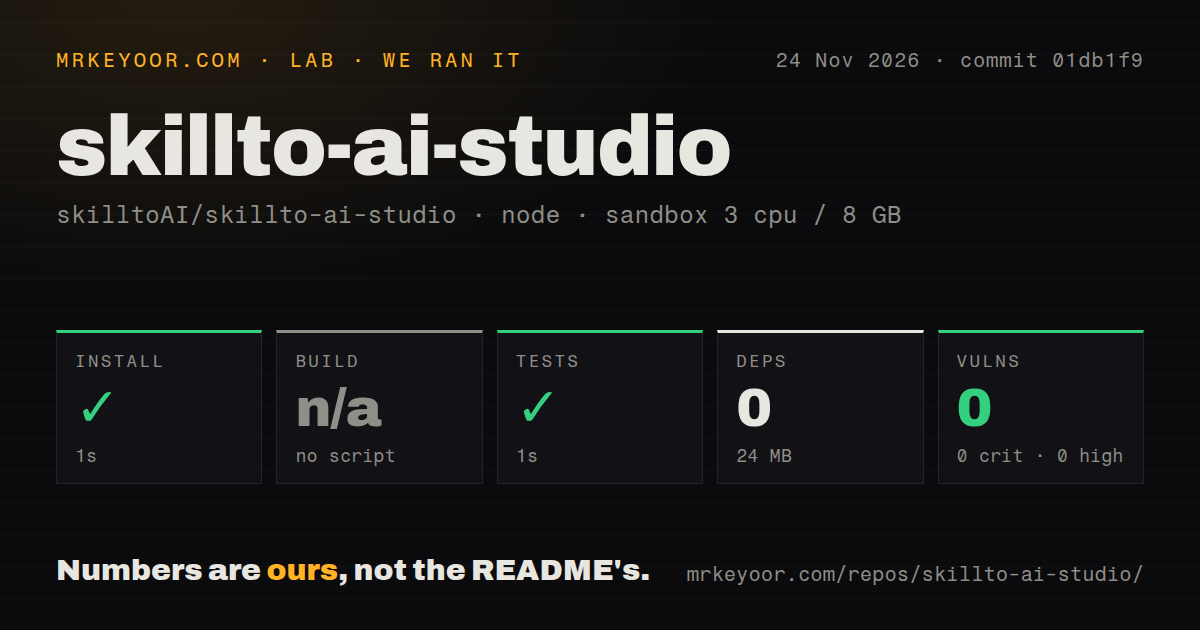
Separately, our sandbox repository checks at commit 01db1f9 recorded the following results. The configuration specified 3 CPUs, 8 GB of RAM and image label lab-node:22. That label identifies the configured image, not the actual runtime or operating-system version.
| Repository check | Our recorded result |
|---|---|
| npm install | Succeeded in 1 second |
| Dependencies recorded | 0 |
| Installed disk footprint | 24 MB |
| Build | Skipped: no build script or target |
| Tests | Succeeded in 1 second |
| npm audit | 0 known vulnerabilities: 0 critical, high, moderate or low |
| Checkout | 519 files, approximately 32,842 source lines, 13.6 MB |
| Project signals | 1 CI workflow file, a tests directory, no Dockerfile |
The installed footprint was 24 MB. Our test step succeeded in 1 second, and the build was skipped because there was no build script or target. These are results for the npm checks that ran. The README's main quick start uses a Python installer, so the npm result should not be read as a completed installation of the personal server, host integration or Windows package.
The audit returned zero known vulnerabilities, which answers the narrower question asked by npm audit. It is not an assessment of access controls or the behavior of agent tools. Likewise, the presence of a CI workflow and tests directory tells you those files exist, without turning this run into a check of every supported workflow.
Where people get stuck
The README sends Windows desktop users to a separate branch and a manual candidate-package build. That is a more demanding path than installing the skills in a coding assistant. The documented Windows branch is codex/stass-migration, and the package is described as combining a Go launcher, Beam recording editor, WebView2 prerequisite, embedded Python, a frontend and the skills. The desktop screenshots depict that integration build, which the README says is absent from the default branch.
| Obstacle | Documented route | Decision for you |
|---|---|---|
| No downloadable Windows installer | Build the Windows x64 offline candidate from the named branch | Budget for packaging work before evaluating the desktop |
| Native macOS workspace needs separate validation | Use the skills quick start on macOS | Treat skill installation and a native desktop app as separate choices |
| Data migration and full rollback require validation | The README lists these among outstanding Windows checks | Keep your working evaluation data disposable |
| Our Compose-based launch stopped | The lab required a Compose file that was absent | Use the project's own deployment instructions for a future app test |
AIchanyi also reports manual Windows builds, ongoing macOS work and unfinished migration and rollback. That is corroboration of the stated status, not a tested workaround. There is no issue thread here showing someone completing the packaging route and resolving a specific installation error. The fix for our lab procedure is also separate from a product fix: requiring Compose was a condition of that procedure, while the project's quick start documents a different route.
Local records still connect to authorized cloud services
The Personal Server stores project data locally, while authorized clients connect separately to Skillto.ai for cloud assets and generation. The README makes that division explicit in its architecture. If you want to organize scripts and references locally, that is a different requirement from generating a video without an internet connection. An offline candidate installer describes how software is packaged, not how every operation obtains its inputs or computes its output.
AIchanyi says cloud assets and generation depend on the official platform's capabilities and account authorizations. The README similarly ties available APIs, models and skills to website offerings and account permissions. Before choosing a generation workflow, identify which service provides it and which account may invoke it. A local table can hold your shot plan while the generation request still depends on an external account.
Authorization also applies to collection. The README labels its Douyin, Xiaohongshu and TikTok collection skills as authorized collection, and AIchanyi explicitly limits collection to accounts the user is authorized to access. That restriction belongs in your workflow design. Access to a collection tool is not permission to collect from any account it can reach.
English documentation includes Chinese setup instructions
The default README provides an English overview and quick start, but its copy-and-paste installation prompt and some technical links are in Chinese. It also links Chinese, Japanese and German README versions. The English quick start documents Git, Python 3.10+ and a target client, followed by commands for selecting skill groups. You can follow that route without treating a Chinese-language prompt as a prerequisite.
For Codex, the README uses python scripts/install.py --agent codex --groups. Claude Code uses --agent claude, with a marketplace installation route documented separately. These are upstream instructions, not commands executed in our npm run. If you are supporting English-speaking colleagues, read the linked setup material before handing over an installation checklist. English overview text alone does not tell you which language every launcher message or troubleshooting page uses.
skillto-ai-studio vs AppFlowy and Remotion
AppFlowy is a workspace alternative, while Remotion addresses the video-making part of this decision. Neither is a substitute for every documented Studio component. These are comparisons of stated scope, not the results of a race between installed applications. Choose the job you need first: maintaining a workspace, making video, or connecting an agent's work to editable records.
| Project | What its documentation offers | Pick it when |
|---|---|---|
| Skillto.ai Studio | Agents and people working on shared records, with media workflows | The shared agent-to-human handoff is the feature you want to evaluate |
| AppFlowy | A workspace with desktop downloads for macOS, Windows and Linux | Your immediate requirement is a downloadable workspace application |
| Remotion | Agent-driven, interactive and programmatic video creation | Video production is the job you want to address directly |
AppFlowy's README links desktop downloads for macOS, Windows and Linux. That is a concrete difference from Studio's documented Windows candidate-build route. It is a reason to begin there if packaging Studio would delay the workspace work you actually need to do. It is not a claim that AppFlowy reproduces Studio's skills or its shared-record integration.
Remotion documents agent-driven, interactive and programmatic video creation. Studio itself names Remotion in its talking-head editing workflow, so this choice can be about using a component directly rather than replacing it with a competing engine. Remotion's README also warns that a company licence is required in some cases. Decide whether you need Studio's surrounding research and review records before adding them to a video-only task.
Similar names lead to different products
SOTA2's Skill Studio AI listing describes an education platform, while this review concerns the GitHub repository skilltoAI/skillto-ai-studio. SOTA2 calls its listing an AI-powered LMS, meaning a learning management system for training content. TurboStarter's Skill to Studio page describes a service-business builder. Those descriptions should not become features, prices or compliance assurances for this repository.
The video search results need the same identity check. One transcript discusses a Simplilearn Scalar generative-AI course powered by Google Cloud. It supplies no account of using this workspace. Importing its course assessment into a Studio review would make the article longer while answering the wrong question. Use the exact owner and repository name when looking for installation help, especially when a search result says only “AI Studio.”
Public code has no project-wide open-source licence
The README explicitly says the repository has no project-wide open-source licence. It also says third-party components and brand assets retain their own terms. That statement appears in the contribution section, so a public GitHub checkout should not be presented as evidence of a permissive licence. If your organization requires clear redistribution or modification terms, this is an adoption boundary to resolve with the project owner.
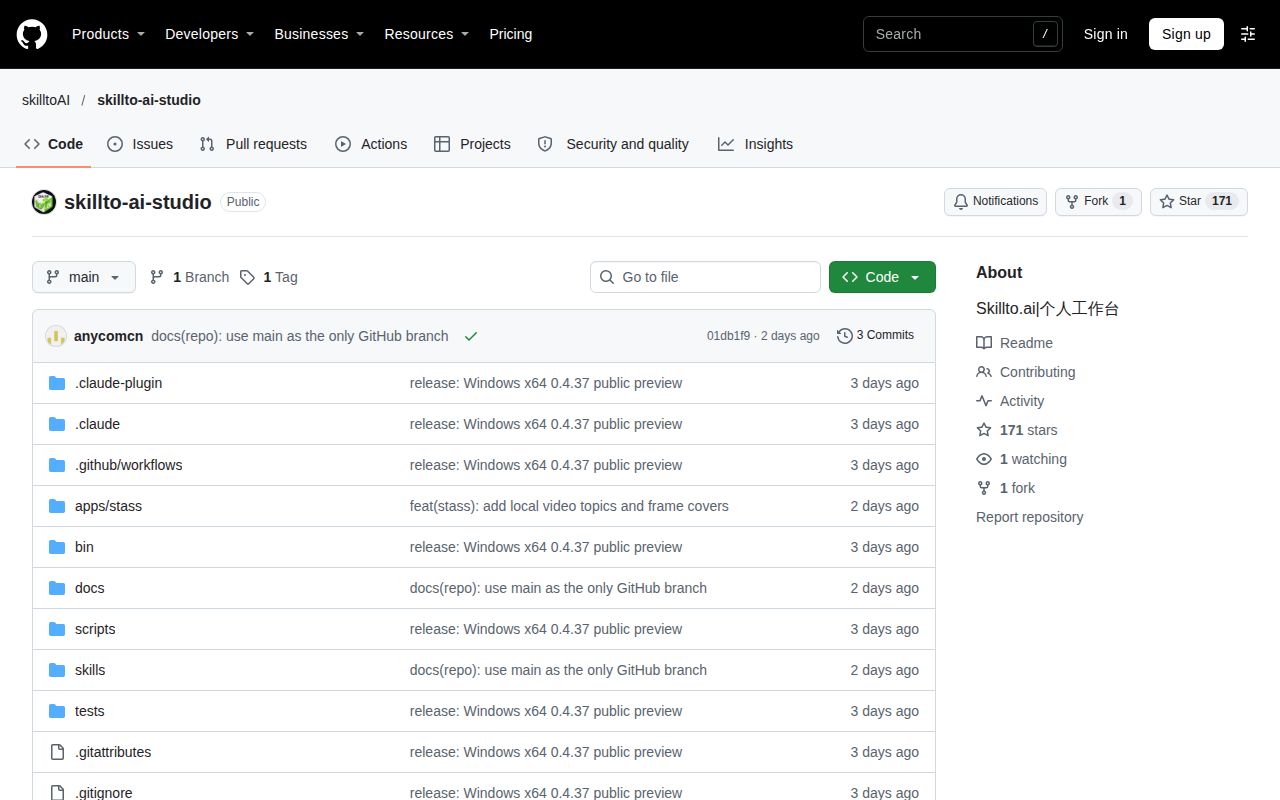
GitHub's API reported 171 stars, zero open issues and PRs, and a last push on November 22, 2026. That shows recent repository activity and a small attention count. Zero open issues and PRs does not mean zero defects, and stars do not count completed workflows. AIchanyi's overview explains the project, but offers no maintenance-response history to turn those metadata into a support promise.
Questions people ask
The documented skill installation requires Git, Python 3.10+ and a target client such as Codex or Claude Code. The README provides that quick start separately from Windows desktop packaging. Those are different entry points, so your first choice is which one you actually want to evaluate.
How do you install the skills?
The README documents cloning the repository, listing available skills with python scripts/install.py --list, then choosing groups with python scripts/install.py --agent codex --groups. For Claude Code, it changes the agent argument to claude. It tells you to restart the session before invoking the installed skill. These instructions cover the agent skills, rather than proving the desktop workspace is ready.
Is there a Windows installer?
The README says GitHub Releases currently has no Windows installer. It directs you to the codex/stass-migration branch and an offline candidate build, with a manifest digest used by Install.ps1. The documented first workbench target is Windows x64. That is the route to assess if you need the launcher and bundled editor.
Is skillto-ai-studio open source?
The repository is public, but the README says it has no project-wide open-source licence. Third-party components and brand assets remain under their own terms. Do not infer permission to redistribute a modified application from the ability to clone its source. Get terms that cover your intended use before building a distribution around it.
What we have not tested yet
Our app run ended at the Compose prerequisite, and our separate npm checks cover only their recorded install, test and audit steps. We have not tested the Python skill installer, a live Personal Server, MCP host registration, the Windows candidate package or a native macOS workspace. The actual runtime versions need the raw toolchain logs; the configured image label cannot supply them.
The next useful application test would create a record through an agent, edit it in the browser, then have the agent read the human change. That would answer the question at the center of this review. Media work needs a separate completed task: source clip, rough cut, subtitle changes and exported output. We have no measured generation quality, export quality, rendering time, idle memory, sustained workload capacity or comparative performance result.
Security defaults, secret handling, account scopes and network behavior also remain untested. Zero npm advisories cannot answer those questions. Cross-machine migration, installation on another Windows machine, upgrades and full rollback are named validation gaps in the README. Independent production adoption and support response times are unknown. Keep an evaluation copy of your material until the workflow you need has produced a deliverable you can inspect and recover.