AppFlowy 0.13.2 combines documents and databases in native clients
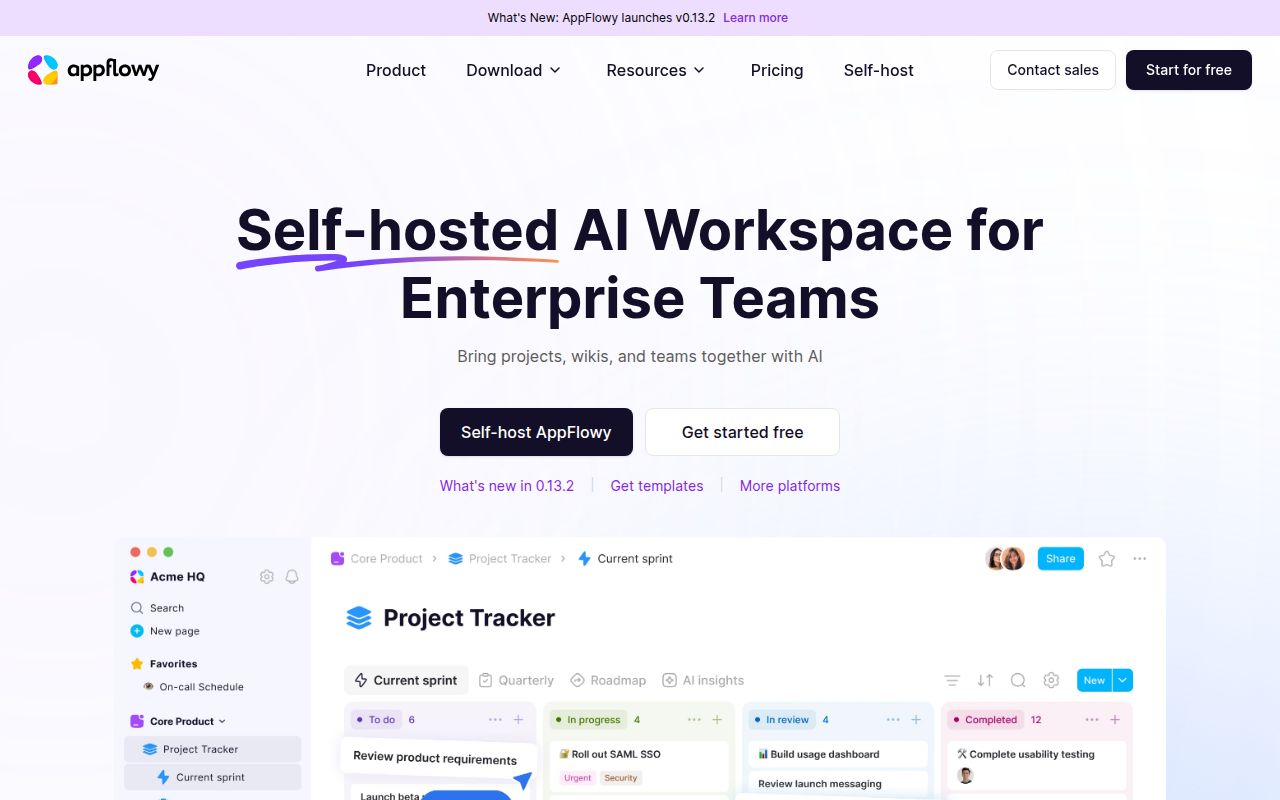
AppFlowy 0.13.2 is a workspace for pages, wikis, grid databases, kanban boards, templates, and team projects. The public repository builds its clients with Flutter and Rust, and the README links packages for macOS, Windows, and Linux. Mobile apps cover iPhone and Android 10 or later, with ARMv7 excluded. People leaving Notion will recognize the mix of free-form documents and structured views, without having to put every personal workspace in a vendor-hosted account.
The project had 75,966 GitHub stars when we fetched it, which explains the volume of integrations, platform reports, and contributor material around it. The useful distinction is between the client and the collaboration service. An individual can download a native application and work locally. Shared accounts and synchronization lead to AppFlowy Cloud, a separate repository and deployment with its own license, services, limits, and operating work.
The free self-hosted tier allows one user and three guest editors
AppFlowy Cloud's current README describes an open-core model and says the free self-hosted tier includes 1 user seat plus up to 3 guest editors. It also includes the web app, page publishing, and unlimited workspaces. That is enough for one technical evaluator and a few collaborators. It is a poor match for a team that reads "open source Notion alternative" as permission to run a free server for an arbitrary number of full members.
The deployment material maps traffic on ports 80 and 443 to authentication, HTTP API, and WebSocket routes. It also names administration, Postgres, MinIO, and Portainer interfaces. Those pieces make the product understandable, but they also create backup and security responsibilities. A serious installation needs persistent database and object-storage backups, TLS, controlled admin access, upgrades, and a restore drill. The clients must then point to the correct IP address or hostname.
What happened when we ran it
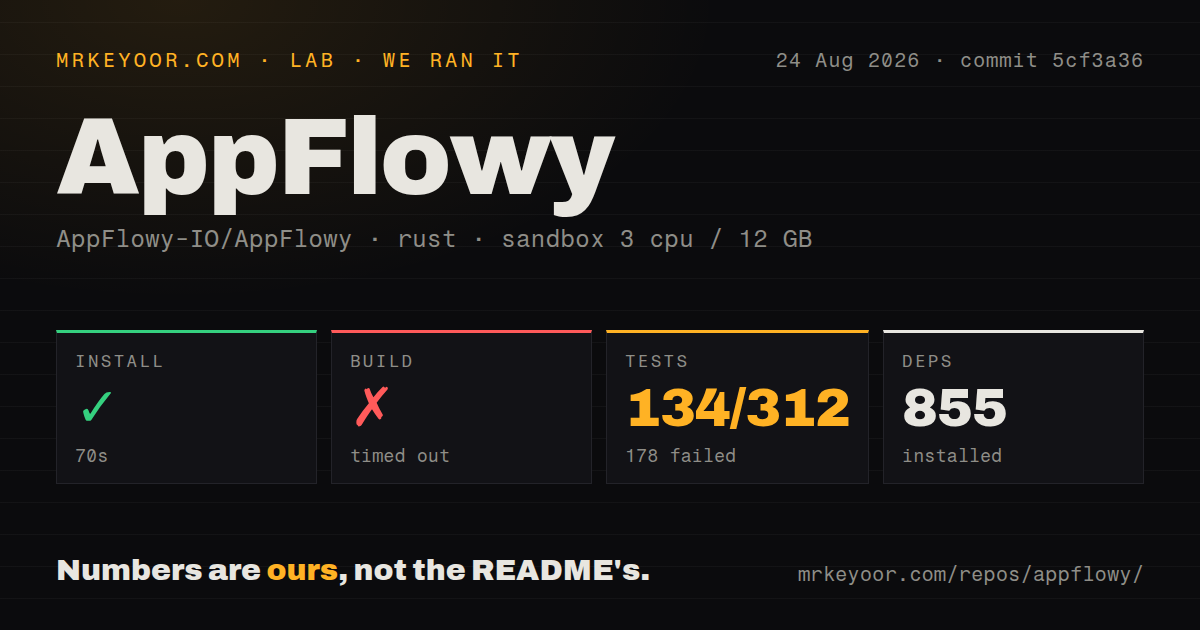
Our sandbox installed 855 packages in 70 seconds from commit 5cf3a36. The checkout contained 4,592 files, about 113,113 lines of source, and occupied 40.3 MB before that installation. We ran the Rust project under frontend/rust-lib inside an unprivileged Debian container with 3 CPUs, 12 GB of RAM, and no secrets. This result covers the library code selected by the harness, rather than a downloadable desktop release or AppFlowy Cloud.
The build did not finish within the 900-second limit. Cargo tests ran for 867 seconds and ended with exit code 101: 134 passed and 178 failed out of 312. The last reported package result was event-integration-test, where 67 passed and 89 failed. Its tail named backup deletion, favorite workspace array, and trash migration tests. The log did not identify a cause, so blaming Debian packages, container permissions, or the application would go beyond the evidence.
Our snapshot had 11 CI workflow files, no Dockerfile, and no tests directory. Those signals do not mean AppFlowy lacks automation or tests, since Cargo discovered 312 tests in the Rust target we ran. They do mean a newcomer cannot understand the project from a conventional root tests folder or container recipe. The 900-second build ceiling and 867-second failed suite also make compilation caches important for anyone planning regular contribution work on similar hardware.
Source setup spans Flutter, Rust, Linux libraries, and graphics
The official Linux source guide pins Flutter 3.27.4 and lists system packages for SQLite, SSL, Clang, CMake, Ninja, GTK, key bindings, and desktop notifications. It then runs a repository setup script before invoking Cargo Make from the frontend directory. Virtual machines can hit GL launch failures unless hardware 3D acceleration is disabled. This is a native desktop build with platform integration, so a working Rust toolchain alone is not the full environment.
Some source documentation has aged unevenly beside v0.13.2. The Linux page still ends by calling 0.1.0 the current AppFlowy version, even though the latest GitHub release is much newer. Packaged applications are therefore the sensible evaluation path for ordinary users. Contributors should treat command examples as a starting point, compare them with the checked-out scripts, and expect platform-specific fixes instead of assuming every page was refreshed with the release.
Version 0.13.2 fixed one data-loss path, while saving reports remain open
Release 0.13.2, published on August 11, 2026, fixed writes that could fail to persist when a document was open in several tabs, leading to data loss after an app restart. Open issue 8959 then reported text disappearing from a kanban card on that version. Issue 8949 described intermittent errors while entering kanban content, also on v0.13.2. These are individual reports, yet they concern the basic promise that a workspace keeps what its users type.
Migration deserves the same caution. Issue 8862 records a 700 MB Notion export failing during import to AppFlowy Cloud with a missing ETag message. The report does not prove that every large import fails. It does give evaluators a concrete test: import a copy of a representative workspace, then inspect databases, attachments, relations, formatting, and links before changing any subscription or retention policy. A completed upload is weaker evidence than usable imported pages.
The August 11 push and August 26 issue activity show an active project
GitHub recorded the last repository push on August 11, 2026, alongside v0.13.2. Open issues were still being updated on August 26, including the Notion import report, and the repository showed 1,002 open issues and pull requests combined. That queue is not a bug count. It spans multiple clients and features, while the dated activity shows users and contributors are still engaging with the project after the latest release.
AppFlowy earns a trial from individuals who want structured documents without defaulting to a closed hosted workspace. Teams face a higher bar. The free server limit, separate cloud stack, recent persistence reports, 900-second build timeout, and 178 failed tests all deserve decisions before migration. Use disposable copies first, test edits across tabs and devices, restart every client, and restore the server from backup. Adoption makes sense only when those results are boring.