Choose the moment yourself, then let NeonClipping format it
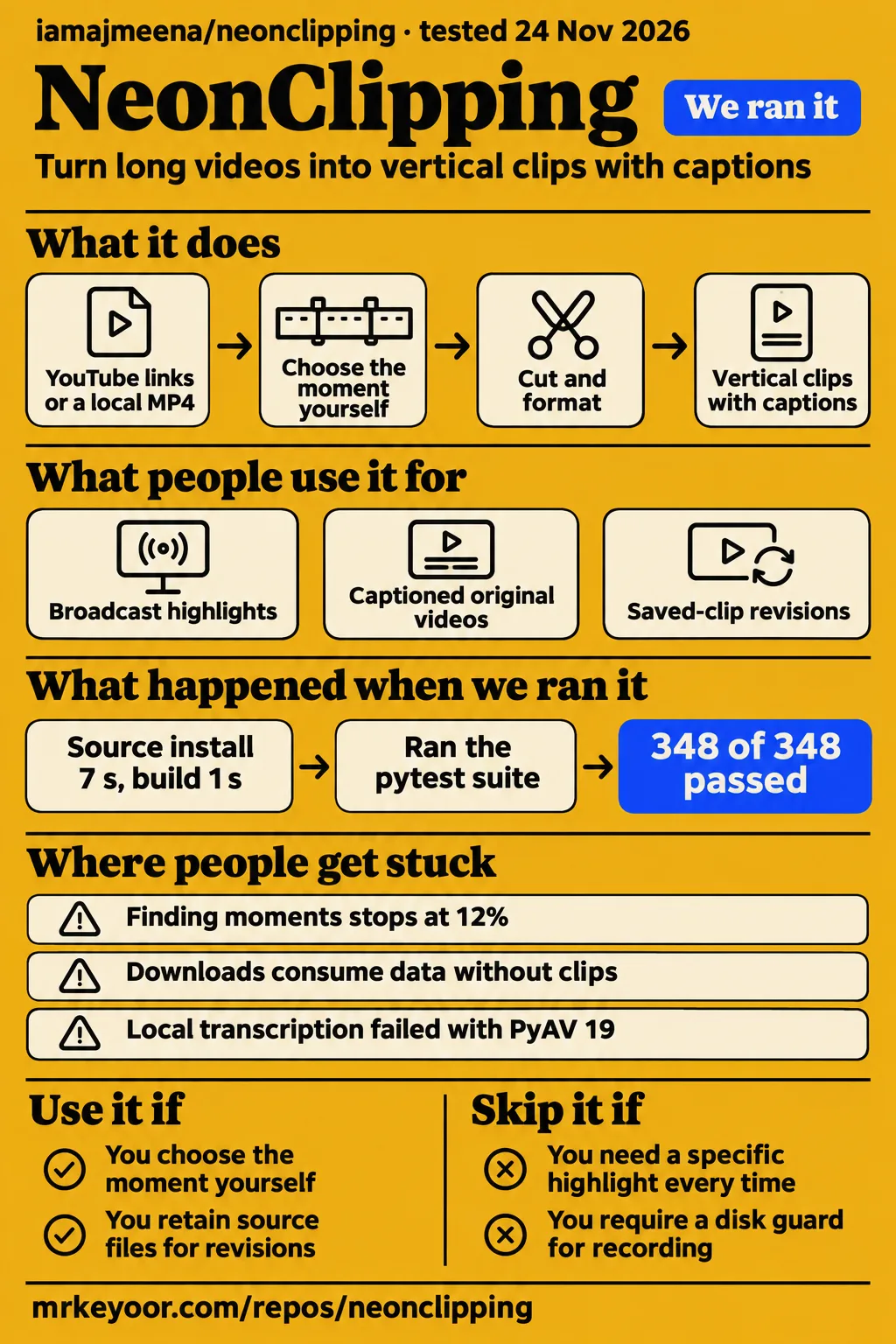
NeonClipping missed liftoff in both runs of GitHub AI repo's rocket-launch test, while the reviewer praised its vertical framing and captions. Use it for local clip formatting when you will choose or review the selections yourself. The reviewer recommended picking the moment yourself and using NeonClipping to cut it. That distinction between selecting a moment and presenting it governs this review.
NeonClipping accepts YouTube, Twitch and Kick links or a local MP4, according to its upstream README. Its editor provides facecam layouts, editable caption words and saved-clip revisions. Our source checks at commit c0edf73 passed installation, build and tests; the separate deployment attempt stopped at its Compose requirement. The source commands and the independent video review answer different questions about the software.
What people use neonclipping for
Creators and project developers have used NeonClipping for broadcast highlights, captioned original videos and saved-clip revisions, with distinct outcomes at each stage.
| Who used it | What they did | What happened |
|---|---|---|
| GitHub AI repo's reviewer | Requested three highlights from NASA's five-hour, twenty-minute Artemis I broadcast, then repeated the job | Both runs missed liftoff and its replays. Each took nine to twelve minutes. Rocket-launch review |
| The same reviewer | Processed an original five-and-a-half-minute video and compared captions with its script | Processing took two and a half minutes; the reviewer reported 96.4% word agreement and misleading explosion/flash and police-light cues. Original-video result |
| The project's development team | Exercised browser import, editable English transcripts, exports and saved edits | All eleven layouts and five caption styles rendered to 1080×1920 with audio and passed full decoding. Development verification |
| The project's development team | Changed layouts and styles on seven saved clips | The update took 119.58 seconds; sources, ranges and words stayed unchanged, and all seven MP4s decoded. Saved-edit verification |
| The reporter of issue #2 | Recorded a live Twitch stream and requested captioned clips from chat spikes | Recording and detection worked, but nine of nine clips failed with the metadata_errors error. The reporter and a commenter said a PyAV downgrade worked. Live-caption failure |
The NASA example gives the selection question a concrete target: liftoff and two later replays. The reviewer compared the generated clips with an identifiable event and received commentary elsewhere in the broadcast. Its original-video check assessed captions against a script and described the finished vertical frame. A clip can have readable captions and useful framing while omitting the event an editor wanted.
What happened when we ran it
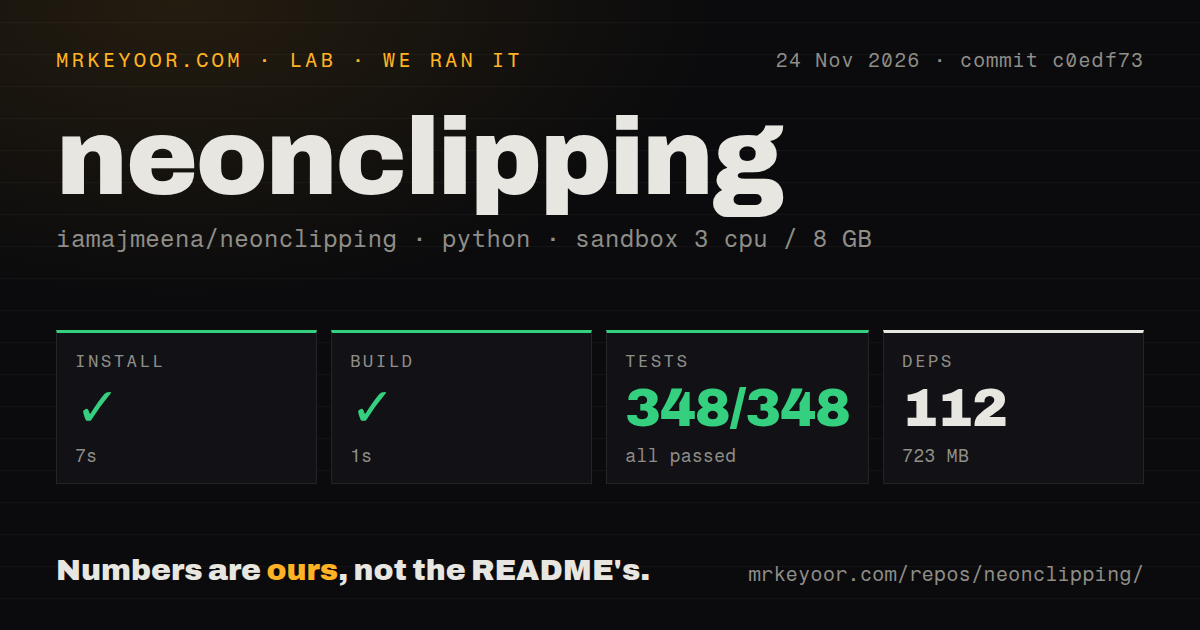
Our November 24, 2026 source-check run installed dependencies in 7 seconds, built in 1 second and completed its test step in 52 seconds at c0edf73.
The separate hands-on attempt checked for compose.yaml, compose.yml, docker-compose.yaml and docker-compose.yml. Finding none, the safety step failed with a Compose-file requirement. Its summary nevertheless described deployment using the repository's own Docker Compose. The failed step is the operational result; the summary conflicts with it. The attempt ended with a successful teardown status.
| Question | Answer | Verdict | Why |
|---|---|---|---|
| Did the hands-on deployment pass its safety step? | No supported Compose filename existed | Failed | The harness required a Compose file and stopped there. |
| Did teardown complete? | teardown: ok | Passed | The teardown record reports success. |
| Did dependency installation complete? | 7 seconds; 112 dependencies; 723 MB on disk | Passed | The source-check installation step returned success. |
| Did the build complete? | 1 second | Passed | The recorded build step returned success. |
| Did the test command complete? | 52 seconds; 348 passed, 0 failed, 2 skipped of 348 | Passed command; inconsistent summary total | The command succeeded, but passed plus skipped exceeds the stated total. |
| What did the repository scan record? | 192 files, approximately 19,327 source lines, 12.4 MB checked out; one CI workflow, tests directory, no Dockerfile | Recorded | These are repository and source-check observations. |
We measured installation, build and tests in our November 24 sandbox run, configured with 3 CPUs, 8 GB RAM and image label ghcr.io/astral-sh/uv:python3.12-bookworm. The 7-second figure describes dependency installation, and 723 MB describes the recorded installation footprint. The source run and the Compose-dependent attempt have separate records: one completed commands, while the other stopped at its safety step.
Where people get stuck: match the error to the fix
PyAV compatibility, Windows runtime imports and FFmpeg crashes have specific maintainer responses; stalled-generation reports prompted additional diagnostics.
| Symptom and discussion | Reported cause or change | Maintainer's next step |
|---|---|---|
| Captioned live clips fail in issue #2 | faster-whisper passed metadata_errors to PyAV after the argument was removed; the maintainer reports a shim and av<19 pin in 22fd67a | Rerun NeonClipping-Setup.bat to update. |
| ctranslate2.dll import fails in issue #12 | The maintainer identifies the Microsoft Visual C++ runtime as the usual cause; setup now installs it, retries imports and selects Python 3.10 to 3.13 | Rerun setup and attach install.log if it still fails. |
| Finding moments stops at 12% in issue #16, or reading moments stalls in issue #27 | Changes add progress messages, stalled-download reporting, empty FFmpeg stdin, decode timeouts and a 15-minute watchdog | Update and use Report a problem to capture the waiting step. |
| FFmpeg exits with code 3436169992 in issue #15 | The maintainer reports GPU-to-CPU decode fallback, startup checks and up to three retries for crashing section downloads | Update and share diagnostics if the crash persists. |
| Downloads consume data without clips in issue #19 | The maintainer recommends Fast mode, selected ranges, lower download quality or an uploaded MP4 | Update through setup and choose an input or download setting appropriate to the connection. |
| An unspecified clip fails in issue #29 | The maintainer reopened the report and requested the failed step | Update and submit sidebar diagnostics. |
Issue #2 separates recording and detection from transcription: chat spikes were found before all nine captioned clips failed. The reporter named the incompatible argument and said downgrading PyAV fixed it; another commenter confirmed the workaround. Issue #27 instead describes changes that expose waiting downloads and decoding, including a message after 45 seconds without data and a watchdog after 15 minutes.
Long videos and saved edits use bandwidth and disk
Fast mode downloads audio before selected video sections, while saved-clip revisions reuse analysis and encode another MP4.
The README describes Fast mode as audio and transcript analysis followed by downloads of chosen video ranges. Deep mode adds motion and cut analysis after downloading the full video. The project's instructions also require selecting a part of videos over two hours. These mode descriptions explain why source length and settings belong beside a processing-time figure.
For revisions, the development report describes reusing each saved clip's source, timestamps and words. Changing burned-in captions or framing requires another final encode, while source download, transcription and moment discovery are skipped. The library displays the latest versions and retains previous MP4s. The saved-editor instructions require original files in data/, so editors need to retain sources and manage older exports.
Manual live recording follows a different storage rule from unattended creator watching. The README assigns creator-watch sessions default limits of three hours and 8 GB free space, configurable through environment variables. It explicitly says a manual Live clipping session has no time cap and no disk guard. The choice between those two recording paths therefore changes the automatic stopping behavior.
Local processing includes network choices
NeonClipping's desktop server binds to 127.0.0.1 by default, while online imports and selected optional services make network connections.
The current README says processing and the clip library are local, then names online imports, optional AI, stock search and explicit publishing as operations that contact selected services. A pasted YouTube, Twitch or Kick link requires fetching remote footage. Its network description separates the address of the desktop server from the connections made to obtain footage or use another service.
The setup document lists Groq and Google Gemini as optional online AI choices alongside local Ollama. The README also describes a separately started phone-access mode with a Wi-Fi address and six-digit PIN. In that mode, the PC processes clips and the phone acts as a remote. These are configuration choices described by the project, alongside the default desktop interface at localhost.
English documentation and Hinglish captions serve different needs
NeonClipping links English and Hindi guides and defines Hinglish captions as Hindi speech written in English letters.
The README distinguishes Hinglish, Hindi and English output choices. It says Fast mode uses available source captions, while Best Hindi explicitly uses local large-v3 recognition. Missing source captions require local recognition. The language controls and guide links give an English-speaking editor a documented entry point, while editable words and subtitle import provide ways to correct the resulting text.
GitHub AI repo compared captions from its own English video with its script and reported 96.4% word agreement. It also described Claude becoming Cloud, alongside praise for bold captions that lit up word by word. The reviewer's script comparison states the reference behind that percentage: the script of its own five-and-a-half-minute video.
NeonClipping vs OpusClip, AutoClip and Docker clippers
NeonClipping's README contrasts its local installation with cloud and Docker workflows; Explainx distinguishes creator editing from scheduled podcast-folder pipelines.
| Option | Why consider it | Source of the distinction |
|---|---|---|
| NeonClipping | Local captions, facecam layouts and saved-clip editing | Upstream feature and editor descriptions |
| OpusClip | A cloud clipping workflow | NeonClipping's comparison describes OpusClip as cloud-based |
| AutoClip | Scheduled podcast-folder clipping through MCP | Explainx's workflow comparison |
| SupoClip, OpenShorts and Reelsaw | Docker-based self-hosted deployment | NeonClipping's README groups these alternatives together |
| Manual moment selection | Retaining the choice of timestamp while automating formatting | GitHub AI repo's recommendation after the launch test |
Explainx recommends NeonClipping for Twitch/Kick facecam workflows and AutoClip for scheduled podcast-folder pipelines. Its workflow recommendation gives readers a concrete distinction: footage an editor reviews versus folders processed on a schedule. The MCP reference concerns an interface for tools used by AI assistants. GitHub AI repo's launch review supplies the separate reason to retain human selection of important moments.
What the other reviews get wrong
Dev.to's offline claim and Digital Qazaqstan's under-two-minute promise exceed the narrower network behavior and individual timings documented by the project.
Dev.to describes entirely offline operation as a consequence of localhost binding. The current README explicitly names services contacted by imports, optional AI, stock search and publishing. Digital Qazaqstan promises polished vertical clips in under two minutes. The project's 97-second result used an RTX 2060, sixteen threads, Fast mode and three clips; the Mac reviewer reported nine to twelve minutes for each long-broadcast run.
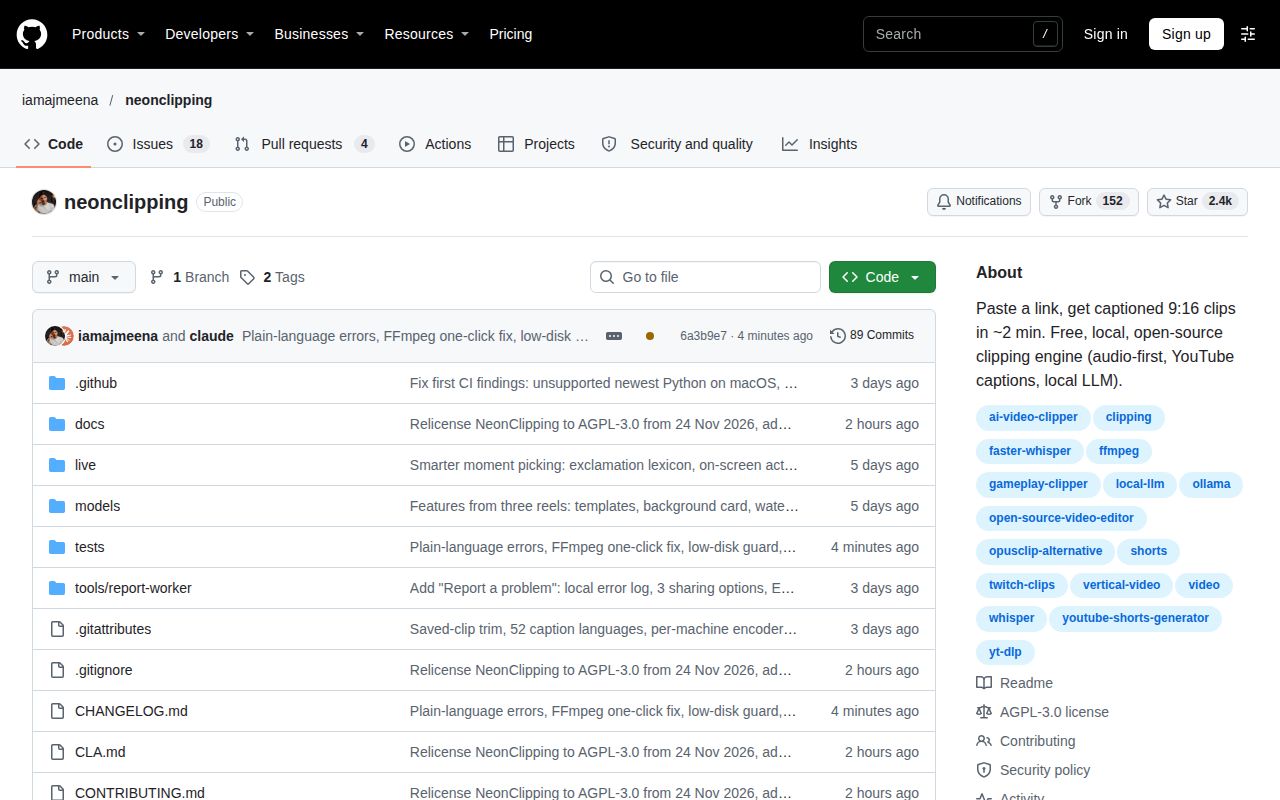
The development report records four Fast-mode clips in 210.9 seconds and one Deep/Best-caption clip in 168.8 seconds. Those jobs used different options. Licensing also differs between snapshots: current repository metadata reports AGPL-3.0, while the c0edf73 harness reports MIT and older Dev.to coverage labels the repository MIT. The recorded latest release is v1.1.0, dated November 21, 2026; our source-check commit is c0edf73.
The official site's FAQ calls the phone remote planned, while the same page advertises a PIN-protected remote and the README describes starting it. The third-party neon-clipping.com installation page asks for administrator rights for an update check; the official site says its setup needs no administrator rights. These conflicting descriptions concern different installation and access routes carrying the NeonClipping name.
The installation tutorial presents Ollama as required, but the README says it is optional and audio/motion scoring selects clips without it. The development handoff also says viral scores and action heuristics are not measured probabilities of going viral or a trained GTA event classifier. An optional model affects ranking; the resulting score is a selection signal rather than an earnings result.
Questions people ask
Windows users can install NeonClipping with NeonClipping-Setup.bat; the README says it checks prerequisites and opens the local interface.
What is NeonClipping, and how do I install it with NeonClipping-Setup.bat?
NeonClipping makes captioned vertical clips from platform links or a local MP4. Windows users download NeonClipping-Setup.bat from the official website or Releases page and double-click it. Setup checks the PC, installs missing Python and FFmpeg, creates a Desktop shortcut and opens the app. The documented requirements are Python 3.10 to 3.13 and FFmpeg; Ollama and NVIDIA acceleration are optional.
Why is NeonClipping stuck at 12% or reading moments?
Issues #16 and #27 report these stopping points, and the maintainer recommends updating and capturing the exact waiting step through Report a problem. The changes described above add progress messages, download reporting and decode timeouts. In issue #27, the maintainer asks for sidebar diagnostic text after another setup run if the job stays stuck, so the next report identifies where execution is waiting.
Why am I using up internet data without getting any clips?
Remote inputs download data before an export finishes. In issue #19, the maintainer recommends Fast mode, selecting a part of long videos, lowering download quality or uploading an MP4. A later response adds 480p and 360p options. The bandwidth discussion gives concrete input and quality choices; issue #20 contains the same user's report and diagnostics.
How do I fix the ctranslate2.dll installation error?
The maintainer recommends rerunning the updated setup, which installs the Microsoft Visual C++ runtime and retries imports. Issue #12 identifies the missing runtime as the usual cause and says the installer uses Python 3.10 to 3.13. Its follow-up instruction is to attach install.log if the import still fails, preserving the error details needed to distinguish another dependency problem.
How do I fix captioned clips failing with the metadata_errors error?
The maintainer recommends updating through NeonClipping-Setup.bat in issue #2. The discussion identifies faster-whisper passing an argument removed by PyAV 19; it records the reporter's working downgrade and the maintainer's compatibility shim and av<19 pin. The PyAV discussion connects this exact error to local transcription, including live clips, Twitch VODs and local files.
What should I do when FFmpeg crashes during rendering?
For exit code 3436169992, the maintainer recommends updating and sharing Report a problem diagnostics if the failure continues. The response describes GPU-to-CPU decode fallback, startup checks and retries for crashing section downloads. The FFmpeg issue preserves the exact exit code and asks for diagnostic text containing the FFmpeg version, rather than treating every rendering failure as the same error.
How do I get NeonClipping to make clips from a pasted YouTube link?
Open NeonClipping on the PC, paste the link and press Make clips. That is the maintainer's instruction in the link-request discussions. For an actual failure, issue #29 was reopened with a request for sidebar diagnostics and an update first. The reopened report distinguishes operating the application from posting a video URL in its GitHub tracker.
Can NeonClipping reliably find the best moment without optional AI scoring?
GitHub AI repo's rocket-launch review missed liftoff twice with optional AI scoring off, so that result favors choosing important timestamps yourself. The reviewer recommended retaining the cutting and formatting workflow after receiving the same three clips again. Its selection recommendation follows an identifiable missed event, with the configuration and coverage of that review collected in the final section.
How does NeonClipping find moments in a long video?
Fast mode scores audio changes and transcript cues and can use a local model to rank candidate moments. It then downloads chosen video sections. Deep mode adds motion and cut analysis. The README's selection design separates analysis from rendering: proposed timestamps become clips with framing and burned-in captions after the selected-range downloads finish.
Can I turn long videos into Shorts without paying for subscriptions?
The README describes a local workflow without a clipping-service account or subscription. Users provide the computer, storage and input footage, and choose whether to enable optional services. Its installation and input instructions support both platform links and local MP4 files. Running that workflow uses the reader's hardware and storage rather than a hosted clipper's subscription allowance.
How can I create ten Shorts or Reels within ten minutes?
The promotional tutorial raises that target, but the project's 97-second result describes three clips from an 85-minute YouTube source on its RTX 2060 machine. The independent Mac review reports nine to twelve minutes for each long-broadcast run. Those figures describe individual jobs with different sources and configurations, rather than a ten-clip completion schedule.
Which videos should I clip, and where can I upload clips to make money?
Explainx says the clipper grants no rights to re-upload third-party gameplay, so permission to reuse footage is a separate requirement from creating an MP4. Its rights discussion separates software features from permission to publish someone else's work. A title, exported clip or viral score is an editing output; the earnings evidence is addressed with the other open questions below.
What we have not tested yet
Our completed source run covers installation, build and tests at c0edf73; the separate deployment attempt stopped before generating a clip or application screenshot.
The licensing evidence identifies conflicting labels, not a documented transition. Current repository metadata reports AGPL-3.0, while the c0edf73 harness and older coverage report MIT. The README extracts contain no license-transition passage establishing a November 24, 2026 effective date or the terms applicable to earlier releases. Version-matched license text for v1.1.0 and c0edf73 is needed to resolve those questions.
Publishing and scheduling have conflicting documentation: the current upstream README describes direct publishing to YouTube, Instagram and TikTok and a local scheduling queue, while the development handoff lists publishing and native durable queues as separate work. The README's publishing description and handoff's separate-work list need version matching and an independent publishing run before supporting a recommendation about account connections, scheduling behavior or queue durability.
The test summary needs reconciliation with raw output because 348 passed plus two skipped exceeds its stated total of 348. The sandbox image label does not identify actual runtime or operating-system versions. The 7-second dependency step excludes a fresh Windows PC's complete setup, and 723 MB supplies no allowance for footage, model weights or exports. The contradictory Compose summary cannot replace the failed safety record.
Fresh Windows installation, Mac installer reliability, phone-remote access controls, network traffic, unattended recording, sustained disk growth and interrupted-export recovery are outside our completed run. Issues #16 and #27 remain open without successful reporter reruns; the closed FFmpeg discussion also lacks a successful user retest, as does the bandwidth discussion. The third-party Windows wrapper's administrator behavior and the official site's conflicting remote descriptions need separate checks.
The independent review used a Mac without NVIDIA hardware, one long NASA broadcast and one original video, with optional AI scoring off and no Deep-mode test. Its findings cover those inputs and settings, not accuracy across languages or the effect of changing selection modes. The maintainer's layout and saved-edit checks use a particular source; neither those checks nor the comparison articles supply a controlled quality contest with OpusClip, AutoClip or the Docker clippers.
Earnings and audience growth have no demonstrated NeonClipping outcome here. The N3on earnings video uses CapCut and concerns a streamer, while the Bilibili results concern popping dance. Neither evaluates this repository. A useful next clipping test would keep the source and requested clip count constant, change one selection option at a time and compare the output with a known event. This revision added no executed code example or video test.