mrkeyoor.com_
Fri 02 Oct 14:58 UTC
Dev Toolsevaluationupdated 02 Oct 2026

routeVSCODE review

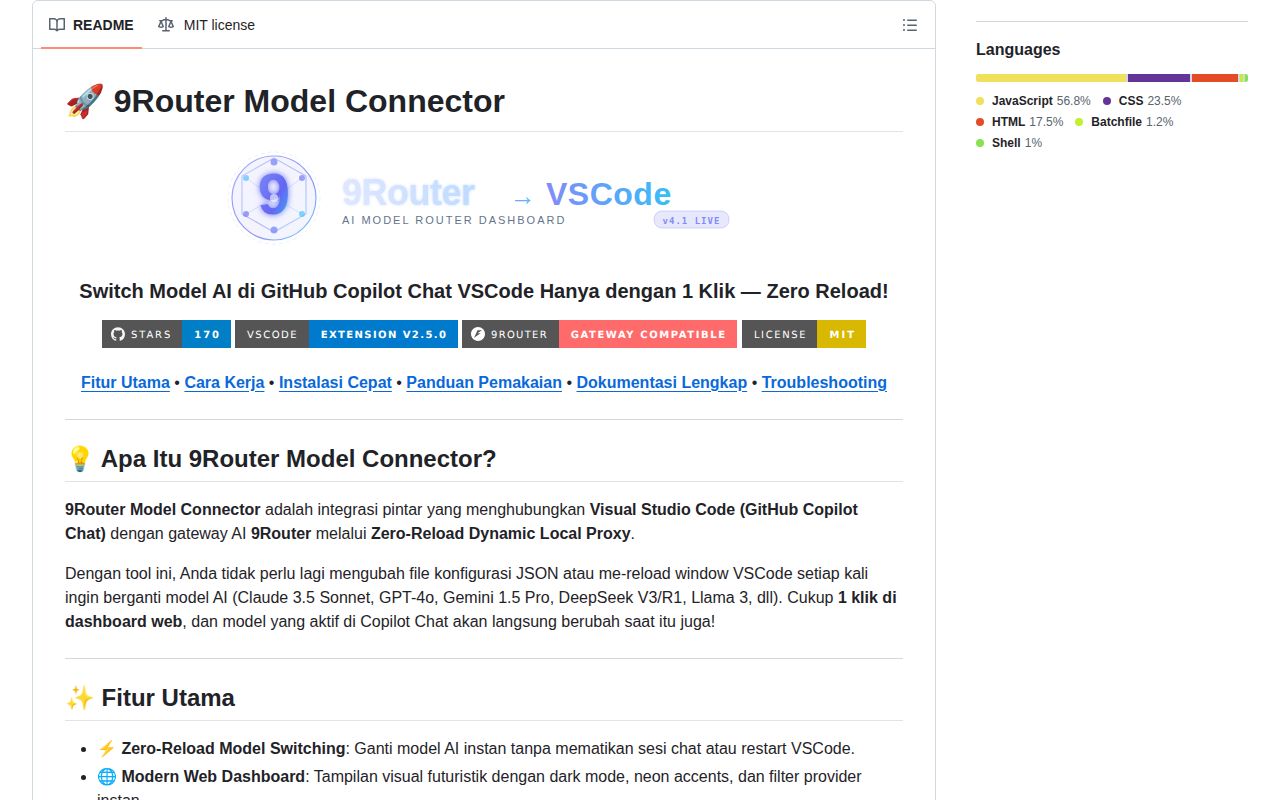
9Router Model Connector is an Indonesian-language VS Code extension and dashboard for switching the model used by GitHub Copilot Chat without reloading the editor. Its README and bundled guides do not provide full English versions, so English-only teams will need to translate the setup and troubleshooting material.

Verdict

Our routeVSCODE run installed 78 packages in 19 seconds with 0 known vulnerabilities, but the repository gave us no build or test target to verify. Use it if you already run 9Router, work in Copilot Chat, and value quick local model changes more than managed distribution. Skip it for a team rollout until the key storage, English documentation, tests, and release channel meet your policies.

We ran it

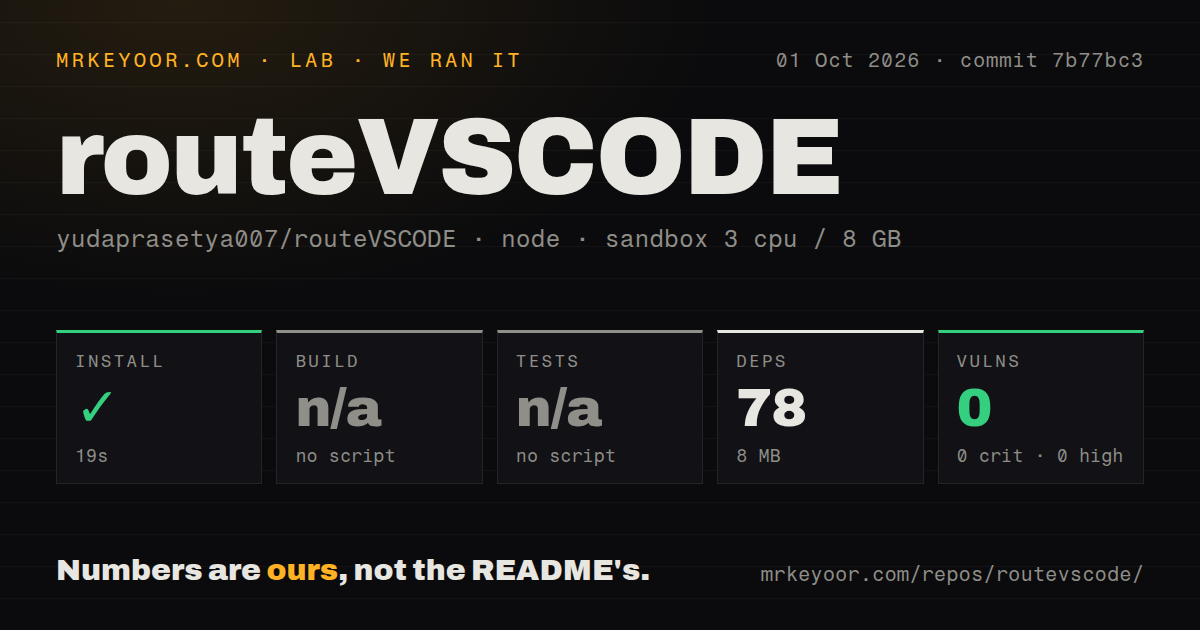
Lab card: what happened when we ran routeVSCODEScreenshot of routeVSCODE (github.com/yudaprasetya007/routeVSCODE#readme)
Install✓ · 19s78 packages · 8 MB
Buildn/ano build script
Testsn/ano test script
Known vulns00 critical · 0 high · 0 moderate · 0 low (npm audit)
Repo21 files~3,821 lines of source · 1 MB · 0 CI workflows

Answers from our run

Does routeVSCODE build from source?

Dependencies installed in 19 seconds (78 packages), and the project has no separate build step. We cloned commit 7b77bc3 into a clean Debian container with 3 CPUs and no project-specific setup.

Does routeVSCODE have tests you can run?

Not through a standard command: the project exposes no test script or target that our harness could run.

Does routeVSCODE have known vulnerabilities in its dependencies?

npm audit found none in the dependency tree at the time of our run.

Who should not use routeVSCODE?

English-only teams that need support material they can hand to every developer: the README, setup guide, and troubleshooting guide are written mainly in Indonesian.

What are the alternatives to routeVSCODE?

Continue, LiteLLM, Portkey AI Gateway. Our routeVSCODE run installed 78 packages in 19 seconds with 0 known vulnerabilities, but the repository gave us no build or test target to verify.

Setup3/5Fast npm install, but VSIX, gateway, key, and three ports remain
Docs3/5Detailed Indonesian guides, with no full English version
Community2/5170 stars, no issue activity, and a September 10 last push
Maturity2/5Version 2.5.0 is bundled, but CI, tests, and releases are absent

Who it’s for

VS Code users who already run 9Router and want to change Copilot Chat models from a status-bar menu or local dashboard.
Developers comfortable installing a checked-in VSIX rather than using the VS Code Marketplace.
Solo users who can manage a gateway, provider credentials, and three fixed local ports on one machine.

Who it’s NOT for

English-only teams that need support material they can hand to every developer: the README, setup guide, and troubleshooting guide are written mainly in Indonesian.
Security policies that forbid API keys in ordinary editor configuration: the extension writes the 9Router key to VS Code global settings and chatLanguageModels.json.
Teams that require automated release evidence: our scan found no CI workflows or tests directory, and npm exposes neither a build nor a test target.
Administrators who allow only Marketplace-managed extensions: installation uses the version 2.5.0 VSIX committed inside the repository, and GitHub had no release record.
Developers who do not use GitHub Copilot Chat or 9Router, since the switching path depends on both.

Setup reality

Our sandbox installed commit 7b77bc3 in 19 seconds, adding 78 npm packages and using 8 MB on disk. Npm audit reported 0 known vulnerabilities. There was no build target and no test target, so both checks were skipped rather than passed.

The documented path also needs Node.js 18 or newer, VS Code 1.90 or newer, GitHub Copilot Chat, a global 9Router install, its API key, and any provider credentials or credits used behind that gateway. The supplied VSIX is installed with the code command.

9Router listens on port 20128, the extension proxy uses 20129, and the browser dashboard uses 5500. A first installation may still need one VS Code reload, while later model changes are meant to avoid it. Port conflicts and a missing code command have separate troubleshooting steps.

One Copilot entry connects ports 20129 and 20128

Version 2.5.0 avoids rewriting Copilot's model entry each time you change providers. The extension adds one target called 9Router via Proxy, starts an HTTP proxy on 127.0.0.1:20129, and replaces the outgoing request's model field with the current selection. The request then goes to 9Router on port 20128. That is a narrow solution to a real annoyance: after the first setup, choosing another model does not require another editor reload.

You can choose from the VS Code status bar or a browser dashboard on port 5500. The extension also exposes commands to set the gateway URL and key, refresh model choices, add an ID manually, inspect status, and remove its Copilot entry. Streaming responses are piped back to Copilot Chat. If 9Router cannot return its live model list, the code falls back to the active or configured IDs rather than pretending the gateway answered.

The 19-second install covers only the dashboard dependency

Our fresh Debian sandbox installed commit 7b77bc3 in 19 seconds. Npm added 78 packages, occupied 8 MB, and reported 0 known vulnerabilities. That is a pleasantly small JavaScript dependency footprint. It does not install a ready-to-use Copilot routing stack by itself. The root package has one development dependency, serve, and its start command hosts the static dashboard.

The documented setup separately installs 9Router globally and installs releases/routevscode.model-connector-2.5.0.vsix through the VS Code CLI. You also need Node.js 18 or newer, VS Code 1.90 or newer, GitHub Copilot Chat, a 9Router API key, and provider credentials or credit behind the gateway. That is reasonable for an individual machine already using 9Router. It is several moving parts for an organization expecting one managed extension.

What happened when we ran it

In our unprivileged Debian sandbox with 3 CPUs and 8 GB of RAM, npm installation was the only supplied lifecycle step we could run. It finished in 19 seconds with 78 packages and 8 MB on disk. Npm audit found 0 known vulnerabilities. The checkout itself contained 21 files, about 3,821 lines of source, and occupied 1 MB before installation.

There was no build script or build target, so we skipped that step. There was also no test script or test target, so we skipped tests. The repository had 0 CI workflow files, no Dockerfile, and no tests directory. None of those skipped checks is a pass. Our sandbox result says the dependency tree installed cleanly; it says nothing about a live Copilot request, model switching, provider behavior, or the bundled VSIX.

Version 2.5.0 writes the key into ordinary VS Code configuration

The extension asks for a 9Router key, writes it into VS Code's global configuration, and copies it into chatLanguageModels.json when it creates the proxy entry. The dashboard can also send a key through a vscode:// URI during model activation. That design makes setup direct, but it does not use VS Code's secret storage API. A developer with access to those configuration files can read the value.

This is a valid reason to reject the tool in a managed environment even if the gateway stays on localhost. The proxy itself binds to 127.0.0.1 on port 20129, which limits network exposure, and it replaces Copilot's authorization header with the configured gateway key before forwarding. Those choices do not change where the credential rests on disk. Use a narrowly scoped 9Router key and check whether your endpoint policy permits that storage model.

Version 2.5.0 is a checked-in VSIX with no release record

The extension manifest and filename both say version 2.5.0, and the README tells users to install that VSIX directly from the clone. GitHub's latest-release endpoint returned no release, and the repository does not link to a Marketplace listing. Updates therefore depend on watching the repository, pulling a new copy, and reinstalling whatever package the maintainer commits. There is no release page supplying notes, signatures, or a separate artifact history.

GitHub showed 170 stars, 0 open issues or pull requests, and a last push on September 10, 2026. The empty queue offers no user-support trail, while the recent push says more than a missing release tag about current maintenance. With no CI and no tests in our scan, version 2.5.0 still asks users to trust source inspection and manual behavior checks.

Three local services make sense only for existing 9Router users

The dashboard includes model filtering, response checks, and side-by-side comparison controls, but its useful path is built around one gateway and one editor chat. If your team wants a general model gateway, LiteLLM or Portkey can sit behind several applications. If you want the coding assistant to manage providers directly, Continue removes the Copilot-specific proxy layer.

For an existing 9Router user, the idea is appealingly direct: keep one Copilot entry and change its destination model in memory. For everyone else, the 19-second npm install hides the larger adoption cost. You are accepting a manually installed VSIX, Indonesian-only instructions, three local ports, ordinary configuration-file key storage, and no automated test evidence. Quick switching is useful, but those five conditions should be acceptable before you route real prompts through it.

Alternatives

ProjectWhat it isPick it when
Continue gh↗An open-source coding agent with editor integrations and configurable model providers.pick this instead when you want the coding assistant itself to own model configuration rather than routing Copilot Chat through a local proxy.
LiteLLM gh↗An OpenAI-compatible gateway and SDK for routing requests across many model providers.pick this instead when one shared gateway must serve editors, applications, and team infrastructure, not just a local Copilot setup.
Portkey AI GatewayA model gateway with routing and guardrail support for applications using multiple providers.pick this instead when gateway policy and application traffic matter more than one-click switching inside VS Code.

What people are saying

  1. [velocity-scout] yudaprasetya007/routeVSCODE

Sources

  1. 9Router Model Connector README
  2. Architecture and request flow
  3. Setup guide
  4. Extension source at the tested commit
  5. Troubleshooting guide

More dev tools reviews

touchHLE · effect · SwitchHosts · Duo-animation · DuoLikeAnimation · team-Omzo · the whole board →