Continue 2.0.0 is a final release you would have to own
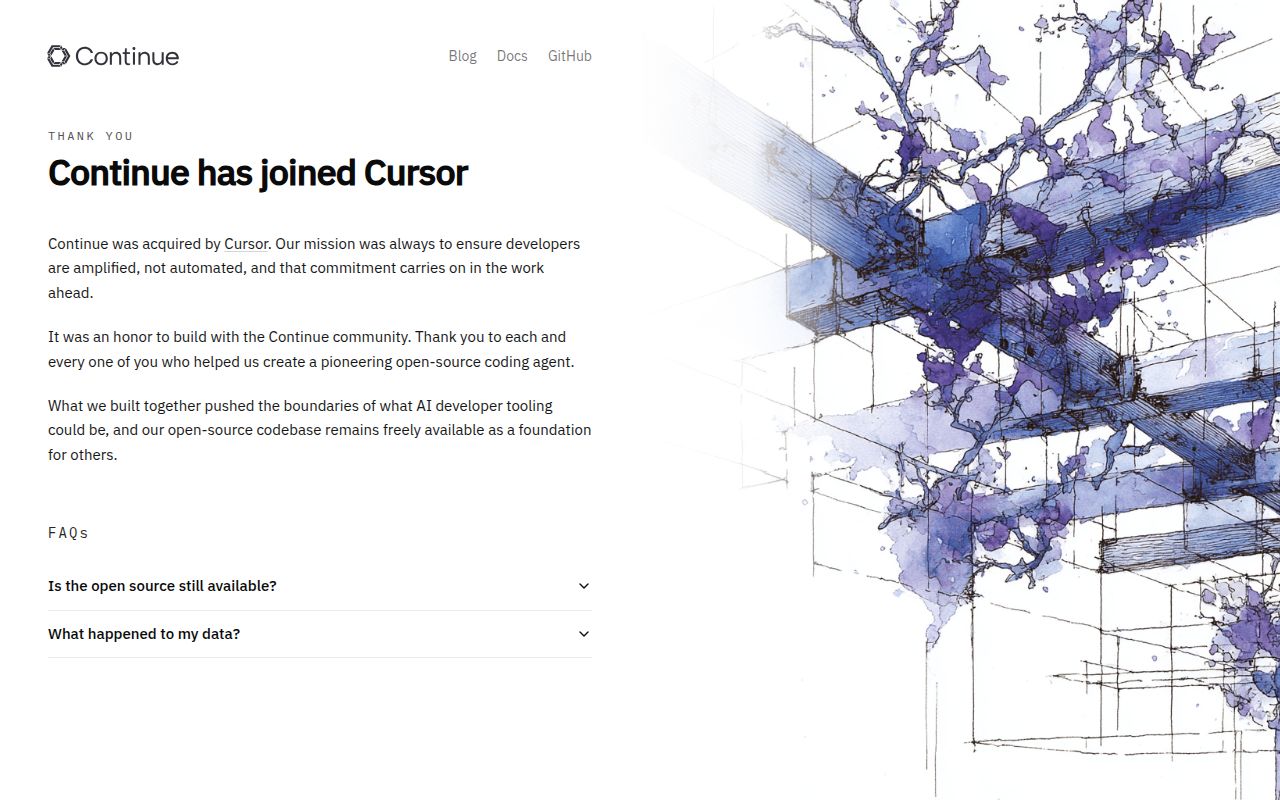
Continue's README calls 2.0.0 the final release and says active maintenance has ended. That changes the decision before you choose an editor. An existing user may reasonably keep a working configuration while arranging a move. A team choosing its first coding assistant needs a stronger reason to inherit the code. The Apache-2.0 license makes a fork possible, but a permissive license doesn't assign anyone to fix tomorrow's editor or provider problem.
The README describes a coding agent with CLI, VS Code, and JetBrains clients. Its final-release note says authentication and anonymous telemetry were removed. Those are concrete changes to Continue itself. They don't mean a language-model provider becomes free, anonymous, or unnecessary. If your current workflow depends on Continue, record which client and model connection actually make it useful before deciding what to preserve.
What happened when we ran it
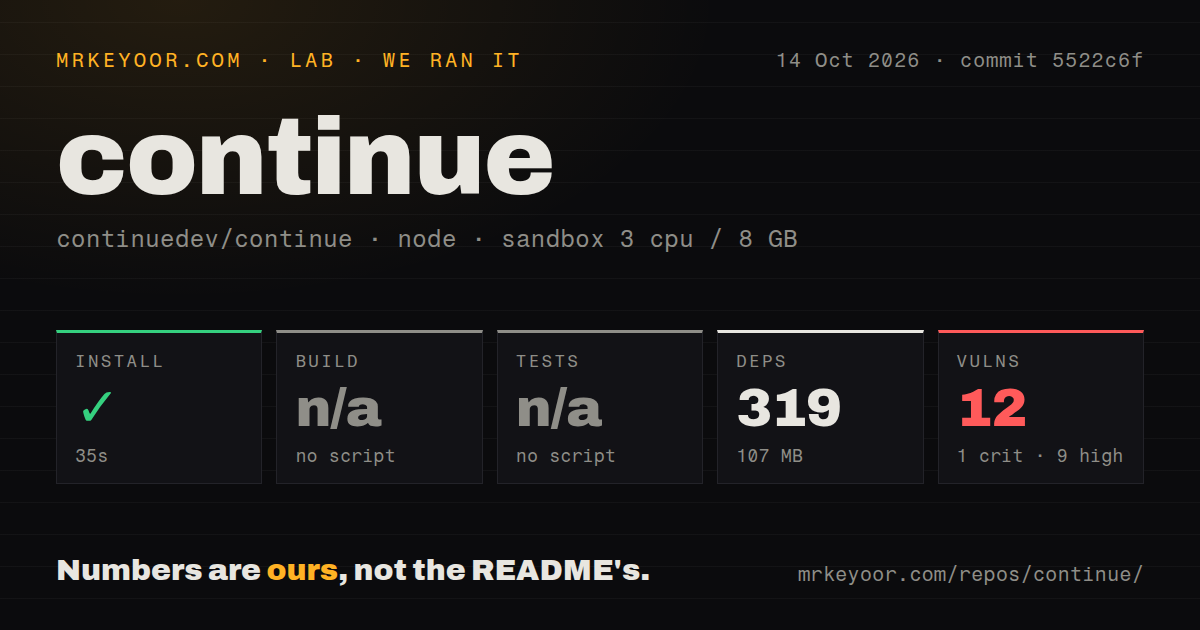
Our sandbox installed Continue commit 5522c6f in 35 seconds on October 14, 2026, recording 319 dependencies and 107 MB on disk. The checkout held 3,001 files, approximately 331,015 lines of source, and occupied 281.9 MB. Installation succeeded. That establishes a dependency-resolution result for this snapshot, rather than a successful session in an editor or a judgment about the quality of generated code.
Build and tests were skipped because our runner found no script or target for either step. The scan recorded 31 CI workflow files, no Dockerfile, and no tests directory. A directory scan cannot prove the absence of tests elsewhere in a large repository. Nor do workflow files prove that the particular clients you need compile successfully. A prospective fork owner still needs to identify the relevant verification commands.
Npm audit reported 12 known vulnerabilities: 1 critical, 9 high, none moderate, and 2 low. The supplied measurements don't identify affected packages or reachable code paths, so they cannot establish exploitability in an editor session. They do establish dependency work that deserves investigation before adoption. The sandbox had 3 CPUs and 8 GB RAM with image label lab-node:22. Actual runtime and operating-system versions require the toolchain logs.
A model provider remains part of the setup
Continue's provider guide describes cloud services alongside local model options. Most cloud providers require API keys. Local choices include Ollama and LM Studio, which move model serving onto infrastructure you operate. The useful distinction for a team is who holds the code context and who keeps the model endpoint working. Our dependency run didn't exercise either arrangement.
The guide also allows multiple providers for different model roles. That flexibility matters if your current Continue setup has a provider combination worth keeping. It creates more configuration to transfer during migration, too. Write down the provider, selected model, and the work assigned to it. A replacement that opens in the same editor may still need different credentials and settings before it can handle that work.
For a local model route, budget and validate the model service separately. The 107 MB dependency footprint we measured covers this repository's installation, not downloaded model weights or inference memory. Nothing in this run measures response latency, coding accuracy, or hardware requirements for a chosen model. Treat those as acceptance questions for your own workload rather than benefits established by a successful install.
JetBrains users receive an explicit recommendation to use the CLI
The README recommends the Continue CLI instead of its JetBrains plugin. That's a specific reason for a JetBrains-focused team to hesitate: choosing the plugin would go against the project's own client advice. It doesn't establish that every plugin installation fails. It does mean you should demonstrate a reason to depend on that plugin before making it part of everyone's development environment.
VS Code users have marketplace and OpenVSX links in the README, while terminal users have a linked npm package. Those distribution choices help locate the clients, but our run checked the source dependency path. It didn't validate a packaged extension or compare the clients. Keep the release artifact you use distinct from the source snapshot we measured when deciding how to reproduce or replace a working setup.
October activity does not cancel the maintenance notice
GitHub recorded the last push on October 19, 2026, and 864 open issues and PRs in the metadata checked on October 20. The queue included an October 19 pull request about preserving the latest user query during history pruning, plus issue updates on October 20. That is evidence of ongoing participation. It doesn't override the README's explicit statement about maintenance or promise another supported release.
For a team taking ownership, that distinction is practical. A proposed patch may offer a useful starting point, but the existence of a PR doesn't establish its correctness or its inclusion in your client. Decide who will review changes and maintain the version you ship. The audit findings and skipped verification steps give that person specific unanswered questions to resolve.
Aider and Cline offer concrete workflows to compare
Aider offers terminal-based pair programming with language models. Cline documents a VS Code workflow with human approval for tool use. These are sensible evaluation candidates for terminal and editor users respectively. We haven't measured either alternative in this review, so this comparison doesn't claim a cleaner audit or a faster setup.
If Continue already earns its place in your day, use that working configuration as the acceptance checklist for a replacement. If you're starting fresh, require an actual reason to own Continue's maintenance burden. A source install can finish in 35 seconds while leaving the client, model connection, and future fixes entirely your responsibility.