One Electron window compares more than 30 viewport profiles
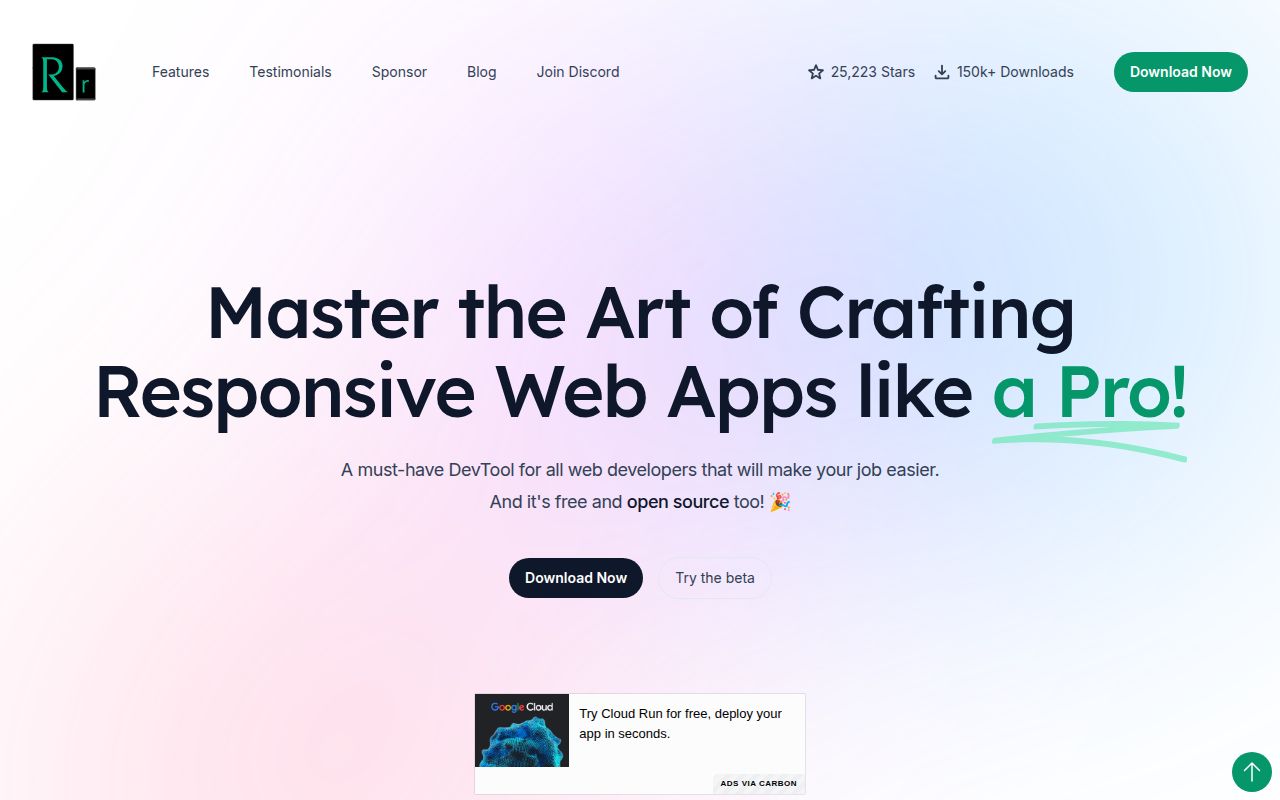
Responsively App loads the same URL into a grid of device-size previews. A click, scroll, or typed value can be mirrored across them, which makes layout differences visible without resizing a browser window after every CSS change. The README lists more than 30 built-in profiles, custom devices, shared inspection, screenshot capture, and hot reload. A design-overlay feature in v1.18.0 adds mockup comparison.
This is visual triage rather than a compatibility verdict. Responsively can show that a menu overlaps content at a narrow width or that a heading wraps badly. It can also keep several previews in the same interaction state. That is faster than repeating a checkout flow by hand in 5 resized windows. It does not tell you how Safari on an iPhone will paint the same page.
The browser helper only hands a URL to the desktop app
The measured subproject is a Manifest V3 extension named Responsively Helper. Its job is small: take the current browser tab and open it in Responsively App through the responsively:// protocol. It supports Chrome and Firefox development paths, and its package scripts build, lint, and package the extension for store upload. The desktop application still does the previewing.
Publishing the helper is more involved than local compilation. The documented workflow needs a Chrome Web Store extension ID, Google OAuth credentials, and Mozilla Add-ons API credentials. Store versions must be bumped in 2 files. The Chrome Web Store API can update an existing listing, while a removed listing may need its first Manifest V3 upload done manually. None of those credentials are necessary for an ordinary local build.
What happened when we ran it
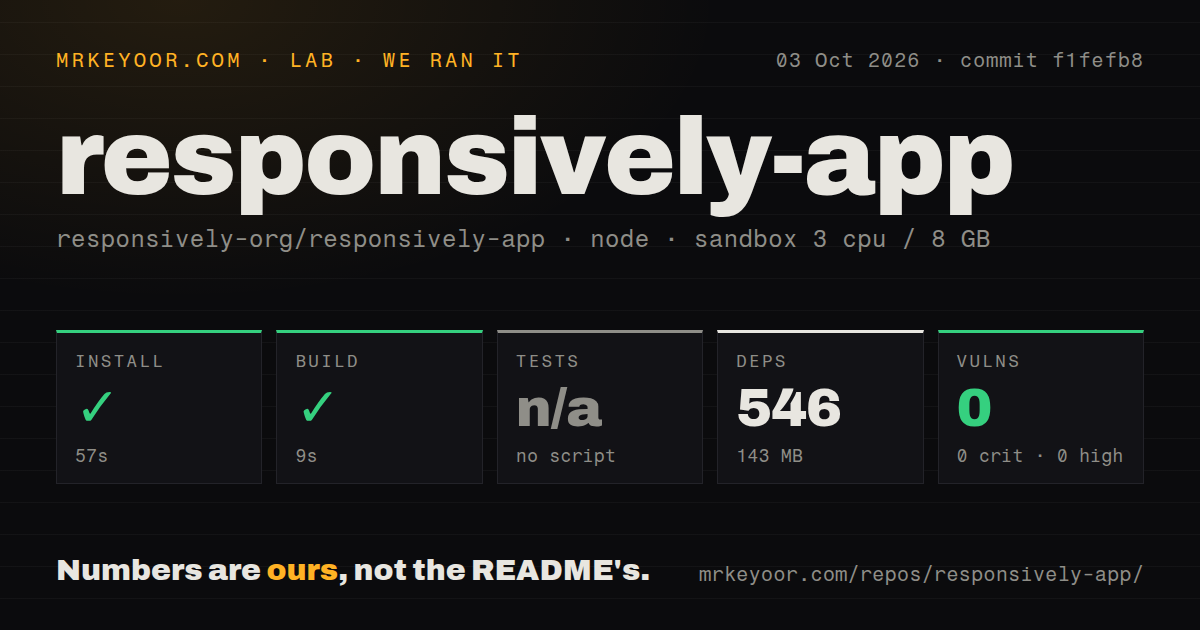
Our sandbox entered ./browser-extension/ at commit f1fefb8 and installed 546 npm packages in 57 seconds. The dependency tree used 143 MB on disk. The production build then succeeded in 9 seconds inside an unprivileged Debian container with 3 CPUs, 8 GB of RAM, Node 22, and no secrets.
There was no tests script or target, so the lab skipped tests rather than reporting a pass. Npm audit found 0 known vulnerabilities: 0 critical, high, moderate, or low. The full checkout had 421 files, about 30,510 lines of source, and occupied 4.5 MB. Our scan found 5 CI workflow files, no Dockerfile, and no tests directory. Those results apply to the helper path selected by the project, not the desktop-app package.
The 8 MCP tools still depend on a running desktop app
The built-in Model Context Protocol service lets an agent read app state, navigate, list devices, choose active devices, capture screenshots, read page content, click, and type. That is 8 tools aimed at a tight edit-and-check loop. Claude Code can register the bridge with an npx command, and other MCP clients can reach the local endpoint on port 12720.
The npm package is a bootstrap, not a remote browser. It locates the installed app, launches the version-matched bridge, and reuses the app if it is already open. Screenshots are JPEG files downscaled to at most 1000 pixels wide. Linux users must launch the AppImage once so the bridge can find it later. This design keeps the agent's actions visible, but it is a poor fit for a server with no graphical session.
Electron previews cannot prove Safari or physical-device behavior
The MCP documentation says device previews run in the app's browser rather than on physical devices. Responsively is built with Electron, so changing the frame and viewport does not turn its engine into mobile Safari or Firefox. Device chrome and dimensions help reveal responsive layout errors; they do not reproduce touch hardware, browser-specific CSS, thermal limits, or a mobile operating system.
Open reports also show why a second test layer matters. Issue 1537 describes an Angular and Ionic app reloading views and returning to its main screen during navigation. Issue 1362 reports a Windows 11 Alt+Tab flicker that hides the app on the first switch. These are user reports, not failures reproduced in our sandbox, but both affect the daily workflow rather than an obscure build option.
An October 3 push offsets the February release date
GitHub showed 25,223 stars and a push on October 3, 2026. The latest tagged release remained v1.18.0 from February 17, while the desktop package on main declared 2.0.0-beta.0. Recent merged work upgraded Electron to 44.5.1, improved MCP discovery, fixed toolbar behavior, and adjusted bookmarks and the Home button. The project is moving even though the stable release tag is older.
GitHub's combined open count was 326. Search separated that into 227 issues and 99 pull requests, so it should not be read as 326 bugs. The backlog includes reports dating back several years alongside current 2.0 work. Active merges are a good sign, but adopters should test their own framework and platform before standardizing the app across a team.
Use it for visual triage, then verify in real engines
Responsively earns its place beside a front-end editor when the question is, "what breaks across these widths after this change?" Mirrored actions and side-by-side previews answer that quickly, and the MCP bridge lets Claude Code or Codex gather the same evidence while it edits. The browser helper we built is a convenient doorway, not proof of the whole desktop stack.
Keep Playwright, Cypress, or physical devices for release gates. They can assert behavior, exercise different engines, and run without relying on a person reading a wall of previews. Responsively is best at the earlier decision: spotting which width deserves attention before you write the regression test. That division gives the app a useful job without mistaking a device frame for the device itself.