A .python-version file selects the interpreter by directory
pyenv's job is deliberately narrow. It installs Python releases under its own root and decides which executable should answer when you type python, pip, or another command. Selection can come from PYENV_VERSION, a .python-version file in the current directory or a parent, or the user's global version file. If none chooses an installed release, the special system value falls through to whatever comes later on PATH.
That order makes project switching pleasantly boring. Enter a directory with .python-version and the chosen interpreter takes over. Leave it and another selection applies. pyenv can also expose several versions at once, which helps tools such as tox find multiple Python executables. It does not manage packages or virtual environments. That separation is either the appeal or the reason to choose a broader tool.
Most Python releases are compiled on your machine
Installing pyenv is only the first half of setup. The README says most Python releases it provides are source releases, so pyenv install downloads and builds them locally. Linux users need the distribution's compiler and library packages first. macOS users can install pyenv through Homebrew, but Python builds still depend on the headers and libraries each release expects. Older interpreters can be especially sensitive to newer operating systems and compilers.
No account or API token is required. Downloads can use http_proxy and https_proxy, and build flags can be passed into Python's configure and compiler stages. A failed interpreter build leaves useful detail in its build directory and config.log. This is more transparent than a black-box installer, though it asks the user to understand system packages when a compile fails.
What happened when we ran it
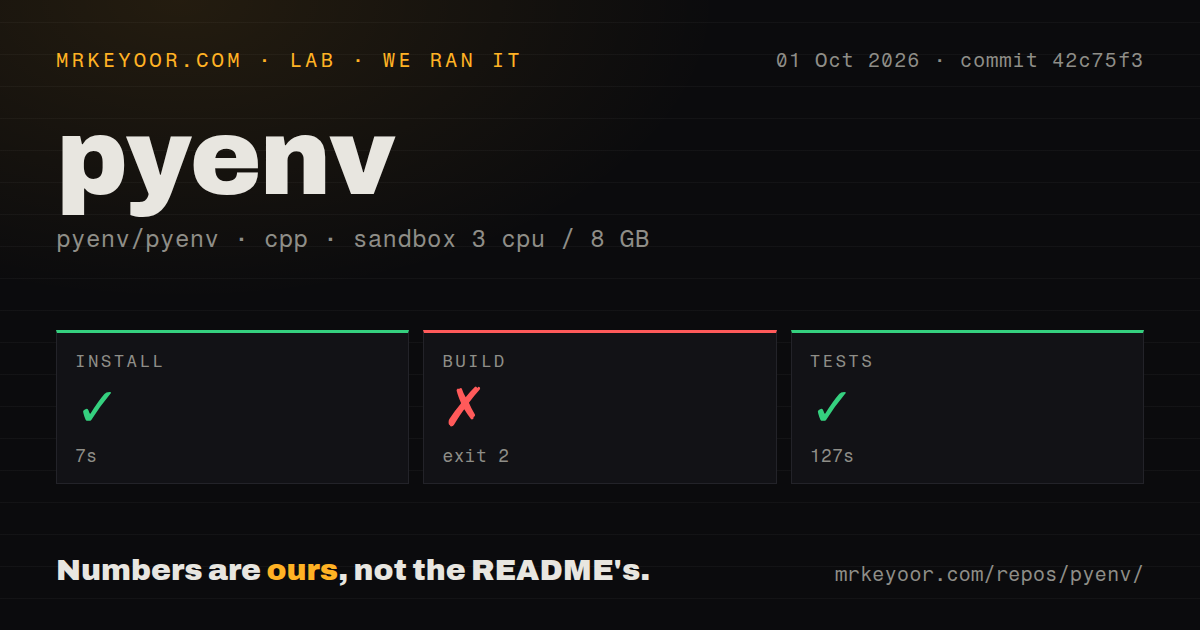
Our sandbox installed commit 42c75f3 in 7 seconds. The checkout had 1,755 files, about 2,099 lines of source by our scanner, and occupied 8.4 MB. It ran in an unprivileged container with 3 CPUs, 8 GB of RAM, no secrets, and the lab-cpp:1 image. The repository had 6 CI workflow files, a tests directory, and no Dockerfile at its root.
The build command failed with exit 2 after 6 seconds. Every visible error in the supplied tail said docker: not found, followed by failed Makefile targets for test images using Bash 3.2.57 and 4.1.17. The Makefile confirms those targets build Docker images for its Bats test matrix. We did not see a compiler error or a failure in pyenv's optional native Bash extension.
The separate test step succeeded in 127 seconds. That distinction matters: the failed build result says our container lacked the Docker command expected by that Makefile path. It does not show pyenv failing to select an interpreter, and it does not cancel the successful test run. A contributor who wants the Docker matrix must provide Docker; an ordinary user does not need that matrix to run pyenv.
Shell shims are convenient and visible
pyenv init prepends a shim directory to PATH, refreshes those shims, adds optional completions, and can install pyenv as a shell function. Bash users may need setup in both .bashrc and a login profile because distributions order startup files differently. The README spells out those cases and offers pyenv init --path when you want shims without the full shell integration.
You can avoid shims entirely. Installed interpreters live under $(pyenv root)/versions, and pyenv exec can place the selected version at the front of PATH for one command. Open issue 2802 reports shim overhead on one user's machine and proposes symlink-based dispatch. That report is not our benchmark, but it gives latency-sensitive command loops a concrete behavior to inspect.
Native Windows needs a different project
The Windows boundary is unusually clear. pyenv does not officially support native Windows. It can run under Windows Subsystem for Linux, but the resulting Python versions are Linux builds inside that environment and do not supply Windows-specific behavior. The README points native Windows users to the separate pyenv-win project.
This also keeps the support promise understandable. Linux and macOS users get the documented shell and build paths. Windows teams should not force pyenv through an unsupported shell layer and expect ordinary Windows interpreters. For mixed operating systems, a shared .python-version policy still needs separate installation tooling or a manager designed to cover all team platforms.
Version 2.8.7 shipped on October 1
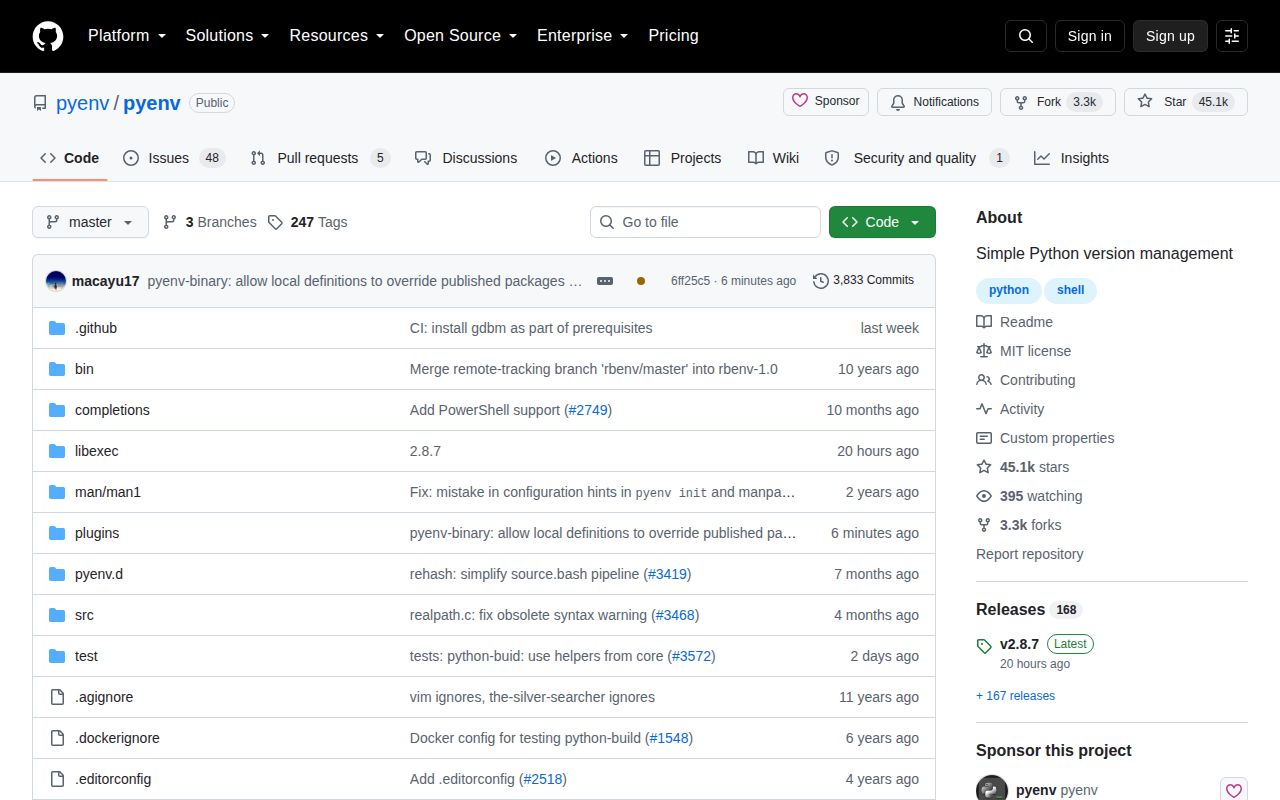
GitHub showed 45,119 stars, 53 open issues and pull requests, and a last push on October 2, 2026. Version 2.8.7 shipped one day earlier. Its notes include new CPython 3.10.22, 3.11.17, 3.12.15, 3.13.16, and 3.14.8 definitions, plus PyPy and GraalPy updates. That is the maintenance pattern a version manager needs: new interpreter definitions arrive while shell behavior changes cautiously.
pyenv remains the clean choice when the requirement is simply, use this Python in this directory. Its 7-second install and successful 127-second test step support that recommendation. The trade is outside the small shell core: local source compilation, PATH setup, and platform libraries still belong to you.