Try mise exec before changing your shell
You can try a tool through mise exec without activating mise in your shell. The README says that command installs the requested tool if needed and runs a command without changing the shell or a config file. That's a sensible first encounter with software that can eventually control much more of your machine. Pick a real project command, check which tool it selects, and decide whether the shared configuration would remove work for your team.
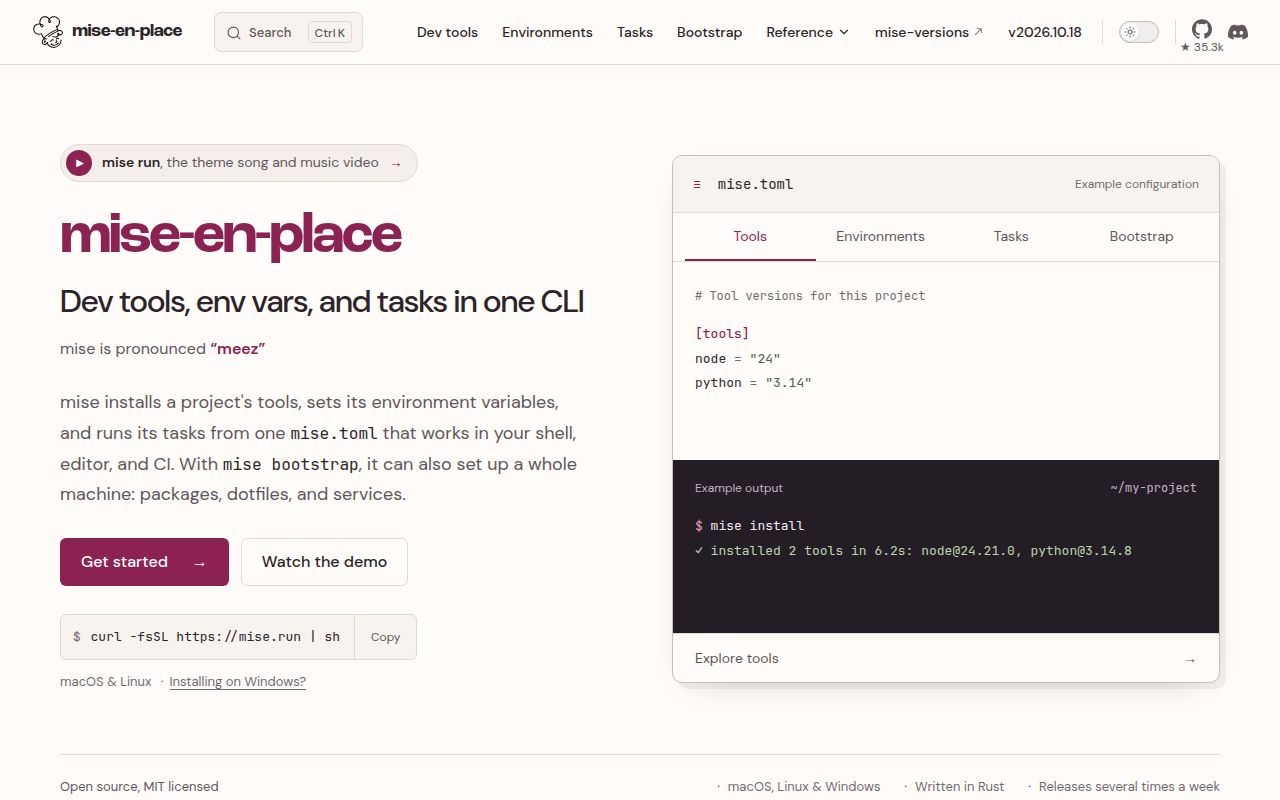
mise puts tool versions, environment variables, and project tasks in mise.toml. Its README also describes machine setup through bootstrap, including system packages and dotfiles. The useful part for many teams is smaller: a contributor and a CI job can start from the same declared tools and commands. You can use individual parts. There's no need to move machine setup into mise before deciding whether project-level use helps.
What happened when we ran it
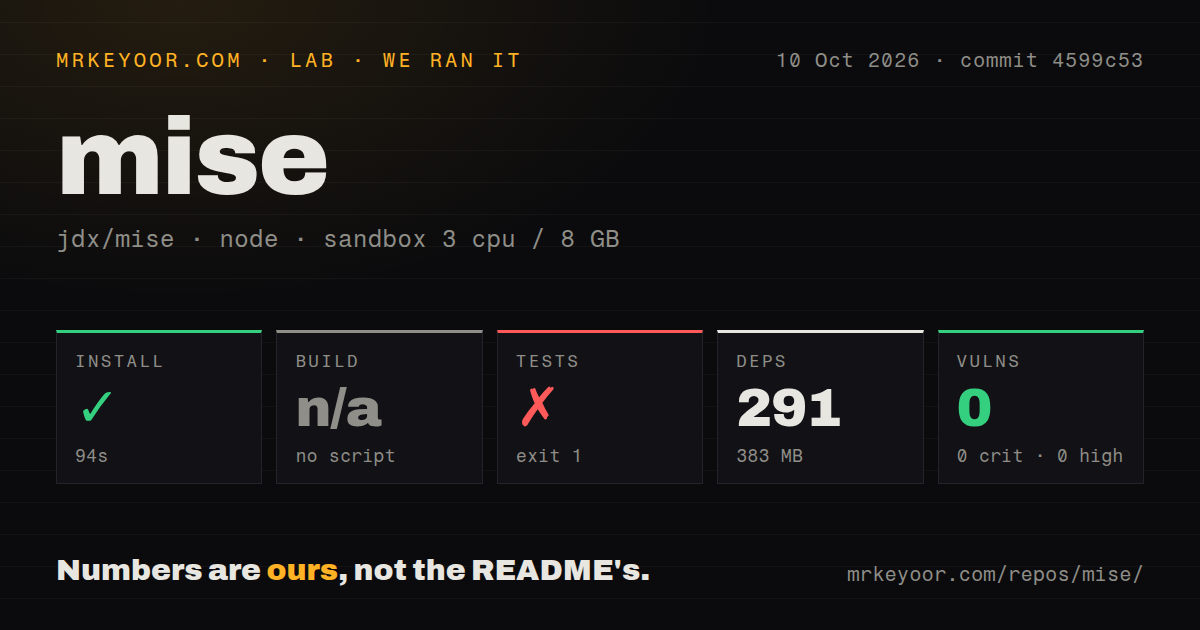
Our sandbox installed mise's detected npm setup at commit 4599c53 in 94 seconds on October 10, 2026. It recorded 291 dependencies and 383 MB on disk. The build step was skipped because there was no build script or target. Npm audit reported 0 known vulnerabilities. Those results describe the package path the harness selected, with no timing or vulnerability result for the Rust binary or every upstream tool it can download.
The test command failed with exit 1 after 4 seconds. Its log contains echo "Error: no test specified" && exit 1, followed by that error message. The command deliberately reports a missing test definition. It supplies no evidence that mise's Rust tests failed, and it supplies no passing test count. A contributor needs the project's native workflow to assess the component they're changing. The root package probe didn't reach that boundary.
The checkout held 5,187 files, about 569,255 source lines, and occupied 64.8 MB before dependencies. Our scan found 36 CI workflow files, a Dockerfile, and a tests directory. The recorded sandbox had 3 CPUs, 8 GB RAM, and image label lab-node:22. Exact runtime and operating-system versions need the raw logs. CI files show upstream automation exists, but their presence cannot turn this placeholder command into a successful local suite.
Shared configuration needs an owner
The README's quickstart writes a tool request, an environment value, and a task into one file. It also explains that a major-version request selects a version series, while a lockfile is needed to share exact versions. If reproducible tool selection is the reason you're adopting mise, that distinction belongs in your team's instructions. A checked-in request alone doesn't establish that everyone resolved the same upstream release.
Shell activation applies project tools and environment variables as you enter the directory. That convenience makes configuration review consequential. The security documentation says templates can execute commands, environment directives can change PATH, and hooks or post-install actions can run scripts. Give changes to those settings an identified reviewer. A task used for deployment deserves the same scrutiny as the CI command that would otherwise perform it.
Safe mode helps resolution and has explicit limits
mise documents MISE_SAFE=1 for automation that reads configuration it doesn't control, such as a bot resolving tool versions on a pull-request branch. The documented restrictions include running tasks and certain template operations, while project environment settings and hooks are ignored. That's a useful boundary for a metadata job. Choose that job's commands deliberately instead of treating safe mode as permission to execute anything in the repository.
The same guide warns that safe mode does not make unreviewed installation commands safe: an installation can build software from source and execute its scripts. It also says mise itself runs as your user without a sandbox. Tool and plugin choices therefore remain part of the trust decision. These are reasons for a team managing untrusted contributions to keep execution policy explicit, even when mise makes the ordinary development workflow easier to share.
October releases show active work beyond the npm placeholder
GitHub reported a repository push on October 24, 2026, and release v2026.10.18 was published on October 23. Its notes link merged pull requests for lockfile, Windows, and dotfiles fixes. Together, these are current maintenance signals. They don't establish compatibility with every tool backend or tell us whether an unresolved report affects your configuration.
That release introduced mise lsp, a language server for mise configuration, with diagnostics and editor navigation among its documented capabilities. This is useful evidence of work on the configuration experience, rather than a reason to expand your migration. Our sandbox predates that release and didn't assess its editor integration. Keep the release you're evaluating separate from the commit behind the lab results.
Keep asdf or choose Just when the narrower job is enough
asdf manages multiple language runtime versions per project through plugins and a .tool-versions file. Keep that approach when it already handles the version-selection problem and you have no reason to consolidate tasks. Just saves and runs project-specific commands as recipes in a justfile. Choose it when repeated shell commands are the source of friction and tool installation already has an owner.
A useful mise trial is one repository with one shared command and an explicitly chosen tool version. Run that command through the optional exec path, inspect the loaded configuration, and compare the experience with your current setup. Add shell activation only if automatic directory changes help. The decision is whether that repository becomes easier for the next contributor to operate, with someone still responsible for what its config executes.