Puppeteer 25.12.0 controls Chrome and Firefox from Node
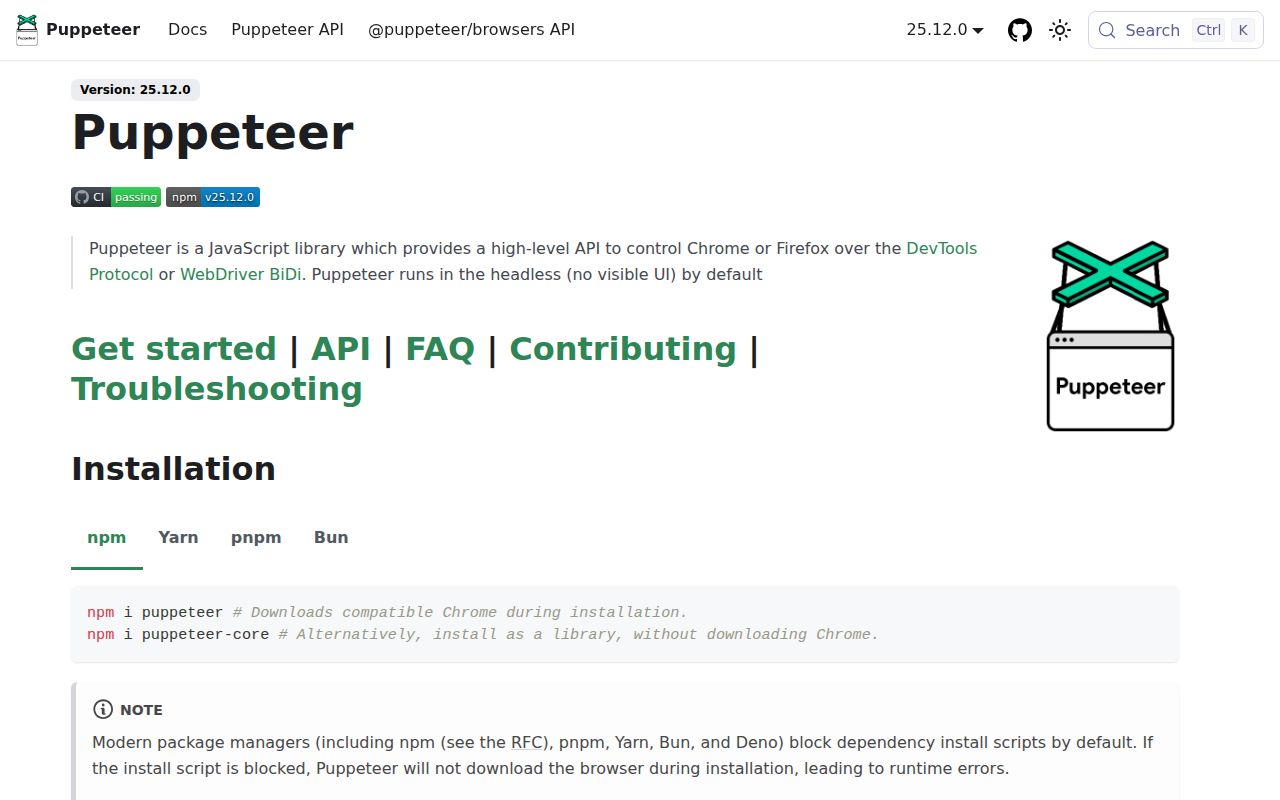
Puppeteer gives a Node.js program direct control of Chrome or Firefox. A script can open pages, use accessible selectors, type, click, inspect text, capture screenshots, create PDFs, intercept requests, and evaluate JavaScript in the page. The default launch is headless. Underneath, the library speaks the Chrome DevTools Protocol or WebDriver BiDi, so the API stays much more readable than the protocol messages it coordinates.
The practical center of gravity is Chrome. Version 25.12.0 requires Node 22.12 or newer, and the full puppeteer package downloads a compatible Chrome for Testing build. puppeteer-core leaves browser acquisition and configuration to you. That split is useful: install the full package for a self-contained worker, or use the core library when a remote browser service, system Chrome, or your own image already handles the executable.
Browser contexts provide separate cookies and local storage inside one browser process. Puppeteer can also attach to a browser over its WebSocket endpoint, then disconnect without closing the pages. Those details make it suitable for screenshot services, crawlers, document generation, and diagnostic tools. They do not make the target browser portable. The README names Chrome and Firefox, leaving Safari and WebKit automation to another project.
What happened when we ran it
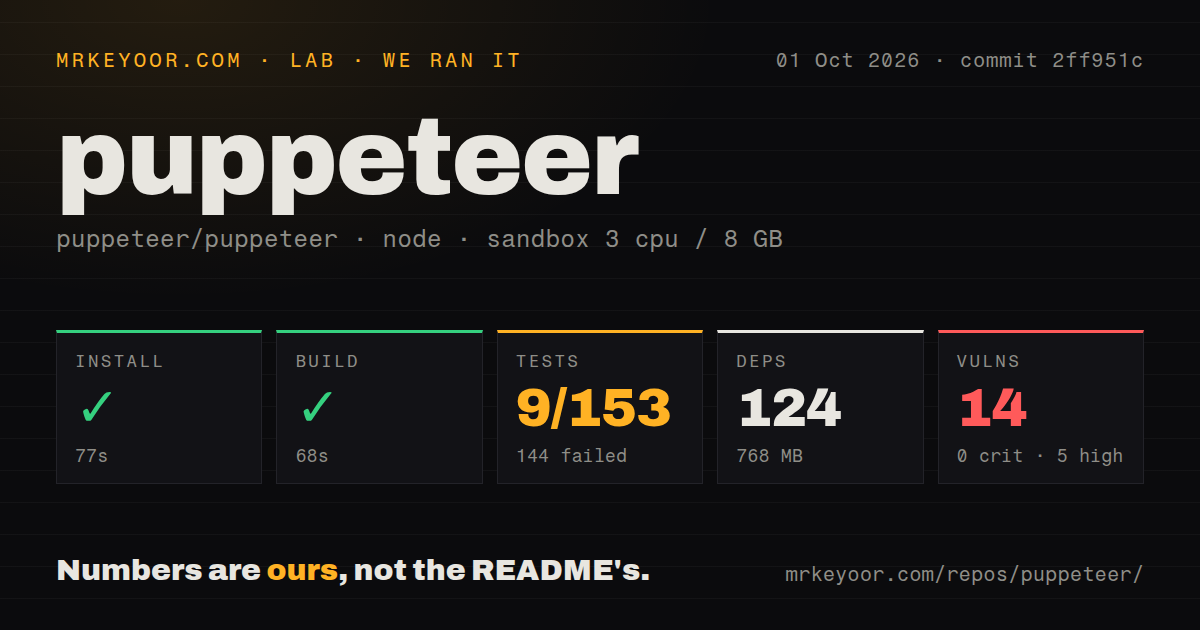
Our sandbox installed commit 2ff951c in 77 seconds, adding 124 packages and occupying 768 MB on disk. The repository itself contained 1,561 files, about 106,440 lines of source, and used 8.4 MB when checked out. Its build completed successfully in 68 seconds on 3 CPUs with 8 GB of RAM, Node 22, no secrets, and no elevated privileges.
The test command failed after 37 seconds. Mocha reported 9 passed and 144 failed out of 153 tests. The log tail repeatedly showed 9 passing while failure totals ranged from 113 to 145 across its final groups, with pending counts also changing. That output establishes a badly failing suite in our fresh Debian container, but it does not identify one common cause. Assigning every failure to missing browser libraries would go beyond the evidence.
Npm audit found 14 known vulnerabilities: 5 high, 8 moderate, and 1 low, with none rated critical. The repository has 14 CI workflow files, a tests directory, and npm workspaces, but no Dockerfile at the repository root. Those are maintenance signals, not a substitute for a green local run. Before merging Puppeteer into a release gate, repeat the suite in the same base image and sandbox policy your workers will use.
Chrome download depends on an allowed install script
The convenient package depends on an install script to fetch Chrome. Puppeteer's README now warns that npm, pnpm, Yarn, Bun, and Deno can block dependency scripts. If that happens, package installation may appear complete even though launch later fails because Chrome is absent. The documented repair is npx puppeteer browsers install, or an explicit package-manager rule that permits Puppeteer's script.
Caching also needs a deliberate home. Since v19.0.0, browsers go under the user's Puppeteer cache by default. A build that packs the application and moves it elsewhere can leave that cache behind. Configuration can relocate it, but changing download settings requires running the browser install again. puppeteer-core ignores Puppeteer's configuration files and environment variables, so callers managing their own browser must pass the executable or connection details in code.
No API account is required for local use. Network-restricted builders still need an approved route to the browser archive, a prepared cache, or an image that already contains the right binary. HTTP proxy settings exist for download and runtime traffic, and proxy support for downloads calls for an optional package. That is ordinary deployment work, yet it sits outside the short npm i puppeteer line most developers meet first.
Linux launch needs browser libraries and a working sandbox
Current requirements name Debian, Ubuntu, openSUSE, and Fedora for Chrome, with separate system-package lists for Debian and RPM families. Firefox downloads need xz or bzip2 on Linux. Puppeteer's troubleshooting guide tells operators to check linked Chrome libraries when launch fails, and it strongly discourages the common --no-sandbox escape hatch.
The official container solves the browser-and-library pairing, but its documented sandboxed command adds the SYS_ADMIN capability and an init process. Some production platforms will reject that capability. In those environments, you need a sandbox design that matches the platform instead of copying a local launch flag. The absence of a root Dockerfile in our checkout does not mean there is no official image; the project keeps container material under its docker directory and publishes images through GitHub Container Registry.
An October 5 push coexists with issue 15509
GitHub recorded 95,656 stars, 278 combined issues and pull requests, and a push on October 5, 2026. Puppeteer v25.12.0 shipped on September 23, the same day as the repository's latest browsers package release. That cadence and 14 workflow files point to an actively maintained project. The size of the queue also reflects how many browser versions, protocols, operating systems, and timing-sensitive behaviors the maintainers have to follow.
Open issue 15509 is a useful warning for production automation. Its reproducible case says request interception can leave fetches from dedicated workers paused indefinitely in Puppeteer 25.12.0. A browser script can compile, start, and still hang only when a particular worker and network path meets the wrong event order. Pin Puppeteer with its browser build, exercise your own interception and worker flows, and keep timeouts around navigation.
Puppeteer remains the direct choice when a Node.js service mainly needs Chrome and the team is willing to own its runtime. Our 68-second build says the code can compile cleanly in a plain container; the 144 failed tests say that result is only the start of qualification. If you need a broad browser matrix or cannot shape the host around browser sandbox requirements, choose a tool whose supported targets fit that constraint from day one.