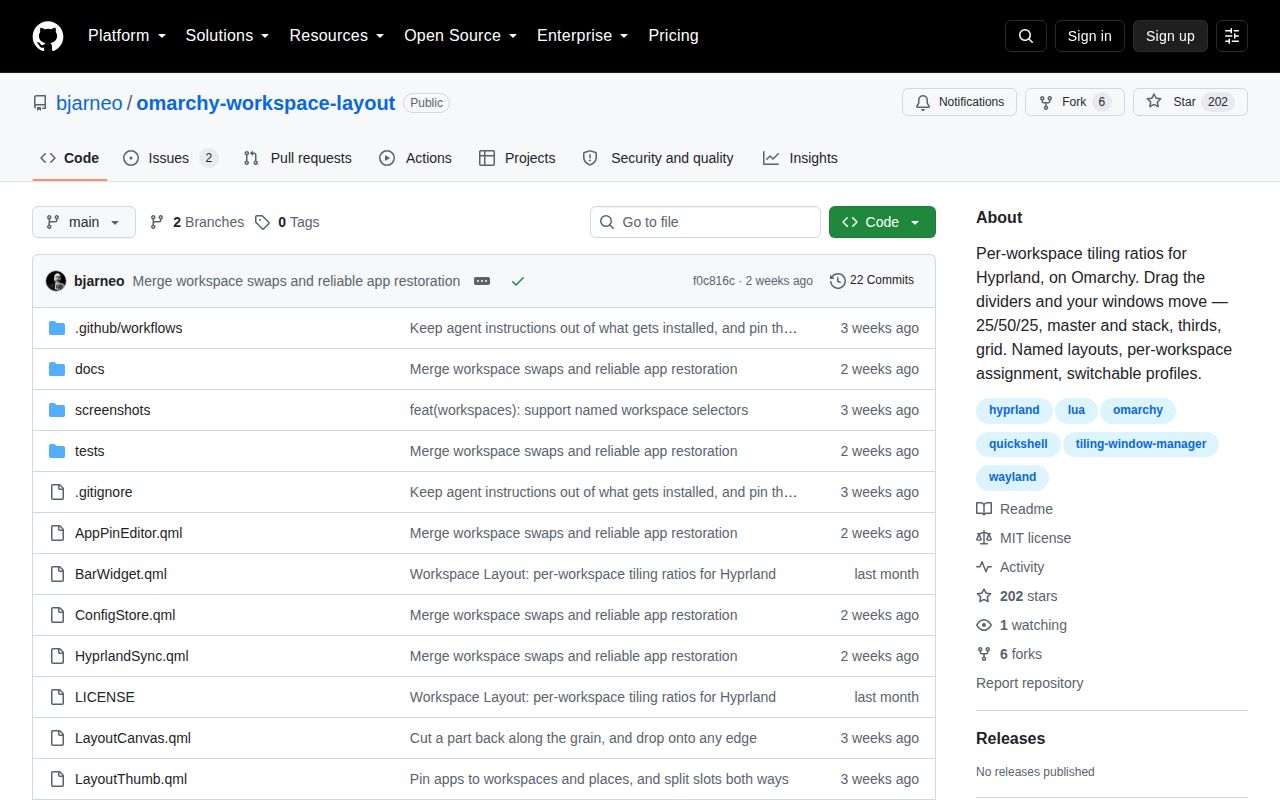
Hyprland 0.55 makes the split belong to the workspace
Hyprland 0.55 added Lua-defined tiling layouts, and Omarchy Workspace Layout builds directly on that API. A shape is saved as part of a workspace instead of being a one-time resize. Close a window and the remaining windows flow back into the shape. Open more windows than the shape has places and the configured overflow rule stacks them or creates extra slots.
The panel follows the monitor's proportions and moves real windows while you drag. Dividers snap to halves, thirds, quarters, fifths, and the golden ratio unless Shift is held. The widest slot fills first, so a 25/50/25 layout puts the first window in the center rather than at the left edge.
Saved ratios survive window churn and can follow a workspace or monitor. The README says Super plus right-drag cannot update them because Hyprland's Lua layout interface has no resize hook. You change ratios through the panel or keyboard controls, then the plugin names and saves them.
Installation is one command inside a narrow desktop stack
The documented install is omarchy plugin add with the repository URL and an enable flag. Underneath that short command sit firm requirements: Omarchy's Quattro plugin runtime, the omarchy-shell QML host, hyprctl on PATH, and Hyprland 0.55 or newer. Workspace swapping and tab-group restoration raise the floor to Hyprland 0.56.
The README says the plugin has no separate background service, network requirement, privileged command, or compiled component. JavaScript in Model.js owns the geometry and emits Lua for Hyprland, while QML provides the panel. On first run it appends a guarded dofile line to ~/.config/hypr/hyprland.lua. The main JSON file and generated Lua then live under the user's configuration directory.
Removal takes the Omarchy command plus deletion of the generated Lua file. The guarded line in hyprland.lua can also go, though its existence check makes it harmless. Record that cleanup in your dotfiles so it does not become forgotten configuration.
What happened when we ran it
We did not run commit f0c816c in our sandbox. The harness classified its JavaScript ecosystem as unsupported and found no Dockerfile, so it stopped before install, build, tests, dependency counting, disk measurement, or a vulnerability audit. There are no performance or reliability numbers from our lab for this project.
The repository does document its own development checks: a Node test for the geometry model, qmllint for QML, and Omarchy's plugin validator. It also describes a cross-language check that compares rectangles produced by JavaScript with rectangles from the generated Lua. Those are useful tests to inspect locally, but README descriptions are not equivalent to an independent run.
A useful trial needs the target desktop. Back up the configuration, confirm the Hyprland version, then exercise reloads, gap toggles, profile switches, and login restoration. A Debian container cannot reproduce the compositor, shell bus, live window classes, or monitor geometry that control the result.
Pins and profiles turn layout into session state
A layout stores more than ratios. Apps can be pinned to workspaces and slots, one layout can catch a class wherever that shape is used, and a launch action opens missing applications. Profiles switch the default layout plus workspace exceptions as one set. The JSON remains the source of truth and can live in a dotfiles repository.
The details are thoughtful. Named workspaces are keyed by name because Hyprland gives them unstable negative IDs, and monitor defaults follow the screen rather than the workspace number. A layout supports up to 8 places, while grouped restoration accepts 1 to 32 windows. Terminal launchers receive a dedicated window class so a TUI can be matched after it opens inside a terminal emulator.
There are boundaries. Named workspaces cannot be swapped, special workspaces such as a scratchpad have not been tested, and login launching needs the bar widget. A service-only setup keeps layouts and pins applied but cannot use the CLI or login launcher. Profile changes redirect future rules without sweeping already open windows into new positions. Those limits are specific enough to decide before installation.
Two open bugs put saved geometry at risk
Issue 14 reports that duplicate configuration and synchronization objects can hold stale state and overwrite custom layouts. The report remained open after its September 25, 2026 update. For a tool whose main promise is persistent workspace design, a possible clobber is more serious than a cosmetic panel flaw. Keep the JSON file under version control before relying on custom layouts.
Issue 7 reports windows becoming stuck at odd sizes or positions after Omarchy's gap toggle. The README says a Hyprland reload now triggers a configuration reapply and geometry refresh, but the issue was still open on September 15. Test the same gap shortcut, reload path, monitor arrangement, and profile changes you use daily. Desktop state bugs often depend on exactly that sequence.
September activity is healthy, but there is no tagged release
The repository was created on September 4, 2026, pushed on September 15, and showed 202 stars plus 2 open issues and pull requests on September 29. Issue activity continued through September 25. GitHub's latest-release endpoint returned no release, so adopters must choose a commit instead of a published version with release notes.
The short history cuts both ways. Several early reports about named workspaces, pins, scrolling-window conflicts, custom layout resets, and grouped tabs were closed within days. That response is encouraging. It does not give the project a long record across Hyprland or Omarchy upgrades, and the remaining reports touch saved state and geometry, the two things this plugin must preserve.
For an Omarchy 4 desktop, the appeal is concrete: drag a divider once, bind apps to those places, and reuse the arrangement. Put the JSON in version control, test the features you use, and let the missing lab run plus 2 open defects keep this a cautious trial.