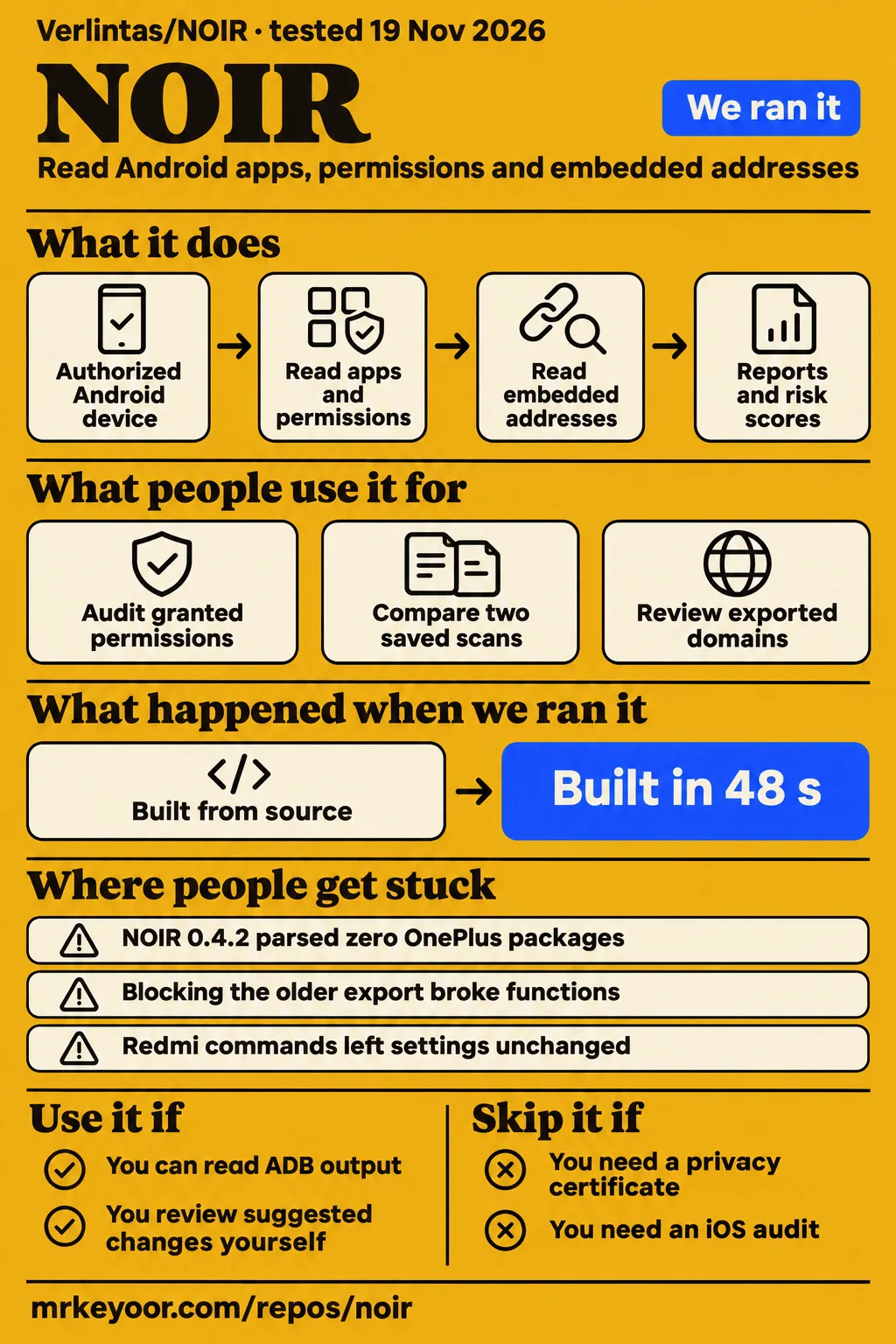
Verlintas/NOIR is a desktop Android auditing tool, and a zero-result report can mean its parser failed. Use it if you can read Android debugging output and review suggested changes yourself. Skip it if you need an automatic privacy certificate: the OnePlus reporter in issue #19 reported zero parsed packages despite having 520 installed. Our source installation, build and test steps passed at commit 7231231.
What people use NOIR for
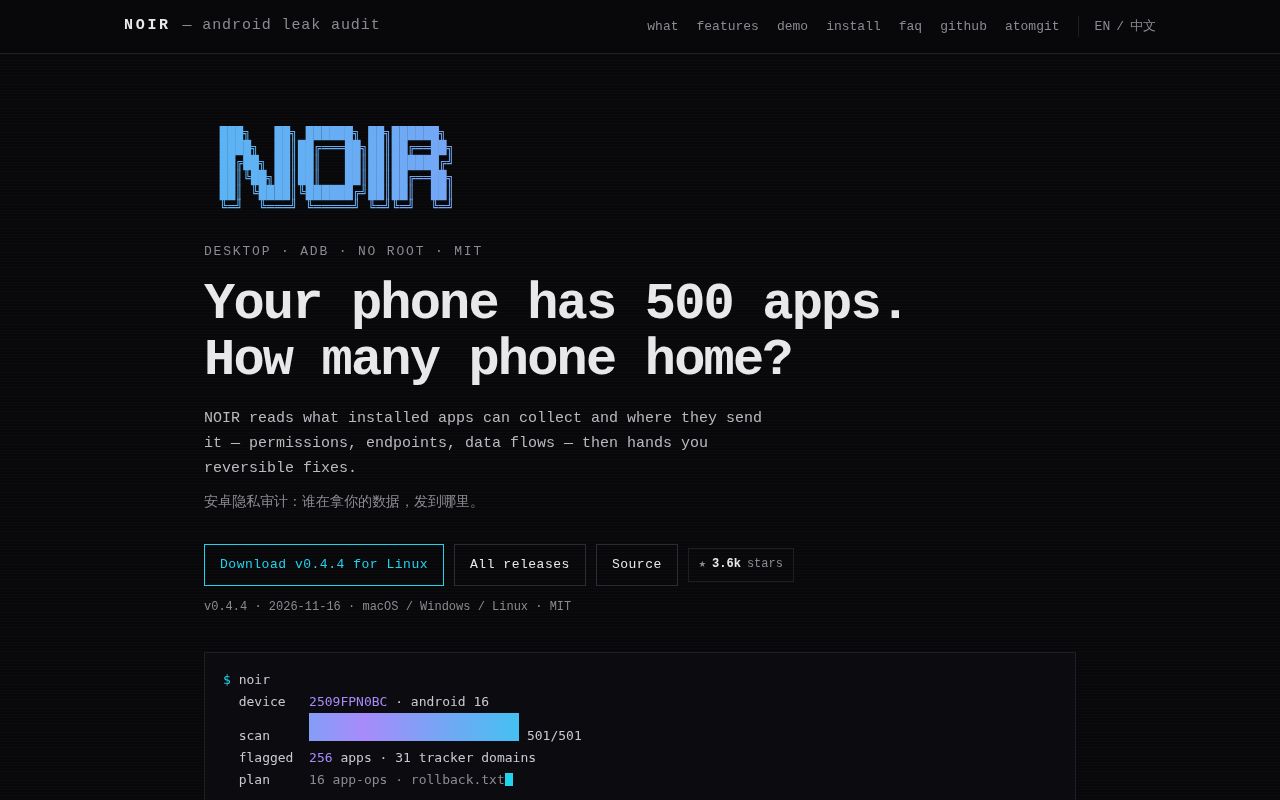
NOIR uses ADB, Android's debugging bridge, to read an authorized device's installed apps, permissions and addresses embedded in application files, according to its README. It runs on a computer while the phone supplies package information and APK files. The README identifies its intended use as auditing your own devices and applications or conducting authorized security research. Its main documentation is Chinese, and the project also maintains an English website.
The documented commands cover different stages of an investigation. scan writes reports, report renders a saved report again, diff compares two saved scans, and deep pulls an application for inspection with jadx. An APK is Android's application package; jadx turns its bytecode into source for inspection. These commands produce different evidence: rendering report.json again changes the presentation, while comparing two reports exposes changes in recorded permissions, scores and endpoints.
| Who used it | What they did | What happened |
|---|---|---|
| GitHub reporter lan5635 | Scanned a Huawei MatePad and targeted Douyin's granted sensitive permissions | Douyin was absent in 0.2.0. The maintainer reports a permission-parser fix in 0.2.1, issue #9. |
| OPPO PLQ110 reporter in issue #11 | Manually selected 89 analytics, advertising and crash-reporting domains, then blocked them through hosts | They reported no app problems during their short observation period in issue #11. |
| OnePlus PLR110 reporter in issue #19 | Ran full and targeted scans using authorized wireless ADB | NOIR 0.4.2 detected 520 packages but parsed zero in issue #19. |
| Redmi K90 Pro Max reporter in issue #15 | Ran generated PROJECT_MEDIA commands and compared settings before and after | All ten left the effective setting unchanged, according to issue #15. |
The Huawei example shows why an operator needs the intermediate counts. The targeted command parsed 253 packages but selected zero candidates, although Douyin held granted location, camera and microphone permissions. The unfiltered run flagged 122 applications, all Huawei system packages, according to issue #9. The reporter connected the missing third-party applications to permission lines ending with flags rather than to an absence of sensitive permissions.
What happened when we ran it
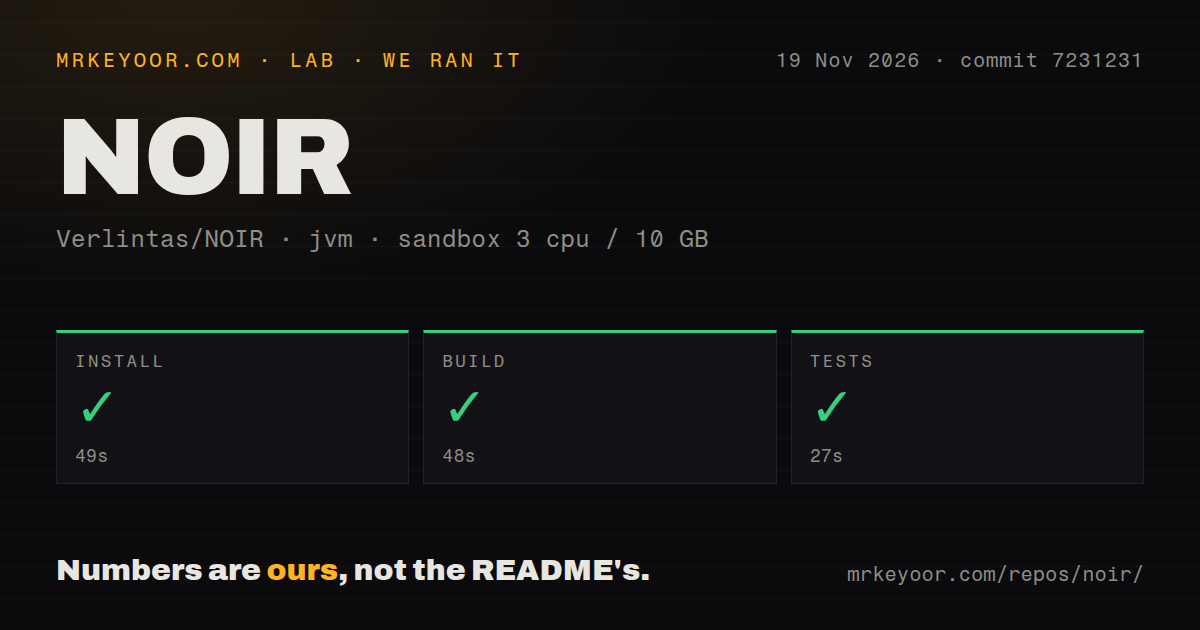
Our November 19, 2026 source run used commit 7231231 and recorded successful installation, build and test steps in our lab measurements. Installation took 49 seconds, build took 48 seconds and tests took 27 seconds. The recorded sandbox configuration was 3 CPUs, 10 GB RAM and image label lab-jvm:21. Those are the source-run results; the separate device-workflow records describe a failed safety step and a conflicting deployment summary.
| Source check | Recorded result | Duration |
|---|---|---|
| Installation | Succeeded | 49 seconds |
| Build | Succeeded | 48 seconds |
| Tests | Succeeded | 27 seconds |
The checkout contained 104 files, approximately 8,863 source lines and 2.1 MB, according to our repository measurements. The repository scan detected two CI workflow files and a Dockerfile, and its directory check found no tests directory. The test step nevertheless returned success. A directory-detection signal and a test-command result describe different observations, so both belong in the account rather than replacing one with an inference about the other.
The device runner's safety step failed because none of compose.yaml, compose.yml, docker-compose.yaml or docker-compose.yml existed. Its rule required a Compose file. The run summary nevertheless describes deployment with its own Docker Compose, with every port bound to 127.0.0.1; that statement conflicts with the failed step. The final teardown entry records ok. The README's installation route uses docker build and docker run instead of Compose.
Where people get stuck: empty reports can hide failed work
NOIR's issue history records two different causes of missing results: permission parsing excluded applications, and endpoint extraction returned empty output. The permission report in issue #9 concerns granted permissions with flags suffixes. The extraction report in issue #10 concerns a device utility that accepted a command but produced no extracted strings. These failures occurred at different stages and called for different fixes.
| Symptom and reporter | Explanation in the thread | Maintainer's reported response |
|---|---|---|
| Douyin never scanned on lan5635's Huawei tablet | The permission regex required granted=true to end the line and dropped runtime permissions with flags |
Issue #9: 0.2.1 accepts comma and semicolon suffixes; the maintainer reports an Android 16 check. |
| Empty domains despite analyzing APKs on the same tablet | The device's unzip did not expand classes*.dex |
Issue #10: 0.2.1 names entries explicitly, falls back to host extraction and changes the endpoint cache. |
| Zero parsed packages on OnePlus Android 16 / ColorOS 16 | Parser compatibility with the device's package dump | Issue #19: 0.4.3 adds tolerant parsing and an explicit failure when packages exist but none parse. |
| Unrelated apps attributed to Google or Xiaomi | First matching substring won, including infrastructure and SDK strings | Issue #12: the maintainer reports a 0.2.5 change to package prefixes, then host-suffix scoring. |
In the Huawei extraction report, NOIR announced that it was analyzing 122 new or changed APKs with zero cache hits. The resulting domains.txt contained zero bytes and plan.txt contained one byte; every application showed an upload count of zero. The reporter traced this to the ROM's unzip implementation, which returned exit code zero without expanding the dex wildcard, according to issue #10. Tool detection had succeeded, while the extraction operation had returned nothing.
Installed packages, parsed packages and selected candidates answer different questions. In issue #19, ADB could see the OnePlus device and dumpsys package worked, yet NOIR 0.4.2 parsed zero packages. In issue #9, parsing produced packages but omitted relevant permissions. Read those counts before interpreting the final risk score, then compare an application's granted permissions with its report entry when the application you are investigating is absent.
Domain blocking needs a smaller list than domain discovery
Blocking the entire older domain export disrupted push notifications, Google Play and normal application requests, according to the OPPO reporter in issue #11. The same reporter manually reviewed entries and selected 89 analytics, advertising and crash-reporting domains for a hosts list. The maintainer's response describes a 0.2.5 change that separates exports by purpose, giving operators distinct files instead of one undifferentiated list.
| Export | Meaning in the maintainer's response | Decision for you |
|---|---|---|
domains-trackers.txt |
Analytics, ads and crash reporting | Review as the tracker candidate list |
domains-other.txt |
Unknown purpose | Read each entry before deciding |
domains-functional.txt |
Push, login, updates, payments, stores, sync and connectivity checks | Keep these out of a blanket blocklist |
domains.txt |
Compatibility file containing the tracker tier | Match existing automation to the export's version and meaning |
The distinction is visible in the maintainer's issue #11 reply, which also says bare IP addresses, localhost and hosts containing test, staging, dev or daily are dropped. Keep the original report alongside any filtered list so an entry can be traced back to the application that exposed it. The OPPO report describes both outcomes that matter here: the complete older export broke functions, while the manually selected subset produced no reported application problems during the user's short trial.
Suggested commands need an effective before-and-after state
The Redmi reporter in issue #15 found ten PROJECT_MEDIA commands that exited successfully while leaving the effective setting unchanged. Before execution, the packages showed Default mode: ignore. After execution, an explicit PROJECT_MEDIA: ignore entry appeared. The stored representation changed, but the operation was already effectively set to ignore, so a successful command exit did not demonstrate a new restriction.
The reporter also distinguished standing projection authorization from the system consent dialog used to begin recording. The maintainer's v0.4.1 response removes automatic PROJECT_MEDIA suggestions and says plans read current AppOps settings before generating actions. AppOps is Android's operation-control system. The reply says actions whose target mode already matches the current mode are excluded, including cases where ignore appears as the default rather than an explicit record.
For a generated plan, the useful comparison is the effective setting before and after an action, together with the behavior that operation controls. Issue #15 supplies a concrete example of why those checks differ from reading an exit code: all commands returned zero, yet the effective mode stayed unchanged. The maintainer also says plan.txt and --apply use the same action selection, while applied.txt records raw states and command output.
Read-only scans and explicit apply commands
The README describes the default run as read-only, with changes behind apply commands and rollback commands recorded for successful actions. Its auto command generates a dry-run plan, while auto --apply executes selected AppOps changes. These documented modes give an operator a report and proposed actions to inspect before changing the phone's settings, rather than requiring remediation as part of every scan.
The parameter-free wizard also asks whether to execute safe remediation after scanning, so its confirmation prompt is a consequential step. The README separately documents deepscan --purge for individually confirmed removal of high-risk user applications. For successful AppOps actions, rollback.txt records the previous mode, and applied.txt records command output and exit codes. Those files give the operator a record to inspect alongside the plan and the resulting device state.
Source, portable and container setup
The README lists JDK 17+ and Android platform-tools for the source route, with jadx needed for deeper inspection. Portable packages bundle a runtime and use platform-specific launchers on macOS, Windows and Linux. ADB and jadx are separate downloads, and the wizard can offer to download them to ~/.noir/tools. Docker is an optional installation route, rather than a prerequisite for running the desktop tool.
For Linux containers, the documented USB mount and device rule grant access to all host USB devices, and NOIR and ADB run as root inside the container. The README's Docker instructions explain that the persistent home volume retains ADB authorization keys and scan caches. They direct macOS and Windows users to portable packages and warn that exposing the host ADB server with adb -a opens an unauthenticated control port to the local network.
English output alongside Chinese documentation
The README documents --lang <auto|zh|en> and NOIR_LANG for language selection. Automatic selection follows the phone's system language, then the computer's language when no device is attached. Explicit language selection therefore has a documented purpose for an operator who wants English output while inspecting a phone configured in another language. The English project website also includes an overview, installation instructions and frequently asked questions.
The Chinese issue threads contain detailed reproductions rather than just general complaints. Issue #15 records effective AppOps settings before and after commands; issue #11 distinguishes functional endpoints from a manually selected blocking list. For an English-speaking operator, those original threads remain useful references because package names, filenames and command output identify the behavior under discussion. The language option concerns the program's interface; the support evidence still includes reports written in Chinese.
NOIR vs MobSF and jadx
MobSF documents static and dynamic mobile-app analysis, while jadx documents Java source generation from Android Dex and APK files. Their MobSF README and jadx README describe different jobs from NOIR's authorized-device inventory and suggested actions. Choose according to the evidence you need to inspect: a phone's recorded application state, a mobile application's security behavior, or decompiled code.
| Project | Documented job | Choose it when |
|---|---|---|
| Verlintas/NOIR | Android device inventory, permissions, embedded endpoints and suggested actions | You want an application shortlist tied to an authorized phone's state. |
| MobSF | Static and dynamic mobile-app analysis | You need a mobile application security investigation, including runtime inspection. |
| jadx | Java source generation from Android Dex and APK files | You want to inspect an application's decompiled code directly. |
MobSF's documentation covers Android, iOS and Windows applications and describes runtime data inspection and live web traffic analysis in its dynamic analyzer. JADX provides command-line and GUI tools, including source navigation and full-text search. NOIR itself documents invoking jadx for its deeper inspection path, so these tools can occupy different stages of the same investigation. The comparison is a choice of documented functions, rather than a numerical product ranking.
Recent fixes and the open OnePlus report
GitHub records a last push on November 16, 2026, and the issue replies describe changes across 0.2.1, 0.2.5, 0.4.1 and 0.4.3. Those replies connect specific symptoms with specific changes: permission suffix handling, endpoint extraction, vendor attribution, domain export separation and AppOps planning. This makes the affected version and failure stage more useful to an operator than a generic statement that a release fixes bugs.
The OnePlus thread remains open and includes the maintainer's announcement that 0.4.3 adds tolerant package parsing and a hard failure for zero parsed packages. The described parser changes accept OEM indentation variants and handle shared-user sections appearing before package sections. For the earlier Huawei permission report, the maintainer describes regression coverage and an Android 16 check in issue #9, including a change from 9 to 20 reported sensitive permissions for com.android.shell.
FAQ
A zero parsed-package count can be a parser failure: the OnePlus reporter's 0.4.2 scan detected 520 installed packages and parsed none in issue #19. The questions below come from reported Android auditing problems and the documented first-run workflow. They concern different stages of the process, from collecting package information to extracting endpoints and deciding whether a suggested change affects the device.
Why does NOIR report zero parsed packages on OnePlus Android 16 / ColorOS 16?
The maintainer identifies package-dump parsing differences in issue #19, including OEM indentation and shared-user section ordering. Version 0.4.3 adds more tolerant parsing and an explicit stop when installed packages exist but none parse. The reporter's environment was NOIR 0.4.2 on Linux portable with a OnePlus PLR110 running Android 16 / ColorOS 16, and ADB correctly detected the device.
Why does NOIR miss apps with granted location, camera or microphone permissions?
Version 0.2.0 dropped granted runtime-permission lines with flags suffixes on lan5635's Huawei tablet, according to issue #9. The regex expected granted=true at the end of the line. The maintainer reports a 0.2.1 fix accepting comma and semicolon suffixes, with regression coverage for both forms. The original targeted Douyin scan parsed 253 packages but selected zero candidates despite the application's granted sensitive permissions.
Why is domains.txt empty after NOIR analyzes APKs?
On the Huawei device in issue #10, unzip returned no data for the dex wildcard used by NOIR 0.2.0. The run announced analysis of 122 APKs, yet domains.txt was zero bytes and the applications had zero upload counts. The maintainer reports explicit dex entry names, host-side extraction fallback and an endpoint-cache change in 0.2.1 to avoid reusing results from the broken extraction.
Can importing NOIR's domain export break push notifications or Google Play?
Yes: the OPPO reporter describes both problems after blocking the older complete export in issue #11. The maintainer's 0.2.5 response separates tracker, unknown and functional domains, with domains.txt retained as a tracker-tier compatibility file. Functional entries include push, login, updates, payments, application stores, cloud sync and connectivity checks, giving those endpoints a separate file marked against blocking.
Why does NOIR label unrelated apps as Google or Xiaomi?
The reporter in issue #12 traced incorrect labels to first-substring matching against package and endpoint strings. The maintainer reports a 0.2.5 change that checks package prefixes first, then scores endpoint matches by host suffix. The reply also identifies infrastructure-host exclusions. That matching order separates an application's package identity from strings belonging to shared SDKs or infrastructure found inside its files.
Does setting PROJECT_MEDIA to ignore actually prevent screen recording?
The Redmi reporter says PROJECT_MEDIA ignore controls standing authorization rather than preventing recording through the system consent dialog in issue #15. The ten generated actions also matched the effective mode already in place. The maintainer's v0.4.1 reply removes automatic suggestions for this operation and changes plan generation to read current AppOps settings before retaining actions whose target mode differs.
How do I use Noir, and which product does the autocomplete query mean?
For Verlintas/NOIR, the README documents noir doctor and noir scan for environment inspection and scanning an authorized Android device. Source builds require JDK 17+, while portable packages include their runtime. ADB provides device access, and jadx supports deeper code inspection. This review uses NOIR to mean Verlintas/NOIR throughout; the concrete starting point is an authorized Android device visible to ADB.
What we have not tested yet
Our source checks at commit 7231231 do not measure phone-scan accuracy, and the separate device workflow stopped at its Compose requirement. We have not tested portable packages, English output, USB passthrough, remediation, rollback, domain blocking or real-device runtime and memory use. The lab-jvm:21 image label does not identify the actual Java or operating-system version, and the test record gives no executed-test count. The measurements concern the commit, without establishing a release-tag equivalence.
Successful ColorOS parsing is still unconfirmed in issue #19. The English website also limits ordinary scanning to base.apk, while the README says deep pulls base and split APKs. Those paths have different documented coverage. Static evidence identifies capabilities and embedded endpoints rather than proving a particular transfer occurred. The OPPO user's short blocking trial provides no universal safety result, and jadx's README warns that decompilation can produce errors.
We have no matched workload comparison with MobSF or jadx, long-running reliability result or measured population of successful users. The promotional announcement closed in issue #14 supplies no corroborating packet-capture demonstration; the README says iOS is unsupported. Rendered layout, resolved evidence links, automatic related links, recommendation modules and template behavior also fall outside this text review. The next useful device test is a scan against a known permission set, compared with the actual package dump before applying changes.