Expo Skills offers two adoption choices worth separating: installing instructions and installing a plugin that also registers Expo MCP. Our repository setup measurement verified neither route inside a coding agent.
The official collection covers Expo app development and EAS workflows. The README says Expo documentation, Expo CLI and EAS CLI remain the source of truth. Use the skills as guidance to review against your project, rather than evidence that generated changes are correct.
What happened when we ran it
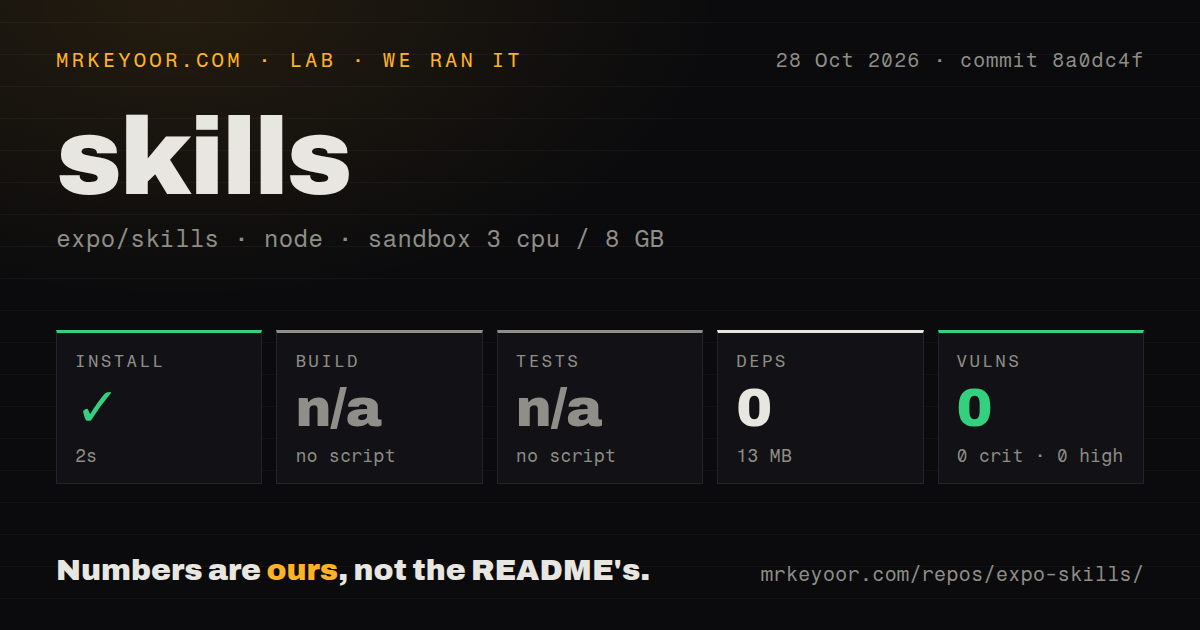
Expo Skills installed in 2 seconds in our sandbox. The October 28, 2026 run used commit 8a0dc4f, recorded zero dependencies and occupied 13 MB on disk. Build and tests were skipped because neither had a script or target. These were skipped checks, not successful compilation or passing tests.
The checkout contained 328 files, approximately 21,488 source lines and 5.9 MB before the recorded installation footprint. The configured sandbox had 3 CPUs, 8 GB RAM and image label lab-node:22. That label does not establish the actual Node.js or operating-system version.
npm audit reported zero known vulnerabilities across all listed severity levels. With zero dependencies recorded, this result does not establish the safety of skill instructions, a separately invoked installer, remote tools or generated application code.
The scan found one CI workflow, no Dockerfile and a tests directory. The directory did not provide a runnable test target in this run. No agent session, generated-app comparison, authenticated MCP operation or simulator interaction was verified.
Choose instructions and MCP access deliberately
The README recommends official marketplace plugins for Claude Code and Codex, with updates handled through those marketplaces. For other coding agents, it documents the skills CLI. After installing skill files, restart or refresh the agent session so it can discover them.
The Expo plugin bundles MCP configuration automatically. Other agents have separate MCP setup instructions. Bundled configuration registers the connection; the supplied MCP guide still requires authentication with an Expo account.
A useful evaluation is one bounded change in an existing Expo app, followed by patch review and the app's normal checks. This is a proposed next step, not a workflow completed in our sandbox.
Check the task's service requirements
The README separates free, open-source framework skills from services and paid distribution. Framework topics include Expo Router navigation and SDK upgrades. Service topics include EAS Workflows and EAS Update. These tasks may have different costs; our run measured no service use or charges.
Experimental guidance covers APIs that are not finalized and may change or be retired. It ships through the separate expo-experiments plugin or individual skills CLI selections. Select it when the experimental API is relevant to your task.
Account, SDK and simulator requirements
The MCP guide requires an Expo account and a client with remote MCP support, and documents OAuth authentication. Its general prerequisites call for the latest Expo SDK. Separately, it says local capabilities are available in SDK 54 and later. That availability threshold does not establish compatibility with every older project configuration.
Local capabilities require the expo-mcp package and a running Expo development server. The guide also instructs developers to use the same Expo account for the CLI and MCP authentication, and to reconnect or restart the MCP connection when the development server starts or stops.
Local iOS capabilities are limited to simulators on macOS, and only one development-server connection is supported at a time. These restrictions matter if physical-device automation or concurrent local projects are requirements.
Local capability data passes through Expo MCP Server to the connected AI tool. The guide's screenshot example explicitly sends the simulator screenshot through that path. Review the connected client's and model provider's data policies before enabling access for a sensitive project.
Alternatives by task
Callstack Agent Skills groups guidance into building, testing and migration bundles. Consider it for React Native performance work, device QA or incremental migration. These are documented areas of coverage, not comparative results from our sandbox.
Vercel Agent Skills includes React and Next.js performance guidance and React Native guidelines. Consider it when web React performance or a mixed React codebase is the main concern. We have no comparative measurements of agent task completion or generated-code quality for either alternative.
Documentation assessment and next step
Documentation receives 4/5 on a coverage rubric: 3 means basic setup guidance; 4 adds concrete installation choices, framework-versus-service labels and linked operating restrictions; 5 would require corroborating the relevant workflows. The supplied README and MCP guide support the coverage score. They do not establish working integrations or better agent output.
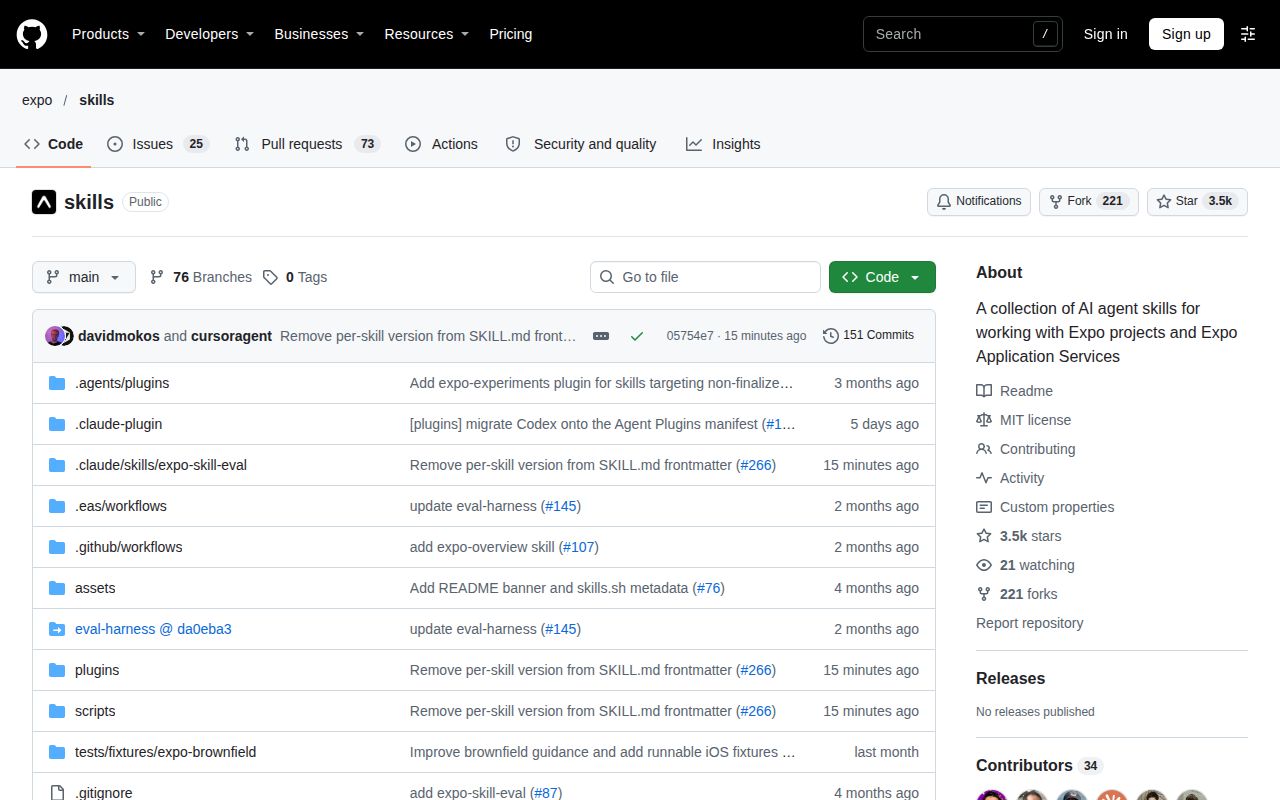
The supplied issue list shows an issue opened on October 28, 2026. Release status was not established by the supplied lookup. Neither observation resolves workflow reliability or maintainer responsiveness.
Start with one relevant skill, review the resulting patch and verify the app through your normal checks. If choosing the plugin, also check the authentication, service and local-capability requirements before using its MCP connection.