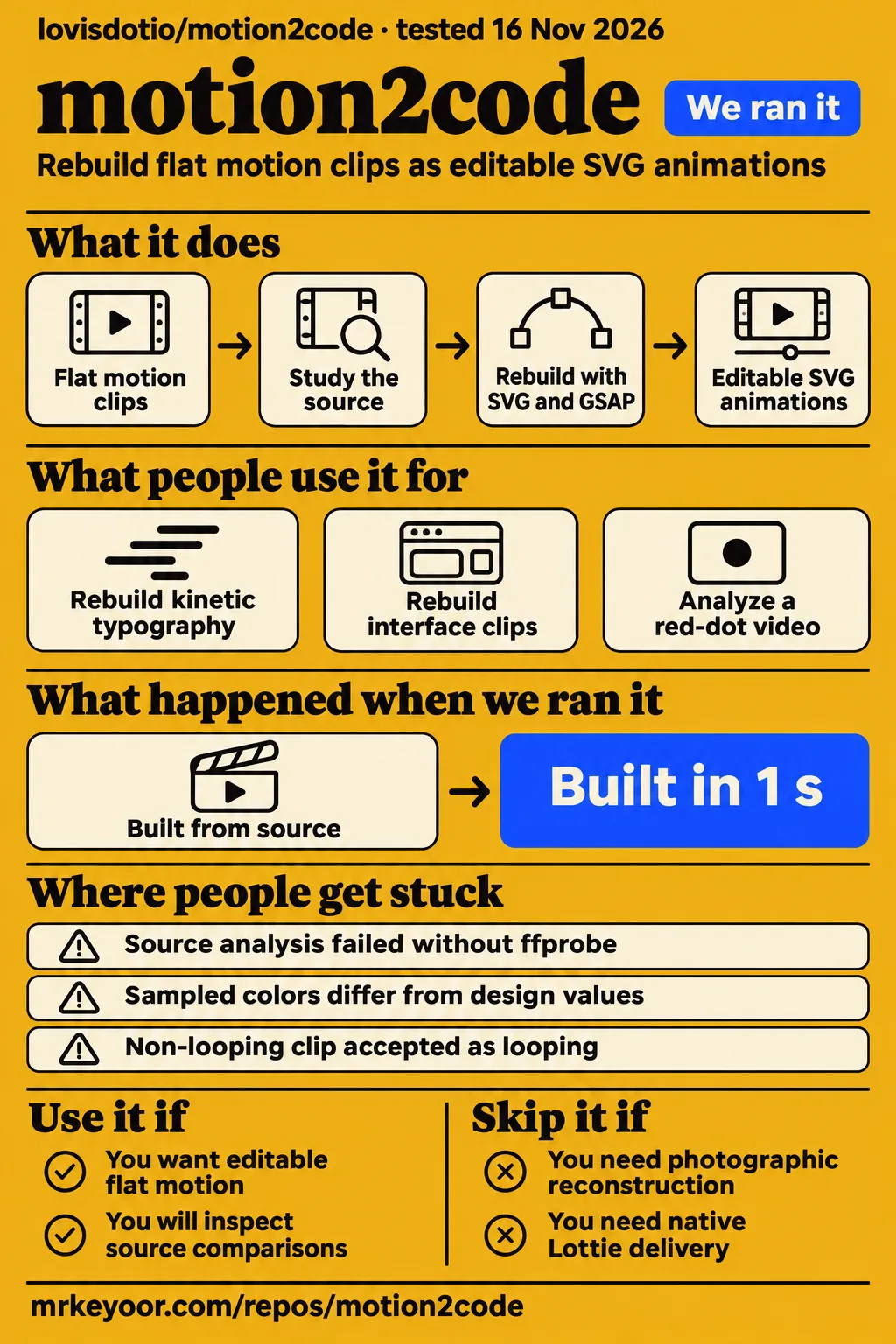
Short answer: use it for editable flat motion
Use motion2code for editable flat motion if you will inspect source comparisons; skip it for photographic reconstruction, 3D rendering or video editing. Our sandbox installed motion2code in 6 seconds and built it in 1 second, but pytest exited 5 without running any tests. The skill's stated scope excludes those other jobs. The practical decision is whether you want shapes and timing you can edit, together with a workflow for comparing the result against a reference.
motion2code gives an agent instructions and helper scripts for rebuilding a reference clip as inline SVG, with movement controlled by a single GSAP timeline. SVG describes shapes and text; GSAP controls when they move. The useful part is the inspection workflow: you can stop the reconstruction at a chosen moment and compare it with the source. That makes a misplaced letter or a late transition easier to discuss than two clips playing independently.
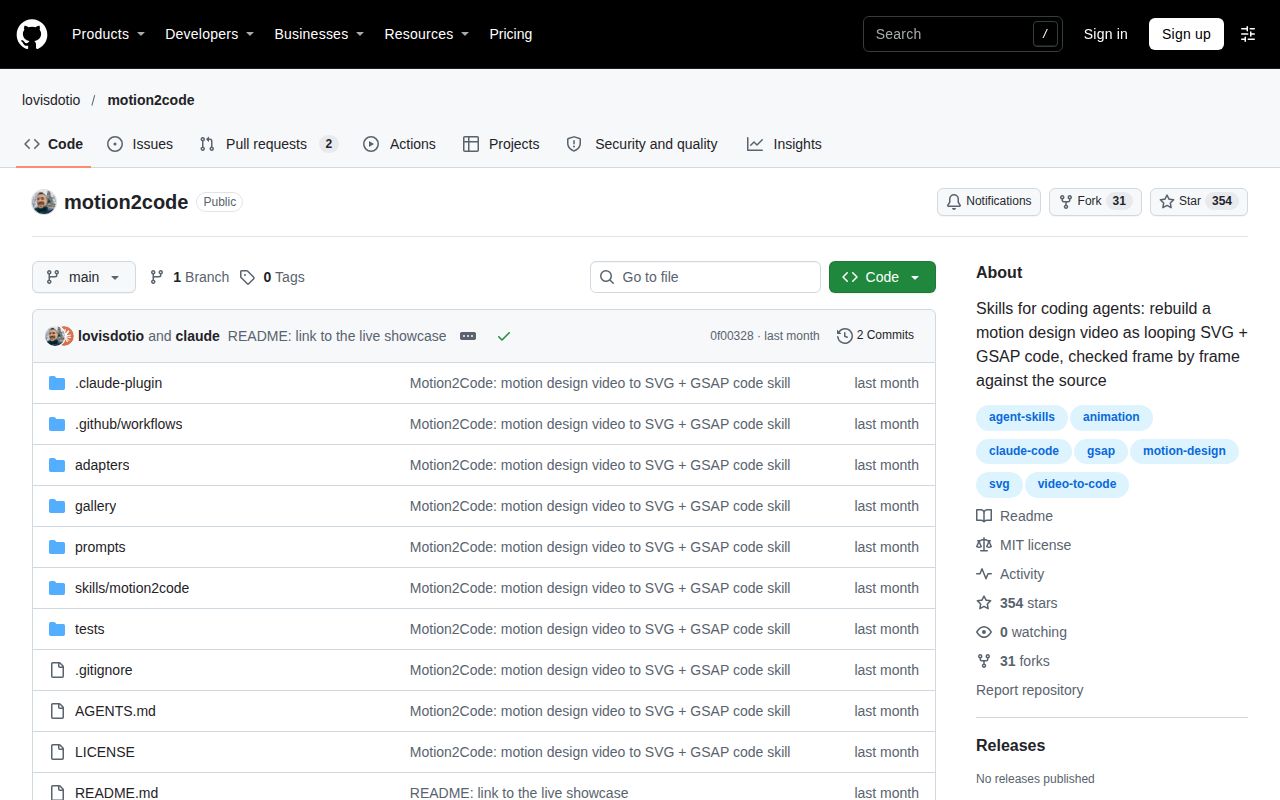
The supplied SkillsLLM listing reports 354 GitHub stars. That is a measure of repository attention. For deciding whether to use it, give more weight to the author's editable examples, zefirium's execution report and Brian's deliberately awkward red-dot test. Each answers a different question about the workflow, while the star count cannot tell you whether a particular reconstruction is acceptable. Directory snapshot.
What people use motion2code for
Editable typography, flat graphic animation and interface replays with separate interactive pages are the uses demonstrated in the author's gallery. Lovis Odin's gallery contains six reconstructed clips, while Brian at RepoSquare reports results from source analysis and static validation. The table names the people behind each example and links each use to its supporting record, so author demonstrations, community execution reports and independent exercises remain distinguishable.
| Who used it | What they did | What the record shows |
|---|---|---|
| Lovis Odin, using Claude Opus 5.5 | Rebuilt generated kinetic typography and an eye animation | The README describes the typography piece as 10 seconds and 24 KB, and the eye piece as 10 seconds and 40 KB. These are author-reported gallery figures. Author gallery |
| Lovis Odin | Rebuilt interface clips as animation replays and separate site examples | The README links real-site versions for festival, weather, portfolio and podcast examples. These are author demonstrations. Gallery entries |
| zefirium on X | Tried motion2code with Grok Bot alongside other agent skills | zefirium reports that motion2code ran without modifications. Grok Bot execution report |
| Brian at RepoSquare | Analyzed a synthetic red-dot video | The study produced eight pictures, a contact sheet and sampled colors. Source-analysis exercise |
| Brian at RepoSquare | Checked a minimal animation page and then added an image | The static checker accepted the minimal page and rejected the image. Static-validation exercise |
The gallery's editable lettering is the strongest reason to try this workflow. Odin's Think Big example turns a square into THINK and uses a bar to reveal BIG. If your deliverable needs different wording or timing, code gives you something specific to change. The source clips were generated with MiniMax H3 Max on fal, according to the README, so these examples demonstrate reconstruction from generated references.
The supplied YouTube explainer, "This Claude skill turns a video into code", describes an eye reconstruction whose initial color and timing differ, followed by frame comparisons. Its captions also describe a festival website with scrolling and buttons. The sequence illustrates the workflow described in the project documentation: examine the reference, build the page, inspect differences and adjust the reconstruction.
What happened when we ran it
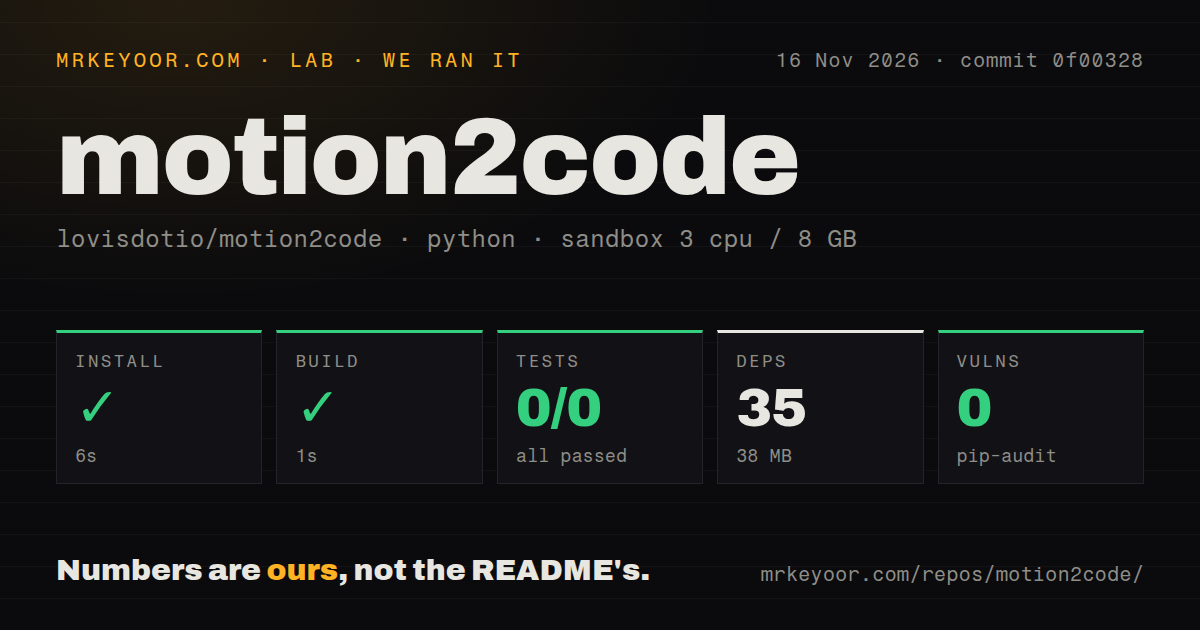
Our November 16, 2026 sandbox run at commit 0f00328 installed successfully in 6 seconds, built successfully in 1 second, and failed its test step after 2 seconds with exit 5. These are our measurements from the repository harness. The separate Compose attempt produced a failed safety step and a contradictory deployment summary, which the table and discussion below preserve as separate outcomes.
| Sandbox check | Recorded result | What it tells you |
|---|---|---|
| Install | Succeeded in 6 seconds; 35 dependencies recorded; 38 MB on disk | The recorded dependency step completed |
| Build | Succeeded in 1 second | The recorded build step completed |
| Tests | Failed in 2 seconds, exit 5; 0 passed, 0 failed of 0 | Pytest ran no tests |
| Dependency audit | pip-audit: 0 known vulnerabilities | The recorded audit found no known advisories |
| Repository signals | 1 CI workflow file, no Dockerfile, a tests directory | Files exist; the scan records their presence |
The test tail says no tests ran in 0.01s. That is the finding: the command failed without exercising a test case. A tests directory and a CI workflow do not turn that into a passing suite. The recorded output gives the empty collection result without diagnosing its cause, so the review keeps the command's outcome separate from conclusions about the product.
The sandbox configuration specified 3 CPUs, 8 GB RAM and image ghcr.io/astral-sh/uv:python3.12-bookworm. The scan classified the harness ecosystem as Python and counted 64 files, about 921 source lines and an 8.4 MB checkout. Those figures describe the measured repository. The gallery's HTML sizes describe individual animation artifacts, so they belong to a different measurement than the checkout or installed dependencies.
The separate hands-on record's safety step failed because no Compose file existed. It names compose.yaml, compose.yml, docker-compose.yaml and docker-compose.yml as absent, and says a Compose file is required by that runner. Yet its run summary says deployment used the repository's own Docker Compose on November 16, 2026, with every port bound to 127.0.0.1. Those records conflict. The teardown record says cleanup was OK.
Where people get stuck: ffprobe and a misleading loop score
Brian at RepoSquare reports that source analysis stopped when ffmpeg was installed but ffprobe was missing from PATH. The shared helper source requires ffprobe to read video metadata. His reported error was ffprobe not found on PATH, and the failed attempt saved no frames. Put both executables on the setup checklist before asking an agent to analyze a clip.
| Symptom or decision | Evidence | What to do |
|---|---|---|
| Source analysis cannot find ffprobe | Brian's first attempt stopped before saving frames | Put both ffmpeg and ffprobe on PATH. Reported failure |
| A relative script path cannot be found | The skill says to run from its directory or use full paths | Change to skills/motion2code, or address the script from the repository root. Working-directory instruction |
| The source is labeled a loop although the subject has moved | Brian's small red dot changed position while the whole-frame score passed | Inspect the first and last saved frames, especially the moving subject. False-positive report |
| Sampled colors differ from design hex values | Brian's encoded clip shifted both sampled fills | Match the encoded source palette, then review brand requirements separately. Color measurements |
Brian's synthetic clip was 320 by 180 pixels at 24 frames per second, with a recorded duration of 2.08 seconds and 50 frames. The study saved eight pictures, a contact sheet and study.json, and detected no hard cut. It measured blue as #2142A9 rather than the painted #2244AA, covering 98.12% of the picture; red measured #E1392E rather than #E23B2F, covering 1.63%. These are Brian's reported measurements, not our sandbox results. Full exercise.
His report says the source loop score was 3.83, below the script's threshold of 6, so the tool accepted it as already looping. But the dot occupied only 1.63% of the pixels. Brian sampled its position near x = 40 at 0.1 seconds and x = 196 at 1.5 seconds. Most of the image stayed blue, hiding a conspicuous foreground change inside a small average difference. Inspect the subject's location at the seam rather than stopping at the loop label.
Three checks answer three different questions
A static contract check checks page structure; frame comparisons judge resemblance; runtime checks exercise playback behavior. The README assigns these jobs to separate commands, giving the handoff a useful sequence. First establish that the page follows the expected structure, then inspect its rendered relationship to the source, and finally review the behavior that depends on opening the page in a browser.
Brian's minimal page passed the static checker. When he added an image, the same checker rejected it for containing a raster asset. That is useful enforcement: an agent cannot satisfy the flat-shape requirement by pasting a picture into the page. The checker printed [ok] good.html for the minimal page and [FAIL] bad.html for the changed page. His exercise makes the structural rule concrete without conflating it with the source's timing or geometry.
Use frame_diff.py to make source-and-code image pairs at matching times, then inspect the moments with the largest differences. The README describes check_anim.py --runtime as checking console errors, requests, the loop seam, deterministic seeking and autoplay. The central interface is window.anim.seek(t): the page exposes a way to draw a chosen time. Keep that interface when editing so comparison tools can revisit the same transition reliably.
Interactive sites need a separate deliverable
The documented interface workflow builds site.html after the animation replay, replacing recorded scrolling and fake clicks with actual interaction. The skill instructions name ScrollTrigger and real buttons, while the gallery provides separate replay and site links. That makes the requested output a practical briefing decision: a timed replay represents a sequence, while an interactive page responds to the person using it.
Give the interactive version its own acceptance list: the buttons you need to click, the scroll transitions you expect, and the keyboard path someone should be able to follow. Keep the replay and its comparisons as the visual reference, then review the functional page as software. H3Vid's documentation-based guide also separates these delivery goals. This acceptance list is our recommended review procedure.
Security and file size: read the loading contract
The README permits GSAP from cdnjs, flubber from jsdelivr for morphs, and Google Fonts, despite describing the page as self-contained. Its loading contract matters when the target site restricts scripts or font requests. List the allowed origins before delivery and compare them with the generated page's requests. The documented runtime checker includes network requests among its checks.
Treat the gallery's code sizes as artifact descriptions rather than complete delivery budgets. A small HTML file and its external resources answer different questions about what a browser loads. The skill itself is MIT licensed. The README separately says the gallery's generated source videos are included at 480p for comparison only. Keep the skill's license and the reference material's stated purpose distinct when choosing a source for commercial work.
motion2code vs HyperFrames, motiscope and Remotion
motion2code reconstructs a reference clip into editable SVG and GSAP, and it also bundles a renderer for pages that follow its contract. Choose an alternative by the artifact you want to author. An existing reference clip, an HTML composition and a React video project give the author different starting points, even when the final delivery includes an MP4.
| Project | Useful distinction | Pick it when |
|---|---|---|
| motion2code | Reference-driven reconstruction with a constrained SVG/GSAP page contract | You want editable flat shapes and an inspection workflow. Project README |
| HyperFrames | Its README describes turning HTML, CSS, media and seekable animations into MP4 videos | Your authoring workflow centers on HTML compositions and rendering. HyperFrames README |
| motiscope | RepoSquare describes CSS, Framer Motion and Lottie outputs alongside GSAP | Those output formats matter more than motion2code's constrained contract. RepoSquare comparison |
| Remotion | Its documentation describes rendering frames with React | You want to author video in a React workflow. Remotion core idea |
The bundled render_anim.py exports compatible pages as MP4, GIF or PNG frames. Start with that renderer if you already have a page built to motion2code's contract. A separate rendering framework deserves evaluation when you need its authoring model. For motiscope, the table preserves RepoSquare's attribution; for HyperFrames and Remotion, the linked primary documentation supplies the authoring distinction used in this comparison.
What the other reviews get wrong
The supplied README names six gallery entries, including four with real-site links, and assigns source comparison and runtime checking to different scripts. Those details correct specific claims in the supplied coverage. The table keeps each correction beside its source so readers can distinguish a gallery-count error from a misunderstanding about which command to run or what a loop score means.
| Publication | Claim to correct | Supported correction |
|---|---|---|
| Karan Checker's LinkedIn overview | Three gallery examples have real-site versions | The README links four: festival, weather, portfolio and podcast. Overview, README |
| RepoSquare | motion2code is the wrong installation for turning existing HTML into MP4 | Its renderer handles pages following its contract. Review, renderer description |
| RepoSquare | Adding --runtime compares source frames | Source comparison belongs to frame_diff.py; runtime checking covers playback, errors, requests, seeking and the seam. Review, script responsibilities |
| Directory-style descriptions of loop detection | The study output determines whether a source loops | Brian's small-object example supplies a false positive; inspect the saved endpoint frames. Counterexample |
| Reveneau | Five sample clips are available | Its article also says six earlier; the README names six gallery entries. Article, gallery |
Questions people ask
Install motion2code into your coding agent using the project's plugin or skill instructions, then make Python and both ffmpeg executables available. The README supplies installation routes; Brian's report explains why ffprobe belongs on the checklist. The questions below come from the supplied synthesis and focus on the first decisions a reader faces when setting up the skill and deciding what to request.
How do I install motion2code?
For Claude Code, the README documents claude plugin marketplace add lovisdotio/motion2code, followed by claude plugin install motion2code@motion2code. It also documents npx skills add lovisdotio/motion2code for supported agents. The scripts require Python 3.9+ and ffmpeg; browser-dependent scripts need Playwright and Chromium. Run relative script commands from the skill directory. These are the project's documented commands. Installation instructions, directory rule.
Can Claude Code rebuild a video as SVG?
The author says Claude Opus 5.5 rebuilt the gallery references into SVG and GSAP using the skill. The examples include flat graphics and interface replays, with comparison pages beside the reconstruction. Choose that kind of reference when you want editable shapes and lettering, and include source comparisons in the requested delivery. Author's gallery account.
How can I check whether the generated animation matches the source video?
Use frame_diff.py to compare source and generated frames at matching times, then inspect the image pairs and transitions. The README says it produces a sheet, per-time difference scores and the worst five moments. Use those outputs to direct inspection, while keeping runtime behavior as a separate part of acceptance. README script descriptions.
Does motion2code replace HyperFrames?
motion2code centers on reconstructing a reference, while HyperFrames provides an HTML-based video workflow. motion2code also exports its own compatible pages, so its bundled renderer is a starting point when the reconstructed page is already your deliverable. Choose between their authoring workflows before adding a second tool solely for MP4 output. motion2code renderer, HyperFrames README.
What should I do if the colors in the code do not match the clip?
Use the palette sampled from the encoded clip, then review any exact brand-color requirement separately. Brian reports that compression shifted both fills in his synthetic example away from the values he originally painted. The sampled values describe the reference file the agent is reconstructing, which can differ from the design values used before encoding. Reported palette results.
Do I need a browser to validate the generated page?
Static contract validation reads the page without a browser; runtime validation and rendered frame comparisons use one. Playwright is the documented browser dependency. The static check is useful for enforcing the output structure, while the browser checks open and render the page so you can assess its playback and appearance. Static exercise, browser requirements.
How do I turn a screen recording into an interactive site?
Ask for the optional real-site stage after the faithful animation replay. The skill documents building site.html with ScrollTrigger for scrolling and real buttons for recorded clicks. Specify the controls and behavior you expect in the brief, then use the replay as the visual reference when reviewing the functional page. Optional site workflow.
When should I skip motion2code?
Skip motion2code for photographic footage, 3D rendering or video editing, which the skill explicitly excludes. Its flat SVG shapes and single GSAP clock suit editable graphic motion. If the required deliverable is a different animation format, use the comparison table to identify another workflow rather than treating an SVG reconstruction as an interchangeable export. Scope and contract.
How does motion2code prevent a jump when an animation repeats?
The skill requires the ending state to return to the opening state in code, and the runtime checker inspects the seam. That requirement applies even when the reference ends elsewhere. Inspect the transition into the opening as well as the endpoint, following the skill's instruction to compare frames around transitions and the loop seam. Loop requirement.
How much does motion2code cost?
The skill is MIT licensed, with no purchase price stated in its README. Your chosen coding agent and source-generation service have separate costs. Agentic Paycheck's business article describes a proposed service and cites another creator's Claude Code and Remotion pricing; it says those prices are quotes rather than demonstrated payments. License, business article.
What we have not tested yet
Our successful install and build do not establish reconstruction accuracy, and the test command exercised zero tests. We have not reconstructed a clip, executed the installation commands printed above, run browser fidelity checks, exercised the interactive gallery sites or measured their keyboard, scrolling and mobile behavior. The conflicting Compose summary supplies no usable evidence of successful deployment. No screenshots or known-answer task results accompany that attempt.
The supplied independent exercise covers analysis and static checks. Neither it nor the author demos provides a reproducible fidelity benchmark with a defined test set and acceptance threshold. The Grok Bot post supplies an execution report rather than an accuracy measurement, and the video explains the workflow rather than independently measuring it. We have no measured cost per clip, completion time, client revenue or throughput result. The small-object loop failure's frequency remains untested.
The dependency audit's zero known vulnerabilities is not a security assessment of generated JavaScript, agent permissions or external resource loading. Actual runtime versions require raw toolchain logs; the container image label records configuration. Arbitrary HTML rendering compatibility, native Lottie delivery, maintainer response quality and production reliability remain unassessed. The documentation extracts are separate from the measured commit 0f00328. Rendered layout and site recommendation modules were outside this text review. For a first evaluation, choose a flat clip you own and inspect its moving subject at the seam before accepting delivery.