Should you adopt it?
HyperFrames is worth a pilot when ordinary HTML is the format you want developers and coding agents to exchange. Its renderer turns a browser composition into video, while the CLI supports scaffolding, previewing, checking, and rendering projects. A composition can play without a bundler; that does not make the development repository or its installed dependencies small.
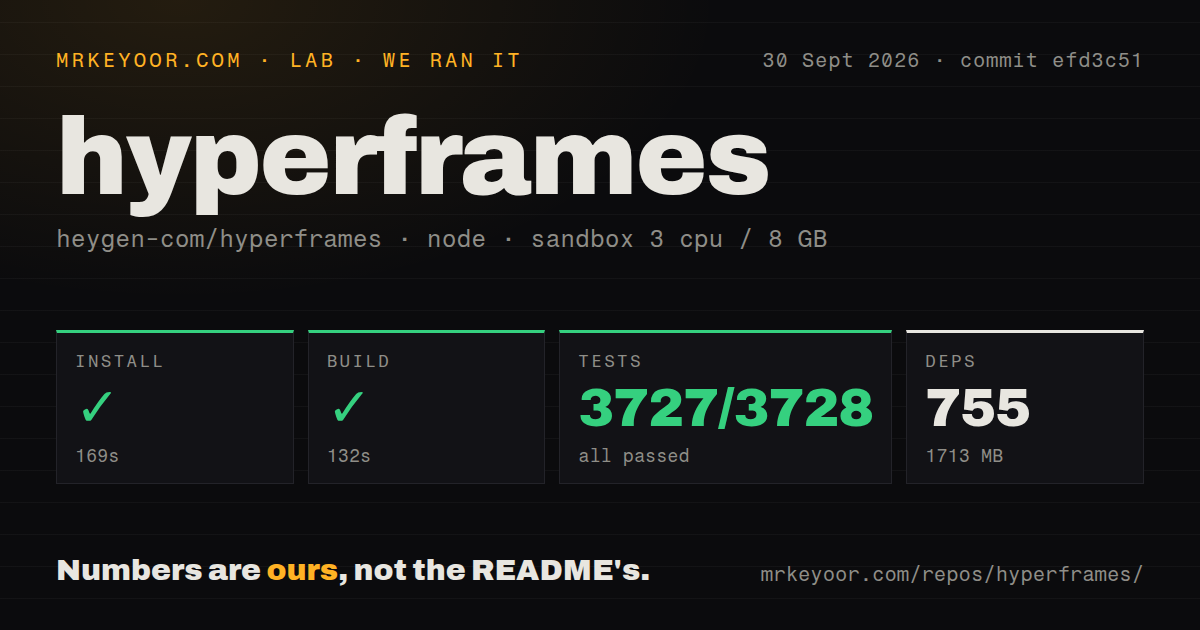
Our run on September 30, 2026, at commit efd3c51 installed and built successfully, but the test command exited 1. Start with a representative composition and inspect its export before committing an automated publishing workflow to the tool.
What our sandbox established
The attached harness records installation in 169 seconds and a successful build in 132 seconds. The test command ran for 556 seconds and exited 1 without timing out. The dependency measurement is 755 packages and 1,713 MB.
Our harness records command outcomes separately from parsed test counts: each step has a success flag, exit code, elapsed time, and timeout flag, while test output supplies a parser summary. In this record, those stored parser summaries contain 3,727 passed, 0 failed, 1 skipped, and 3,728 total tests. These are not verified exhaustive counts of unique tests across the monorepo. A zero in the parsed failure field does not turn exit 1 into a successful command.
The raw CLI footer separately reports failed tests. It names src/server/portUtils.test.ts as a failed file, but the supplied tail does not expose its failed assertion or identify the other failed file. We cannot assign a cause from that evidence. Other package footers report their own results; we have not summed them into a replacement total. Skipped tests and todo items are not failures.
The install footer also differs from the harness dependency count and wall-clock duration. We retain the attached harness values rather than substitute the package manager's footer. Neither set measures rendering speed.
See how MrKeyoor tests software for an explanation of command outcomes, parser counts, and sandbox limits. That page explains provenance; its current procedure is not evidence that this older run used every current step. This correction uses the existing record and includes no new execution. The audit field is null, so there is no recorded advisory result or known scan coverage to report.
HTML authoring is the practical distinction
HyperFrames turns HTML, CSS, media, and seekable animations into MP4 video using headless Chrome and FFmpeg. Timing and tracks live in HTML data attributes. The README documents adapters for animation tools including GSAP, Lottie, Three.js, Anime.js, and the Web Animations API.
That model suits a team already comfortable reviewing web files. The repository also includes a browser editor, player, catalog, and AWS Lambda rendering tools. These are documented capabilities, not workloads independently verified by our build result. The README calls Studio available and evolving.
Match agent instructions to the checkout
The README pinned to our tested commit describes 21 published skills. The supplied current README describes 7. Those are different source snapshots, so the older count should not be presented as the current catalog.
Both snapshots describe agent instructions for writing valid HTML, wiring seekable animations, adding media, checking, previewing, and rendering. Agent instructions help define the workflow; they do not establish that a particular generated video is correct. Review the composition and the export separately. If you need reproducibility, record the skill revision as well as the renderer revision, especially because the documented update command retrieves instructions from current main.
Treat the frame report as historical evidence
Issue 4763 reports off-grid source-frame selection in HyperFrames 0.8.92 on macOS arm64. The report describes snapshots selecting the next source frame when the requested time falls between source frames. It was closed as completed through pull request 4809 on October 2, 2026.
That report is neither a failure reproduced in our sandbox nor evidence of an unresolved defect in every later version. Its closure also does not prove that we verified the fix. For a pilot, include source footage whose frame rate differs from the output, inspect boundary frames, and check duration and audio in the final file. These are proposed acceptance checks, not additional work we performed.
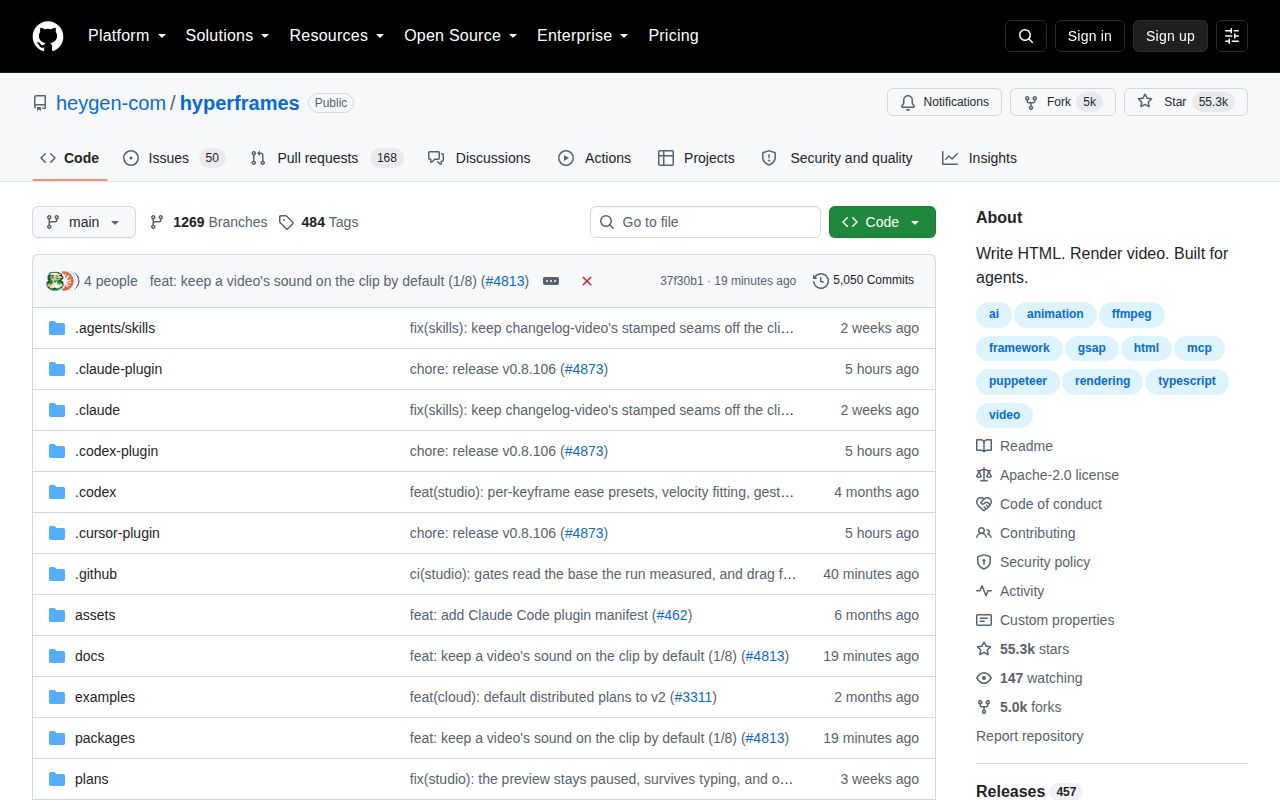
Release v0.8.106 is separate from the earlier tested checkout. Our September 30 run cannot validate that release or subsequent changes.
Which alternative fits your work?
Remotion supports programmatic video and documents Lambda rendering. Consider it when its video tooling and rendering options match your application; its repository warns that a company license is required in some cases. HyperFrames' comparison describes the authoring distinction as plain HTML versus React components. That distinction is a reason to evaluate a switch, not evidence that one renderer produces better output.
Motion Canvas uses TypeScript generators and an editor to create informative vector animations synchronized with voice-overs. Choose it when that scene model matches an explainer or motion-graphics project better than an HTML document. These are alternative authoring systems, not additional dependencies required by HyperFrames. We did not run either alternative for this review.
How to read the scores
The scores use a narrow editorial rubric, not a benchmark or adoption ranking. For setup, 1 means installation is blocked, 3 means installation and build work with substantial footprint or unresolved command results, and 5 requires a straightforward setup with successful required checks. HyperFrames receives 3 because installation and build succeeded but the test command did not.
For documentation, the scale measures visible coverage: 1 means little actionable guidance, 3 covers the basic local workflow, and 5 covers local setup, authoring, agent installation, package roles, and distributed rendering. The supplied README reaches that breadth, so documentation receives 5; we have not verified every instruction.
For community, the scale measures documented participation routes: 1 means no clear route, 3 means a public issue or contribution route, and 5 means documented discussion, issue reporting, contributions, and security reporting. The README provides those routes, so this narrow dimension receives 5. It does not measure adoption, response times, or support quality.
For maturity, 1 means an incomplete documented workflow, 3 means a documented rendering stack with unresolved validation in our evidence, and 5 requires independent evidence for representative rendering and deployment outcomes. HyperFrames receives 3. Our installation and build results do not establish production readiness.