mrkeyoor.com_
Sun 08 Nov 05:42 UTC
AI Toolsevaluationupdated 08 Nov 2026

MonkeyCode review

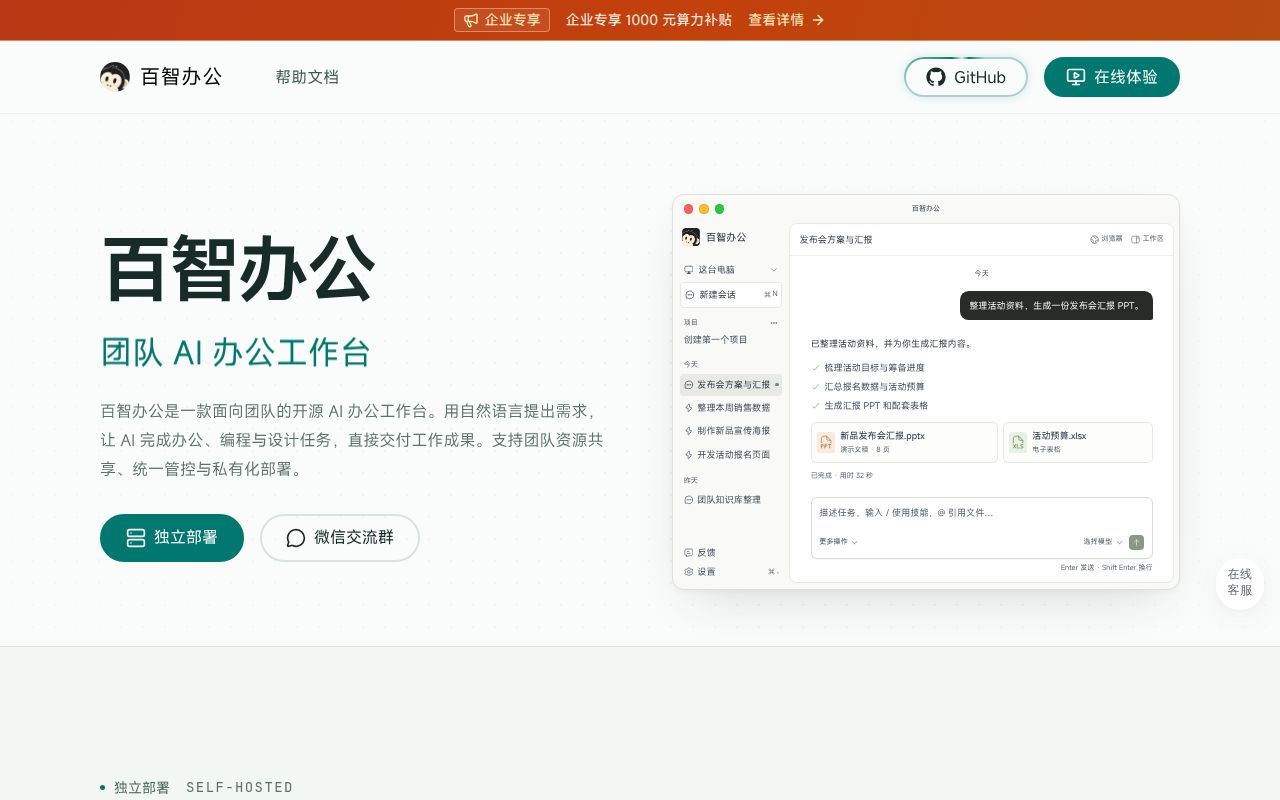
The chaitin/MonkeyCode repository's current README introduces MonkeyAI as a team workspace for AI-assisted office, programming and design tasks. Its Chinese documentation describes shared models, MCP tools and resource permissions. The retained English MonkeyCode introduction describes the original development platform. Our measured backend build does not verify the current workspace deployment.

Verdict

The backend built in 197 seconds at ad169c9, but tests exited 1 with 57 passes and 2 failures in the supplied summary. MonkeyAI remains a candidate for teams able to operate its Chinese-documented service and accept the relevant edition limits. Adoption needs a separate deployment trial covering clients, model connections, member permissions and recovery. The measured backend commands do not establish those results.

We ran it

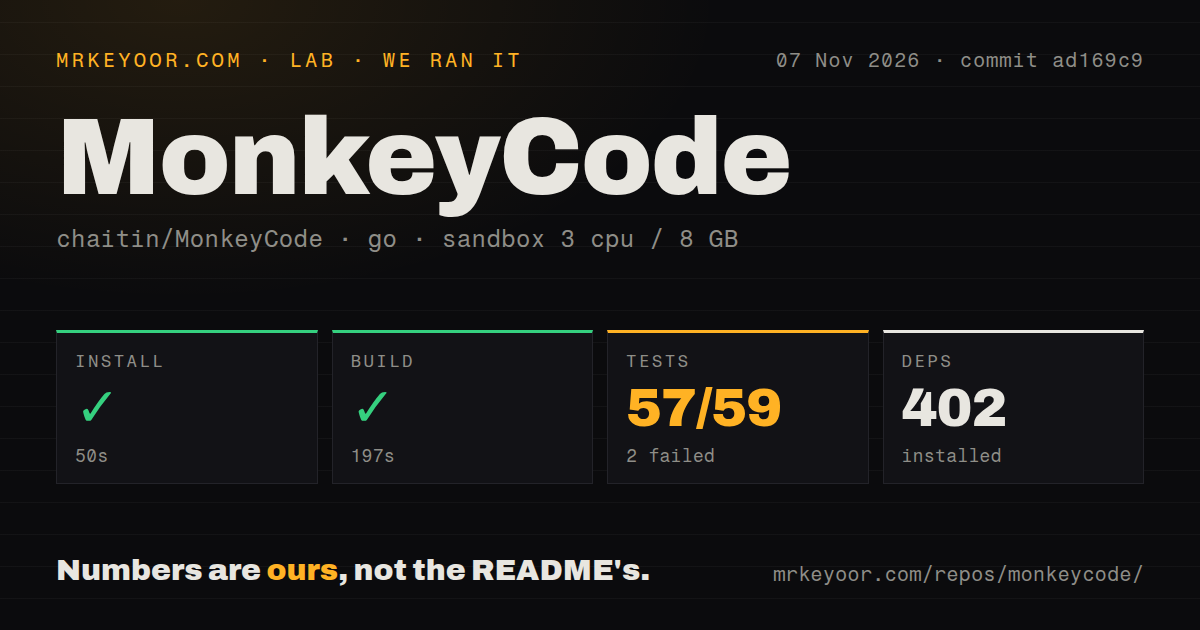
Lab card: what happened when we ran MonkeyCodeScreenshot of MonkeyCode (work.baizhi.cloud)
Install✓ · 50s402 packages
Build✓ · 197s
Tests✗ · 98s57 passed · 2 failed of 59 (go test)
Repo3897 files~815,585 lines of source · 91.6 MB · 6 CI workflows

Answers from our run

Does MonkeyCode build from source?

Dependencies installed in 50 seconds (402 packages), and the build succeeded in 197 seconds. We cloned commit ad169c9 into a clean Debian container with 3 CPUs and no project-specific setup.

Do MonkeyCode's tests pass?

No. The project's own test command finished in 98 seconds and reported 57 passed, 2 failed (go test).

Who should not use MonkeyCode?

Teams requiring technical support in the free edition, which the current README excludes.

What are the alternatives to MonkeyCode?

Open WebUI, LibreChat. The backend built in 197 seconds at ad169c9, but tests exited 1 with 57 passes and 2 failures in the supplied summary.

SetupN/AN/A: installation and build commands were measured for ./backend/, but the current MonkeyAI workspace deployment was not validated. Those timings cannot support a numerical rating for complete workspace setup.
DocsN/AN/A: the packet contains current Chinese operations instructions and a retained English introduction for the original platform. It supports identifying their different scopes, but not scoring documentation completeness or the success of an operator following them.
CommunityN/AN/A: the supplied repository activity date does not establish support quality, English support availability or maintainer response times. The free-edition support exclusion is a documented edition limit, not a measurement of community responsiveness.
MaturityN/AN/A: the backend build succeeded and its test command failed, with causes absent from the visible tail. We did not validate workspace behavior, client reliability or recovery, so a numerical maturity score would exceed the evidence.

Who it’s for

Technical teams evaluating centrally managed models and MCP tools.
Operators who can follow the current Chinese deployment instructions and maintain a private service.
Engineers willing to record the product context, revision and source directory before testing a deployment.

Who it’s NOT for

Teams requiring technical support in the free edition, which the current README excludes.
Teams needing more than the free edition's documented 10 seats without evaluating another edition.
Users requiring native Android, iOS or Linux ARM64 clients, which the current download table marks as forthcoming.
Organizations assuming private deployment keeps requests to external models and tools on their own server.
English-only operators relying on the retained MonkeyCode introduction for current MonkeyAI deployment instructions.

Setup reality

Our November 7, 2026 sandbox run at ad169c9 measured the Go project in ./backend/. Installation succeeded in 50 seconds with 402 dependencies recorded. The backend build succeeded in 197 seconds. Tests exited 1 after 98 seconds; the supplied Go summary reports 57 passed and 2 failed of 59. The visible log tail contains successful package entries followed by FAIL. It does not identify the failing cases or establish their causes.

The current MonkeyAI operations guide lives under monkeyai/. It describes Docker Compose, PostgreSQL, database migrations, initial administrator credentials and a public address for administration, API access and callbacks. Our backend commands did not validate that deployment or demonstrate a working client, model request or tool action.

The guide also describes RustFS storage for skill packages and connection icons. Backup planning must cover the database and the objects referenced by its snapshot, as well as persistent runtime identity. We did not deploy or restore these components.

The sandbox configuration recorded 3 CPUs, 8 GB RAM and image label golang:1.24-bookworm. That label does not establish the actual runtime or operating-system version. Treat the recorded build as a backend result and run a separate workspace acceptance trial before inviting colleagues.

Decide which project you are evaluating

The current README introduces MonkeyAI as a team AI workspace for office work, programming and design. The repository is still chaitin/MonkeyCode, and README.monkeycode.md retains an English introduction to the original MonkeyCode development platform. These documents describe different product contexts.

Our run measured ./backend/. The current workspace's operations guide is under monkeyai/. Record the source directory, revision and deployment instructions together before starting a trial. The measured backend result does not establish that the current MonkeyAI workspace works with your models, clients or member permissions.

The current README and operations guide are in Chinese. The retained English introduction helps explain the original coding platform, but it does not replace the current workspace's deployment instructions.

What happened when we ran it

At commit ad169c9 on November 7, 2026, installation succeeded in 50 seconds with 402 dependencies recorded. The backend build succeeded in 197 seconds.

Tests exited 1 after 98 seconds. The supplied Go summary reports 57 passed and 2 failed of 59. The visible tail lists successful package entries, including modelusage, netguard and taskflow, then ends in FAIL. It does not identify the failing cases or show their errors. We cannot attribute the failure to credentials, networking, a database or a product defect from that tail.

The sandbox configuration recorded 3 CPUs, 8 GB RAM and image label golang:1.24-bookworm. Actual runtime and operating-system versions require the raw toolchain logs. The scan recorded 3,897 files, approximately 815,585 source lines and a 91.6 MB checkout. It detected 6 CI workflow files and a Compose file, but no Dockerfile or tests directory. Those detector results are not a complete inventory of deployment components.

Investigate the failed test command before adopting the measured backend. This run did not demonstrate a browser client, model connection or completed workspace task. It measured no office-document quality, coding success rate or interactive performance.

Check permissions and service destinations

The current README documents shared models, knowledge bases, skills, experts, MCP connectors and rules. It also describes resource access controls, usage auditing and accounting. These are documented capabilities; our run did not verify them in an authenticated workspace.

For an acceptance trial, give an administrator and an ordinary member different resource access. Ask the member to complete a small task with an approved model and tool, then inspect the result and recorded usage. Also check that the member cannot use a resource outside that account's permissions. These are proposed checks, not tests completed for this review.

The README says content used with external models or tools still goes to the configured services. Identify those destinations before uploading internal documents. Private deployment alone does not establish that every request remains on your server.

Plan storage and recovery before deployment

The operations guide describes waiting for PostgreSQL, applying migrations and starting Backend and Admin. Operators must change the database and initial administrator passwords. The public address serves the administration page and API and is used for OAuth callbacks, metadata and login redirects. The guide calls for HTTPS in production.

PostgreSQL is only part of the storage plan. The guide says skill ZIP files and connection icons are stored in a private RustFS bucket. It requires backups to preserve both a PostgreSQL snapshot and the RustFS objects referenced by that snapshot. Runtime identity and signing material persist in a separate runtime volume, which the guide also says to back up. We did not deploy or restore these components.

The free-edition table limits teams to 10 seats and excludes technical support and cloud computers. The current client table marks Android, iOS and Linux ARM64 as forthcoming. Choose a client route from that table rather than carrying over the original MonkeyCode introduction's mobile claims.

Keep the measured revision separate from the release

The supplied latest-release record identifies v26072801, published July 28, 2026. The release page identifies its commit as fd025f9. Our measured revision was ad169c9. The supplied repository metadata records a last push on November 6, 2026, but activity after a release does not establish which current workspace instructions apply to that older tag.

Do not treat this review as a deployment test of v26072801 or as proof that current main-branch documentation applies to it. Select and record the revision you intend to operate, then check its own deployment files.

Alternatives to evaluate

Open WebUI documents connections to local models through Ollama and to local or cloud models through OpenAI-compatible APIs. Consider it when model access is the main requirement and an English README would help the initial evaluation.

LibreChat labels attached workspaces highly experimental. Its README also documents sharing agents with specific users and groups. Consider it when shared chat and assistants match the job, and assess attached code workspaces separately. Neither alternative was benchmarked against MonkeyAI here.

Before inviting colleagues, record the source path, revision, deployment instructions and client you intend to support. Then verify a model request and a permitted tool action through an ordinary member account, check denied access and inspect usage records. Those checks address the workspace decision that the backend build leaves unanswered.

Alternatives

ProjectWhat it isPick it when
Open WebUI gh↗A self-hosted AI interface whose README documents Ollama and OpenAI-compatible model connections.Evaluate it when local or cloud model access is the main requirement and an English README would help your assessment.
LibreChat gh↗An AI chat platform whose README documents sharing agents with specific users and groups.Evaluate it when shared chat and assistants are central to the workflow. Assess attached code workspaces separately because its README labels them highly experimental.

What people are saying

  1. [github-trending] chaitin/MonkeyCode

Sources

  1. Current MonkeyAI README
  2. Preserved English MonkeyCode introduction
  3. MonkeyAI operations guide
  4. Open WebUI README
  5. LibreChat README, redirected to LibreChat-AI/LibreChat in the supplied packet
  6. MonkeyCode v26072801 release

More ai tools reviews

AutoRAG · grok-bot-templates · WorkDaddy · T3MP3ST · annotated_deep_learning_paper_implementations · guizang-ppt-skill · the whole board →