Preview checks do not validate session preservation
WorkDaddy's recorded checks cover its Markdown preview subproject. They leave the desktop account workflows unverified, and the supplied issue feed contains a report directly relevant to that gap: a user described losing an original session after branching and switching accounts. That report is unverified, but it belongs in any decision about trying the helper with working conversations.
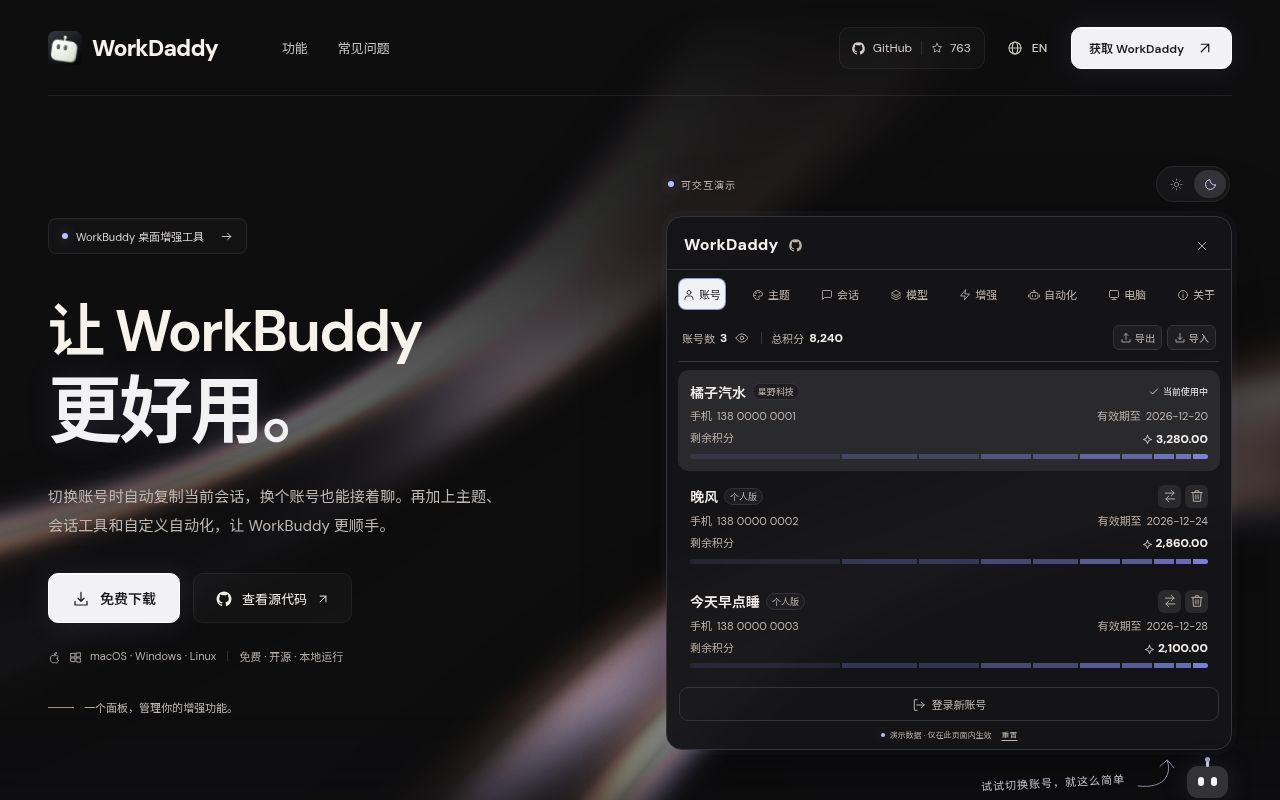
The English guide describes WorkDaddy as a helper for WorkBuddy and CodeBuddy desktop clients. A local daemon uses Chrome DevTools Protocol, or CDP, to inject controls without modifying the official installation or signature. Account switching and session migration are documented capabilities, not workflows validated by the supplied sandbox run.
What happened when we ran it
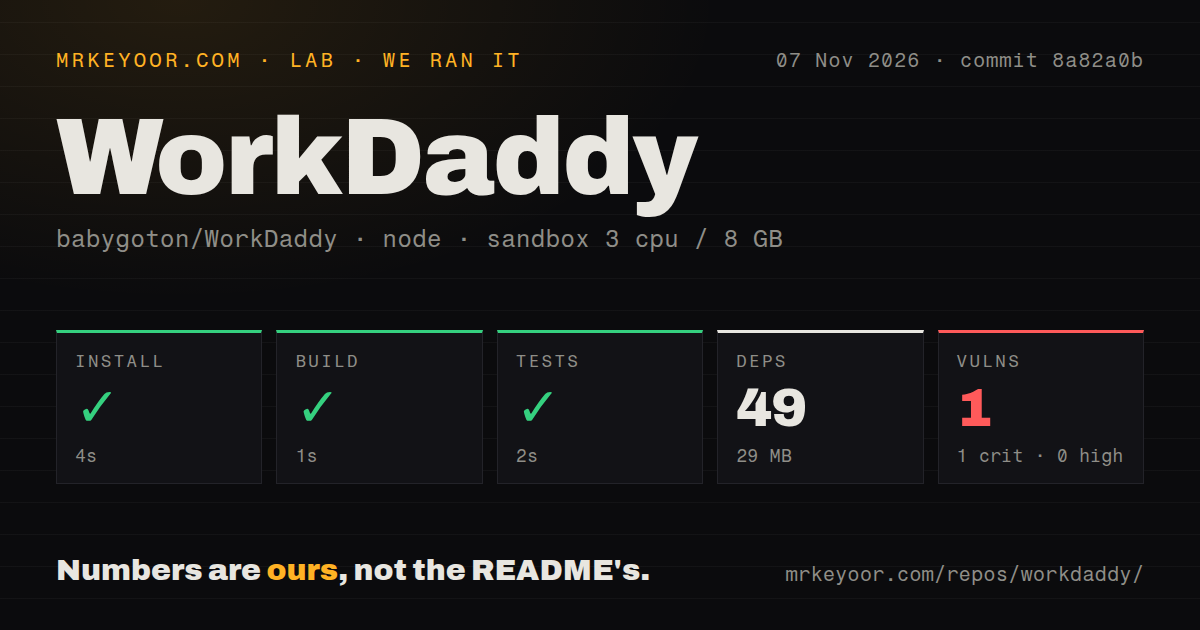
The November 7, 2026 run used commit 8a82a0b and the npm project under tools/markdown-preview/. Installation succeeded in 4 seconds, the build in 1 second and the test step in 2 seconds. The run recorded 49 dependencies and 29 MB on disk. No test-case count is supplied.
Npm audit reported 1 known vulnerability, rated critical, with none reported as high, moderate or low. The record does not identify the package, advisory, affected path or fix. Inspecting the detailed audit is a prerequisite to evaluating that finding. The total alone does not establish an exploitable path in the desktop daemon.
The repository scan counted 359 files, roughly 85,157 source lines and 10.6 MB. It found one CI workflow and a tests directory, with no Dockerfile. The configured sandbox had 3 CPUs, 8 GB RAM and image lab-node:22. That image label does not establish the executed Node.js version. These observations do not verify desktop installation, login restoration, session copying or a running CDP connection.
A session-loss report changes the trial recommendation
In issue #501, opened November 6, 2026, a user reported WorkDaddy 1.2.19 with WorkBuddy 5.9.3 on Windows. The report describes the original session disappearing after branching and switching accounts. The user said only the branch remained and that switching back did not restore the original session.
The supplied record contains no independent reproduction or resolution. The version number is the reporter's account of their installation; it does not verify that 1.2.19 was a published release. This report does not prove that WorkDaddy generally loses sessions, but it makes a trial with nonessential conversations more appropriate than moving working sessions immediately.
The supplied release evidence separately identifies release 1.2.18, published October 24, 2026. Its notes describe fixes for refreshed login credentials not persisting. Those notes concern a different problem and do not resolve issue #501 or validate the measured commit's session behavior.
The official client determines which controls you get
Install and sign in to the official client before choosing the matching helper package. The guide distinguishes mainland and international WorkBuddy and CodeBuddy profiles, with separate installations and account backup directories.
CodeBuddy support targets its Electron agent window, not the VS Code editor mode. CodeBuddy does not show the Enhance page; its Theme page only provides floating robot settings. Users who need those WorkBuddy enhancement controls inside a VS Code workspace should avoid it for that purpose.
For macOS, the launcher uses local Node.js, with 22.13 or newer recommended. Linux Ubuntu/Debian packages include a matching runtime and require an official client of the same architecture. Linux upgrades require installing a newer DEB because panel updates are not supported. These are documented setup requirements, not observations from the sandbox run.
Backups and diagnostics need deliberate handling
The guide says account exports use a password, a fresh random salt and AES-256-GCM encryption. It also warns that the encrypted file contains tokens that can restore login sessions. Protect exports as account access and remove unneeded copies after migration. The supplied evidence includes no independent cryptographic or credential-handling assessment.
The documented network boundaries also matter. Login and credit features call the official client's APIs, update checks contact GitHub Releases, and explicit model connectivity tests send requests and the corresponding API key to the configured model service. Review that destination before running a connectivity check.
Error diagnostics are enabled by default, according to the guide. The About switch controls remote Sentry reporting and local redacted renderer logs. The guide describes redaction and exclusions and provides WORKDADDY_TELEMETRY=0 as a startup override. The supplied run did not inspect network traffic or verify those exclusions. Configure diagnostics before a trial if they must be disabled.
Automation requires the daemon to stay running
The guide documents manual, event and scheduled tasks, including imports from public GitHub and Gitee repositories. Imported tasks remain disabled, and existing tasks with the same ID are not overwritten. Inspect a task before enabling it; compatibility checks do not establish whether its actions suit your account.
Scheduled and event triggers require the daemon to remain running. Steps that interact with a page also require the corresponding WorkBuddy client to be available. WorkBuddy's quiet approval mode automatically handles supported permission prompts, so evaluate that setting separately from account switching.
Consider a separate workspace if client integration is optional
Cherry Studio is an AI workstation for Windows, macOS, and Linux. Evaluate it if a separate desktop workspace meets your needs. The supplied evidence does not establish equivalent WorkBuddy or CodeBuddy account migration.
Open WebUI connects local models through Ollama or uses OpenAI-compatible APIs for local and cloud models. Consider its separate, self-hosted interface when controls inside the official desktop client are unnecessary. Neither alternative was compared with WorkDaddy in operation.
Documentation receives 4 on a coverage scale: 1 means essential instructions are missing, 2 substantial omissions, 3 a concrete route with gaps, 4 detailed instructions and explicit limits, and 5 broad independently verified coverage. The guide supports a 4 through its client profiles, platform instructions, backup warnings and diagnostic settings. This rating measures documentation coverage, not verified product behavior. Setup ease, community support and operational maturity remain unassessed.
Before involving working sessions, obtain the detailed audit, protect recoverable account exports and evaluate switching and restoration with a nonessential account and conversations on your exact client. Include branching followed by account switching in that evaluation because issue #501 concerns that sequence. No successful result for those desktop checks is supplied here.