A successful build leaves deployment questions open
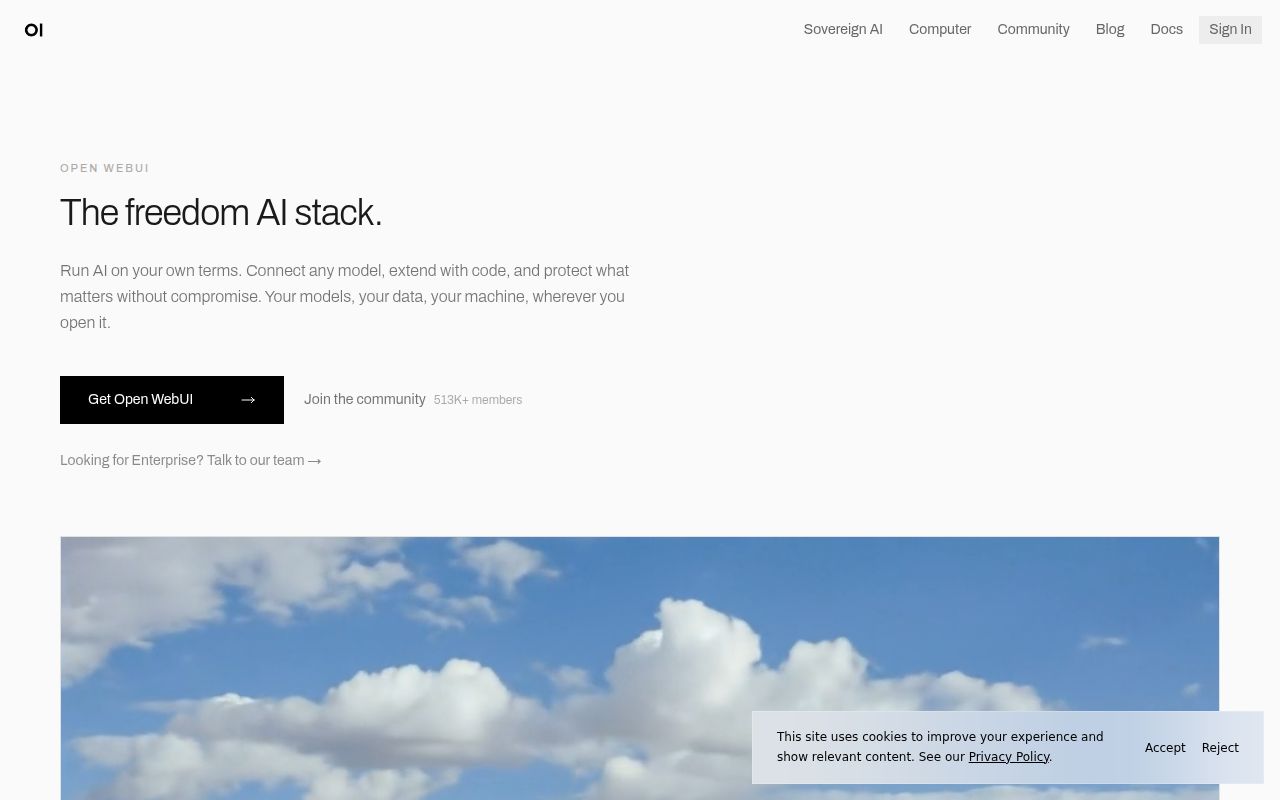
Open WebUI can put shared model access, documents, and tools in one browser workspace. Its README describes connections to Ollama and OpenAI-compatible APIs, with administrator-defined roles, groups, and permissions. That makes it a candidate for teams that already operate model services and want a common interface.
Our evidence supports a narrower conclusion about setup: npm dependency installation and a source build succeeded. We did not validate a running service, model responses, document retrieval, or access isolation. Choose it for a deployment trial when those capabilities match your needs and someone can maintain the application.
What our recorded run established
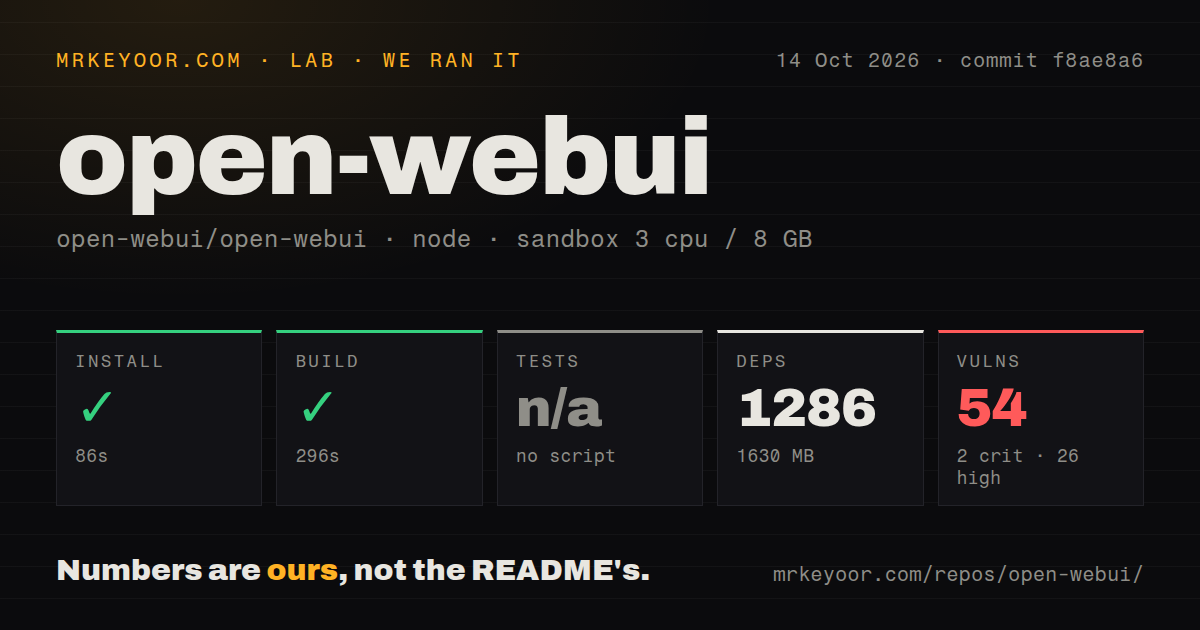
Our run was recorded on October 14, 2026, at commit f8ae8a6c328946dc62cd0712961a0632574581bf. The configured sandbox had 3 CPUs, 8 GB of memory, and image lab-node:22. The image name does not independently establish the runtime version.
Dependency installation completed successfully in 85.755 seconds, rounded to 86 seconds. The build step completed successfully in 295.518 seconds, rounded to 296 seconds. The build output reports a static site written to build. This establishes completion of the recorded build step, without proving that the Python backend or installed open-webui command ran.
The recorded dependency metric was 1,286 packages and 1,630 MB. The install output separately reports 1,152 packages added. These figures have different recorded labels, and we did not reconcile their counting scopes. Calling 1,286 the number added would misstate the output. The checkout metric recorded 5,125 files, approximately 298,021 source lines, and 48 MB before dependency installation. These parser summaries were not independently reconciled into exhaustive counts. The run summary records 415 seconds overall; the timings are observations from this environment, not deployment estimates.
Npm audit reported 54 advisories: 2 critical, 26 high, 24 moderate, and 2 low. The supplied record does not establish audit coverage, affected production paths, or a reachable exploit. The dependency count is not a scanned-package count. Inspect the individual advisories before deciding whether they block your deployment.
Tests were skipped despite detected test commands
The harness recorded a skipped test step with reason "no script". Its script inventory nevertheless includes test:frontend and cy:open, alongside check and lint commands. The repository scan also recorded a tests directory, a Makefile, 7 CI workflows, and a Dockerfile.
Those observations do not establish a passing suite, but they also do not support saying the project has no test command. The harness did not execute a recorded test workload. Read the project's test setup and run the relevant checks in the environment you intend to support. A skipped step supplies no evidence that the product is broken.
Validate the deployment path you will maintain
The README recommends Python 3.11 for its pip installation route and starts the server with open-webui serve. Our npm run did not verify that route or check an installed binary.
The Docker examples mount /app/backend/data to preserve application data. Before inviting users, decide where that volume lives and verify a backup and restore procedure. Our 1,630 MB dependency footprint is not a measurement of a published container image.
The README also documents default, CUDA, and bundled Ollama images. CUDA requires the NVIDIA container toolkit on Linux or WSL. A container may need additional configuration to reach an Ollama server on its host; the documented host-networking example changes browser access from port 3000 to 8080. None of those connections was exercised by our source build.
For offline environments, the README documents HF_HUB_OFFLINE=1 to prevent model-download attempts. That setting alone does not establish that every configured provider, tool, or asset works without a network connection. Test the configuration you plan to use.
Branding restrictions have explicit exceptions
The README describes mixed licensing, but the license text gives the detail that matters for rebranding. Its branding restriction has exceptions for deployments or distributions with no more than fifty individual end users with direct application access within any rolling thirty-day period, specific prior written permission, or an executed enterprise license expressly permitting modification. Materials governed by prior licenses retain those terms as specified in LICENSE_HISTORY.
A rebranded deployment is therefore not automatically ruled out. Check which exception, if any, applies to your intended audience and distribution before choosing the product. This review does not replace that assessment.
The README also describes Filters, Actions, Pipes, Tools, Skills, and MCP, MCPO, and OpenAPI connections. Decide who can enable integrations and what each integration can access. The npm advisory summary does not assess imported extensions or external tool servers.
Release evidence is separate from our build
The supplied v0.12.2 notes describe retrieval access-check changes, SCIM administrator-deletion handling, and document integration updates. That release identifies commit 6a18585, while our run used f8ae8a6. Our build must not be presented as a test of v0.12.2 or its fixes.
The supplied multi-model continuation report was opened and closed as completed on October 15, 2026. The reporter identified dev commit fb5431a and linked proposed work as #32456. This is evidence of a reported interaction problem and repository response, not our reproduction or verification of a fix. The supplied extracts do not establish current star totals, issue totals, or support response times.
Where the alternatives fit
LibreChat describes a self-hosted interface spanning model providers, agents, and MCP tools. Compare it when those workflows drive your choice. The supplied extract does not establish the MIT-license advantage claimed in the earlier draft.
AnythingLLM describes connecting a local or cloud model, ingesting documents, and chatting with them. Compare it when document chat is your main task. Its README marks multi-user support and permissioning as Docker-only, so check the edition before treating desktop and server deployments as equivalent. Neither alternative was tested in our run.
How to read the scores
These are editorial ratings of the supplied evidence, not measured reliability or security scores. The scale is 1 for substantial documented obstacles, 2 for limited support with major unresolved requirements, 3 for a credible trial with material validation still required, 4 for detailed evidence supporting the reviewed use, and 5 for broad corroboration across the relevant use cases. Unknown compatibility or adoption does not earn a high score.
Setup earns 3/5 because the recorded dependency and build steps passed while deployment remains unverified. Documentation earns 4/5 for concrete installation, persistence, networking, offline-setting, and licensing guidance, without treating those instructions as tested outcomes. Community earns 3/5 for the supplied release and issue activity; it does not measure adoption or support quality. Maturity earns 3/5 because the build and release evidence justify a trial, while runtime checks, test results, and advisory applicability remain unresolved.
Start that trial with the deployment path you intend to keep. Connect a model, exercise permissions with representative accounts, test the document and tool flows you need, inspect the advisories, and restore the data volume before making the workspace a shared dependency.