The device pane joins the agent to the native build loop
MobileCode starts with OpenCode, then adds a device pane beside the coding conversation. In a supported project, it detects iOS, Android, Expo, and React Native structures up to 2 directories below the session root. Opening a session reveals the available platforms without launching anything. Pressing Play starts the selected virtual device, builds the current project, installs it, launches it, and embeds the live stream in the same workspace.
The agent receives the same capability through a device_run tool. It can wait for the native build, capture the first compiler or Gradle error, inspect the log tail, edit the project, and try again. That shortens a common loop where the human copies an Xcode failure into chat. It also grants the agent authority to run a substantial local toolchain, so repository trust, command review, and process cleanup still matter.
React Native shares Metro but keeps each platform independent
React Native gets separate controls for Metro, iOS, and Android. One Metro server can feed both platforms. Starting iOS replaces only the previous iOS run; Android remains alive, and the reverse also holds. Stop cancels an active build, closes the stream, terminates the app, and shuts down that platform's virtual device. A manually started Metro stays up until you stop it.
The platform paths are explicit. iOS uses xcodebuild, then simctl for installation and launch. Android runs the chosen module's Gradle debug assembly, installs the APK with adb, and sends a launch intent. Expo can generate native projects with expo prebuild before entering the same pipelines. If another project's Metro owns the shared port, MobileCode requires you to stop it before switching JavaScript projects.
What happened when we ran it
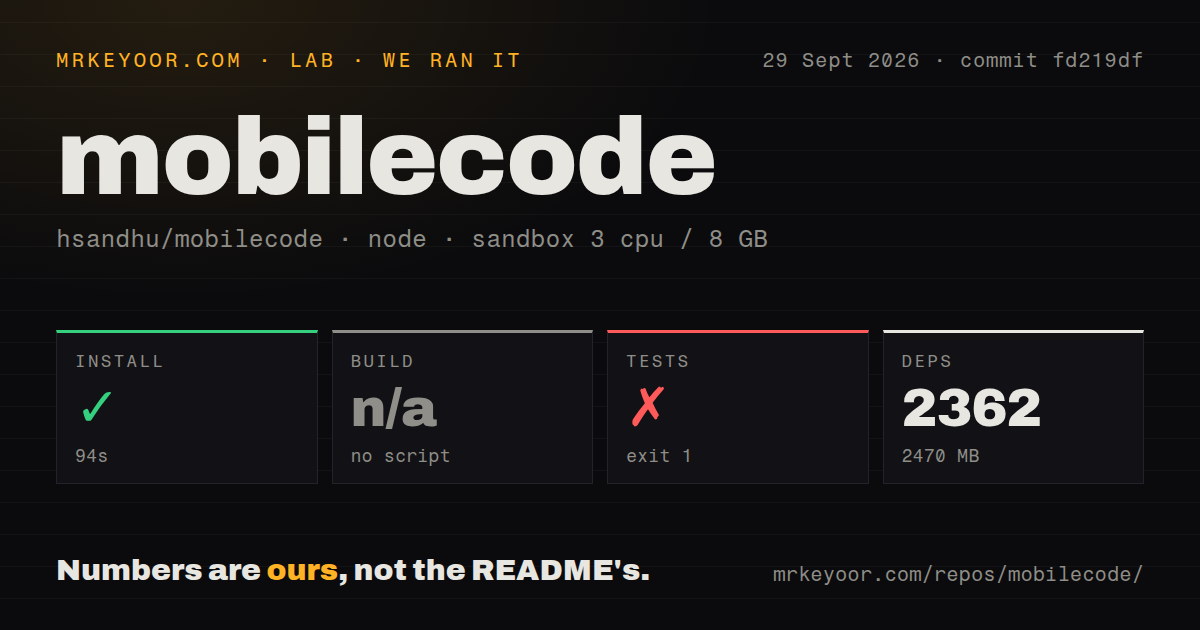
Our unprivileged Debian sandbox installed commit fd219df in 94 seconds with Bun. It pulled 2,362 packages and consumed 2,470 MB. The checkout itself was already 135 MB, with 6,595 files and roughly 694,154 lines of source. We found 28 CI workflow files and workspace configuration, but no Dockerfile and no repository-level tests directory.
Our runner found no root build script or target, so it skipped that step. The root test command failed after 22 seconds with exit code 1, but its output is intentional: it prints do not run tests from root. No package suite ran, and no test assertion failed in the supplied log. The README directs contributors to enter an individual package, such as packages/opencode, and run Bun's test or typecheck command there.
Native prerequisites are the real installation cost
Installing the repository is only the JavaScript side. iOS preview requires macOS with Xcode, and serve-sim needs Node 20 or newer. Android needs SDK platform-tools, at least 1 configured AVD, and a JDK compatible with the project's Gradle version. MobileCode reads the installed APK's package name with aapt2, so Android build-tools must also be present. The host running the MobileCode server owns these processes and device streams.
A one-line installer can download a release binary to ~/.mobilecode/bin. Building the macOS desktop app from source bundles the server and Electron shell, then produces an app, DMG, and ZIP. Those artifacts are unsigned by default, requiring a right-click Open on first launch. Signing and notarization add a Developer ID certificate and 3 Apple API values. None of this repairs a mobile project whose own Xcode, Pods, Gradle, or SDK setup is broken.
OpenCode compatibility is the benefit and the dependency
Existing OpenCode configuration stays under the same paths and OPENCODE_ environment prefix. Provider accounts, opencode.json, plugins, skills, and MCP connections carry over. The rest of the inherited product remains: terminal, desktop and web interfaces, plus multiple model providers. For an OpenCode user, MobileCode changes the mobile feedback loop without forcing a new agent configuration format.
It is still a fork. The repository contains about 694,154 source lines because it carries the upstream application alongside the mobile additions. That gives users a large existing surface, but it also creates a synchronization job. Buyers should compare the fork's current OpenCode base with upstream fixes they rely on. A device pane is less valuable if the underlying agent, provider adapter, or plugin behavior lags behind its source project.
September 24 brought a release, but little independent history
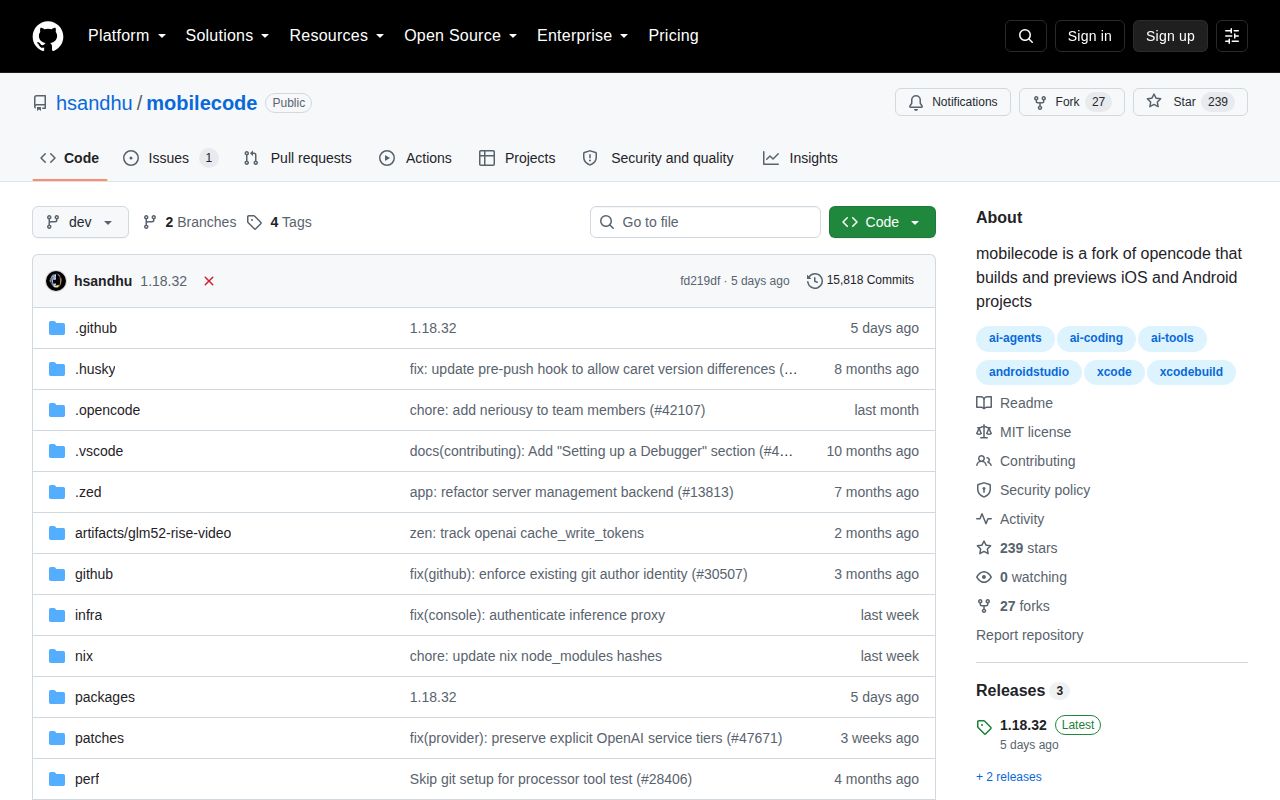
GitHub showed 239 stars, 27 forks, and 1 combined open issue and pull request on September 30, 2026. The sole open item was a promotional invitation, not a product bug report. The repository was last pushed on September 24, and v1.18.32 was released the same day. Those dates show shipping activity, but not much user-reported pressure on the mobile paths.
The project itself was created on September 5, 2026. That is too little history to judge how well it will track new Xcode releases, Android Gradle changes, Expo updates, and upstream OpenCode development at once. Try it on a disposable branch and run a real iOS and Android project through build, stop, reload, failure, and retry. The feature is valuable only when it handles your existing toolchain more reliably than the two native IDEs you already have.