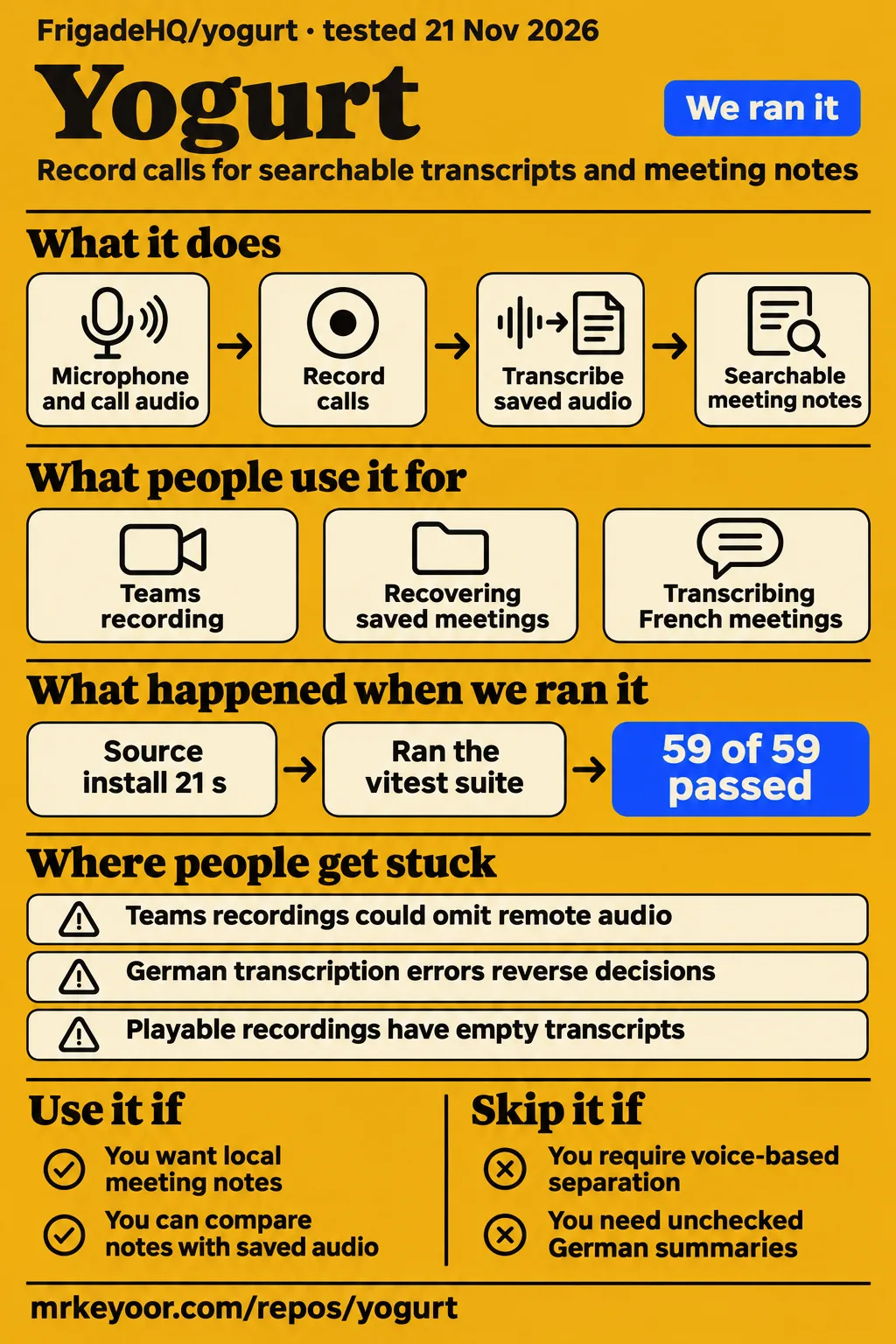
Short answer: local meeting notes need checks against the recording
Use FrigadeHQ Yogurt if you want local meeting notes and can compare important decisions with the saved conversation. Avoid it if your workflow requires unchecked multilingual decision records, voice identification for several people sharing a microphone, or recording restricted to one application's playback. Our source run passed 59 of 59 Vitest tests at commit 8a2ff23, while a separate launch recipe stopped before opening Yogurt. Those requirements touch different parts of the product: transcription, participant naming and audio capture.
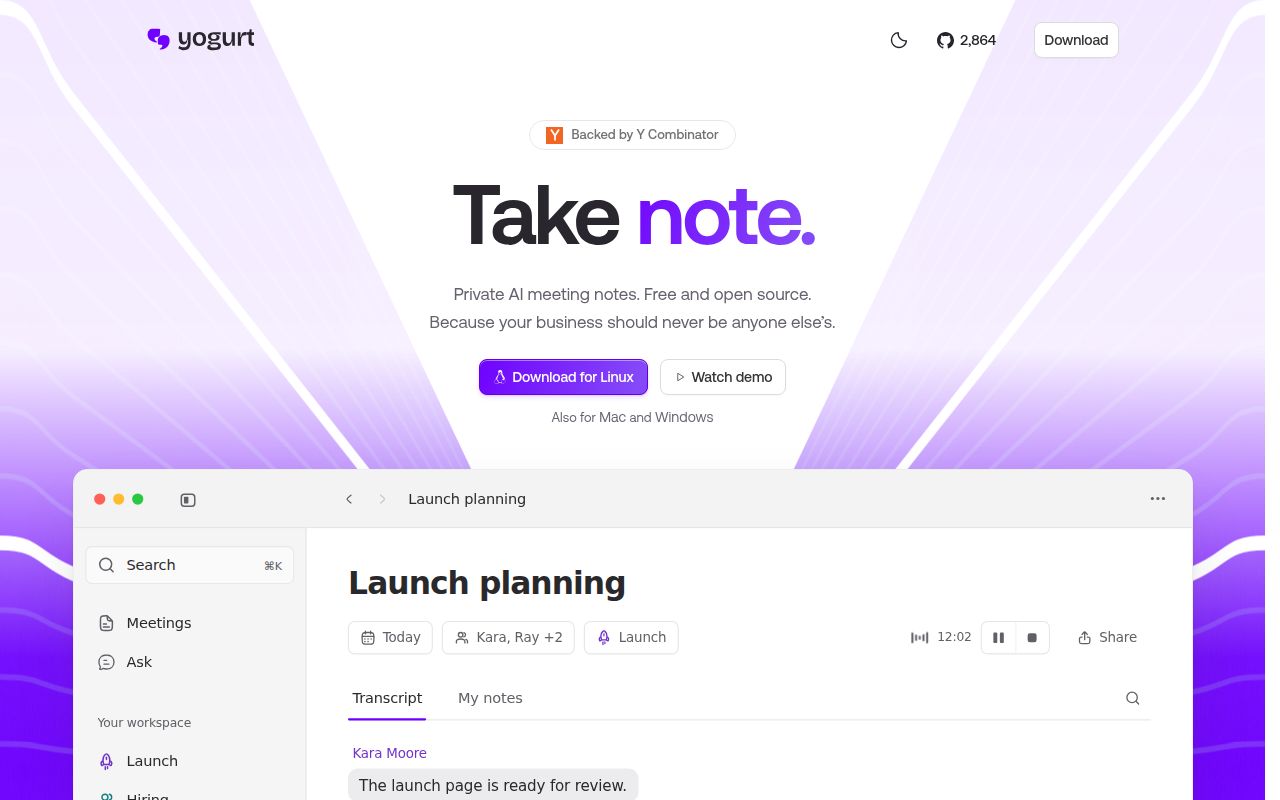
The Yogurt README describes recording microphone and call audio, then transcribing and summarizing on Mac, Windows or Linux. It also describes searchable meetings and answers linked to their sources. This is a desktop meeting-notes application from FrigadeHQ. Its issue discussions are useful because reporters distinguish a missing recording track from an empty transcript, and an empty transcript from a summary that reads well but changes what participants decided.
What people use yogurt for
Users describe Teams recording, multilingual notes, recovery of saved meetings and participant naming, with outcomes tied to particular versions and computers. These reports give a more practical starting point than treating every meeting feature as one operation. A recording can contain the conversation while its transcript is empty; a transcript can exist while participant labels remain wrong. The examples below preserve those differences and identify whose outcome each row describes.
| Person and task | What happened | What you can take from it |
|---|---|---|
| ssi-ips, Windows Teams with Bluetooth audio | Initially heard only their own voice; after the 0.3.33 update and removal of a temporary setting, meeting audio worked. | Listen for both sides in the recording. |
| kevinschweikert, recovering an early recording | Initial recovery attempts missed the meeting; the user later confirmed transcription and summary recovery. | Saved audio gave recovery something to process. |
| Indigo744, French meetings on Windows | Reported poor transcription on a workstation with 32 GB of memory; the log selected ggml-base-q5_1.bin. | RAM capacity alone does not identify the selected speech model. |
| jxhn, participant names in macOS Teams | An initial fix failed; a later build named the remote participant in a one-to-one call. | The confirmed outcome concerns that call configuration. |
The recovery sequence ends with a concrete result: kevinschweikert reported that Yogurt picked up the meeting, transcribed it and summarized it. The same reply mentioned speaker names appearing inside the transcript text. A later maintainer message described filtering shuffled lists of people and companies in new transcripts. Recovery of the meeting and removal of stray names were separate changes, rather than one explanation for why the original notes were empty.
What happened when we ran it
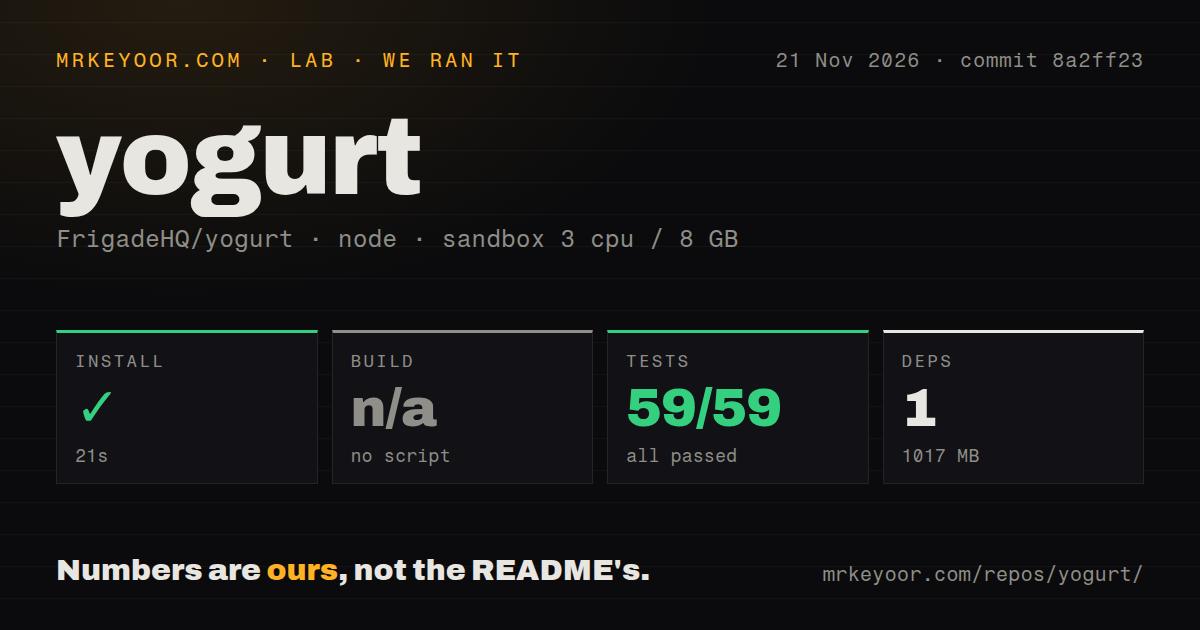
We measured a successful pnpm installation and 59 passing Vitest tests at commit 8a2ff23 on November 21, 2026. Installation took 21 seconds, and tests took 120 seconds. The harness skipped the build with the recorded result "no build script/target." Its sandbox had 3 CPUs, 8 GB RAM and image label lab-node:22. The table separates those source-check results from the desktop launch attempt, which used another commit and another recipe.
| Source-check step | Recorded result | Meaning for your evaluation |
|---|---|---|
| pnpm install | 1 dependency recorded, 1,017 MB on disk | The dependency step completed for this checkout. |
| Build | No build script/target; skipped | The harness recorded a skipped build. |
| Tests | Succeeded in 120 seconds; 59 passed, 0 failed of 59, using Vitest | The recorded test suite passed. |
| Sandbox | 3 CPUs, 8 GB RAM, image label lab-node:22 | These are the recorded sandbox settings. |
The separate quickstart-cli attempt cloned Yogurt in 2 seconds, then stopped at planning with "FAILED; no install method we can run". That recipe excluded Homebrew, source builds and pipe-to-shell scripts. It found no supported apt, global npm, pipx, uv tool, Cargo or Go installation command, and no manifest naming a binary. The README's desktop downloads and Mac Homebrew route therefore fell outside that automation recipe.
The launch record identifies November 21, 2026, commit 3f06350772bf and recipe quickstart-cli. Its step log ends at the installation-route failure, followed by teardown: ok. Separately, the source scan recorded 890 files, about 85,849 source lines, 12.3 MB checked out, 11 CI workflow files and monorepo workspaces. It detected no Dockerfile or tests directory. Vitest nevertheless ran successfully; a directory-name scan and an executed test suite answer different questions.
Installation uses desktop downloads or a native development setup
The README offers Mac, Windows and Linux downloads, while the development guide specifies Node.js 24 and pnpm 10.7.0. Building from source also requires CMake and platform tools: Xcode Command Line Tools on Mac; Rust, the Vulkan SDK and Visual Studio C++ Build Tools on Windows; and Rust, Vulkan tooling, libpulse-dev and pkg-config on Linux. The documented sequence installs dependencies, builds native helpers in the app workspace and starts the development application.
The guide also documents an application build inside that workspace, so the harness's skipped build should stay attached to its own checkout and detection result. For an installed copy, the README lists at least 8 GB of memory, Apple silicon with macOS 14.4 or newer, Windows 10 version 2004 or newer on a 64-bit PC, or Ubuntu 22.04 or newer on a 64-bit Linux computer. Windows and Linux calendar connections use a private calendar link.
Where people get stuck: capture, transcription and recovery
Issue #35 describes missing remote Teams audio, while issue #76 describes playable audio with empty transcripts and summaries. Those symptoms belong to different steps. In the Windows Teams discussion, the maintainer said 0.3.33 records the whole output by default, and ssi-ips confirmed success after updating and removing the temporary environment setting. Listening to the saved audio distinguishes absent capture from speech processing that produced no words.
| Symptom and reporter | What the thread says changed | Status supported by the discussion |
|---|---|---|
| Missing remote Teams audio, ssi-ips in #35 | 0.3.33 made whole-output recording the Windows default. | User confirmed success after removing the workaround. |
| Playable recording, empty transcript, buzzard10 in #76 | Maintainer described processor fallback after repeated graphics-card hangs in 0.3.44. | Affected user confirmed the fix. |
| Graphics recognition returned no words without hanging, talatccan in #76 | Maintainer reported a short speech check and processor fallback in 0.3.47. | Maintainer-announced change. |
| Old audio with no transcript, kevinschweikert in #30 | Initial recovery attempts missed the meeting; later recovery processed it. | User confirmed transcription and summary recovery. |
| Recorder crashed during a Teams call, ashconnor in #26 | Maintainer identified microphone-format handling and announced a fix in 0.3.9. | The report includes a failed resume step. |
The crash report displayed "Couldn't resume recording. Your existing note and audio are kept. Try again.". The maintainer explained that the recorder requested the default microphone's format while using the microphone selected by Teams. Another Windows control problem had a smaller fix: the maintainer said 0.3.12 made the Call audio manage button open Windows sound settings. Both are specific interface or capture failures, rather than evidence that every empty transcript has the same cause.
For saved audio, issue #30 announces Transcribe again in 0.3.48: open the note's menu and choose the action. The same announcement adds Upload a file under Start recording for MP3, M4A and WAV files. This supplies a direct route for another transcription attempt instead of repeatedly resuming and stopping a meeting. It also separates recovery of existing audio from capturing a new conversation.
German and French reports turn on speech-model selection
On Windows, Yogurt times speech models on the computer and can select a smaller model when turbo is too slow, according to the maintainer's explanation in issue #107. Indigo744 reported unusable French transcription on a workstation with 32 GB of memory, and the log selected ggml-base-q5_1.bin. In this case, the graphics card failed the speech test and the processor could keep up live only with base. Memory capacity was therefore only one part of model selection.
In the same discussion, ssi-ips reported German transcription errors severe enough to reverse decisions in the summary, then reported better speed and quality on 0.3.53. Indigo744 described a much better summary than transcript and asked whether another model had processed the audio. The maintainer answered that the summary reads the same transcript. Version 0.3.60 subsequently retained the small speech model on slower Windows and Linux computers instead of dropping to base.
Speaker names come from call applications
Yogurt separates microphone audio from computer playback and reads participant names from call applications; the maintainer distinguishes this from identifying people by voice. Several people speaking through one microphone therefore present a different problem from attaching a Teams participant's displayed name to remote audio. The issue discussion tracks voice separation under #85 and #86, while call-window recognition has its own platform and interface problems.
In macOS Teams issue #111, an initial fix failed before a later build correctly named the remote participant in a one-to-one call. In Windows Teams issue #83, the reporter described remote lines labelled "Them" and a Teams browser window being read as Meet. The v0.3.63 release notes say Windows Teams calls are recognised in any language and that two open Mac Zoom meetings no longer mix participant names between transcripts.
Long calls and whole-output capture have separate consequences
Reported hangs during calls lasting more than two hours concern recording reliability; whole-output capture means background playback can enter the same recording. In issue #37, himazawa reported hangs on a computer with an RTX 4070 Ti, then said the issue seemed fixed. The next problem concerned recording scope: a background video or another meeting entered the same recording. The maintainer explained that Yogurt records computer playback, except its own sounds, rather than only the application that triggered the recording offer.
A separate Intel Arc report in issue #82 describes newer versions freezing the whole PC during Zoom use on Windows 11 Pro with 64 GB RAM, requiring a forced shutdown. The user reported that 0.3.28 worked during a meeting. These are different reports on different graphics hardware. Neither the long-call improvement nor whole-output recording explains the Intel Arc freeze, and a driver diagnosis should not replace the user's actual reported outcome.
Local storage includes saved audio and optional assistant access
The README says audio is saved by default, with an option to stop saving it for future meetings. It describes transcription and summaries running locally after model downloads, without a required account or a bot joining the call. Participants still need to know they are being recorded. Retaining audio supports comparison with the transcript and recovery attempts, while also leaving a saved conversation on the computer.
Optional MCP access is off by default. The README says enabling it gives assistant apps read access to meeting information, notes and transcripts, including calendar details and attendees' names and emails. It also says an assistant may send what it reads to its own online model. There is no per-app token, so any app running under the same account can read while access is enabled. Turning access off stops further reads through that connection.
Yogurt vs VibeVoice-ASR and other transcription workflows
Yogurt is a meeting-notes application, while VibeVoice-ASR and whisper.cpp are components for building speech workflows. Microsoft's VibeVoice README describes structured transcriptions containing speakers, timestamps and content. The whisper.cpp README documents CPU-only inference and application integration. The choice is therefore partly about how much of the recording, transcription and notes workflow you want to assemble yourself.
| Choice | Why someone raised it | What you should decide |
|---|---|---|
| VibeVoice-ASR | pszemraj reported solid results in a similar work project and requested an end-to-end speech model in #7. | Consider a custom pipeline when speaker-aware speech output is central. |
| Larger model after the meeting | Indigo744 proposed giving up live words to use a stronger model afterwards. | Decide how much live transcription matters to the workflow. |
| Custom server or cloud provider | Indigo744 wanted to offload a laptop's work to another computer or provider. | The maintainer points to custom-server request #25. |
| Subscription meeting-note service | kadiruludag described Yogurt as a free, local alternative. | Compare the particular service's workflow and data handling. |
VibeVoice-ASR fits the component role raised in issue #7: a commenter wanted a model that performs the transcription tasks in one pass. whisper.cpp fits readers who want to control inference directly; Yogurt itself uses it for Whisper transcription. Neither project name alone supplies the desktop recording and meeting-management workflow described in Yogurt's README. The useful comparison is between adopting that application and taking responsibility for assembling a different workflow around a speech engine.
FAQ
Yogurt separates your microphone from computer playback, and its maintainer says it does not yet tell people apart by voice. That answers the diarization question raised in issue #7. The other questions below come from users discussing participant labels, saved recordings, language selection and hardware behavior. Their answers distinguish an available action, such as Transcribe again, from a request for another workflow, such as deferred transcription with a larger model.
Does Yogurt support speaker diarization or just separate my microphone from everyone else?
Yogurt separates microphone audio from computer playback and reads names from call applications, according to the maintainer's answer in #7. That method uses the audio source and the call interface. Voice diarization would distinguish speakers by their voices, including people sharing one microphone. The discussion treats that as a separate feature tracked in #85 and #86 rather than another name for the current separation.
Why are Teams participants labelled Them instead of their names?
Teams call-window recognition failed in Windows issue #83 and macOS issue #111. The Mac reporter confirmed a later build named the remote participant in a one-to-one call after the first fix failed. The v0.3.63 release notes separately announce recognition of Windows Teams calls in any language. These reports concern reading the call application's interface, rather than identifying speakers from their voices.
Can Yogurt identify speakers while the call window is in the background?
A Google Meet user reported that participant names stopped matching when another window had focus in issue #7. The user specifically asked for names while working in another window during a call. This is a call-interface recognition problem: microphone and computer-audio separation can continue to describe audio sources even when the participant name attached to a remote line is missing.
How can I transcribe a saved recording again?
Open the note's menu and choose Transcribe again, an action announced in 0.3.48. The announcement says it works on older notes with audio and no transcript. That release also added Upload a file under Start recording for MP3, M4A and WAV. Both actions process saved audio, so they address a different step from starting a fresh recording of a live call.
Why is my recording playable while the transcript and summary are empty?
Issue #76 describes speech processing failing even though the recording contained audible voices. In that thread, buzzard10 confirmed that 0.3.44 fixed their problem, while another reporter's graphics card returned no words without hanging or reporting an error. Issue #30 describes an earlier recording awaiting recovery. Playing the saved audio first tells you whether the conversation was captured before you investigate transcription or summary generation.
Why does Yogurt capture my microphone but miss remote Teams audio on Windows?
Issue #35 describes a Windows capture route that missed Teams playback while recording the user's microphone. The maintainer said 0.3.33 records the whole output by default, and ssi-ips confirmed success after updating and removing the temporary environment setting. That report concerns missing audio in the recording itself. It differs from the playable recordings with empty transcripts discussed in issue #76.
Which transcription model does Yogurt use, and can I choose a different one?
The README describes Whisper through whisper.cpp, using large-v3-turbo or a smaller model according to the computer, plus Apple SpeechAnalyzer on supported Macs. Issue #107 shows a Windows selection of base and explains the speed test behind it. The later 0.3.60 change retains small on slower Windows and Linux computers. The discussion also contains requests for more control over model selection and processing location.
Can I select German or French explicitly instead of Multi-language?
The maintainer corrected earlier advice about choosing German: the available choices were English only and Multi-language. Multi-language is the stated choice for German, and the README describes using it for multilingual transcription. Specific-language selection is tracked in #69. The correction matters because choosing a setting that does not exist cannot solve the transcription-quality complaint raised in that thread.
Does Yogurt generate summaries from the transcript or process the audio again with a better model?
The summary reads the same transcript, according to the maintainer's answer to Indigo744. The user asked because the summary read much better than the live words. The explanation attributes that readability to the notes model making sense of rough text. It does not describe a second speech model processing the audio again before writing the summary.
Can I disable live transcription and use a larger model after the meeting?
Indigo744 proposed that workflow, and the maintainer called it a product change. The proposal exchanges immediate words for the opportunity to run a larger speech model after recording. It arose because the computer's speed test selected base for live transcription. The reply endorses the idea and passes it on rather than giving instructions for an existing deferred-transcription setting.
Can Yogurt use a custom transcription provider or another computer?
The maintainer points to custom-server request #25 in issue #107. Indigo744's proposed uses included sending a laptop's transcription work to a gaming computer or using a cloud provider from a less capable PC. That request concerns where speech processing runs. It is separate from MCP access, which the README describes as allowing assistant applications to read meeting information.
Why did my graphics card fail Yogurt's speech test, and can I fix it?
The maintainer said the graphics card failed the speech test in the French transcription report, leaving the processor to run speech recognition. The same explanation says turbo was too slow on the processor and base kept up live. Indigo744 then asked why the card failed and what they could change. The later release announcement addresses model selection by retaining small on slower Windows and Linux computers.
What we have not tested yet
Our lab completed source installation and Vitest execution, but the launch recipe stopped before desktop recording. We have not measured live accuracy, recorded Teams or Zoom meetings, checked speaker attribution, compared speech engines or inspected network traffic. The image label lab-node:22 supplies neither an actual runtime version nor an operating-system version. The launch metadata claims a Docker Compose deployment, which conflicts with its failed planning step; it supports no completed deployment result. That attempt includes no screenshots or known-answer meeting questions.
The community reports do not settle whether 0.3.60 adequately fixes the German and French complaints, whether the later Intel Arc freeze question was resolved, or whether the 0.3.47 empty-output check and shuffled-name filter solved their respective reporters' problems. Larger calls, background-window naming, v0.3.63 naming changes, long-call memory behavior and partially transcribed recovery remain outside our lab results. The graphics-card speech-test discussion supplies no confirmed cause or user-side repair. VibeVoice-ASR and whisper.cpp were not compared against Yogurt for speed or accuracy.
The four rating dimensions remain unassessed because the evidence covers source checks, documentation and sampled issue outcomes rather than a completed desktop evaluation or a measure of adoption and support capacity. No existing comparison-page text or URLs were available for an independent overlap assessment. A useful next evaluation is a short conversation with known words and decisions: listen to both sides, inspect participant labels and compare the summary with the recording before using the notes as a decision record.