A successful build doesn't make Rewards automation acceptable
Microsoft Rewards Script built successfully in our sandbox, but Microsoft tells Rewards users not to use programs, bots or macros for searches. For someone hoping to collect points automatically, that policy is a stronger reason to walk away than any setup inconvenience. I wouldn't connect an account whose accumulated points I cared about.
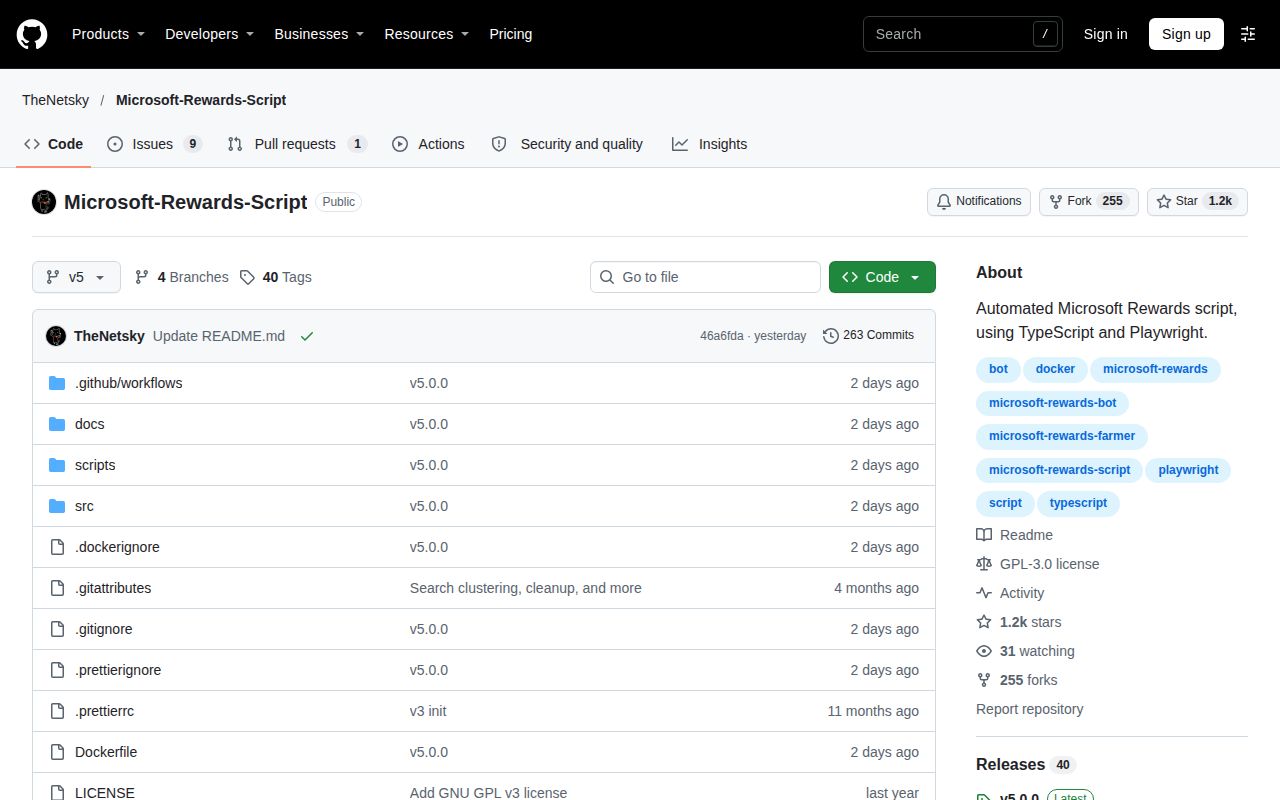
The project's README describes a focused automation application with browser and API modes, saved sessions and scheduled runs. It covers daily activities as well as searches. Those features explain the appeal, but none establishes permission from Microsoft or guarantees that an action will receive credit.
What happened when we ran it
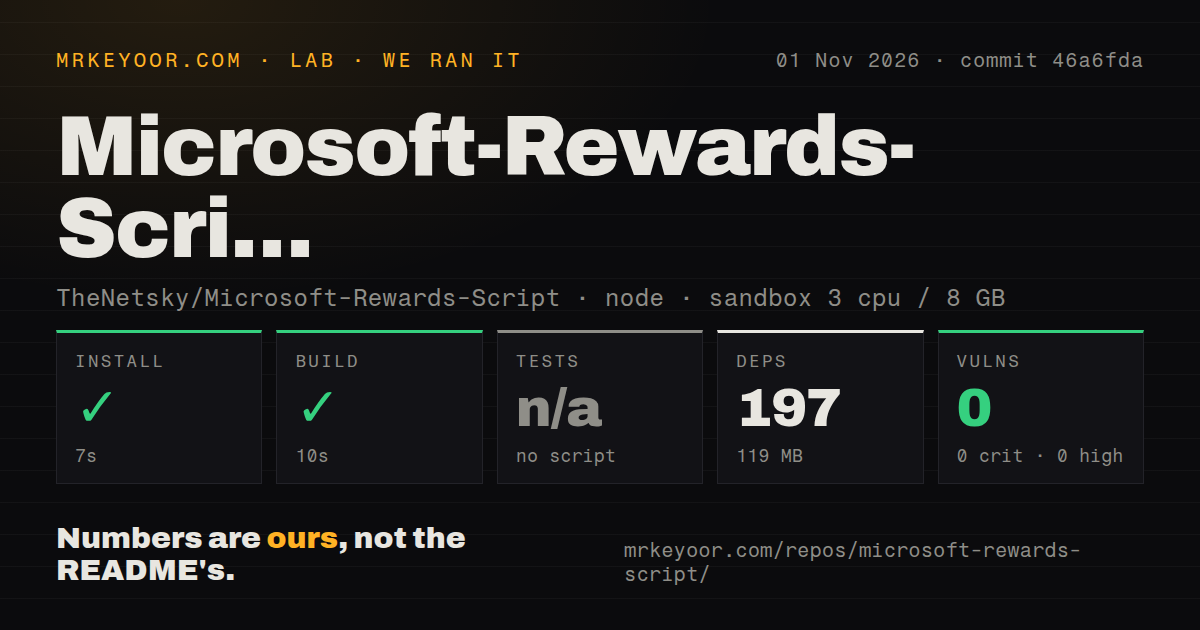
Our November 1, 2026 sandbox run at commit 46a6fda completed dependency installation in 7 seconds and build in 10 seconds. The recorded dependency footprint was 197 dependencies and 119 MB on disk. The checkout measured 1.7 MB across 267 files and approximately 30,829 source lines, so the source itself was much smaller than the installed environment.
Tests were skipped because no test script or target was available. The scan also found no tests directory. That leaves us without an executed test result for login or task behavior. We did not verify a live account, credited points or a scheduled activity. A completed build establishes that the recorded build step exited successfully, and gives no substitute for those missing observations.
npm audit reported 0 known vulnerabilities, including zero critical, high, moderate and low findings. This describes the audit recorded with that dependency environment. It doesn't assess account policy, saved-session exposure or whether automated activities will continue to work as Microsoft's services change.
The recorded configuration used 3 CPUs and 8 GB RAM, with image label lab-node:22. Actual runtime versions require toolchain logs that aren't supplied here. In particular, the label doesn't prove which Node version ran or establish compliance with the current README's Node requirement.
Microsoft's warning changes the recommendation
Microsoft's Rewards support page explicitly says not to use programs, bots or macros to help with searching. It warns that repeated violations may lead to account suspension and invalidation of earned points. This is published guidance from the service operator, rather than a prediction about what will happen to every script user.
Changing the transport from a browser to HTTP doesn't answer that objection. The script's API mode is a technical choice about execution, without evidence here of a Microsoft-approved automation arrangement. Likewise, delays and localized queries aren't permission. We have no measured ban rate, point yield or account-lifetime estimate, and wouldn't make an earning recommendation without those limits stated plainly.
Browser prerequisites and saved sessions still need attention
The current README requires Node.js 24 or newer and documents a separate browser setup step. Linux also needs Chromium's system libraries. For a source investigation, verify the real runtime before interpreting a successful build as a complete setup result. Our lab didn't establish that the browser launched or that sign-in completed.
Account settings belong in local configuration, and the project preserves sessions for reuse. Its README explicitly asks users to keep session databases and diagnostics private. Treat those files as account material when backing up or sharing an error report. Running on your own machine doesn't remove that responsibility, and a clean dependency audit doesn't inspect how you store them.
Docker has its own persistence and scheduling configuration. The README describes separate locations for configuration, sessions and optional error captures. It also distinguishes the first run from the recurring schedule. These details matter to maintainers diagnosing an unattended process, even though this review doesn't recommend unattended Rewards earning.
A closed scheduling report gives maintainers a specific check
Issue 634 reports a Docker scheduling failure involving AppArmor and log redirection to /proc/1/fd/1. The reporter says the container appeared healthy while scheduled work didn't execute. The report identifies the v5 container, so it concerns the same documented generation rather than an unrelated older tool.
The issue was closed as completed on November 1, 2026. We haven't verified the resolution and won't describe it as an outstanding current defect. Its useful lesson for anyone maintaining the source is narrower: a successful initial process and a healthy-looking container don't prove that the recurring job executed. Check the actual scheduled event and its output when reproducing this report.
GitHub records the last push on October 31, 2026. That push and the subsequent issue activity show recent maintenance, without proving support capacity or reliable operation across accounts. The README itself says activities depend on the account and region. A result from one account would need that context before anyone generalized it worldwide.
General browser tools are better study material for your own application
Playwright drives Chromium, Firefox and WebKit through one API. Puppeteer provides a JavaScript API for Chrome or Firefox. Choose either when your goal is learning browser automation or testing a system you control. They require you to supply the task logic and are not substitute Rewards earners.
Documentation receives 4/5 on a scale of 1 for missing basic orientation, 3 for a usable explanation with material gaps, and 5 for instructions independently verified across the reviewed paths. The README gives specific runtime, session and deployment guidance, with execution still unverified. The other dimensions remain unassessed. If points are your goal, follow Microsoft's published participation guidance. If browser automation is your goal, start with an application you have permission to automate.