Review the generated procedure before giving it a job
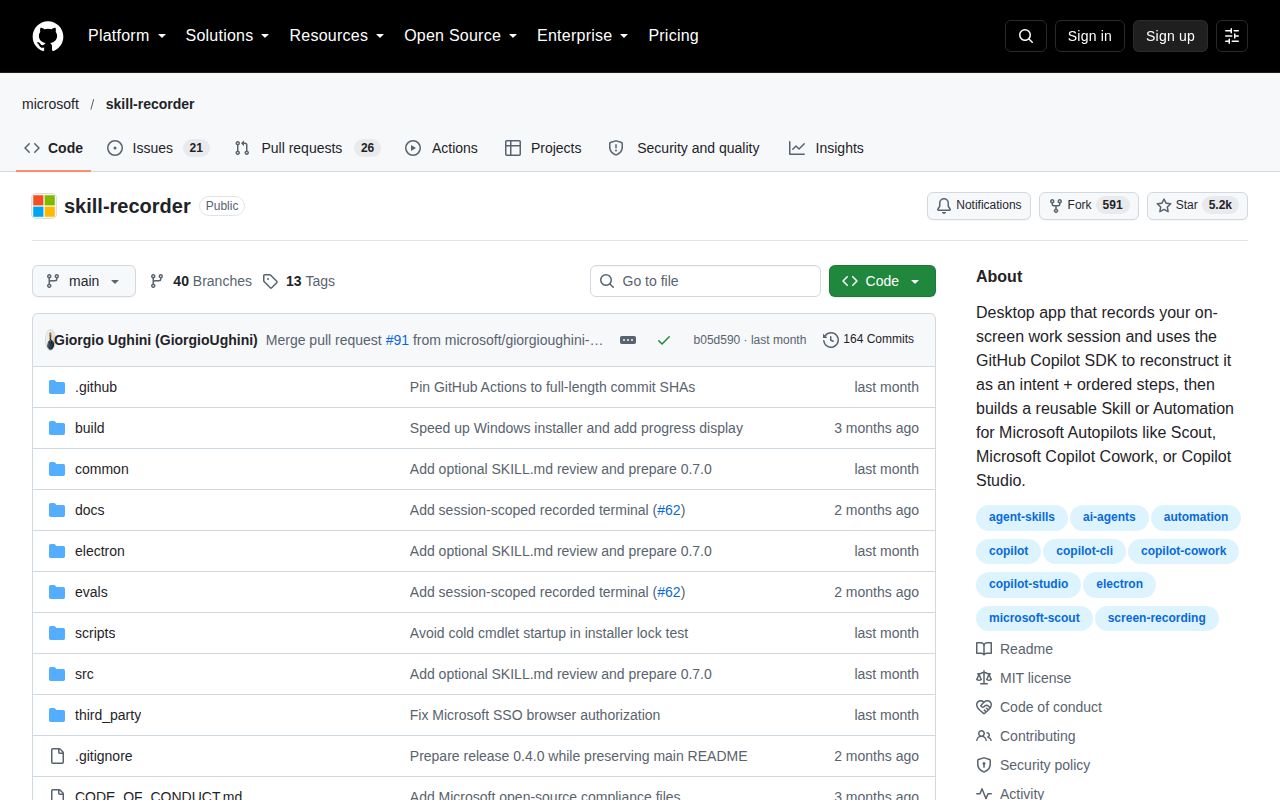
Skill Recorder turns a demonstrated task into a SKILL.md procedure or an automation. The README says it captures a work session, reconstructs an intent and ordered steps with GitHub Copilot, then generates instructions that prefer the agent's native tools. Recording a browser form doesn't promise that the result will replay the same clicks.
That distinction is the reason to consider it. A demonstration can communicate details you'd forget to put in written instructions. It also gives the model a single example to generalize from. I'd judge the output by whether its procedure makes sense for another input, before letting it repeat a task on a schedule. Our lab record doesn't include that evaluation.
What happened when we ran it
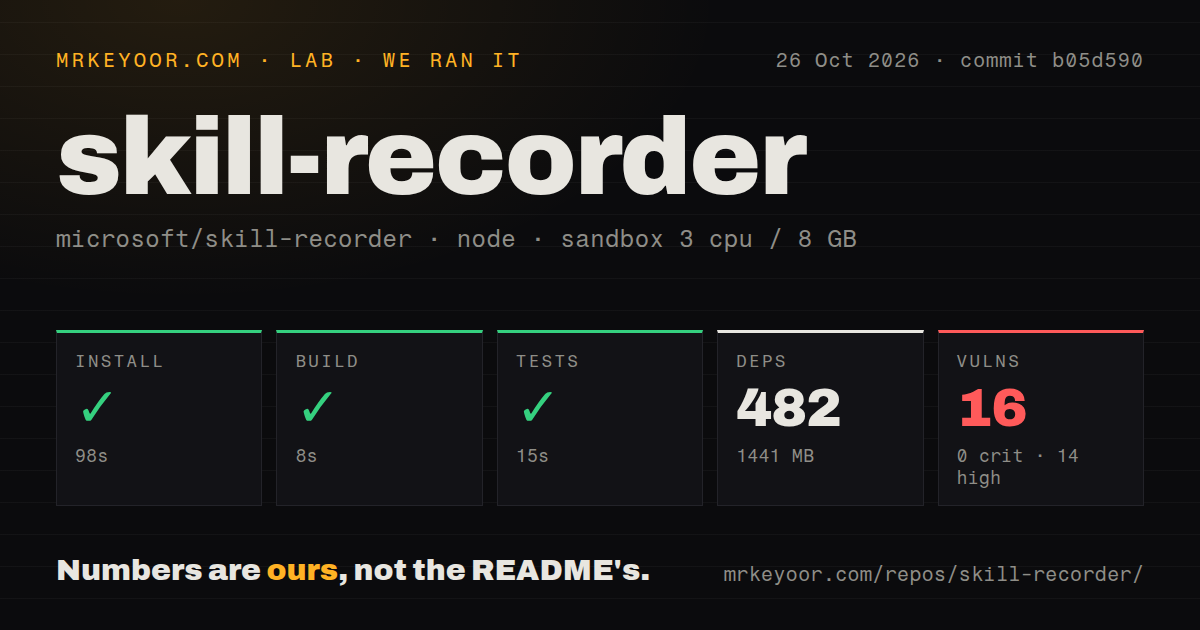
Our October 26, 2026 sandbox run at commit b05d590 completed installation in 98 seconds, the build in 8 seconds and tests in 15 seconds. The recorded environment contained 482 dependencies and occupied 1,441 MB on disk. No test-case count accompanies the successful test step.
Npm audit reported 16 known vulnerabilities: 14 high and 2 moderate, with none critical or low. The supplied record doesn't identify the advisories or establish whether the affected code is reachable in a particular desktop workflow. Investigate the findings before deciding where to use the app. The successful checks don't establish security.
The configuration lists 3 CPUs, 8 GB RAM and image lab-node:22. An image name doesn't establish the executed runtime version. The current developer instructions require Node.js 24; without raw toolchain logs, we can't reconcile the configured image label with the actual runtime used. Neither a runtime mismatch nor its absence should be inferred from that label alone.
The scan found three CI workflow files, no Dockerfile and no tests directory. That directory signal doesn't contradict the successful test command or tell us how many cases it covered. Desktop capture, authorization, workflow reconstruction and a generated skill's execution are outside the evidence supplied here.
Analyze sends captured material to GitHub
The README says recording and local processing stay on your computer, while Analyze sends captured material to GitHub's cloud. That material includes the event timeline, extracted screen images and narration text. The timeline can contain window titles, URLs, clipboard previews and terminal commands; analysis can also request bounded terminal-output excerpts.
A team handling confidential work needs to decide whether that data transfer is permitted before recording a real task. Local capture doesn't make the later analysis local. Use a sample workflow with appropriate data, and inspect what the session contains before requesting reconstruction.
The recorded terminal is explicitly limited to the terminal opened from the app's recording bar. The README says it doesn't watch existing terminals or install global shell hooks. That's a useful boundary, but it still captures the complete output of its own terminal. A command that prints sensitive output can therefore create a sensitive recording even if no password was typed.
The source release needs Copilot and desktop permissions
The v0.7.0 release is source-only. Its documented installer obtains a pinned runtime and assembles the exact release commit locally; it isn't a download of a prebuilt Skill Recorder binary. Our repository checks don't reproduce that user installation route.
The README requires a GitHub account with Copilot access and identifies macOS as the primary target. It documents Windows 11 support and an Ubuntu installation route as well. On macOS, Screen Recording permission is part of first use. These requirements matter more to an adoption decision than treating our build duration as an estimate of the complete onboarding experience.
The release is pinned to the same b05d590 commit as our lab record. Its September 21 release and the discussion on issue 8 are dated activity, but the last-push date is unverified. Those records alone cannot establish current maintenance capacity, and the release's own validation claims aren't our measurements.
A readable preview does not enforce tool limits
The README describes an optional Review SKILL.md action that shows the complete generated file before installation or export. Editing the plan invalidates the prepared preview. Users can still go directly to Add or Export without inspecting it, so the review step isn't a mandatory checkpoint.
Issue 8 reports a related permission problem: generated allowed-tools entries can exceed the human-approved plan. An August discussion links a proposed constraint, but that reference doesn't prove the change shipped. At b05d590, the builder selects a nonempty model-submitted tool list without filtering it against the approved plan at that assignment.
That assignment is a narrow implementation observation. It doesn't establish how every target agent will enforce the resulting file. Compare the final requested tools with the approved procedure and the destination agent's policy. Seeing the generated text gives you something concrete to inspect; it doesn't prove the permissions are correct.
Write browser automation or a skill directly when that is easier
Playwright drives Chromium, Firefox and WebKit through one API. Choose it when the task stays in a browser and you want to write explicit automation steps instead of reconstructing a desktop demonstration. We didn't compare their reliability.
Anthropic Skills provides skill examples and a template. Use its template when you can describe the procedure yourself and do not need to record the screen. Its README distinguishes open-source examples from source-available document skills, so check the individual license.
Documentation receives 4 on our scale: 1 means basic orientation, 3 means a usable main workflow, and 5 means guidance corroborated across the reviewed paths. The capture and configuration details are substantial, but execution remains unverified. Take the generated procedure to a second sample input and check both its result and its requested tools before assigning recurring work.