Your Mac has to stay awake for scheduled work
Open Dot's routines skip their scheduled run if your Mac is asleep. That single README detail changes who should use this personal assistant. A morning inbox summary is a reasonable experiment on a computer you leave running. A task that must happen while your laptop is closed needs a different operating arrangement. Closing the app window keeps the agents alive until you quit, but that does not make a sleeping laptop an always-on service.
The source checkout was only 1.4 MB in our sandbox. Inside it is a fairly ambitious personal workspace: each dot has a persistent browser, saved skills and memory, and a place to run code. You can watch the browser and take over when a site asks for a login or captcha. That handoff is more useful than a promise of completely unattended browsing because these interruptions are part of using real websites.
What happened when we ran it
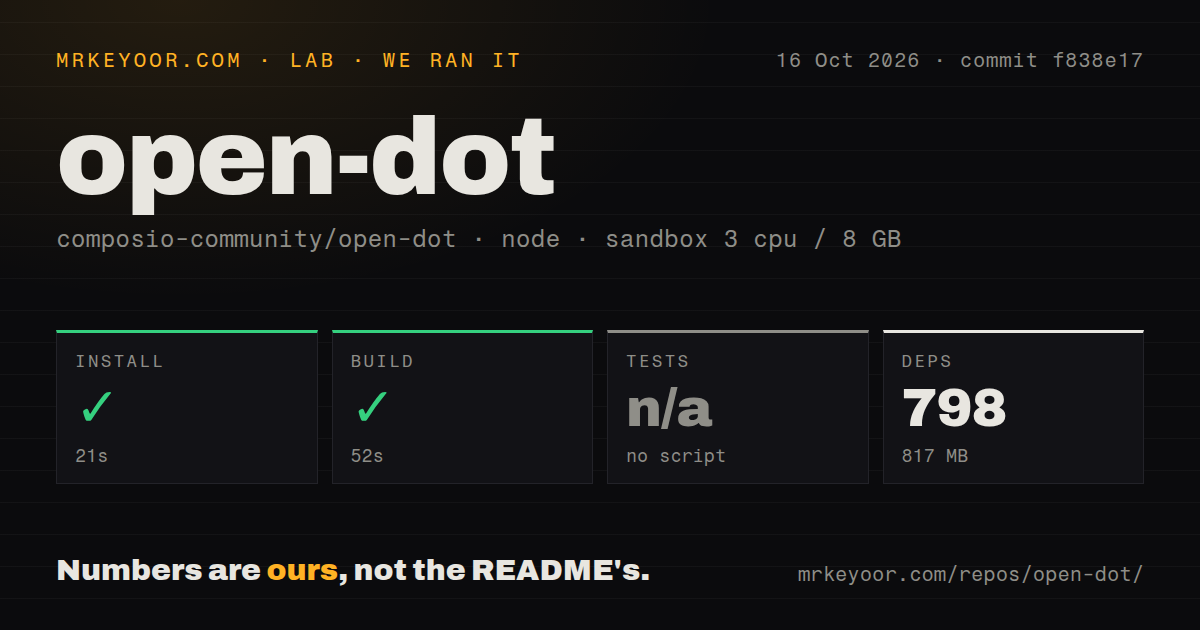
Our run installed 798 packages in 21 seconds and built Open Dot in 52 seconds at commit f838e17 on October 16, 2026. The fresh Debian container had 3 CPUs and 8 GB of RAM, used the lab-node:22 image, and had no secrets or elevated privileges. Installation occupied 817 MB. Both available steps succeeded, which establishes that this snapshot can get through the repository's install and build path in that environment.
Tests were skipped because the repository supplied no test script or target. Our scan found 0 CI workflow files, no Dockerfile, and no tests directory. Those findings leave approval decisions, browser behavior, and connected-account actions outside the evidence from this run. A completed build does not establish that an assistant will stop before sending the wrong message. We also have no measured model quality or task-completion result to put beside it.
Approval cards make connected accounts easier to supervise
The README says Open Dot reads connected apps on its own and asks before sending, posting, paying, or changing anything. You can write rules governing those actions, and a smaller model checks risky requests against them. The chat then presents an approval card. That is a useful interface for someone who wants help preparing actions while keeping the final decision visible.
Our 817 MB installation does not include evidence that these rules work correctly across every integration. Treat the approval model as software you need to evaluate with harmless actions before attaching an important mailbox. The documented password vault has a different boundary: it encrypts saved passwords with a key in macOS Keychain and types them into pages without exposing them to the model. That is the project's stated design, rather than a security property our sandbox verified.
Code execution can use E2B, Docker, or a local folder. Choose that route before handing an agent meaningful files. A local workspace puts the work on your Mac, whereas the cloud option introduces another service and credential. Either way, the personal-assistant workflow still involves trusting the selected model and the services handling its requests. Storing chats locally does not mean inference happens locally.
OpenRouter changes the browser tools and leaves voice on OpenAI
Node 22 or newer is required for the documented source route, alongside pnpm and Chrome or Playwright Chromium. After that, model selection has practical consequences. OpenAI-backed dots can use its computer tool. OpenRouter models instead click and type using text on the page, which the README says does not handle things drawn on a canvas. A workflow built around a canvas editor can therefore behave differently after a model switch.
Voice calls still require an OpenAI key. Connected apps require Composio sign-in, and event triggers use a separate Composio project API key with app connections made again in that project. E2B requires another key if you choose cloud computers. These are distinct setup decisions, so the short desktop instructions should not be read as a complete account of what an operational assistant needs.
Public hosting and redistribution both have explicit obstacles
The 104-file checkout includes a local application with no login screen. The README directly warns against putting it on a public server as supplied. That excludes the straightforward shared-team deployment some readers will picture when they see a browser interface. Desktop data lives under the Mac's Application Support directory, while development data lives in the project's .data/ directory. Both locations deserve attention before moving or sharing the checkout.
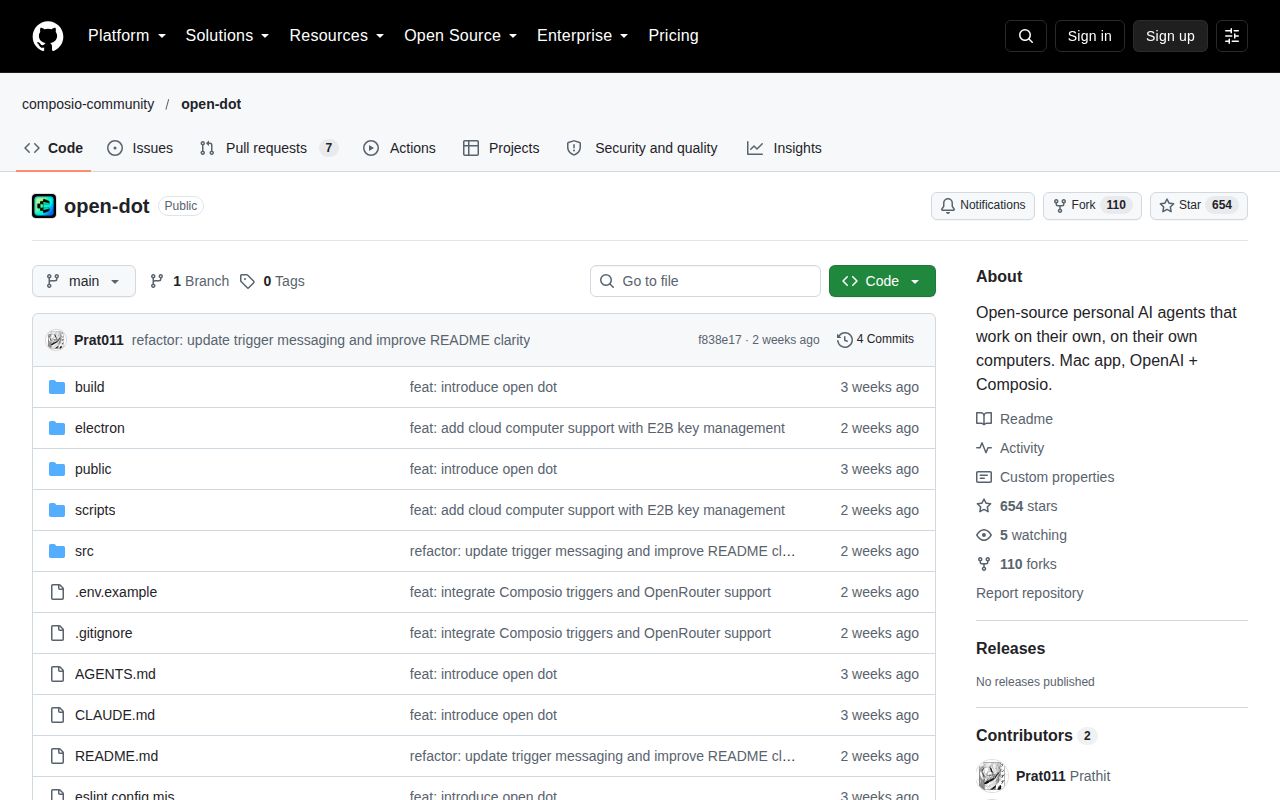
GitHub reported no license, and issue 6 specifically asks for permission to publish a modified Windows version. Pull request 4 describes a Windows prototype, but it remains unmerged. Neither a visible fork nor an open pull request grants supported Windows operation or redistribution rights. For a company shipping a derivative, license clarification should happen before product work depends on this code.
October contributions follow a September 30 push
The latest push was September 30, 2026, and GitHub listed 654 stars with 7 open issues and PRs. October activity includes proposals for local models and free OpenRouter choices, with the latter updated October 14. That shows continuing interest despite the absence of a latest published release. It does not establish that those proposals are part of the shipped application.
For a supervised Mac assistant, Open Dot offers a concrete interaction worth trying: watch its browser, intervene, then let the same task continue. Keep the first job narrow, such as preparing a calendar summary. If the work must survive laptop sleep, the README's skipped-routine behavior is enough reason to choose a server-based workflow instead.