The hinge changes a captured image, not macOS geometry
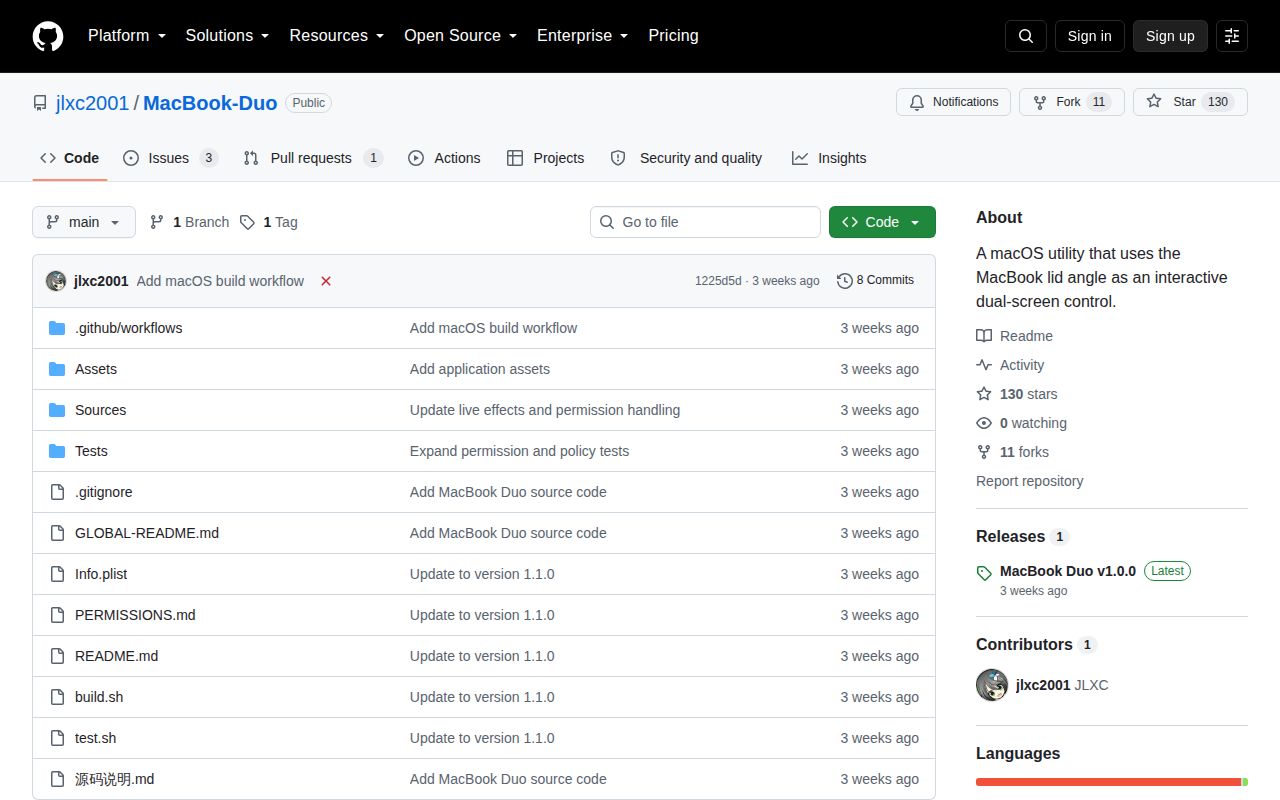
MacBook Duo reads a compatible MacBook lid angle, captures the built-in display, and draws a transformed copy through Metal. As the lid moves, the overlay changes perspective, depth, and blur. The app provides a screenshot mode for manual angle simulation and a live mode that places a mouse-transparent overlay over the desktop. An 8-second preview lets you inspect the live effect before leaving it enabled.
The distinction between picture and interface matters. The transformed image can appear folded or floating, but macOS still places windows, buttons, and pointer targets at their original coordinates. The README explicitly warns against precision clicking through the effect. This makes the app suitable for a visual demo, ambient effect, or graphics study. It is a poor fit for ordinary work where the visible button needs to match the clickable button.
What happened when we ran it
Our lab result for commit 1225d5d is NOT RUN. The harness has no supported Swift ecosystem, and the repository contains no Dockerfile that could provide a compatible path. We therefore have no measured install duration, dependency count, build result, test count, or vulnerability audit. A missing run is evidence about our lab coverage, not evidence that the macOS build fails.
The project's own build instructions call swiftc for arm64-apple-macos15.0, link SwiftUI, AppKit, IOKit, MetalKit, ScreenCaptureKit, and other Apple frameworks, then run a policy-test binary. After that, the script applies an ad-hoc signature and verifies its structure. Those are repository claims and visible build steps. They are not substitutes for an independent result on real Apple Silicon hardware.
macOS 15 and a readable hinge sensor are firm boundaries
The current build requires Apple Silicon and macOS 15.0 or later. Live mode also needs the internal display, Screen Recording permission, and a MacBook whose HID path exposes the hinge data the app expects. Compatibility is not promised across every model. The sensor uses report 1, while report 7 and adaptive polling remain unfinished. When the sensor is unavailable, the screenshot simulator is the fallback rather than a degraded live mode.
Metal and ScreenCaptureKit make this a native experiment, not a portable Swift application. The repository has no third-party package manager or Xcode project, which keeps the source layout small. Apple Command Line Tools and a matching SDK are still mandatory. Intel and Universal builds have not been verified, and the release notes for v1.0.0 name Apple Silicon arm64 as the packaged platform.
Screen capture stays local, but permission friction is real
The project says capture and rendering happen locally, with no saved recording and no desktop upload. Live mode cannot avoid macOS Screen Recording permission because it needs the desktop image. Version 1.1.0 stops automatically resetting that permission after a build-signature change. A menu action can reset ScreenCapture access only for the app's identifier after the user confirms, then the app must be reopened and authorized again.
Ad-hoc signing makes that permission story less settled than it would be in a notarized release. Moving or replacing builds may cause macOS to ask again. The README advises against running multiple copies with the same identifier. Emergency shortcuts help: Command-Shift-G toggles the effect, while Command-Shift-Escape stops it and opens settings. During lock or sleep, the app hides or pauses the effect and tries to restore it when capture conditions return.
The beta labels several hardware behaviors as unverified
Version 1.1.0 calls itself build 11 and a beta. Full lid closure, unlock recovery, external-display hot-plugging, Launchpad, full-screen spaces, real privacy authorization, and GPU image quality still need model-by-model testing. Capture uses logical resolution rather than native Retina resolution. An open issue reports a 1 to 2 second delay when reopening the lid, while another reports blur starting before 90 degrees.
The energy claim is also restrained. When the lid is fully open and nearly still, capture drops from 30 fps to 2 fps; movement or a visible effect restores 30 fps. The README says the real savings have not been measured. That is the right level of certainty, and it reinforces the product status: the code contains thoughtful lifecycle policies, but hardware behavior remains a test matrix rather than a solved compatibility layer.
No license and no notarization block casual redistribution
GitHub showed 130 stars, 3 open issues, and 1 open pull request on October 3, 2026. Source code was last pushed on September 11, while issue and pull-request activity continued through September 25. The current GitHub release is v1.0.0, yet the README describes v1.1.0 as the active beta. That mismatch is manageable for testers who build from source, but awkward for anyone seeking one clearly supported binary.
More serious is the absent license. The README says the public source package has no new open-source license and warns that visible code does not grant free reuse or redistribution. It also credits 3 reference projects and notes that their copyright obligations still matter. Until licensing, Developer ID signing, notarization, and hardware verification are settled, MacBook Duo is best treated as source-visible experimental software. The screenshot simulator is the sensible first stop; the live overlay is the hardware test, not the baseline assumption.