One modifier turns a SwiftUI subtree into tilted glass
The public surface is one foldEffect modifier plus 4 physical parameters. It flattens the affected SwiftUI subtree with compositingGroup, then sends the layer bounds, tilt angle, eye distance, blur spread, and darkening value into a Metal layerEffect. When the angle is effectively zero, the shader is disabled. This is easy code to read and copy into an experiment, though it is not distributed as a Swift package.
The model treats the original interface as a fixed plane. Tilting the device rotates an imaginary glass pane around the farther screen edge. For each pixel, the shader places that point on the rotated glass, casts a ray from an assumed eye position, and samples where the ray reaches the original interface plane. Missed rays become black. Greater separation between glass and interface increases both blur and dimming.
The shader caps its blur at 32 samples per pixel
DuoFold.metal uses a Vogel disk pattern with up to 32 taps. The count falls near the hinge, where the calculated blur radius is smaller. Defaults in FoldParameters assume an eye distance of 320 mm, 6 SwiftUI points per millimeter, blur spread of 0.12, and darkening of 0.015. These are editable artistic and physical assumptions, not measurements from our lab.
The source makes one rendering constraint explicit. Everything below the effect must be pure SwiftUI and flattened before shading. The README says UIKit-backed views are not rasterized into the shader layer, while leaving out the compositing group makes SwiftUI shade separate transparent leaves. Before extracting the modifier, test it against the exact hierarchy your app uses, including scrolling, overlays, text input, and accessibility presentation.
Core Motion samples at 120 Hz and predicts 0.04 seconds ahead
FoldMotionModel calibrates the first device attitude as zero, resolves rotation-matrix orientation against gravity, and maps tilt to the current interface orientation. It asks Core Motion for updates at 120 Hz, smooths each sample, and projects gyroscope rotation 0.04 seconds forward to counter visible lag. The model also exposes a recalibration action and a manual angle from minus 45 to 45 degrees.
A simulator cannot supply the physical part of that experience. The app switches to manual mode there and accepts a launch-time tilt value for screenshots. On hardware, the first motion sample defines the reference plane. A production app will need to decide when recalibration happens, what a rotation or scene change does, and whether motion input should stop for accessibility or power reasons. The demo supplies controls, not those product policies.
A 44-point control button stays outside the shaded layer
ContentView applies the fold effect to DemoContentView, then places the controls in a separate bottom-right overlay. The 44 by 44 point button therefore remains stable while the content beneath it bends. Opening it reveals the current angle, a recalibration button, a manual-mode toggle, and a 280-point-wide slider panel. That separation is worth preserving if users need an emergency way to reset a disorienting effect.
The demo also expands its content by the safe-area insets before clipping the result to the physical screen. The comment explains why: the shader locates the eye at the center of its bounds, so an overflowing content frame would move the assumed geometry. When adapting this code to a card or split view, the layer bounds become part of the visual model. Copying only the Metal function without its SwiftUI composition can change the hinge and perspective.
What happened when we ran it
commit 0aa5256 produced no executable lab result. The project is Swift, which the current sandbox runner does not support, and the repository has no Dockerfile that could provide a supported path. There are no measured install seconds, dependency totals, disk figures, build results, test counts, or vulnerability findings for this review.
Source inspection still exposes the required platform. The Xcode project records tools version 26.6, sets IPHONEOS_DEPLOYMENT_TARGET to 26.5, and uses Swift 5.0 build settings. It defines app, unit-test, and UI-test targets. The unit test is the untouched example method, and the main UI test only launches the app. The launch-performance template measures startup, not shader correctness or motion response.
The repository is an app snapshot rather than a library release
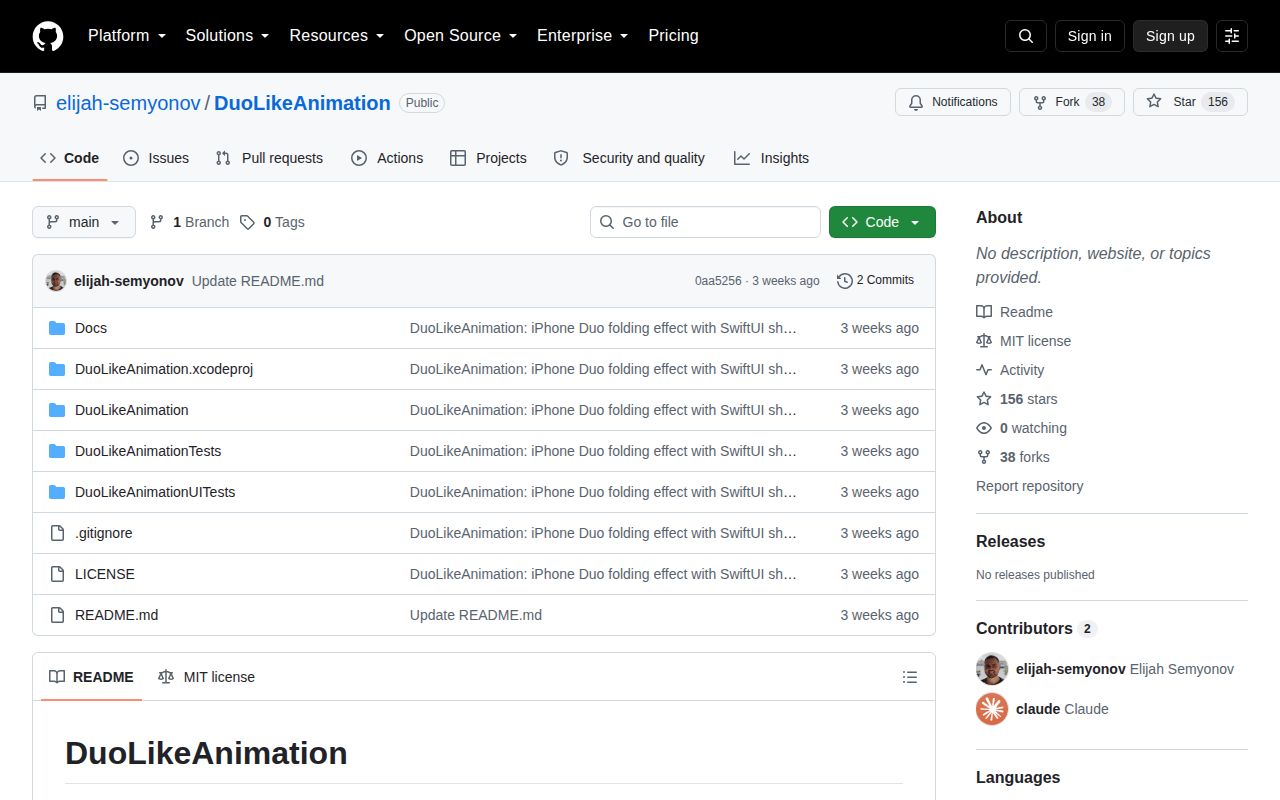
GitHub showed 156 stars and 0 open issues or pull requests on October 2, 2026. The repository was created September 10 and last pushed September 11. It has no GitHub release. Those dates describe a very young, quiet demo; they do not prove abandonment. There also is no issue history to show how the author handles device-specific rendering reports.
The MIT license permits reuse, and the small file map makes extraction practical. The meaningful work begins after copying: choose a lower deployment target if the APIs permit it, isolate the shader-facing content, replace the template tests, and verify on each supported screen size and orientation. DuoLikeAnimation is strongest as readable source for one convincing illusion. Treating the whole Xcode app as a maintained dependency would ask it to be something it is not.