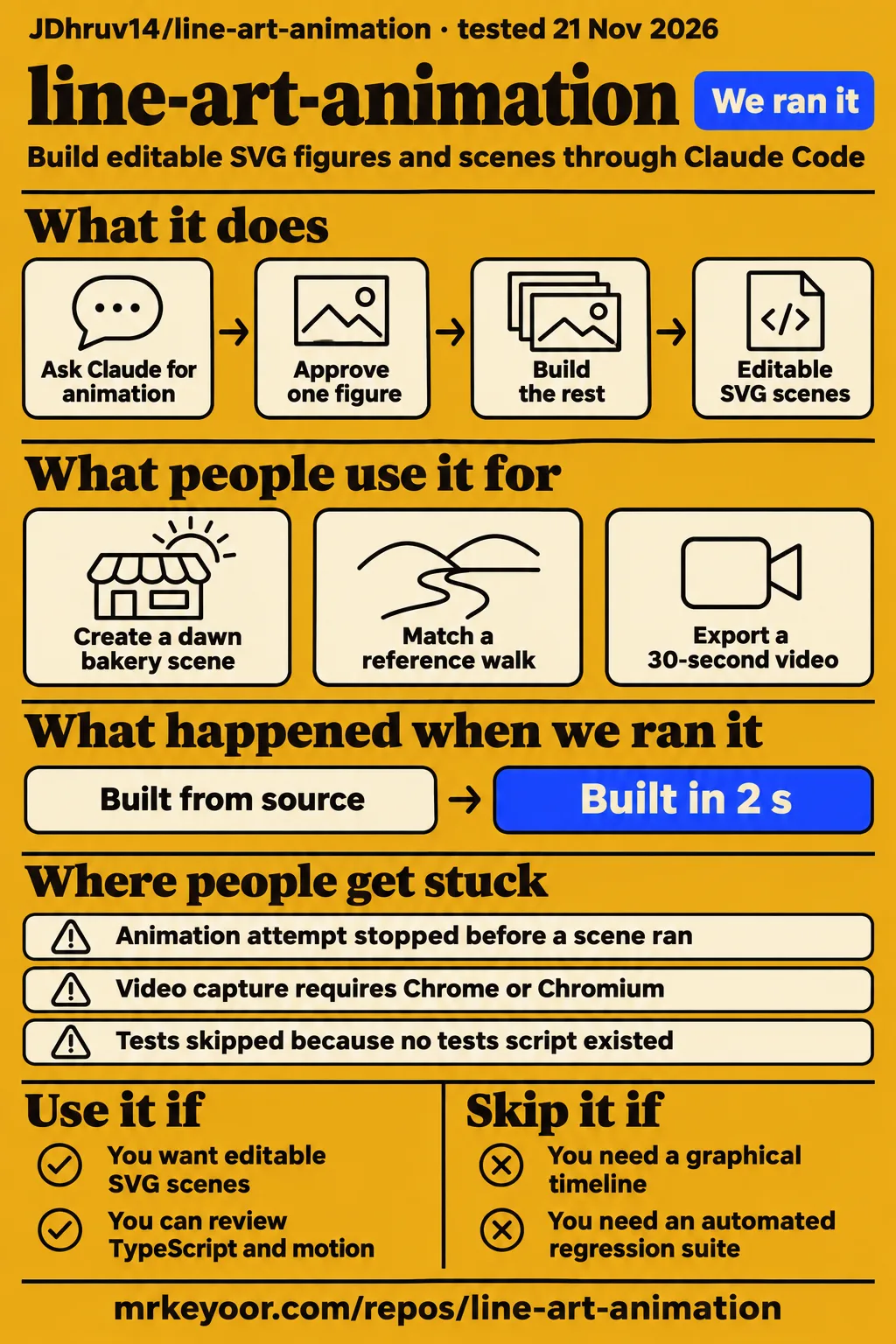
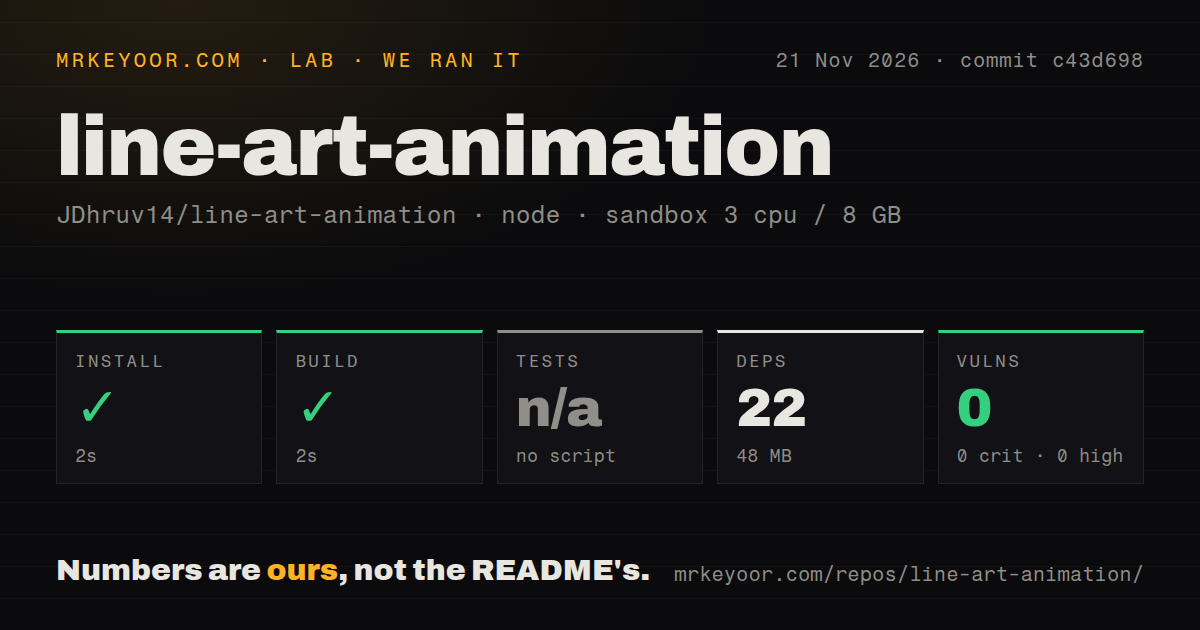
Our run installed line-art-animation in 2 seconds and built it in 2 seconds at commit c43d698 on November 21, 2026. The separate animation attempt stopped at a Compose-file prerequisite before a scene ran. Use this project if you want editable SVG illustrations and can judge an agent's code and motion choices. Readers commissioning a finished video should distinguish those setup results from a completed animation: the useful evidence here is a successful Node build, a documented scene workflow and an explicit harness failure.
What you can do with line-art-animation
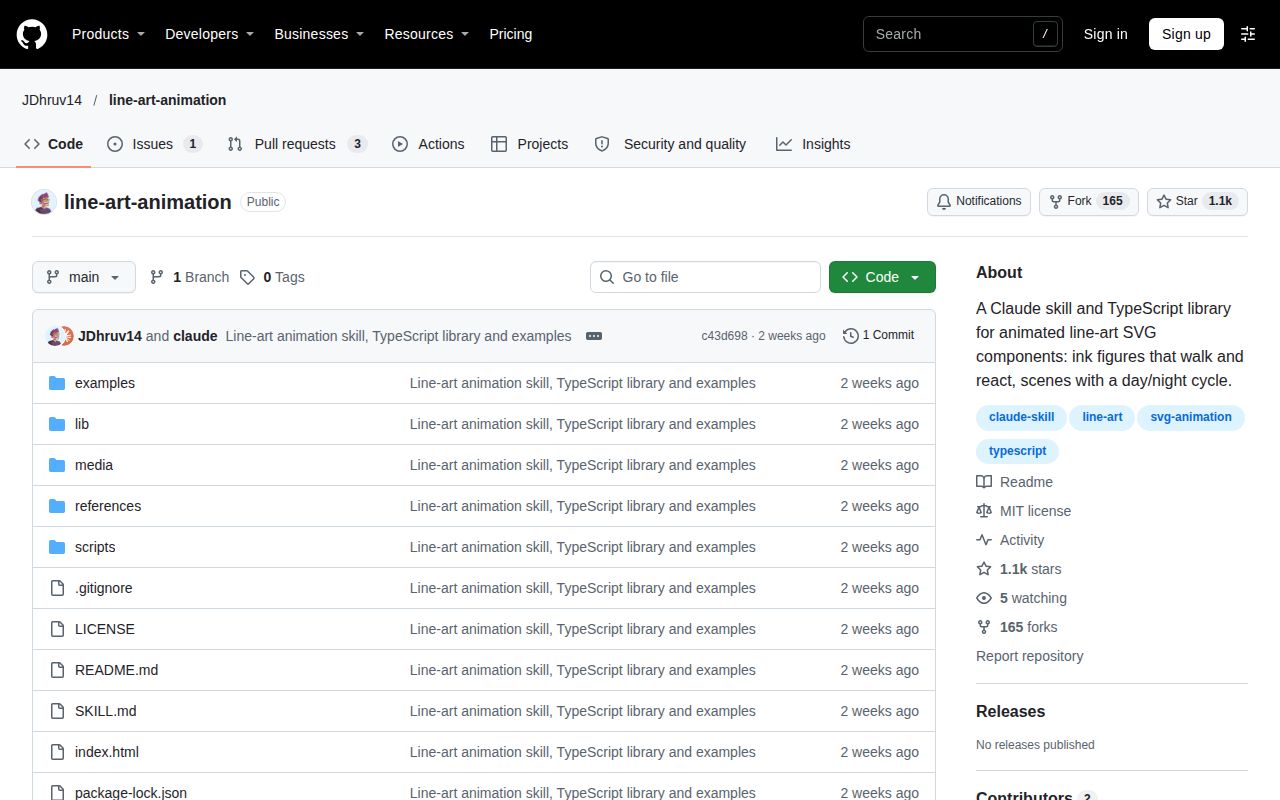
JDhruv14/line-art-animation combines a Claude Code skill with a small TypeScript library for animated SVG components, according to its English README. SVG keeps the artwork as browser-drawn shapes rather than a sequence of finished movie frames. The repository organizes the work around ink figures, pointer reactions and scenes that change from day to night. Its library supplies drawing primitives, a walking and running solver, springs, pendulums, wind and a time-of-day palette.
The README's walker example is a man with a briefcase who tips his hat when clicked. The village adds a street beside a canal, villagers following schedules, animals, lights and reflections. These examples make the intended style concrete before you ask an agent to produce something new. The smaller example also gives you a manageable first brief: one figure, its walking cycle and one reaction, rather than several characters whose movement and interactions all need attention at once.
The skill workflow requires approval of one figure or corner before the rest. Keep that checkpoint in the brief. A character's proportions, pen weight and walking motion affect every later copy or variation, so approving a single piece establishes a usable reference for the larger scene. The instructions then move through motion, composition, frame stepping and interactions. That sequence makes the first figure a design decision rather than merely an early screenshot.
What people use line-art-animation for
Issue #1 proposes three requests: a dawn bakery, a reference-matched walking loop and a 30-second 1080p export. The Korean-language issue contains installation instructions and those prompts; the README includes English equivalents. The captured issue is open with 0 comments. Its examples describe what someone could request from the skill, rather than documenting a delivered scene, so they are most useful as starting briefs with concrete subjects and output requirements.
| Who proposed it | Suggested request | What the thread reports |
|---|---|---|
| The poster of issue #1 | A bakery at dawn, with a baker carrying trays, oven steam and a cat by the window | An example prompt. |
| The poster of issue #1 | A looping component following the walking motion in an attached video | A reference-video request. |
| The poster of issue #1 | A day/night transition and a 30-second 1080p video | An export request. |
The bakery brief specifies subjects and atmosphere; the walking-loop brief specifies a reference; the export brief specifies duration and resolution. Those are different acceptance questions even when they share the same SVG scene. For a first project, ask for the single walker before expanding to the bakery. For a reference-driven project, retain the original clip alongside the component so the intended timing and poses stay visible throughout the work.
What happened when we ran it
Our November 21, 2026 sandbox installed dependencies in 2 seconds and built commit c43d698 in 2 seconds. The separate hands-on attempt failed its safety step because no Compose file existed. These records describe two different checks: the Node build harness completed its setup commands, while the animation harness stopped at its repository prerequisite. Keeping the two results separate explains how a successful build and a failed attempt can both be accurate.
The exact stopping message was unsafe repo: none of compose.yaml, compose.yml, docker-compose.yaml, docker-compose.yml exists (rule: a compose file is required). The message identifies the harness rule that failed. The README documents Node commands and a local development server, so the next documented route is clear without diagnosing an application fault from that label. The recorded checks below preserve the successful steps, skipped test step, repository signals and failed animation attempt.
| Our recorded check | Result |
|---|---|
| npm installation | Succeeded in 2 seconds; 22 dependencies recorded; 48 MB on disk. |
| Build | Succeeded in 2 seconds. |
| Tests | Skipped because there was no tests script or target. |
| npm audit | 0 known vulnerabilities: 0 critical, 0 high, 0 moderate and 0 low. |
| Checkout | 37 files, about 2,451 source lines, 7.6 MB. |
| Repository signals | 0 CI workflow files, no Dockerfile, no tests directory. |
| Animation attempt | Stopped at the Compose-file requirement before a scene ran. |
| Teardown | Reported ok. |
The build configuration recorded 3 CPUs, 8 GB RAM and image label lab-node:22. The hands-on records also contain a contradiction: the run header says it was deployed with its own Docker Compose, while the detailed step reports that no Compose file existed. The detailed failure is the basis for our account of the outcome. Teardown's ok records cleanup, rather than changing the preceding failure into a successful deployment.
Where people get stuck: installation and video capture are separate
The README installs the Claude Code skill with one clone command, while video output adds Chrome or Chromium and ffmpeg. Its installation and rendering instructions therefore describe separate parts of the workflow. Decide whether you want Claude to build a new scene, want to inspect an existing example, or want to encode a video. Each route starts with different files and ends with a different artifact to examine.
For the skill, the README documents this command:
git clone https://github.com/JDhruv14/line-art-animation ~/.claude/skills/line-art-animation
A project-local .claude/skills/ directory is the other documented location. For the examples, the README requires Node 22.18 or newer and gives npm install followed by npm run dev. These are upstream instructions; the command block is reproduced as documentation. The skill route asks Claude to read SKILL.md and copy lib/ into the working project, while the development server exposes the existing examples for inspection.
| If your goal is… | Follow this documented route | What to inspect before accepting it |
|---|---|---|
| Give Claude the style and workflow | Clone into the global or project skills folder | The requested first figure or corner. |
| Explore the existing village | Run the Node development server | The time controls and pointer reactions. |
| Render a video | Capture PNG frames with the Node script, then encode with ffmpeg | The frame sequence and resulting video. |
| Match a reference walk | Use clip measurements, grid frames and an overlay | Timing and poses against the reference. |
How to inspect the documented motion workflow
The skill tells the agent to use gait() for walking and running, with springs or pendulums for attached and hanging objects. Its motion rules place figures in a shared coordinate space, then position them with a transform. Clothes follow the solved skeleton, and a walker's travel speed follows the gait speed multiplied by scale. Those rules give a reviewer specific relationships to inspect instead of judging movement only from the overall impression.
The README exposes time controls for the village: ?start=0.9 selects a starting time, ?tau=0.5 pins it, ?day=30 makes a full day last 30 seconds, and ?debug allows manual stepping. The skill also describes ?t=1.25 for freezing time and window.__step(seconds) for exact stepping in debug mode. These documented controls make it possible to frame a review around individual poses, a hat reaction or a lighting transition rather than repeatedly watching an entire scene.
For reference matching, the README lists scripts for measuring a region's loop period, tracking dark blobs and extracting frames with a measuring grid. It points to references/matching.md for reading poses and checking an overlay. The useful distinction is between specifying a desired match and inspecting one: a request to match a walk exactly sets the target, while timing measurements and pose comparisons provide the documented method for judging the result.
What QAI checked at commit c43d698
QAI reports a pattern check with nothing flagged at commit c43d698 on November 20, 2026. Its description says it checked text files against 45 published patterns, including download-and-run commands, hidden text and credential access. That is the concrete result available from the listing. It gives a reader a dated scan target and a named method, which are more informative than an unexplained security badge.
The QAI listing and our npm audit result answer separate questions. QAI describes patterns in the skill's text; npm audit reported 0 known dependency vulnerabilities in our November 21 run. Keep those labels attached to their results when comparing this project with another skill. Neither number measures drawing quality, and a successful dependency installation is a different event from an agent following the scene-building instructions.
line-art-animation vs Vivus, Anime.js, Hype and LottieFiles
Vivus animates SVG strokes to make artwork appear drawn; line-art-animation documents an agent workflow for building moving figures and scenes. The Vivus README describes that drawing effect, while the Anime.js README lists CSS properties, SVG, DOM attributes and JavaScript objects as animation targets. Choose according to the material you already have and the part of the animation you want to control directly.
| Option | What its documentation or community example supports | Choose it when… |
|---|---|---|
| line-art-animation | An agent workflow plus SVG drawing, gait, motion and time-of-day modules | You want editable code for moving ink figures and scenes. |
| Vivus | SVG strokes animated to appear drawn | You already have suitable SVG artwork and want a drawing reveal. |
| Anime.js | Animation of CSS properties, SVG, DOM attributes and JavaScript objects | You want a general web animation library. |
| Tumult Hype | A forum user reports success importing separately exported SVG groups | You prefer the timeline workflow described in that thread. |
| LottieFiles | A collection offering downloadable line-art animations | An existing asset fits your brief. |
Vivus's README says its artwork needs strokes rather than filled shapes. For an editor workflow, Paradise reports that separately exported SVG groups worked in Hype after MaxZieb suggested the approach. For asset selection, LottieFiles lists dotLottie, Lottie JSON, MP4 and GIF downloads. These choices put the work in different places: preparing an SVG, writing animation behavior, arranging artwork on a timeline or selecting an existing animation.
Which project this review covers
This review covers JDhruv14/line-art-animation, whose README and skill instructions are in English. Issue #1 is Korean, with English equivalents of its example requests in the README. Search results for the broader style also include Creative Bloq's article about Loooop Studio, a different project. Its single-line animal animations are useful visual context, but the repository discussed here is the Claude skill and TypeScript library identified by its full GitHub name.
The distinct contribution here is the recorded build result, the stopped harness attempt and the separation of skill installation, example inspection, reference measurement and video encoding. Existing MrKeyoor pages cover Claude Animated Shorts and motion2code, which address narrated cartoon stories and reconstruction of flat motion clips respectively. This review answers the narrower question of whether JDhruv14's ink-figure workflow fits your project and what its recorded setup actually achieved.
FAQ
The README installs line-art-animation for Claude Code by cloning it into ~/.claude/skills/line-art-animation, with a project-local option. That answers the installation question repeated in issue #1. The other repository questions concern the three example briefs: a bakery scene, a walking loop and a video export. Their answers follow the documented workflow, keeping requested outcomes separate from the commands and files used to pursue them.
How do I install line-art-animation for Claude Code?
Clone the repository into the global skills folder or a project's .claude/skills/ directory, as the README instructs. The exact global command appears above. After installation, the README says to ask Claude for the animation you want. Its workflow starts by showing one figure for approval before building the rest, so include the intended subject, style and interaction in that first request.
Can I create an animated dawn bakery scene with a baker, oven steam and a window cat?
A dawn bakery with a baker, oven steam and a window cat is an example request in the README and issue #1. Treat those subjects as the brief's acceptance list. The skill's one-figure checkpoint gives you a practical place to approve the baker's proportions and movement before adding the oven, steam, cat and wider setting. The scene request supplies content; the staged workflow supplies the review order.
Can line-art-animation turn a reference video's walking motion into a looping component?
The README documents clip-measurement tools and an overlay-based matching workflow for that request. Its reference-clip section lists period measurement, dark-blob tracking and grid-frame extraction. Issue #1 proposes the matching loop as a prompt. Keep the reference available while inspecting poses and timing, because the documented process depends on measurements from that clip rather than a general instruction to make a convincing walk.
Can I add a day/night transition and export a 30-second 1080p video?
The README gives a capture-and-ffmpeg example using 900 frames at 30 fps and a 1920 by 1080 output size. Its video instructions start the development server, capture PNG frames with local Chrome or Chromium, and encode them with ffmpeg. The capture command includes the village's debug, capture, day-length and starting-time parameters. This makes the scene configuration, frame capture and encoding distinct parts of the documented export route.
How can I import vector artwork and animate it on a Hype timeline?
Paradise reports success after grouping artwork and exporting the groups as separate SVGs, following MaxZieb's advice in the Tumult forum thread. The advice is to import those SVGs into Hype, layer them as needed and animate them there. This is the relevant alternative when your starting point is existing vector artwork and your preferred control surface is an editor timeline rather than TypeScript generated through a skill.
What we have not tested yet
The animation attempt stopped before Claude Code activation, walker or village operation, reference matching or video export. There are no completed task answers or runtime screenshots from that attempt. We have not tested the skill in Codex or Cursor either. Motion accuracy, frame rate, animation memory use, capture duration and encoded-video quality are unmeasured. The sandbox image label records configuration; exact Node and operating-system versions require raw toolchain logs.
QAI explicitly excludes executing the skill, reading its linked pages and inspecting the listed media files. Its clean pattern result is not a safety guarantee or evidence of compatibility across agents. Our review also has no side-by-side performance trial of the alternatives, no network-behavior inspection and too little issue history to assess support responsiveness. The skipped test step supplies no regression result, and the command examples reproduced here were not executed as part of this correction.
A useful next evaluation would start with the walker: record runtime versions, trigger the hat interaction, inspect a stepped walking cycle and complete one capture-and-encode cycle. That sequence follows the repository's smaller example before expanding to several subjects. For reference matching, the acceptance artifact should include the original clip and the overlay comparison. For export, retain both the captured frames and the encoded video so the output can be assessed at each stage.