Browser decisions are restricted to observed controls
Jevry checks whether a page still contains the control it is about to click. That is a useful starting point for a browser agent: a model decision made before navigation should not quietly hit a different button afterward. The README describes an Electron browser that turns observed controls into permitted actions, then records what happened. You give it a task, watch the action feed, and stop or redirect it when necessary.
Our checkout had 211 files, about 20,021 source lines, and occupied 24.9 MB. The architecture splits planning from action selection: a text model interprets the request, TypeSafe's Jev chooses among supplied actions, and application code validates and executes the choice. A valid selection can still be mistaken. Restricting the action vocabulary makes the execution boundary easier to inspect, without establishing that the requested website task will succeed.
What happened when we ran it
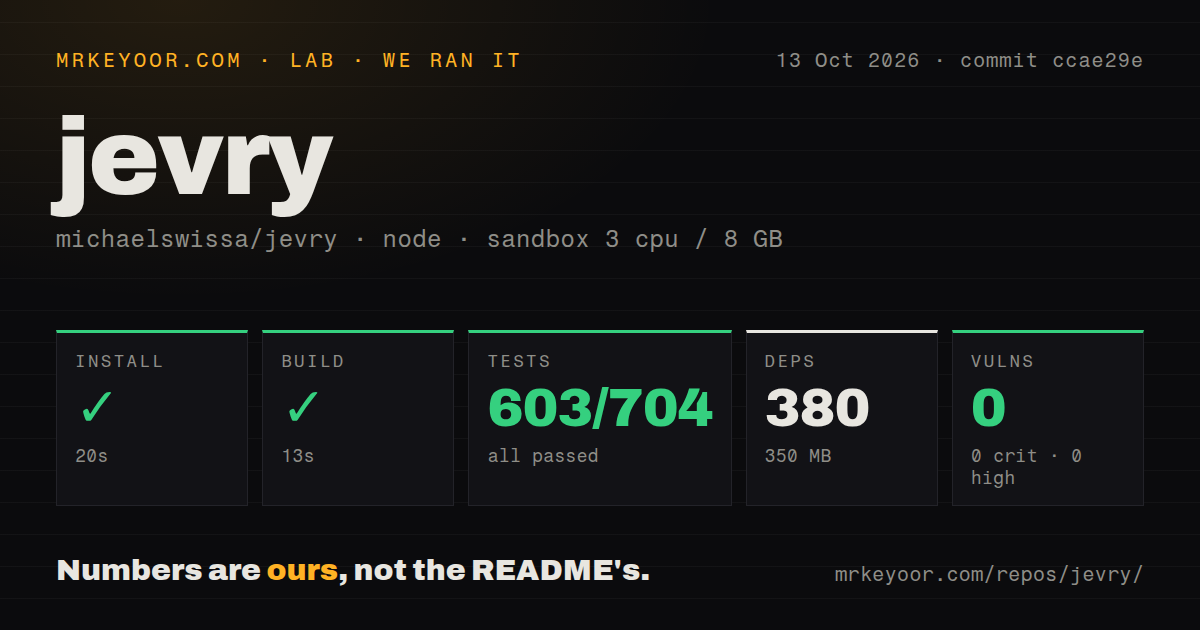
Our sandbox installed Jevry's 380 packages in 20 seconds, built it in 13 seconds, and completed its test command in 11 seconds. We ran commit ccae29e on October 13, 2026, using image lab-node:22 in an unprivileged Debian container with 3 CPUs, 8 GB of RAM, and no secrets. Installation occupied 350 MB on disk. None of these steps failed.
Vitest reported 603 passed, 0 failed, and 101 skipped out of 704. Npm audit reported 0 known vulnerabilities, with no critical, high, moderate, or low findings. The scan found 1 CI workflow file, a tests directory, and no Dockerfile. These are encouraging repository results. The skipped cases remain outside the passing result, and the audit describes known dependency advisories rather than the browser's resistance to hostile pages.
The no-secrets container could not establish successful use of your TypeSafe account or text provider. Our measurements also contain no completed live browsing task, model-cost estimate, or latency benchmark. The upstream README publishes its own evaluations and distinguishes historical builds, controlled fixtures, and live-provider work. Those results deserve separate reading. They cannot fill gaps in this sandbox run or turn a passing repository command into a website-support guarantee.
Useful browsing needs separate model connections
The 20-second install gets the code ready, while the setup instructions require Node.js 22.12 or newer and model access. Browser decisions need a TypeSafe Jev API key. Conversation and planning need a separate text connection, either a supported authenticated CLI or a configured API provider. Visual tasks also need image support. The README says connection validation can consume provider usage, and it gives no fixed per-task price.
Launch the Electron app for browser control. The web preview displays the interface only, so a successful Vite page is insufficient. The provider guide explains that a saved CLI login confirms authentication, without proving available quota. That distinction matters when setup appears complete but the next task cannot obtain a model response. Start with the documented small public-page question and compare the answer with what the page actually says.
Local storage still sends page context to providers
A 350 MB local installation does not make Jevry an offline agent. Its security policy says connected providers receive prompts and relevant page context, with screenshots or crops for supported visual tasks. Settings and conversation archives use operating-system encryption, while website cookies persist in the app's own Chromium profile. A private browser workspace and private inference are different requirements.
The project does not import Chrome sessions. Disconnecting a model or deleting a conversation also leaves website cookies behind. These details affect a practical trial: you must sign into sites separately and know which persistent state remains afterward. Native tabs disable Node integration and use sandboxing and context isolation, but the policy explicitly declines to describe Jevry as hardened against arbitrary untrusted websites or high-impact autonomous transactions.
Uploads and password-manager workflows remain outside its scope
The 101 skipped cases in our run are one reason to resist a broad reliability claim. More directly, the README lists uploads, drag-and-drop, download management, extensions, and password-manager workflows as unsupported or unverified. Some cross-origin and closed-shadow interactions share that status. A team whose ordinary task depends on any of those should choose another tool or validate the exact workflow before investing in Jevry.
Sensitive actions such as purchases and sending messages hand control to the user. The docs also acknowledge incomplete pagination as a failure mode: finding one matching record does not establish that every requested page was checked. I would use it first for visible documentation navigation and source comparison, where I can inspect the resulting pages. I would not delegate a consequential account change simply because the action feed looks orderly.
October fixes show activity within a source preview
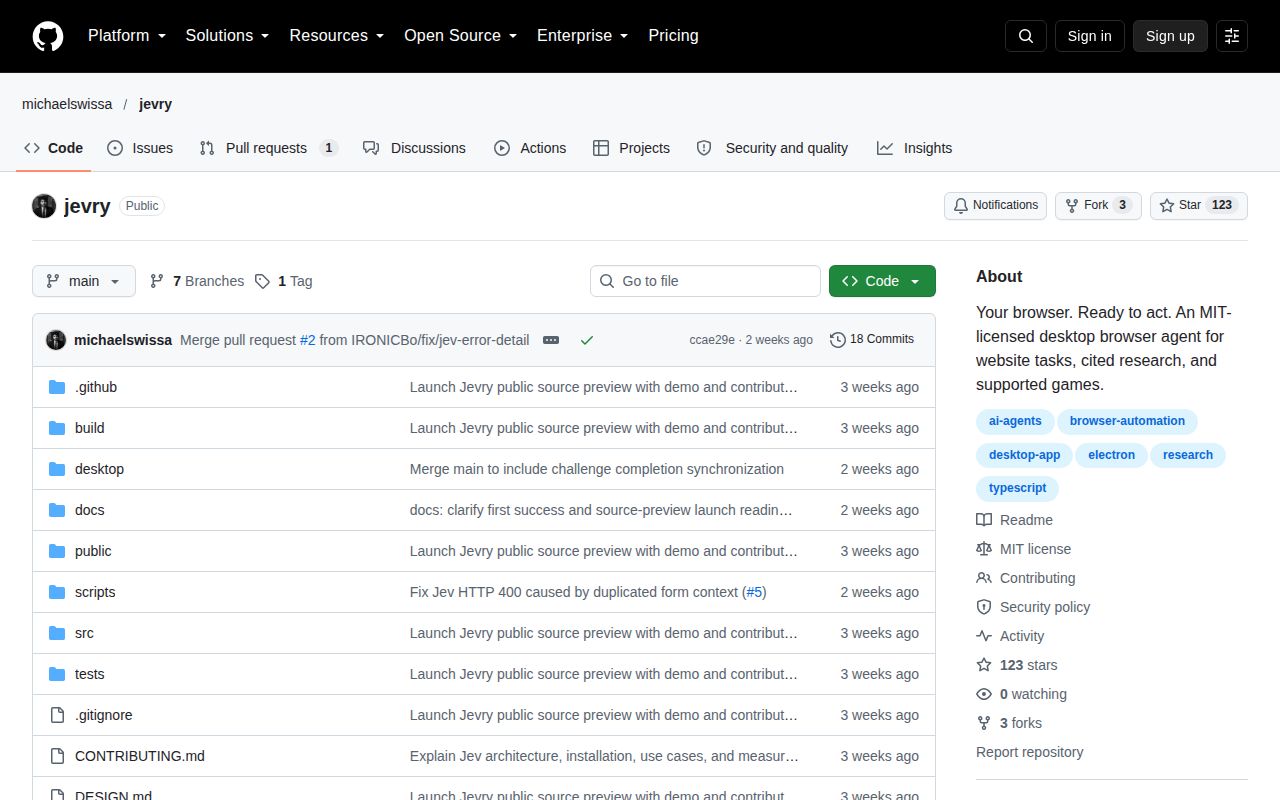
The last push was October 7, 2026. GitHub returned 123 stars and 1 open issue or PR; that open item was PR 10, concerning accepted conversation work lost when a follow-up save fails. Earlier closed reports and fixes address Jev connection errors. The v0.4.0-beta.13 prerelease dates to September 24. The newer push and issue activity support calling this maintained, while signed distribution remains unfinished.
Our 13-second build makes a developer trial reasonable. Choose Browser Use when you want to embed browser-agent work in Python, or Playwright when you can write explicit automation for a repeatable task. Jevry's appeal is the visible desktop workspace. Before handing it a real account, try the exact page controls you need and confirm that the evidence supports the whole requested result.